We remain fully operational. Our teams are working around the clock to ensure your deliveries continue safely.

Descargar la aplicación


Servicios al cliente
Sobre nosotros
Copyright © 2025 Desertcart Holdings Limited
Descargar la aplicación
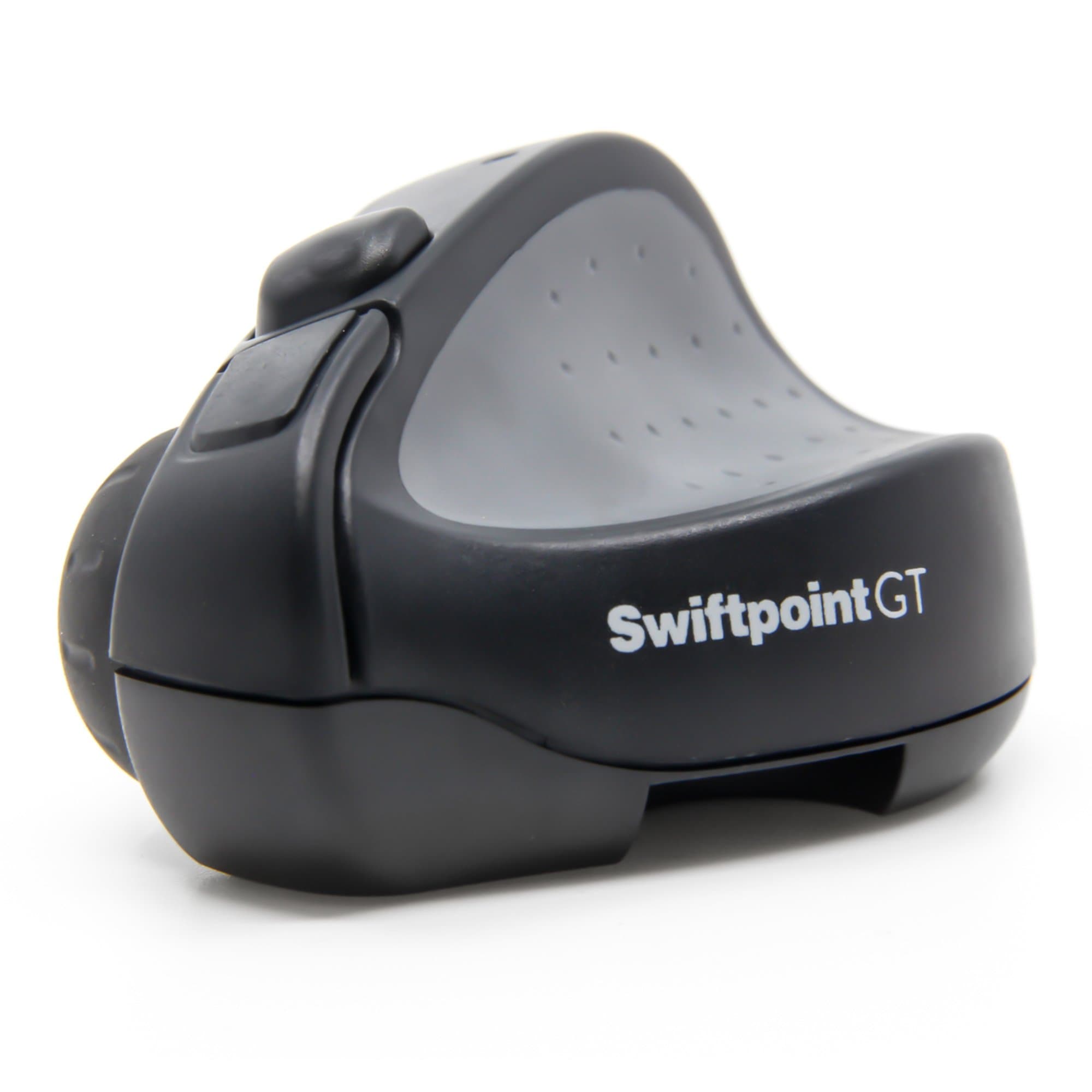
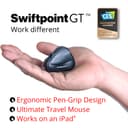
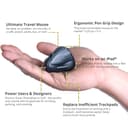



🚀 Elevate your mobile workflow with the mouse that’s redefining travel tech.
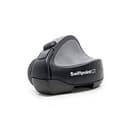
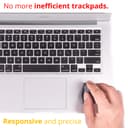
The Swiftpoint GT is a compact, ultra-lightweight wireless mouse engineered for professionals who demand ergonomic comfort and precision on the move. Featuring a unique pen-like grip to reduce strain, 1250 DPI accuracy, rapid 30-second quick recharge, and Bluetooth compatibility across multiple platforms—including iOS and Linux—it transforms any workspace into a productivity powerhouse. Its innovative gesture controls replace clunky trackpads, making it the ultimate travel companion for millennial managers who refuse to compromise on performance or style.
| ASIN | B00RI47ECS |
| Average Battery Life (in hours) | 21 days |
| Batteries | 2 Lithium Ion batteries required. (included) |
| Best Sellers Rank | #10,303 in Computer Mice |
| Brand | Swiftpoint |
| Color | Black |
| Customer Reviews | 4.1 4.1 out of 5 stars (273) |
| Date First Available | December 31, 2014 |
| Hardware Platform | PC, Tablet |
| Is Discontinued By Manufacturer | No |
| Item Dimensions LxWxH | 2.2 x 1.67 x 1.32 inches |
| Item Weight | 0.8 ounces |
| Item model number | SM500 |
| Manufacturer | Swiftpoint Mice |
| Operating System | Linux |
| Power Source | Battery Powered |
| Product Dimensions | 2.2 x 1.67 x 1.32 inches |
| Series | Swiftpoint GT |
| Wireless Type | 2.4 GHz Radio Frequency, 802.11a/b/g/n |
R**S
Even without the flick gestures, it's worth it
After a bout with severe RSI several years back, I began exploring more exotic mice as way to ease my pain. I've had good luck with vertical mice, but none of them are quite portable enough to use with a laptop. When I saw the swiftpoint, the unique design and extreme portability piqued my interest. First off, even without the swipe features, this is worth the money. It's so tiny you can comfortably use the bottom right area of your laptop as a mousing surface. The included "parking spot" even helps keep it somewhat attached if you are at an angle. I have very large hands and although I never quite feel like I'm holding it "the right way", it is always comfortable and precise. The bluetooth connection needs no special prodding to get itself connected. Just turn it on and it auto-connects quickly. The case it comes in is without a doubt one of the nicest quality cases I have ever seen for a piece of hardware. It holds the usb battery connector, an additional flick-foot in case you lose yours, and a cleaning cloth. The whole thing reeks of Quality. Mind you, I wouldn't want to try playing first person shooters with this and it won't replace my fat Evoluent vertical mouse I use for my desktop. This is just a great laptop mouse for me. The win 8 flicking stuff is still unexplored for me. I feel like this mouse is ahead of it's time and we'll see a lot more use for this functionality when windows 10 comes out. For now, I can get around the screen easily just using the scroll wheel or touching the screen directly (i have a touchscreen laptop, which is pretty common these days). There's nothing really crazy about the flick foot. It's just a plastic post on the bottom that works like a joystick when you slightly tilt the mouse on it's side. It works fine, but unless you are scrolling horizontally a lot, I'm not sure you will use it (yet). Watch their videos and you'll see that windows 10 may make a lot more use of side scrolling. Finally, I wanted to add that I had a very good support experience with the manufacturer. They responded to my email within 24 hours as promised and helped me out immensely. The only real con here is the price. All I can say is that this is a quality product, I wasn't disappointed, and it is worth it to me, even if it is a bit steep.
R**K
Great little mouse
Great little mouse. I've been using a Logitech Ultrathin for some time so its clear that I like a small device. That being said I was beginning to notice some serious discomfort in my pinky finger because of the way I held the ultrathin. I didn't think there was anything comparable. And then I came across the swiftpoint. Yes, the price tag is high but things that are completely unique in the market do tend to command a higher price. In my opinion you do get some value for that price. For instance, in reading the reviews for the previous model every single feature complained about has been added/solved in the gt version. People wanted a travel bag, the GT has one, they wanted an off switch and it has it. This company is listening to its customers and delivering a better product. As far as actual usage goes, I like it. There was barely any learning curve. The mouse just feels natural in the fingers. I am a programmer as well as a graphic designer so i've used the swiftpoint in a variety of contexts and it works well in each one. I was particularly surprised at how smooth I could operate in photoshop with it. I run ubuntu on my home desktop as well as windows at work and it works seamlessly between the two. The right click button is brilliant. Just roll your index finger back a smidge. I haven't quite gotten used to turning the mouse on its side to scroll, but I can tell that is something that will come more natural with just a bit more time. That being said the gesture scrolling works almost better. Just tilt the mouse slightly to the side, drag and boom you are scrolling. Overall it's a great little device. It deserves 5 stars because its refreshing to see some innovation in this area. Someone put a lot of time into thinking this piece of hardware through and it shows.
T**D
Updated Review: Works well with new firmware, intuitive configuration portal, and OSX gesture support
New Review (video is for old review): NB: Dan from the Swiftpoint team reached out to me, and offered a complimentary device to test their new firmware, and try out their OSX gesture functionality. I agreed to do this for them, and the following is a review from that process. My old review of my initial faulty device is still appended to this review. Its refreshing to see that a company takes customer feedback seriously, this is the impression I received from Swiftpoint when they reached out to a miffed customer with an updated device. After breaking my previous record with the Swiftpoint, I was happy to see that the new device continued to work beyond the 30 min mark, and this time was packed with OSX gesture support. To enable gesture support, there is a simplified process where you have to change the mouse's config over to OSX. Thanks to Swiftpoint, this process is largely automated with the user only having to switch to config mode (OFF->CONFIG switch) on the mouse, which then opens up a webpage were the user follows the onscreen prompts. Everything is then saved to the mouse, via the dongle or bluetooth. Gesture support works by holding down the left-click button and swiping with the stylus (in intuitive directions). This works well, but if you're like me, and use a four finger swipe down to close mission control, a swipe down while holding the left click on the stylus doesn't do the same. Instead you have to swipe up again to close it. Minor annoyance for me. A few areas for improvement: 1) The angle/slope for the stylus isn't pronounced to my liking. I would like to know, haptically, that I am on the right slope for the stylus, and 2) I would like to see future revisions being freed from a surface with 3d gesture support. These would probably need a new HW revision. Overall a good product with evolving hardware and great customer support -- all out of inventive Aotearoa, keep up the good work! --- Old Review: I purchased this little guy to help with trackpad wrist pains, and because I'm a NZ'er -- Its great to see such a cool little product born out of good old Kiwi ingenuity. I must say the price-tag was a shocker, but Physio visits being $50 a pop, it wasn't a big issue in the grand scheme of things to help with my ailment. With the price also comes the high hopes that it would work flawlessly with my Retina Macbook Pro, and unfortunately it doesn't. I hoped, wished and dreamed that the little gesture stylus would support the 4-finger swipe to move across my Mac's desktop screens. Who stays on one screen these days? I'm constantly coding on one, researching on another and managing files on the latter. What annoys me even more is that this all seems to be supported for the Windows machine. Don't get me wrong, I'm pro Windows, but that OS stays on my clunky desktop. In the end, the little gesture stylus does only what the scroll wheel would do on a Mac. Redundant much? So my $150 Kiwi designed mouse has turned into my old clunky Microsoft laser mouse, with added wireless functionality, when connected to my Mac. How hard would it be to program a little app to supplement Mac users? to have it identify a stylus lateral swipe as a 4 finger swipe. With the profit made per Swiftpoint, surely a few competent software/firmware engineers could be put to the task! Heres an idea for Mac gesture conditions: holding the 'left click' button and swiping laterally with the stylus = 4 finger swipe. Its also important to note that although many hardcore coders prefer to work on Thinkpads, not many of those run Windows and rather operate Linux. Eclipsing this, the majority of software designers work on Macs, its stable, works, no messing about. So it would be in the best interest of your bottom line, especially at your price point, to get something that works as well on the OSX as you have achieved on Windows 8/10. Once OSX is nailed, Linux support should be a straight forward. I had no problems connecting via Bluetooth, but as it is now, its only very expensive wireless mouse with no gesture support for Macs. Focus less on the magnetic gimmicks and make the Swiftpoint a true Mac trackpad killer. UPDATE (1 hour later): Ok so this is disappointing, the Swiftpoint stopped working completely on my Mac. It no longer reconnects to the Bluetooth (I guess there are still issues), and it does not go into Bluetooth pairing mode (holding a button and turning on). It also does not work with the dongle. It has essentially bricked itself after being on the dongle charge for an hour. What the hell... for a $150 device. Sorry guys, I support NZ entrepreneurship, but this product is destined for return. Device serial number is SEC-0284H if it ever makes is back to you. 2 stars to 1. UPDATE 2: It seems OSX gesture support will be coming out at the end of July, as per an answered question on Amazon.com, but it seems the device has underlying hardware issues as highlighted in my video. UPDATE 3: It seems hardware issues have been noted with the Swiftpoint line, especially in their early Kickstarter release. See the 1 and 2 star reviews for their older product Swiftpoint GT Mouse or Swiftpoint SM300 Laptop Mouse . Many accounts of devices 'burning out' after a period of time. I suppose I was lucky mine took 1 hour and I was able to return it. It is safe to say the hardware problems have yet to be addressed completely. I've since started using the Penclic B2 Bluetooth Mouse , it also has limitations but its more reliable and the price is reasonable. Coupled with a third party app, called BetterTouchTool, I've been able to map OSX gestures to buttons and truly replace my Mac trackpad.
F**.
Perfetto
G**M
Hallo, Update: 5.2.2016 Ich arbeite nun einige Zeit mit einer "Austauschmaus". Hier hat sich der neuseeländische Hersteller mit hoher Initiative engagiert und mir eine neue im Austausch mit der alten kostenfrei geschickt. Hierfür ein ganz großes Lob. Die Kommunikation über eMail zur Problemlösung war vorbildlich! Die unten geschilderten Probleme sind damit erstmal vom Tisch. Die neue Maus funktioniert nun. Ich gehe auf einige Punkte genauer ein: Ergonomie: Die Haltung war zuerst ungewöhnlich, aber mit kurzer Umgewöhnung erstaunlich komfortabel. Eine Maus nur mit den "Fingerspitzen" zu führen ist merklich angenehmer als bei den bisherigen "Standarfmäusen" mit der ganzen Hand. Mein Handgelenk bleibt "eben" und wird nicht mehr zwangsläufig abgeknickt. Was ich immer als unangenehm empfand. Das ist mit der Swiftpoint so gut gelöst. Die Maus ist auf den ersten Blick ungewöhnlich leicht und klein. Doch macht das mit der beschriebenen Bedienung Sinn. Hier ist Minimalismus sinnvoll auf Ergonomie reduziert und nicht auf reine "Verkaufsoptik". Die Tasten und das Rad: Ich nutze die Taste vorwiegend mit dem Zeigefinger, das Scrollrad je nachdem ebenfalls mti Zeige- als gelegentlich auch mit dem Mittelfinger, da ich den meist abknicke eher selten. Das Mausrad ist etwas schwergänig. Aber präzise, wenn es langsam und ruhig bewegt wird. Hier hilft die Rasterung. Schnelle schwungvolle Bewegungen sind nicht gefragt. Hier ist eine Umstellung von anderen bisher genutzen Mäusen sicher notwendig. Weiterhin kann das Rad direkt über einen entsprechend weichen Untergrund gezogen werden. Auch beim Scrollrad gilt wie bei der ganzen Mausbedienung eine gewisse Eingewöhnung. Verbindungszuverlässigkeit Ich nutze die Maus mit einem Mac-Laptop. Die Swiftpoint kann mit einem mitgelieferten USB-Stick geladen werden. Dieser dient auch als "Dongle" und funktionert soweit. Aussschließlich mit dem Bluetooth des Mac genutzt ist die Sache unzuverlässig. Die Maus schaltet sich ab oder die Verbindung bricht ab. Hier hilft nur die Maus neu anzuschalten. Es hilft hier auch nicht wirklich ein möglicherweise nahe liegendes aktives Mobiltelefon zu entfernen. Diese Verbindungsabbrüche können bei mir auch im "Dongle-Betrieb" passieren, doch die Verbindung ist wesentlich zuverlässiger. Möglicherweise hilft es auch schon die Maus etwas länger an die Ladestation zu hängen. Mein Wunsch: Eine Version mit Kabel. Damit die Verbindungsabbrüche Geschichte werden. Fazit: Eine Maus für den ruhigen Nutzer, Hektik z. B. im Zusammenhang mit dem Mausrad führt zu nix. Ich selbst würde sie jederzeit wieder kaufen. Vorzugsweise mit Kabelverbindung. Bluetooth erscheint mir generell bei allen Mausherstellern als unzuverlässig, wenn ich die Rezensionen auch anderer Maustypen lese. - Alte und überholte Rezension: Die Maus ist nicht nur von der Form, sondern auch von der Verpackung her eine Besonderheit. Wer liefert seine Maus sonst im Lederetui? An Selbstbewußtsein fehlt es dem Hersteller jedenfalls nicht. Ich habe diese Maus ein paar Stunden in Gebrauch gehabt in dieser Zeit hat sie vorerst gut funktioniert. Eine Umstellung mit der neuen Maustastenplatzierung war kam nötig. - Und nun doch einen Totalausfall erleben müssen. Grund: Das Gerät lässt sich nicht mehr mittels Bluetooth koppeln. Weder direkt, noch über den beigefügten USB-Dongle, der auch als Ladegerät dient. Zuerst hielt ich es für eine Schwäche des fest verbauten Akkus, obwohl der angeblich zwei Wochen durchhalten soll und nach Lieferung von mir neu aufgeladen war. Und der war dann auch erwartungsgemäß ruckzuck wieder aufgeladen. Doch auch danach klappte nichts mehr. Insgesamt habe ich das Gerät nur drei mal gekoppelt. Das erste Mal mit meinem Mac, das zweite Mal aus Neugier mit einem IOS 9 Gerät. Was auch geklappt hat, es wurde erkannt doch unter IOS war keine Reaktion zu beobachten, obwohl die Maus entsprechend beworben wird. Nach dem dritten Vorgang wieder beim Mac versagte die Technik. Die LED zuckte kurz beim Koppelvorgang und dann wars das gewesen. Eine Beschädigung ist von aussen nicht zu erkennen - und die LED reagiert völlig normal beim Aufladen. Ich schicke die Maus zurück und lasse mir nach Gutschrift des Kaufbetrages ein weiteres Gerät schicken und "hoffe" dass ich diesmal nur ein Freitagsgerät erhalten habe. Zum jetzigen Zeitpunkt verdient es jedoch nur ein Stern.
J**Y
c’est un peu cher pour une souris mais au quotidien bien plus agréable que les habituelles souris qui apportent bcp de gêne (douleur mais / poignet). Ça fait beaucoup de curieux mais personne ne sait s’en servir en un click :) donc personne ne la pique. La prise en main se gère bien quand même et aujourd’hui j’ai du mal à revenir sur mon ancienne sourie (sensation de manque de précision).
M**R
WOW!!! Despite my doubts about the claims being made for it, I decided that "trackball thumb" was forcing me to move from my trusted and very good Logitech M570, towards this Swiftpoint GT. I use 3x 23" monitors side by side, dodging between Word, Excel and Powerpoint when writing for lectures and seminars, so there is much movement in all directions. My trackball had coped wonderfully, but my thumb was rapidly becoming a cause of concern, so I took the plunge and ordered a Swiftpoint. It is the best £100 that I have ever spent. It is natural. It is comfortable. It is responsive. It is intuitive. It is everything that other people have said. I have large hands - it fits easily. My wife has very small hands - she loves using it and wants one for her laptop. It took about five minutes to get used to. It took about 5 seconds to set up. The presentation case is superb, and protects it all beautifully. The Bluetooth is faultless with a good range. It is easier to hold and use than a pencil. And...most importantly for me...my thumb no longer hurts, and I can work for 12 hours non-stop without feeling any strain. A remarkable design, a super quality of manufacture, and excellent performance all make this my all-time "best buy". However did I manage without it?
W**.
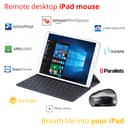
Mouse worked flawlessly with the iPad allowing for a better Remote Desktop experience.
Trustpilot
Hace 2 semanas
Hace 2 semanas