We remain fully operational. Our teams are working around the clock to ensure your deliveries continue safely.

Descargar la aplicación


Servicios al cliente
Sobre nosotros
Copyright © 2025 Desertcart Holdings Limited
Descargar la aplicación
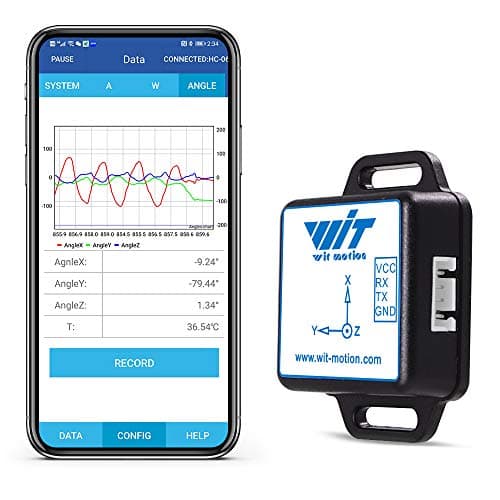
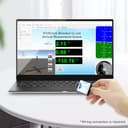
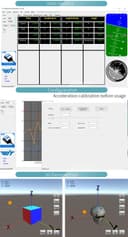


⚡ Elevate your projects with pinpoint precision and rock-solid reliability!
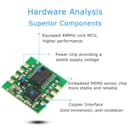
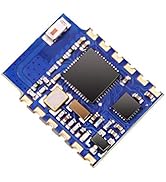
The WT61C-TTL Gyroscope Sensor by WitMotion is a high-performance 6-axis accelerometer and gyro module offering precise 3-axis XYZ data with ±0.05° static accuracy. Featuring selectable output rates from 0.2 to 100Hz and advanced Kalman filtering, it ensures stable, low-noise measurements ideal for flight control, robotics, and industrial applications. Compact and robust, it comes with comprehensive support and a 12-month warranty, making it a trusted choice for professionals demanding accuracy and durability.


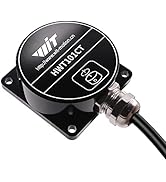
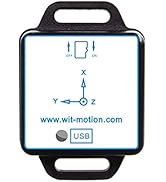


| ASIN | B01N3R2YXZ |
| Best Sellers Rank | 120,389 in Business, Industry & Science ( See Top 100 in Business, Industry & Science ) 91 in Acceleration Sensors |
| Brand | WITMOTION |
| Country Of Origin | China |
| Current Rating | 10 Milliamps |
| Customer Reviews | 3.6 3.6 out of 5 stars (7) |
| Manufacturer | WitMotion |
| Material | Metal, Plastic |
| Maximum Supply Voltage | 5 Volts (DC) |
| Measurement Accuracy | ±0.1° |
| Measuring Range | 3.3 - 5 volts_of_direct_current |
| Model Number | WT61C |
| Mounting Type | Board Mount |
| Output Type | digital |
| Specific Uses For Product | four-axis flight control, self-balancing robot |
| Style Name | Modern |
| UPC | 713752277254 |
| Upper Temperature Rating | 85 Degrees Celsius |
F**R
Pictures are misleading
Tiny tiny tiny writing at the bottom of a photo saying wiring required. All pictures seemed to imply this wasn't the case. I am sure that this might be okay but I have never had anything sent with bare wires.
R**R
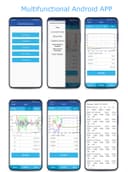
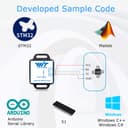
The app version 4.0.8, which the Wit Motion customer service sent to me on request, worked for me on Lineage OS 20 (4.0.6 which I had previously installed didn't work). In order to connect the WT61C TTL to my Pocophone F3 with Lineage OS 20 (Android 13), I used a Nimaso USB C to USB 3.0 OTG Adapter + a CH340 USB to serial converter @3.3v connecting the wires as follows: red to red, black to black, green to green and white to yellow. The device was immediately recognized. (see picture) For the WT61C TTL I needed to select the BWT901CL in the Wit Motion Software. Then I enabled the USB connection set to 115.200 baud. There is an option in the software to calibrate the device. The Wit Motion customer service was very supportive and reacted promptly to my questions.
K**B
Kein Support Beschreibung nur auf Chinesisch verfügbar. Windows Beispielsoftware (Chinesisch) als Schädling erkannt. Für Einsteiger der totale Frust. Am besten in die Ecke schmeißen.
Trustpilot
Hace 3 semanas
Hace 2 semanas