We remain fully operational. Our teams are working around the clock to ensure your deliveries continue safely.

Descargar la aplicación


Servicios al cliente
Sobre nosotros
Copyright © 2025 Desertcart Holdings Limited
Descargar la aplicación
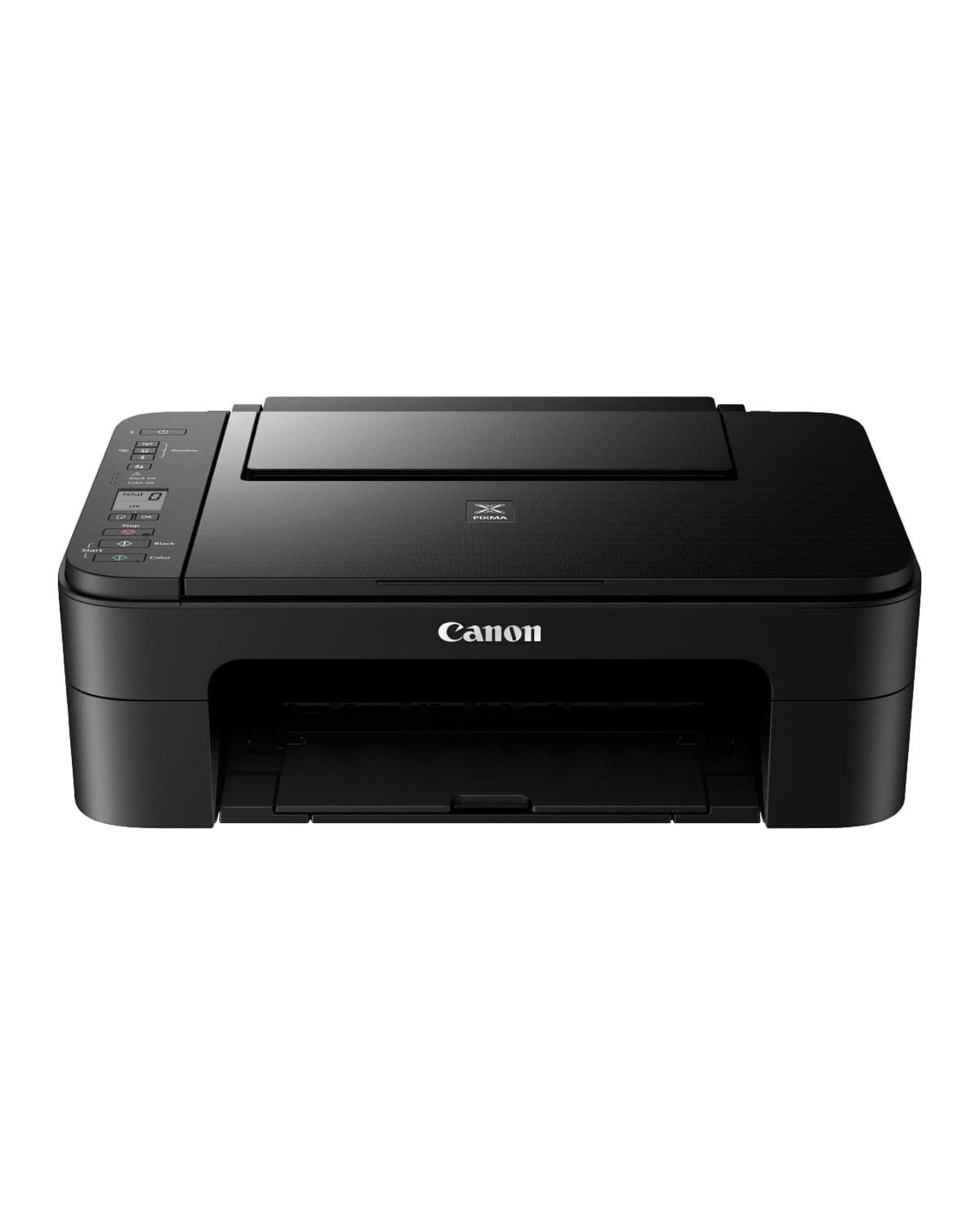

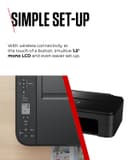
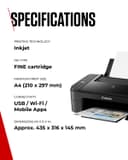
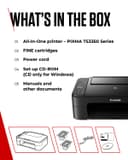
🖨️ Elevate your home printing game—because your creativity deserves the best!
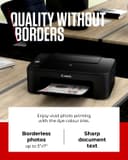
The Canon PIXMA TS3350 Series is a compact, wireless all-in-one printer designed for home use, featuring high-resolution color and black-and-white printing, a 3.8 cm LCD display, and seamless smartphone integration via the Canon PRINT app. It supports auto double-sided printing and uses ChromaLife100 ink technology for long-lasting, vivid photos, making it ideal for both documents and creative projects.


| ASIN | B07WV59HLM |
| Additional Printer Functions | All In One |
| B&W Pages per Minute | 7.7 |
| Best Sellers Rank | 7,089 in Computers & Accessories ( See Top 100 in Computers & Accessories ) 41 in All-In-One Printers |
| Box Contents | Ink Cartridges (Black, Cyan, Magenta, Yellow), Power Cord |
| Brand Name | Canon |
| Color Depth | 24 bpp |
| Color Pages per Minute | 4 |
| Colour | Black |
| Compatible Cartridge | PG-545 black and CL-546 colour |
| Compatible Devices | Laptops, PC, Smartphones, Tablets |
| Control Method | App |
| Controller Type | Android, iOS |
| Customer Reviews | 4.2 4.2 out of 5 stars (4,240) |
| Display Type | LCD |
| Dual-sided printing | Yes |
| Duplex | Automatic |
| Hardware Interface | PictBridge, USB |
| Ink Colour | Black, Cyan, Magenta, Yellow |
| Item Dimensions D x W x H | 31.6D x 43.5W x 14.5H centimetres |
| Item Type Name | Multifunction Printer |
| Item Weight | 12 Kilograms |
| Manufacturer | Canon (UK) Ltd |
| Maximum Copies Per Run | 100 |
| Maximum Copy Resolution Black and White | hoch |
| Maximum Copy Resolution Color | [HOCH] |
| Maximum Print Resolution Black and White | 4800 dpi |
| Maximum Sheet Capacity | 60 |
| Maximum Supported Paper Size | A4 |
| Maximum print Resolution Color | [HIGH] |
| Model Name | TS3350 |
| Model Number | 3771C008AA |
| Model Series | PIXMA |
| Network Connectivity Technology | Wi-Fi |
| Number of Drivers | 1 |
| Number of Trays | 1 |
| Other Special Features of the Product | Auto Power On, Borderless Printing, Display Screen |
| Output sheet capacity | 60 |
| Paper Size | 21 centimeters |
| Power Consumption Size | 11 Watts |
| Print media | Glossy photo paper, Paper (plain) |
| Printer Output Type | Colour |
| Printer Type | Inkjet |
| Product Warranty | 1 Year |
| Resolution | 600 x 600 |
| Scanner Type | Flatbed |
| Series Number | 3300 |
| Specific Uses For Product | Home, Small Office |
| Total USB 2.0 Ports | 1 |
| Total USB Ports | 1 |
| Unit Count | 1.0 count |
| Warranty Type | Limited |
| Wattage | 11 watts |
B**N
Good basic printer with easy wireless printing
I bought the Canon PIXMA TS3350 as a simple home printer for occasional printing and scanning. It does the basics well. Print quality is good for everyday documents, and the wireless setup is straightforward. Being able to print directly from my computer or phone without needing a cable connected is a big plus and makes it far more convenient to use. It’s compact, easy to set up, and works as expected for light home use. Not a heavy-duty printer, but that’s not what it’s designed for. Overall, a solid, no-frills printer that’s ideal if you want simple wireless printing at home.
M**E
You can trust Canon…
What I love about Canon is that their customer service is second to none. They will help you set up your printer if you are not technically minded and they will help with any troubleshooting. The print quality on this piece of kit is great for home or small office use. The cartridges are not too expensive; we always get a good deal from Tescos for the dual pack and they recycle the used cartridges too. Easy to operate and easy to change the cartridges. Paper feed which can print both sides. Scanning is a must in todays technical world so we use this feature regularly. The plastic casing is noticeable lighter so you need to handle the paper feed with care. Bluetooth connection so you don’t have to have the printer next to your computer. I have set up the app on my phone so can scan and print from there too. Would highly recommend.
H**R
Bit on the slow side but overall a good printer
I had a Canon printer before from the PIXMA range specifically the MG2950 that lasted for well over 10 years. It gave up last month sadly with the ink absorber being soaked and consequently rendering it unusable. This is a problem that Canon really should solve because if I'd been able to replace this the printer would still be in a good state of repair. Sadly most people will bin their old printers ending up in landfill which is sad. I have recycled mine so hopefully it'll get turned into something that can be used again with all the electronics and plastics involved. Back to this printer and it's a good design, I got the black one and quite like it over white. White printers show all kinds of muck so I chose a black one this time. Setting it up was a bit difficult but eventually I managed to hook it up to my smartphone and my other halfs phone and printed some samples off. The printer is slow (compared to my older Canon PIXMA) but the print quality seems to be better than the old one. There was no need to calibrate the printer and because this uses the same cartridge system as my old one it was easy to pop the colour and black cartridges in. The setup guide is a bit on the vague side which is supplied in other language formats as well. The guide doesn't really explain what some of the buttons are for although I'm used to most of the buttons due to them being the same as my old one. There is (what appears to be) a service button denoted with a couple of tools logo. Not sure what this is for but I'm sure YouTube will teach me lol. The print interface (Canon print app available for iOS and Android) was the same as my old printer so I had no issues with this and it's pretty intuitive for new users to the Canon brand. A disc is included for those wanting to print from computers that don't have WiFi connectivity. I tested the scanning and this was good as well as photocopying although the printing was again on the slow side. I think the price is very good tbh at just under £40 and there's a 10% discount at the moment. Bear in mind that this also comes with ink cartridges (which alone can be upwards of £25) so the printer theoretically is only costing around £15! I trust Canon printers so this is why I've stuck with the brand due to my old one lasting so long but I really wish Canon would redesign their inkjet printers so users can change the ink absorber pads. If I get over 10 years use out of this printer I'll be extremely happy. Overall this is a decent budget printer especially with the 10% discount at the moment.
J**Y
Good
Great printer for the money. Bluetooth connection is very easy to use and quality of prints is perfect.
S**O
Calling it a WiFi printer is a huge stretch
Physically setting up the printer was fine until it got to the WiFi setup. After repeating the same steps over and over again to no avail, I turned it off and on again and went through the whole process again... And again, and again, and again until one time it just worked. Yay, I suppose? But that's strike one! It seems to be sentient, and only works when it wants to. It worked via WiFi from my PC and my phone fine for a few days. Then I came to need it to print off something for work and it apparently wasn't online... So I went to the printer to find it turned off. Strange. I never turned it off, and we definitely haven't had a power cut. So that's strike two! Sentience yet again, turning itself off. Anyway, this had somehow wiped its memory of anything related to connecting with my router, which meant I had to run through the setup again, and again, and again, and aga... Well not the fourth time. That was strike three! That was the point where my patience and self control left the room and my fists found themselves inside the printer, having gone through the plastic lid and the glass of the scanner; bending the print head rail. I suppose I can't return it now? Even though it literally didn't function before my fists became one with it's innards... Strange that Cannon are so confident in their WiFi that they don't even include a USB cable in the box, yet it's clearly an afterthought that hadn't even been codified when the printers were shipped from the factory, as there's no written instructions for wireless connection: just a QR code that refused to be recognised. I ended up going through their website for setup instructions in the end. Just avoid this printer at all costs. It's not worth the stress or the waste of precious time.
G**N
Lovely printer/scanner. Great value
Set this up to work from my phone. Works brilliantly. Easy to follow instructions on set up. Prints great colour images. Even came with a couple of 5"x5" size photo paper to test printing of pictures. Not as compact as I thought but added bonus it has a scanner built in too. Very Happy. I was unsure if ink cartridges were included so ordered extra in case there wasn't, as it was Ink cartridges were in the box. Happy days :)
L**E
Perfect
Ok
C**A
La relación calidad precio es excepcional. Perfecta para las cosas del día a día. Fácil de conectar al ordenador y al móvil, una opción muy útil.
A**R
Bester Drucker bisher den ich jeh hatte: super einfach zu installieren und verbinden mit Notbook und Smartphone und mit der Canon print App vom Smartphon perfekt drucken. Hatte Bedenken da mein Notbook kein CD Laufwerk hatte aber auf der Canon Homepage konnte man einfach unter Eingabe von Druckerbezeichnung Treiber installieren und verbinden im Setup.Nach ca. 30 Min war Drucker ausgepackt und betriebsbereit. Handbuch deutsch konnte man auch direkt von Canon runterladen. Soviel ich gesehen habe hat der Drucker keinen Direktknopf am Gerät zum Scannen, hab aber noch nicht im Handdbuch gelesen und mich so durchgefummelt bei Einstellungen, Drucker, Scannen..."Mit der App drucken". Kann aber sein dass man doch manuell kann, mal sehen hab ihn gerade erst installiert, wollte nur melden dass er toll Druckt und einfach zu installieren und bedienen ist! Zudem war Lieferung vorgesehen 5-6 Tage...am 3. Tag war er schon da! Danke Amazon! Von mir deshalb volle 5 Sterne
D**R
merci
L**K
A lot of connectivity issues from the beginning Stopped working completely after 4 months So disappointed
T**E
It does the job in printing and scanning. Before you get started make sure that you have everything connected correctly, especially the ink cartridges I don't need wifi in my case. Just plug it in and your computer will find your printer.BTW great Cannon support.
Trustpilot
Hace 3 semanas
Hace 1 mes