We remain fully operational. Our teams are working around the clock to ensure your deliveries continue safely.

Descargar la aplicación


Servicios al cliente
Sobre nosotros
Copyright © 2025 Desertcart Holdings Limited
Descargar la aplicación

📸 Elevate your shots with pro-grade color precision — never miss the perfect balance again!
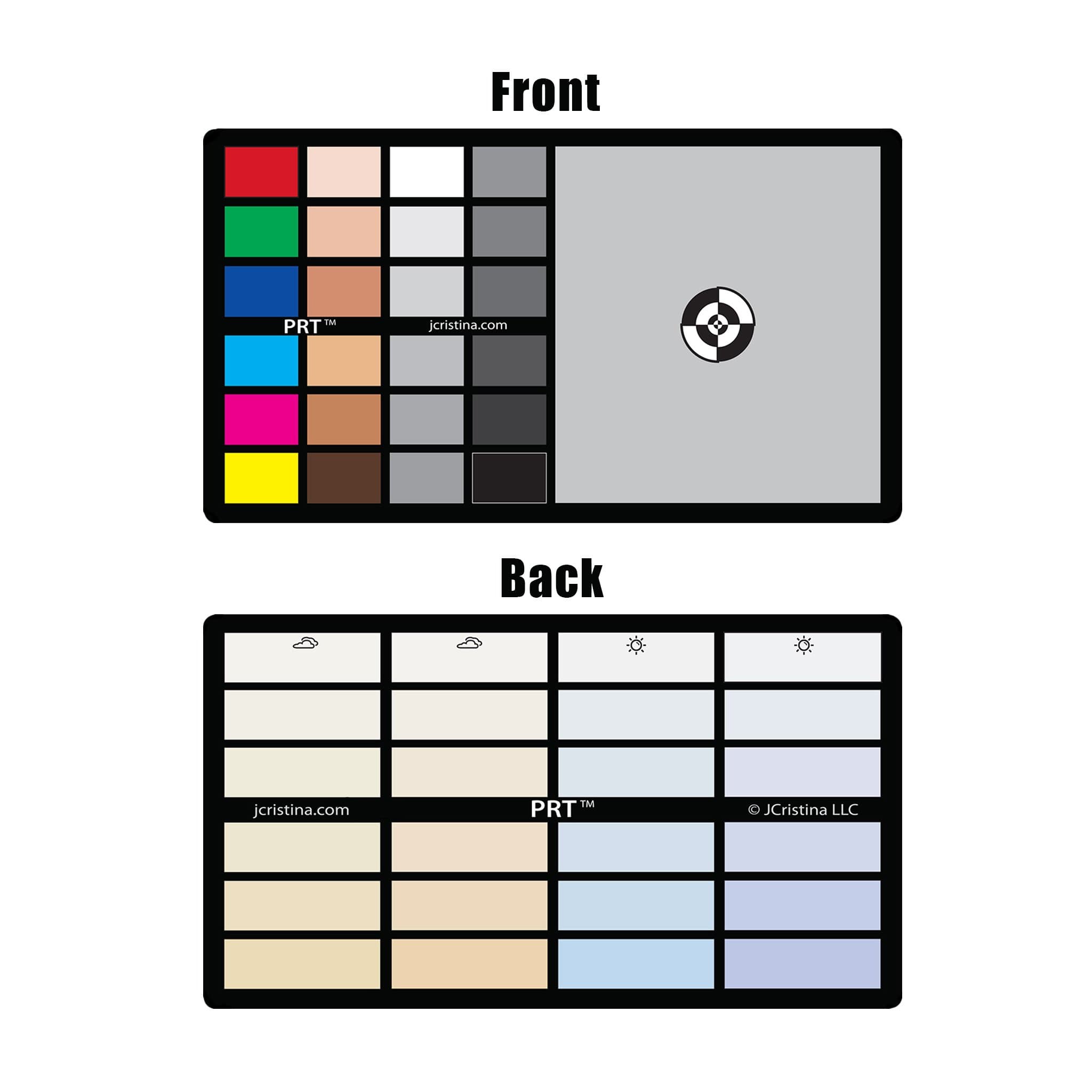
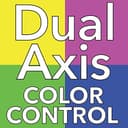
The 3in1 Photo Reference Tool is a professional-grade calibration chart featuring 49 color swatches, a unique dual axis temperature and tint control, and a 12-step exposure gradient. Designed for photographers and videographers, it enables precise white balance, color correction, and exposure compensation across all major camera brands and editing software. Its durable matte PVC finish ensures consistent, glare-free results, making it an essential tool for achieving flawless, true-to-life images in any lighting condition.
| ASIN | B012HMB1N8 |
| Best Sellers Rank | #60 in Photographic Light Meter Color Calibration Charts |
| Brand | JCristina Photography Tools |
| Camera Lens | 12 |
| Color | gray |
| Compatible Camera Mount | Sony |
| Customer Reviews | 4.1 4.1 out of 5 stars (83) |
| Exposure Control Type | Manual |
| Focal Length Description | 12 N/A |
| Focus Type | Fixed Focus |
| Image stabilization | Digital |
| Lens | Standard |
| Lens Design | Prime |
| Lens Mount | Fujifilm X, Sony E |
| Manufacturer | JCristina Photography Tools |
| Model Name | Herramienta de Referencia de Fotos 3 en 1 |
| Screen Size | 3 Inches |
| UPC | 738964915114 |
| Water Resistance Level | Waterproof |
| Zoom Ratio | 1 |
M**R
Great tool! I do product photography and the light ...
Great tool! I do product photography and the light changes constantly due to a window that faces south. Since the room cannot be dedicated just to photography, I can't block the window. So each hour I incorporate this card into my shots and I am able to keep my white balance and exposure in line with my work flow. I use Adobe Lightroom to do minor corrections for multiple photos. This card is the key ingredient to making Lightroom able to do this for me and saves me hours in the end. The low cost and matte finish were key in me selecting this as opposed to others.
L**Y
Wasn't sure exactly how to use at first...
I went to J.Cristina.com to find out more and was able to come up with the directions. After that, it was fairly straightforward. I've provided below so you won't even have to google! ;) __________________________________________________ Beautiful portraits, gorgeous landscapes and perfect exposures are only seconds away! The 3in1 Photo Reference Tool is super simple to use. Take a reference photo with the unit and subject within the frame to begin. Color Correction / White Balance For neutralizing, warming and cooling an image. Photograph the front and back of the PRT near your subject. Open image in your favorite photo editing software. Using it’s white balance eyedropper select the gray tile to neutralize the image or one of the dual axis color gradient swatches on the back side to obtain perfect color rendition. Skin Tones, RGB and CMY color swatches are used for visual fine tuning Example: Adobe Lightroom From the developer module select the white balance eyedropper. (In Adobe Photoshop create an adjustment layer and use the gray eyedropper) Click on the gray tile to Neutralize or one of the color gradients to Warm or Cool. The selected color settings can then be copied to an unlimited number of photos. Note: The White balance eyedropper tool can be found in most desktop photo editors along with some top rated smartphone photo applications. Exposure Compensation (Contrast) The camera‘s Auto-Exposure system can be fooled by extreme lighting conditions which can cause over or under-exposed results. In Camera Photograph the front side of the PRT near your subject. Set camera to Aperture Priority. Adjust Aperture and ISO to desired setting. Using the PRT 12-step grayscale as reference, dial-in your exposure. In Post Production Example: Adobe Lightroom Turn on Highlight and Shadow clipping warnings. ( use keyboard shortcut J ) Check for areas of your image with blue (shadow) or red (highlight) warnings. Adjust exposure until your image is free from these warnings. The methods described above will work with most modern photo editors. No matter if you use a Smartphone, Point and Shoot Camera or Professional DSLR, this photo tool will help you to create better images!
S**7
Excellent Tool for White Balance
Printed on thick card stock. I keep mine in a ziplock bag taped to the back of my slate (clapper) for quick and easy setting of the white balance on my two DSLRs prior to video recording interviews. This prevents different color appearance between the cameras once the footage is edited together.
J**A
Translucent in bright light, thin, no protective case
• Card is thinner than a credit card. • It allows light to pass through from the back. • No protective case is included. • The surface has a pearl finish, not completely matte. • The focus registration reticle line weight is too thick for macro photography.
T**!
Buy it
Exactly what I wanted. It works well.
P**.
Just what I needed!
This is the perfectly sized gray card to carry around in your camera bag! It does the job and is very sturdy also.
G**S
Good value for money
It is the cheapest color checker out there. I mean it is just a color printed card and everybody sell it so expensive. I think this has a reasonable price. I must say that it is not made with great quality materials but it can use some case to protect it and it will last enough. Very useful tool, especially for a Sony camera owner.
S**A
Must have it makes life so simple as long as you shoot raw
it works great, its a must have for real to life skin tones
Trustpilot
Hace 1 mes
Hace 3 semanas