We remain fully operational. Our teams are working around the clock to ensure your deliveries continue safely.

Descargar la aplicación


Servicios al cliente
Sobre nosotros
Copyright © 2025 Desertcart Holdings Limited
Descargar la aplicación
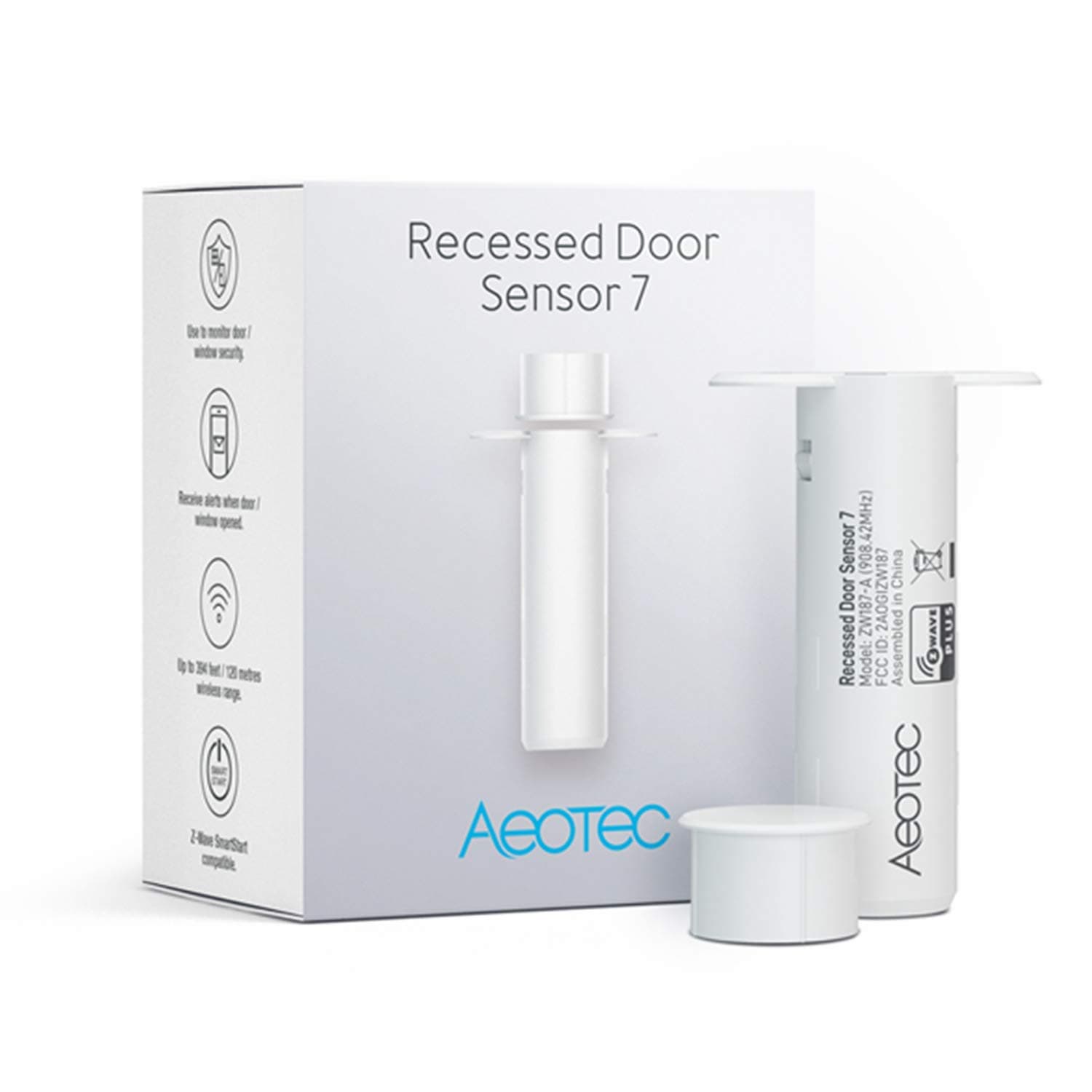




🔑 Unlock the Future of Home Security!
The Aeotec Recessed Door Sensor 7 is a cutting-edge Z-Wave Plus enabled smart door sensor designed for effortless integration and enhanced security. With a simple QR code setup, advanced S2 security, and a battery life exceeding three years, this sensor is the perfect addition to any modern smart home.


| ASIN | B082PT71MM |
| Batteries | 1 CR123A batteries required. (included) |
| Best Sellers Rank | #87,718 in Tools & Home Improvement ( See Top 100 in Tools & Home Improvement ) #29 in Garage Door Sensors |
| Customer Reviews | 3.7 3.7 out of 5 stars (351) |
| Date First Available | December 13, 2019 |
| Item Weight | 1.76 ounces |
| Manufacturer | Aeotec |
| Package Dimensions | 3.39 x 3.19 x 1.26 inches |
C**S
Will work with Smarthings after one critical step
Works great with Smartthings V3 but you need to pair the sensor in a specific way as of 12/14/20. If you follow the instructions in the package or use Steven’s review it will not work correctly and the sensor will show closed when the door is open. To pair, first remove the lid and take the microchip/battery out of the plastic tube by squeezing the tube and pulling out the chip. Remove the plastic battery tab and then pull the battery completely out. Replace the battery and you will see the red light flash, which will eventually turn off. If there is no red light, twist the battery in place as this may clear any debri that was preventing the battery contact to the chip. Keep the chip out of the tube for now. Next step is to load the new Smartthings app and then hit the + button on the top right. Hit Device, then Aeotec brand, then Open/Closed Sensor, then Door/Window 7 Sensor, then Start, then Next in the hub/room screen. Hit the button several times until the red light starts flashing and the pairing hits 100%. The next window will ask you to scan a QR Code BUT HIT THE X ON THE TOP RIGHT TO EXIT THIS SCREEN!! Do not scan the QR Code or enter a code or your sensor will NOT work correctly. After hitting the X you will get a Exiting Secure Set-Up Message. Then you will get a warning that you are not using the highest security but ignore this warning by hitting OK and then rename the device and hit Done. Now the final step is to immediately remove the battery, wait 10 seconds and then replace it. Wait for the red light to turn off. Move the magnet piece over the top of the chip and you should see a successful open/closed indication on Smarthings. If it doesn’t work, take the battery out again, wait 10 sec and then replace it. Eventually it will start to work perfectly and you won’t have to touch it again. Place the chip back in the tube, replace the lid and install in your door/window. I just installed 8 sensors in most of our doors and windows and all of them work great after following this method. For some reason this sensor only works with the lower Smartthings security, but as an open/closed sensor this was not an issue for me. If Aeotec or Smartthings updates their software and this method no longer works, I will update my review. I hope this helps!
B**.
(UPDATE: Flawed Design, Don't Buy) BYO Battery & Screws
The sensor works (except for low battery warnings?). The mounting screws that came with it are utter garbage, and the heads stripped out during installation (even when I used the proper #1 Phillips bit size that the instructions never mentioned). I had to deal with these screws again only 1 week later when the OEM CR2 battery was dead (discovered because the sensor stopped responding). They estimate their battery will last 2-3 years with 20 activations per day, but ours lasted less than 10 days with 12-15 activations per day. I was extremely disappointed with the OEM peripherals, but the sensor itself seems pretty good. BEWARE that you should preemptively provide your own CR2 battery and 3/4” #4 flat head screws! UPDATE 6/26/21: I have now gone through 3 batteries across 2 units (1 replacement) in LESS THAN A MONTH! Aeotec will blame it on incorrect configuration settings, but I was extremely careful how I setup my replacement sensor after my first sensor SUDDENLY DECIDED TO COOK ITSELF. See the "constant red light on" that a few other reviews mention. The battery in my first device burned out in about 8 days (despite giving 100% battery reports the whole time). Shortly after I replaced the CR2 battery, the light came on solid red for at least 12 hours and wasn't reporting the correct state. Since it was late at night and screwed into the wall, I figured I'd deal with it in the morning. The battery was already dead when I came back to it mid-morning the next day. When I replaced the battery AGAIN (mind you these CR2's run $10/2 pack at Target), I quickly noticed as metallic smell that was quickly followed by the sensor getting warm to the touch. I quickly removed the battery and contacted Amazon to exchange the device. The replacement sensor I was sure to configure it to use a wakeup interval of 21,600 (6 hours) instead of the default 3,600 (1 hour). Aeotec specifically mentions changing that wakeup period to 4 hours or greater in order to get the 3+ year advertised battery life. I also configured the LED to be disabled completely to further preserve battery life. It improved 75%!!!....from 8 days to 14 days >:( BTW, I checked the logs, and even the replacement sensor has the faulty 100% battery report issue. I'm about to try 1 more battery in this replacement sensor before I lose my gosh darn temper. THIS IS DEFINITELY NOT A "PLUG-AND-PLAY" DEVICE. FWIW I'm using the latest Zwave JS driver on the latest version of Home Assistant OS.
M**.
Watch your battery life
I purchased two of these in May 2021. They are solid performers. Quick and reliable open/close detection to date, and battery life had been very good. The factory-installed battery in one unit lasted nearly 2 years while the other lasted only 10 months. Turns out it was starting to fail, with each battery needing to be replaces in about half the time of its predecessor. Finally the unit failed this week (Nov 2023), draining the battery in a matter of hours. An IR camera reveals a failed surface mount element overheating. The other unit still shows 100% battery level three months after its first battery replacement, so these things can and do last a while.
T**N
I bought these sensors as the description clearly states The battery is a CR123A which for me is a much better choice than a CR2 battery (better availability and cheaper) So I decided to swap over my existing Aeotec sensors to the latest gen. I opened the box and surprise surprise a CR2 battery :( The boxes come with the smart scan sticker on the box I wish they would keep the sticker inside the box now I have to keep these stickers forever so I can securely add these devices. They added instantly to my hubitat hub and switch very quickly. I'm hoping since they're Zwave 700 the battery might last a bit longer on these. I wouldn't have bought these if the real battery was listed. A waste of $250...
Trustpilot
Hace 3 semanas
Hace 5 días