We remain fully operational. Our teams are working around the clock to ensure your deliveries continue safely.

Descargar la aplicación


Servicios al cliente
Sobre nosotros
Copyright © 2025 Desertcart Holdings Limited
Descargar la aplicación
🎧 Level up your game audio—ditch wires, not your edge!
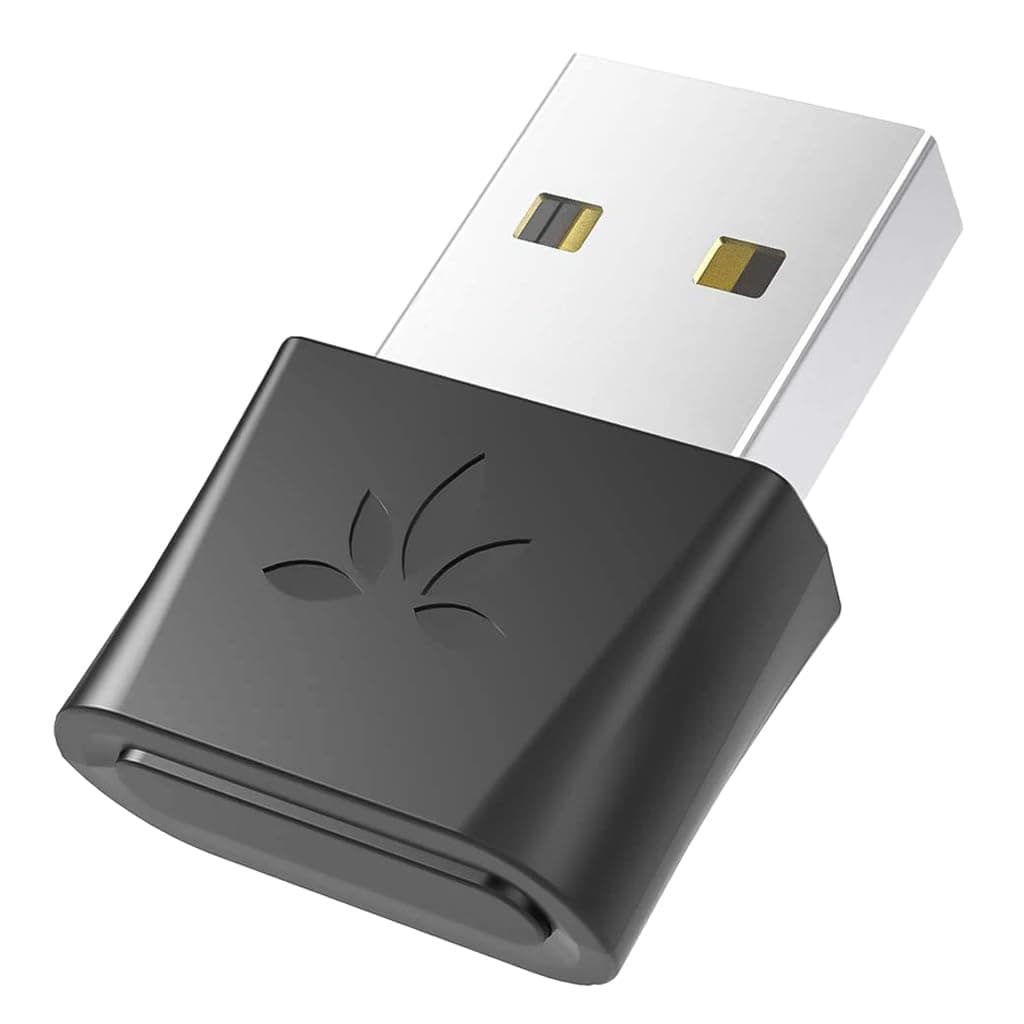
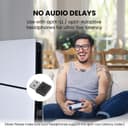
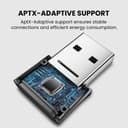
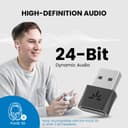
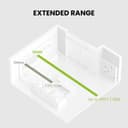
The Avantree DG80 is a USB Bluetooth 5.3 adapter designed for PS5 and gaming consoles, enabling wireless audio transmission with aptX-Adaptive and aptX Low Latency support. It offers high-definition 24-bit sound, ultra-low latency under 55ms for perfectly synced gameplay audio, and an extended wireless range of up to 30 meters. Plug-and-play simplicity ensures quick setup and automatic reconnection for a seamless gaming experience.


| ASIN | B088LNPXNN |
| Best Sellers Rank | #212 in Bluetooth Network Adapters |
| Brand | Avantree |
| Built-In Media | Avantree DG80 USB Bluetooth Transmitter User manual |
| Color | Black |
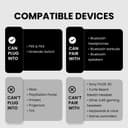
| Compatible Devices | Bluetooth Headphones & Earbuds with aptX-Adaptive or aptX Low Latency, Game Console, PS5, PS4 |
| Customer Reviews | 4.1 4.1 out of 5 stars (3,529) |
| Data Link Protocol | Bluetooth |
| Data Transfer Rate | 3 Megabytes Per Second |
| Hardware Interface | Bluetooth 5 |
| Item Dimensions L x W x H | 0.99"L x 0.71"W x 0.27"H |
| Item Weight | 10 Grams |
| Manufacturer | Avantree |
| Mfr Part Number | BTDG-80-BLK |
| Model Number | BTDG-80-BLK |
| Unit Count | 1.0 Count |
| Warranty Description | 12 month |
P**K
Works with PCs, ChromeBooks, and even Amazon Devices!
This device is awesome. Just plug it in and it works. Pairing with two Bluetooth headsets was perfect the first time and very fast. When I initially plugged it in to my Chromebook it immediately went into pairing mode, so I setup the 1st headset. It took about 10 seconds to find it and pair it. I pressed the button for 5 seconds and again it went into pairing mode and the 2nd headset was ready to go. Fired up a video and BAM! Crystal clear audio out of both headsets with no noticeable delay. I took off the headsets and suddenly the sound stopped. What?? My headsets have the feature when directly connected via Bluetooth to my phone or laptop that when I take the headsets off whatever I'm watching or listening to pauses. When I put them back on they resume. I put the headset back on and BAM! the show started playing again. Wow, features I didn't think would be supported are on this adapter. Cool! Ok, so before purchasing the adapter, I asked if this adapter was supported by the Amazon Fire Cube. Of course, someone who probably doesn't even own one of these adapters said NO, it won't work. Well I'm here to tell you that he is misinformed and completely wrong. First I plugged it into my original Fire Cube as it natively has a USB A port and instantly my headsets came to life with audio. Next I dug out my Micro USB to USB adapter and popped it into my Kindle Fire. Again, instant audio. Fire Cube (1st & 2nd Edition) - Yup! Even my Fire Stick with a special adapter. Apparently Amazon really has their stuff together. It sees this as a generic audio device and starts outputting on it immediately. YES IT DOES TURN OFF AUDIO COMING THROUGH HDMI just like it does if you pair a Bluetooth device directly to the Fire device. The only difference here is that I can have 2 headsets connected to this adapter while all of the Fire devices, my phone, and laptop will only allow one headset to be connected at a time. It works, it's reliable, it's super easy to setup. Just buy it! FYI, I did't give a star rating to Tech Support because I had no need to contact Tech Support (so there!)
S**M
Budget Champion. Still going strong 2 years on, hassle free
This little thing has been way more help than you could know. Firstly, I use it for a PS5. It absolutely works like a charm, 100% plug and play. Secondly, I have 2 sets of earbuds to hot swap when one set's battery gets low. This little nugget remembers both of them without me having to do anything. I don't have to get up and reset it or anything. Even using the same earbuds on my phone, then disconnecting from my phone, the Avantree dongle picks up the ear buds. Thirdly, pairing is a breeze. I've used it with just... So many DIFFERENT ear buds at this point, and it connects to every single set. (The search for a low latency, long lasting ear buds that also have nice glowing LEDs is a perpetual quest for me, so I've tried about 6 brands with this dongle and it's never failed). It's a tiny little thing, only a little bit bigger than a wireless mouse dongle, and for the price I paid, it was a great buy. It has outlasted, and outperformed most of the earbuds it's been paired to lol. Honestly, I know there's an upgraded version of this, but if you see this and it's on sale, I'd recommend it highly.
M**T
It works well with PS5, but starts breaking around a month and half in
I use this with my PS5. I bought this early January 2025 and it worked great right away, connected quick, great sound quality, easy to use. And unlike other bluetooth connectors that used usb c, it actually worked with my ps5. (I plugged it into the front USB port not the back to stop heat damage). It worked great for around a month and a half, but then I started hearing popping feedback sounds after playing for more than an hour. The solution to this was to unplug and plug back in the adapter. This works for a while, but then I'd have to repeat 30/40 minutes later. It's been getting worse and worse in this regard. Still a quality product, it delivers on what it promises, (and also definitely works on PS5) but don't count on it to last you very long.
K**Z
Fixes Linux Bluetooth Issues
My laptop, (a Lenovo e15 gen 2,) has poor Bluetooth performance with my Sony XM3s on Linux. This dongle offloads the entire Bluetooth stack to the dongle itself and works flawlessly with my Linux system. Before this dongle, Bluetooth would cut out every few minutes. This dongle rarely if ever drops a connection allowing me to use my Bluetooth headphones for hours without fussing with them. I can also go several rooms over in my house, and the dongle doesn't drop the connection. The dongle is small enough that I can keep it plugged into my laptop all the time without it getting in the way. It also allows me to easily switch to phone mode and have video calls using my Bluetooth headset's microphone. There is a noticeable drop in audio quality when I do this, but that is normal for all Bluetooth devices including my phone. I've noticed that every time I reboot my computer, the dongle switched back into phone mode and I have to double press the button and then double press it again to switch the dongle to audio mode. It would be nice if it remembered this setting. Note that, from the perspective of my computer, this dongle is a USB soundcard not a Bluetooth device. All Bluetooth settings are handled by the dongle itself, and my computer has no visibility into the inner-workings of the Bluetooth stack on the dongle. Make sure this is what you want before buying it. It's perfect for my use-case, but it might not be for yours. I'm so grateful for this product. It allows me to use the OS where I'm most productive without having to give up the convenience of wireless headphones. I highly recommend it.
C**E
The item arrived promptly and well protected. It is easy to set up and works well when I connected my Bose QC35ii to my PS5. I do not need to have a mic though so I didn't get the one with the mic.
S**N
Alle BT-Headsets, die ich bislang ausprobierte, haben das gleiche Problem: Sobald telefoniert wird (also das Mikrofon benutzt wird), schaltet der Sound auf 8Bit Mono (oder so ähnlich) runter, alles klingt blechern und kratzig. Genau hier setzt dieser USB-Dongle an: Er gibt sich dem PC als USB Sound-Device zu erkennen (quasi als "Soundkarte"). Die Übersetzung USB<->BT<->Headset übernimmt fortan dieser Dongle hier. Der PC weiß nicht, dass das Headset per BT angebunden ist. Und das ist der Cloud dabei (gerade unter Linux kann es schon ganz schön beschwerlich sein, z.Bsp. die Audioausgabe per BT auf ein gutes Level ("aptX"-Codec) zu bringen. Das ist mit diesem Dongle unnötig, da dieser automatisch auf den besten Codec schaltet, sofern das Headset diesen unterstützt. Der PC kriegt nichts mit. Das richtige (BT5.0-) Headset vorausgesetzt, ist es mit diesem Dongle endlich einfach möglich, weiterhin guten Klang (Musikwiedergabe in HQ Stereo) zu haben und gleichzeitig das Mikrofon zu benutzen. Ich nutze das AH6B von Avantree und bin endlich zufrieden mit Skype-/Slack-/Teams-Videocalls. Also von mir gibts volle Punktzahl für dieses Produkt - mit Avantree wagt sich endlich mal ein Hersteller an die Aufgabe, bezahlbare, einfach benutzbare und qualitativ hochwertige Produkte für die bidirektionale Audioübertragung über Bluetooth anzubieten! Kleines Manko: Headsets, die nicht z.Bsp. FastStream oder aptX unterstützen (z.Bsp. Jabra Evolve 65), müssen per "Doppelklick" auf den USB-Dongle zwischen Musikwiedergabe (Stereo, kein Mikro) und Telefonie (Mono, dafür Mikro) umgeschaltet werden.
D**L
Ho preso questo prodotto per collegarlo alla ps4 e trasmettere l audio wireless alle mie sony xm4 😉 pairing immediato e veloce👍🏻 l unica cosa notata che il volume generale trasmesso rimane un po' più basso, nonostante abbia impostato il volume al massimo, rimane più basso di quando lo avevo tramite Jack audio collegato al controller e impostato con 5-6 barre in meno di volume🤔 penso potrebbe essere dovuto alla ps4 che magari non spinge molto l audio wireless, oppure proprio al fatto di una piccola inevitabile perdita di qualità dovuta al wireless stesso🤔 in ogni caso, a parte il volume un po' più basso, la qualità generale del suono è ottima😉 ed è stabile e perfettamente sincronizzato! Lo consiglio😉
S**3
It appears i have been automatically upgraded to the DG80P (Bluetooth5.3) instead of the DG80 that i ordered. Couldnt find anything online about this new product. On the box it just says "aptX Adaptive", which got me a bit worried since i bought it for the aptX Low Latency. But according to the user manual the DG80P supports both aptX Low Latency and aptX Adaptive (and the usual aptX HD, aptX, and SBC). And so yes, after plugging in, pairing with my aptX LL receiver, i now finally have a low latency bluetooth audio stream! The audio/video sync test movies you can find on youtube show that it actually is about 30-40ms. Very nice!
A**N
BT-LE İşitme cihazına uyumlu. Mükemmel. Ses codecleri biraz daha gelişmiş olsaydı.. Ayrıca artık bulunmuyor
Trustpilot
Hace 2 meses
Hace 2 semanas