We remain fully operational. Our teams are working around the clock to ensure your deliveries continue safely.

Descargar la aplicación


Servicios al cliente
Sobre nosotros
Copyright © 2025 Desertcart Holdings Limited
Descargar la aplicación
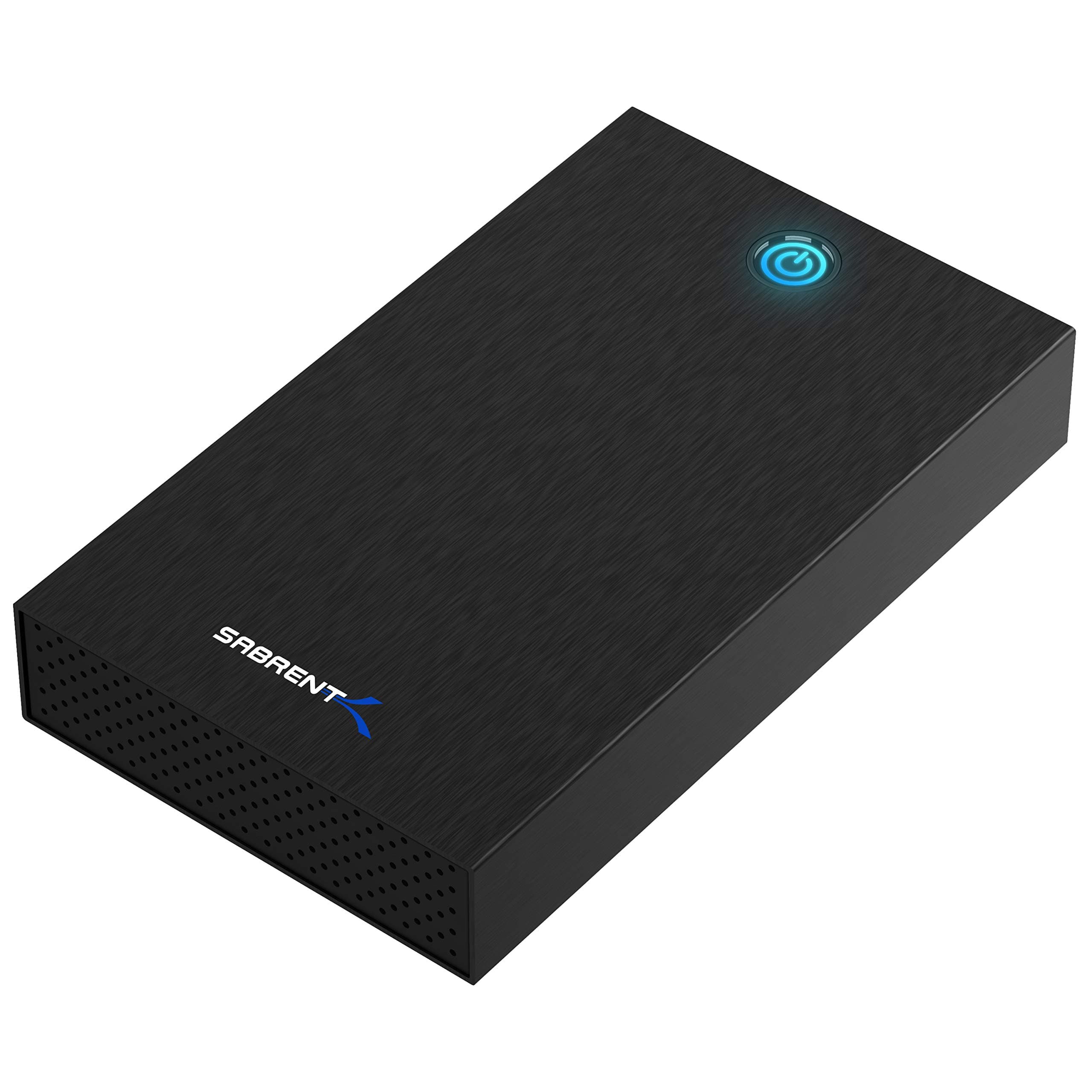
🚀 Unlock your data’s full potential—fast, sleek, and hassle-free!
The SABRENT USB 3.0 Enclosure (EC-KSL3) transforms 2.5” and 3.5” SATA HDDs/SSDs into high-speed external drives with up to 625MB/s transfer rates via USB 3.0 and UASP support. Featuring a tool-free design, durable aluminum casing, and cross-platform plug-and-play compatibility, it’s the ultimate solution for professionals seeking fast, reliable, and portable storage expansion.


| ASIN | B08J5SLTJX |
| Best Sellers Rank | #1 in Hard Drive Docking Stations |
| Brand | SABRENT |
| Built-In Media | user manual |
| Color | Black |
| Compatible Devices | 2.5" and 3.5" Internal SATA Hard Drives |
| Customer Reviews | 4.4 4.4 out of 5 stars (2,977) |
| Data Transfer Rate | 5000 Megabits Per Second |
| Enclosure Material | Aluminum |
| Global Trade Identification Number | 00840025250420 |
| Hard Disk Form Factor | 3.5 Inches |
| Hardware Interface | USB |
| Hardware Platform | Windows |
| Item Dimensions L x W x H | 7.3"L x 4.4"W x 1.2"H |
| Item Weight | 11 Ounces |
| Manufacturer | SABRENT |
| Memory Storage Capacity | 22 TB |
| Supported Devices Quantity | 1 |
| UPC | 840025250420 |
| Warranty Description | 1 year limited |
M**O
Simple and quick setup. No tools required. Worked immediately! Best HDD enclosure I have ever used.
This SATA HDD enclosure is perfect. I pulled it out of the box, pressed the single button to open the outer case, slipped in my 3.5" HDD, closed up the case, plugged in the USB cable, booted up the computer, and VOILA! The drive was instantly recognized and worked like a charm. I tried it with some smaller SATA drives and it also worked flawlessly. Because I was merely transferring data from old drives, I didn't bother screwing the drives into the enclosure. However, if you wish to do so (and I highly recommend that you do if you will be transporting this), there are screws and a screwdriver provided in the box. Sabrent couldn't have made this enclosure any easier! It's the best HDD enclosure I have owned (and I have had a number of different variations over the years). No more dodgy HDD toasters for me.
A**L
solid unit with full performance
About as small as can be and hold a 3.5in drive, full speed with a WD Red Pro 18tb (280MB/s) and around 45C while doing surface scan. Would have preferred there was more airflow, but it is perfectly safe to use. Same with feet on the bottom, but that's cheap to add after. A little fiddly to get a 3.5in drive out, but if you're looking to swap more then probably better to use another type of enclosure. This is more for turning your drive into a mobile fixed disk. Nice drive enclosure!
C**S
Works Great
Works great so far, I've not had any issues using it.. I like that it supports both 2.5 inch and 3.5 inch drives which is the main reason I tried it. I've also tried other products made by Sabrent, and they seem to make decent quality products. I put in a new WD Blue HDD because I'm mainly using it for an OS backup drive right now. I plan to buy another one so that I can have a large external HDD for backing up other important files. I would strongly recommend this USB enclosure.
B**F
Simple, solid made and effective.
I changed my satellite service and had a 3.5 4TB SATA Western Digital that was non-compatible with the new receiver. I decided to change it to a USB Drive. I purchased the Sabrent enclosure. It's solid metal made and simple to assemble. The instructons are quite detailed, but small to read. I photo copied and enlarged them. I used disk management to finalze the disk. It's quiet. The LED serves to indicate that the disk is writing and functional. I then created a backup of the computer files and a Window Image. I have 151 GB stored on the disk. The second disk was a 250 Gbyte Seagate. It was made operable and after reassembly, was installed as an exterior drive for a DVR. An excellent tool for converting disks and resolving problems.
M**E
The Sabrent 3.0 enclosure worked perfectly for my Seagate hard drive
After using another Seagate hard drive housing for 2 years after the input port of the original malfunctioned, it became necessary for me to find another enclosure when the input port on the one I had replaced also malfunctioned. Fortunately, the Sabrent USB 3.0 had a different input port (a kind I have used for another hard drive which needed re-boxing)- and after it arrived, I found the enclosure a little bigger, and surprisingly easy to use. It came with all the tools needed, and installing the hard drive was very straightforward. After I had installed the hard drive, secured it, and closed the box- it was a matter of connecting cables to the input port and the power outlet. Once I did this, and connected the USB to my PC (somewhat nervous since the previous box when connected was not reading anything)- in a reasonably short time, the PC recognized the drive, and soonafter, the contents of my hard drive were fully displayed. What a relief- since the hard drive is used as a backup to hundreds of folders with photographs of family, friends and events from at least 15 years. Overall, a very happy result.
T**D
As described and ontime
Drive fits snugly and neatly, loaded first try no problem. Is identified as SABRENT when ejecting from USB. The USB cable has a type-A to a uniquely designed plug on the drive front. Has an on/off swith that is nice to have so the drive doesn't come on when either powering on or plugging into the PC. Has an operational light in the top, that doubles as the release to open the case.
P**.
Good to format a new drive.
I had to format a 4tb WD Black had. It worked great. Plugged into my usb 3.0 on my PC and was done in about 30 seconds. I left it Plugged in for about 3 hours and temp stayed around 100°f.
A**M
For the Price very decent
It is not the highest quality piece of equipment i ever bought it feels kind of cheap with the metal but it has a good usb 3 connector not the crappy mini b type but the nice type b it mounted on my truenas server no problem no driver required and i was able to run my server back up high recommendation if you need a easy to use mostly tool less drive sled this on is good.
J**R
Mi experiencia de uso He instalado un disco duro en esta carcasa de Sabrent y el resultado es excelente. Lo primero que destacaría es que está fabricada en aluminio, lo cual no es solo por estética; se nota que ayuda a transmitir y disipar mucho mejor el calor del disco cuando llevas un rato transfiriendo archivos grandes. La instalación es muy cómoda. El disco encaja perfectamente sin necesidad de herramientas, aunque el paquete incluye un kit de fijación por si quieres dejar el disco totalmente inmóvil dentro, lo cual me parece un detalle de calidad. La conexión con el ordenador es inmediata y las velocidades de transferencia son muy buenas, aprovechando bien el puerto USB 3.0. Un punto que agradezco mucho es la función de "auto-sleep". Cuando dejas de usar el disco por un rato, la carcasa entra en modo reposo automáticamente. Esto es genial para no tener el disco girando y desgastándose sin necesidad si te olvidas de desconectarlo. Pros: Cuerpo de aluminio que mantiene el disco fresco. Montaje muy sencillo pero seguro. Función de reposo automático para alargar la vida del disco. Buena velocidad de transferencia. Contras: El cable que incluye es algo rígido, lo que puede hacer que la carcasa se mueva un poco en el escritorio si no tienes mucho espacio. Veredicto: Una compra totalmente recomendada si buscas una carcasa resistente y fiable. Por el precio que tiene, la calidad del aluminio y el buen funcionamiento de la conexión la hacen destacar sobre las de plástico barato.
M**U
Agréablement surpris par la qualité de l'article. Ayant tester plusieurs boitiers hhd externe, celui-ci est vraiment de qualité supérieure et est très bien conçu. Possibilité de visser son disque dur au boitier et bien sûr le bouton de fermeture du boitier qui a fait que j'ai acheté cet article. Chargeur de qualité, idem pour les cables, support plastique dans un boitier aluminium (excellent contre l'électricté statique et le refroidissement). Reçu 2 jours après ma commande. Que du bon pour cet article, merci.
K**K
It is easy to set up, has a manual power-switch (which allows it to survive power outages) and handles very large drives. The case is well made, precisely machined and fits together cleanly. All required tools are included (really not exactly tool-free). This checks all of the boxes where so many others cut corners - would buy again.
P**C
Eenvoudige montage. De verlichting is niet alleen leuk maar ook handig.
B**3
Die Installation war sehr einfach. Das Kopieren meiner Daten ging flott vonstatten. Besser gehts nicht.
Trustpilot
Hace 4 días
Hace 1 semana