We remain fully operational. Our teams are working around the clock to ensure your deliveries continue safely.

Descargar la aplicación


Servicios al cliente
Sobre nosotros
Copyright © 2025 Desertcart Holdings Limited
Descargar la aplicación
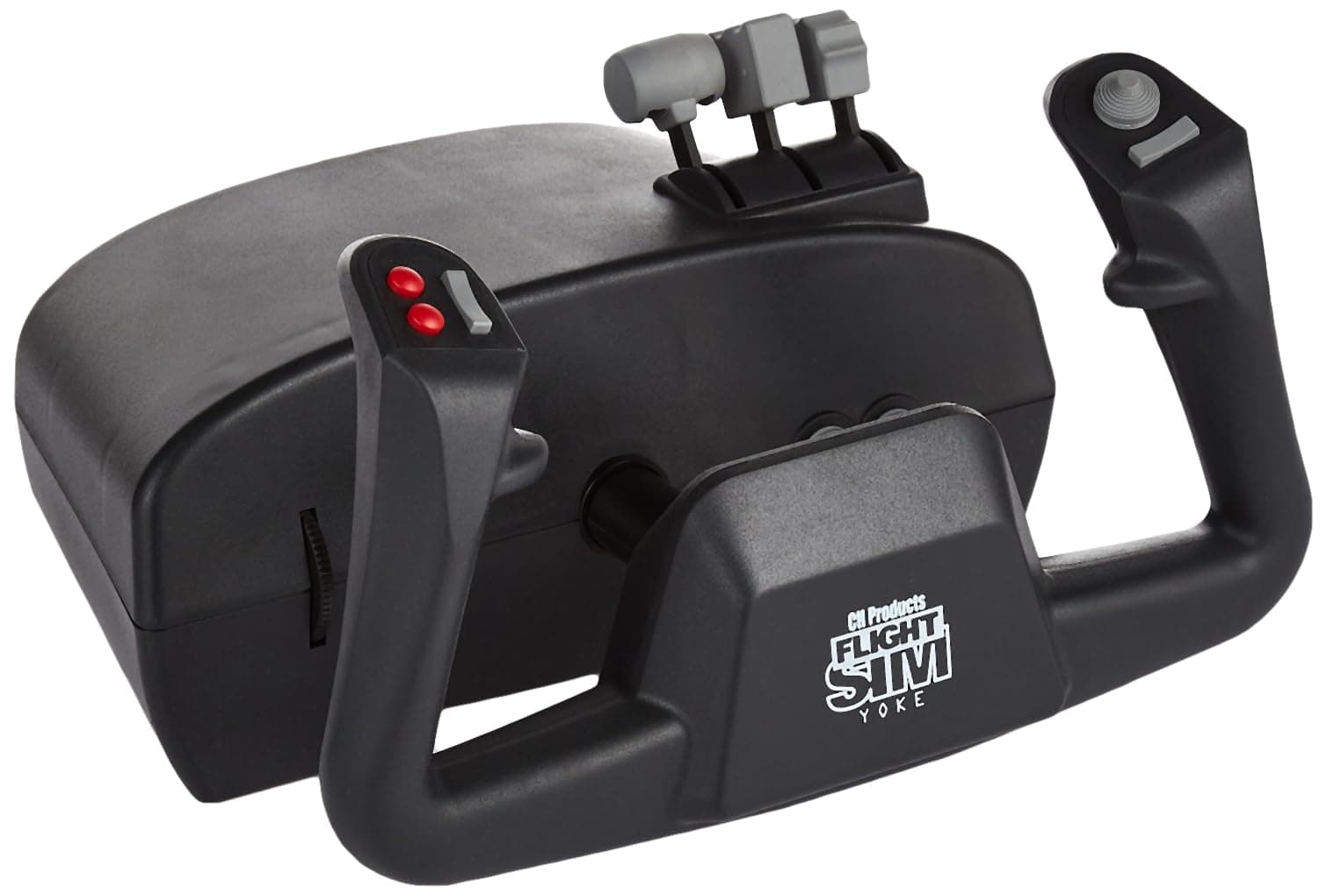
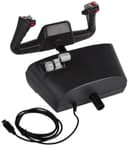
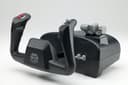
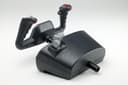
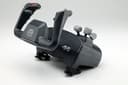
✈️ Elevate your sim game—fly like a pro, feel the thrill!
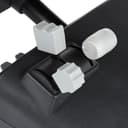
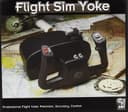
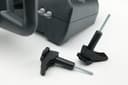
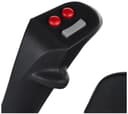
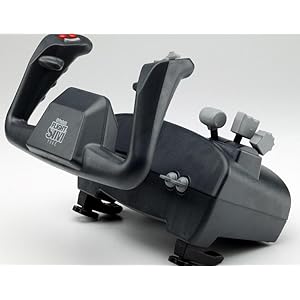
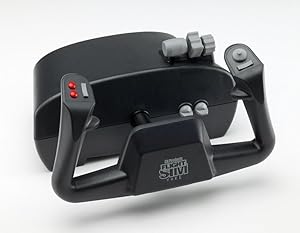
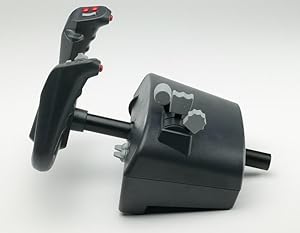
The CH Products Flight Sim Yoke USB (200-615) is a robust, 5-axis flight control system featuring 20 programmable buttons and switches, designed for realistic flight simulation. Compatible with both PC and Mac via plug-and-play USB, it offers ergonomic design and solid build quality at an accessible price point, making it a top choice for entry-level to intermediate flight sim enthusiasts.

| ASIN | B000056SPM |
| Additional Features | Ergonomic |
| Best Sellers Rank | #52,723 in Video Games ( See Top 100 in Video Games ) #128 in PC Game Flight Controls #211 in Mac Game Controllers |
| Brand Name | CH Products |
| Button Quantity | 24 |
| Color | Black |
| Compatible Devices | PC, Windows |
| Connectivity Technology | USB |
| Controller Type | Yoke |
| Customer Reviews | 4.2 4.2 out of 5 stars (675) |
| Global Trade Identification Number | 00040478206153, 01320010205646 |
| Hardware Platform | PC, Windows, pc |
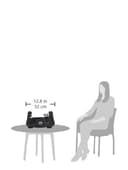
| Item Dimensions | 12 x 10 x 10 inches |
| Item Weight | 4.7 Pounds |
| Manufacturer | CH Products |
| Model Name | ch |
| Package Quantity | 1 |
| Power Source | Corded Electric |
| UPC | 780411588181 040478106156 040478206153 |
| Warranty Description | 2 year manufacturer |
G**W
It works perfectly
As a retired airline pilot I've been using a Logitech Extreme 3D Pro joystick to fly an MD 83 on X-Plane 11 to keep up my IFR flying skills. The joystick had a Z axis rudder function, throttle, and enough buttons to operate most of the necessary controls. With the anticipated release of the new MS Flight Sim 20 I decided to upgrade my cockpit with a yoke and rudder pedals. After watching many videos and reading reviews I decided on the CH products. I've used them for just a few hours, and I am extremely pleased. X-Plane recognized them immediately, so I was able to customize the controls, including using one throttle lever to operate both engines. What I didn't expect is that the simulator worked so much better using this yoke. Instead of tossing around as usual like a fighter jet, the MD-83 behaved like the stable airliner it is. That made instrument flying easier and more realistic. I recommend it for anyone interested in flying general aviation aircraft. It is reasonably priced, and the included levers means you don't have to buy a separate throttle quadrant. It is made of heavy duty plastic with metal clamp screws. Since I don't intend to beat it with a hammer I don't see why it shouldn't last indefinitely. Same can be said for the CH rudder/brake pedals, which are also working well. In closing, I would say get this yoke which is well made, inexpensive and saves you the cost of a quadrant. Note that this setup is not recommended for games or combat flying, where a joystick would be more appropriate.
J**N
Great entry level yoke for X-Plane 11!
This yoke is a very popular and reliable yoke. There are only a few options at this price point and I wasn't looking to invest a ton of money into my new X-plane 11 game. I knew I wanted a yoke and a set of peddles, but I was open to options. Honestly, you have to buy a yoke and peddles to make X-plane worth it and practical to play. Doing it otherwise would make it feel more like a game than a consumer-level sim. Anyway, this is a great entry-level yoke to get into sim games like X-Plane 11. The setup literally took about 5 minutes and I also customized a few of the throttle and buttons to work a bit more like my favorite plane (Baron 58). It only gets 4 stars because it moves like a plastic yoke and doesn't return to the dead middle like a real yoke. It's spring loaded, so it sticks a little on the return back to level. If you're looking to get into flight sims or you just want to play X-Plane without a huge commitment (money), then this yoke is good. There are some mod youtube videos that replace the springs with elastic bands, which apparently helps with the realistic feel of the yoke, but I haven't dissected my yoke yet to make this modification - so 'enter at your own risk.' Great entry level yoke!
L**J
Must have for serious flightsimmers
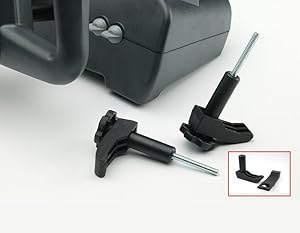
This review will talk about both the CH Rudder Pedals and the CH Flight Yoke USB. I finally got around to purchasing these rudder pedals from Amazon after accepting that I was NEVER going to find this item in stores. (...) Getting to the point...these pedals are a must have for serious flightsimmers...especially if you own Microsoft Flight Simulator and like to fly general aviation or the large commercial heavies. I also purchased the USB CH Flight Yoke for $99.74; the difference these 2 items make to the simming experience can't be stressed enough. If you ever got the guilty feeling after mastering the greased landing with the Boeing 747 or other heavy aircraft (the feeling that it's unrealistically easy), then this is the next level. It takes a lot more concentration and coordination to master flight using yoke and rudder as opposed to just a joystick or keyboard...just keep your hands off the yoke while going down the runway or taxiing, and you should be able to keep things in order! You may also consider purchasing the CH Throttle; that's going to be next on my list, because using the throttle controls as they are postitioned on the yoke are a little inconvenient for some aircraft that require constant changes in throttle position. Overall, I'm satisfied with the construction of the pedals; they weigh in at around 6 pounds and feel fairly solid and sturdy. The motion is fairly smooth with the application of both rudder and toe brakes. They work well. Not much more you can say about that. The same can be said about the construction of the yoke...fairly solid considering. I would like to have seen a little less tension on the yoke personally. Unless you are trimmed close to overtrimmed status, you have to give it a good pull to get airborne. I haven't studied it long enough to see how that REALLY compares between heavy versus light aircraft. But again, I think that only speaks to the construction of the unit and the strength of the clamp setup; pulling back on that unit with a fair amount of force and the unit doesn't budge from the desk. The yoke may take some getting used to based on where it will sit on your desk...in my case, there is about a half an inch beneath the fastened clamps to allow for my slide out keyboard tray, which was enough space in my case. I could see a potential problem in that area for others. I've read about complaints with the clamp system on the yoke, but I'd like to meet the guy that can think of a better solution to keep the unit stationary on your desktop...no problems with my particular desk and the clamps. What I've read is that people with lips or other unperfect edges may have problems since the surface area of the clamps is small. Again, not a problem with my particular desk. Another con that I read about and can somewhat concur with is the trim quality. I find myself having to adjust the elevator trim more frequently with changes in speed than with my joystick...on approach this can be viewed as a nuisance or part of the greater challenge. I'll have to give it some time to decide on that one. It may be that it's just easier overall with a joystick. I was looking for more realism and a greater challenge when I purchased the yoke and rudder. Installation was a breeze in Windows XP; just plug them in and they are ready to go. They come with a cd with any drivers that may not be installed already, and also games (so, I've heard...MSFS is my favorite past time, probably wouldn't fly anything else that I don't already own anyway). Another good thing about this unit and MSFS is that it is recognized as a separate controller. I have used the pedals in combination with the flight yoke as well as my Saitek X52 Flight Control system when I needed a joystick and not a yoke for flying fighters or even general aviation aircraft that have sticks and not yokes. Finally, both the yoke and rudder are a very good investment for the hobby. You'll find yourself enjoying the hobby more and actually steering clear of the autopilot controls. Hope this gives you some things to think about.
Trustpilot
Hace 1 mes
Hace 1 mes