We remain fully operational. Our teams are working around the clock to ensure your deliveries continue safely.

Descargar la aplicación


Servicios al cliente
Sobre nosotros
Copyright © 2025 Desertcart Holdings Limited
Descargar la aplicación
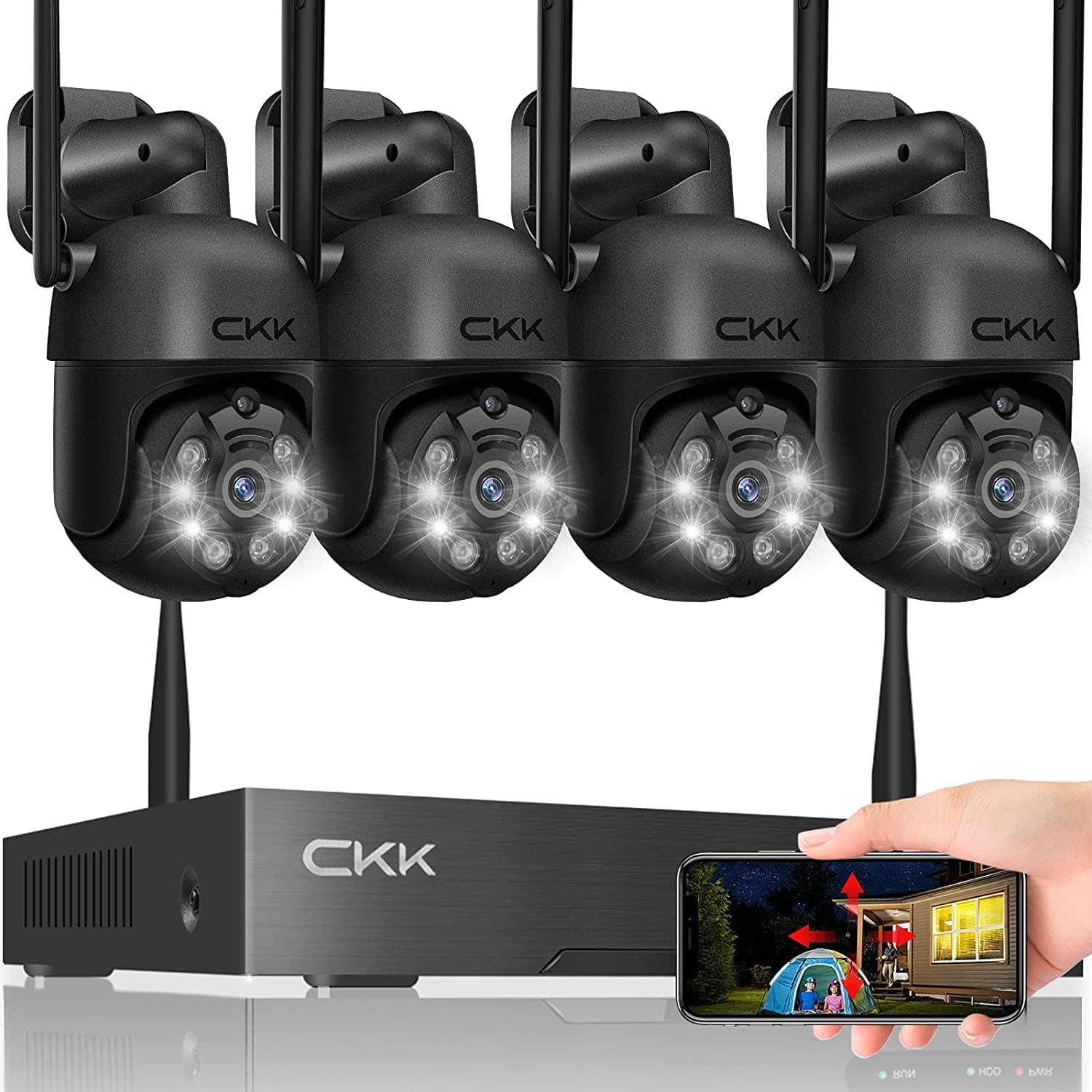



🔒 Elevate Your Security Game with Smart, Sleek Surveillance
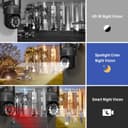
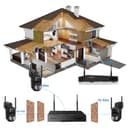
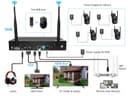
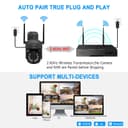
The CKK Wireless Security Camera System features four 3MP PTZ cameras with 350° horizontal and 90° vertical rotation, delivering crystal-clear 2K video quality. Designed for both indoor and outdoor use, it includes floodlights, siren alarms, and two-way audio for comprehensive protection. The system supports easy wireless connectivity with plug-and-play setup, remote viewing via app or PC, motion detection with instant alerts, and expandable channels up to 10. Multiple recording options (HDD, SD card, cloud) offer flexible storage solutions, making it a robust and scalable security solution for modern homes and businesses.


| ASIN | B096P2ZHC7 |
| Antenna Location | Outdoor/Indoor |
| Antenna Type | Fixed |
| Best Sellers Rank | #40 in Complete Surveillance Systems |
| Brand | CKK |
| Built-In Media | 1* 12V 2A Power Adapter for NVR(Line length: 4FT), 1* H.265+ Network Video Recorde, 1* User Manual & 2pcs Warning Stickers, 4* 12V 1A Power Adapter for CKK PTZ Camera, 4* CKK PTZ Cameras |
| Camera Description | Front, Video |
| Color | 4 PTZ-No HDD |
| Compatible Devices | Laptops, Personal Computers, Smartphones, Tablets |
| Connectivity Technology | Wireless |
| Customer Reviews | 4.2 4.2 out of 5 stars (487) |
| Frame Rate | 30, 60, or 120 FPS |
| Hardware Interface | 802.11 ac/b/g/n |
| Item Dimensions | 9.8 x 4.7 x 5.9 inches |
| Item Type Name | CKK 3MP Wireless Security Camera System |
| Lens Type | Fixed |
| Manufacturer | CKK |
| Manufacturer Warranty Description | Manufacturer warrantr for 365_DAYS from date of purchase. |
| Model Number | W1108-4XC102 |
| Night Vision | Night Vision |
| Night Vision Range | 100 Feet |
| Number of Channels | 4 |
| Operating System | iPhone/iPad/PC/Tab/Android Phones/Windows/Mac |
| Optical Sensor Technology | CMOS |
| Other Special Features of the Product | Easy to Install,Waterproof,App Control, High Efficiency Video Coding, Motion Sensor,Human Detection,PTZ Control, Night Vision, Two-Way Audio, Video Recording |
| Power Source | Corded Electric |
| Recording Mode | Manual, Schedule |
| Signal Format | Digital |
| UPC | 785707427403 |
| Video Capture Resolution | 2K, 3 MP(2304*1296) |
| Video Input | MP4 |
| Viewing Angle | 350 Degrees |
F**K
Close to ideal solution for security camera needs
Hesitated getting a camera system for a long time because everything had its drawbacks. I just don’t trust google blink ring or anyone else with access to my camera images. While a cloud link is available and the app does pester you a bit to buy it, it is not at all necessary. Unlike other cameras that give useless or close to useless recording capability without a subscription, you get full recording options with the included console and memory card. The cameras are solar powered which are great for those hard to access areas (although you are still limited by WiFi range). If an outlet is available they can be plugged in instead. The images can be viewed using a dedicated monitor, on a phone app or on a computer app. Setup was pleasantly easy. Additional cameras can be added. Only real negative for me is that image quality is so so. Also I can not comment on durability or reliability but I am optimistic.
S**P
Great System and Best Customer Support
I've had my CKK Wireless Security Camera System with 1TB HDD system in place for over 2 years and I have to say I am very pleased with the product and the customer support CKK provides. The connectivity of the cameras are great, they provide good clear videos and detect motion for people, animals and vehicles around our property. This is especially helpful when we are away from home. The CKK phone app sends motion alerts and provides access to the camera to allow us to rotate the view and check on suspicious activity. Saving the videos is automatic. I can easily access past activity by date and time. The cameras are durable too. They are mounted under our eaves and have survived heavy winds, rain and two severe Florida hurricanes. I am not an expert on security systems and whenever I had a question on functionality, CKK support has been super! Always helpful in resolving my questions. Email and text responses from support are returned the next day without fail. Overall the functionality and security this product has provided truly fit our needs and has been so helpful in giving us peace of mind. Many thanks CKK!
B**B
CKK Has Outstanding Customer Service
I am happy with this system. It does what I need it to do. I do not use the notification function. I watch the live video on my TV or if I am watching TV and hear something I switch it over to the security cameras. The video is great, high resolution. I am glad I bought this system especially because of CKK’s outstanding customer service. Anytime I had a problem I could not figure out I would email CKK, and they would reply quickly even with the time difference. Their website had lots of information and was extremely helpful. You can view the user manual there if the font size on the pamphlet included with your camera system is too small for you. The user manual answered most of my questions. I chose the W1108-4xC102-1TB camera system (the one with the 1TB hard drive) because I did not want to pay a monthly fee and I wanted dual local storage. The video is stored in the 1TB NVR and in micro SDXC cards that I bought and put in each camera. That way I will have a backup if something happens to the NVR or the camera. I also did not want to run a bunch of wires to the NVR. With this wireless system you just plug each camera into an outlet, and it connects to the NVR wirelessly. The NVR also connects to the router wirelessly. This system comes with a wired mouse. I replaced it with a wireless mouse that I had. It also comes with two USB ports. That way you do not have to unplug the mouse to use a USB flash drive. It does not come with a HDMI cable. I used a HDMI cable that I had to connect the NVR to my TV. I had to use 12V DC power extension cables because the 10-foot cables that came with the system were not long enough to reach my outlets. I had already bought a different brand when I found out CKK also sells power extension cables. The power extension cables that I bought have a maximum load current of 2-2.5A. After you set up your NVR, I recommend that you test all aspects of your camera system in your living room before mounting the cameras outside. I tested the camera by first making the camera stationary. I turned the screw on the base of the camera and adjusted it to the wall mounting position. I tied the camera to a piece of furniture using the mounting holes. Then I plugged in the camera using the included 10-foot cord. I could see the video on my TV. I moved the camera using the PTZ function of the NVR to a certain position. Then I unplugged the camera. The video will freeze on the last picture then go to the logo page. I plugged in the camera. The camera should return to the position that I set. If you are using a power extension cable repeat the test using the extension cable to make sure that your extension cable will work with your camera. Do this for each camera before you mount them outside. I had two cameras that would point themselves in the wrong direction after they lost power. I contacted CKK and they had their technician fix the problem by setting the guard position. I mounted the cameras outside to where I wanted them to point, and the technician set the guard position to that location. I had to give them my password so they could access the system then I changed my password after they fixed the problem. Each camera is preset as camera 1, 2, 3, and 4. The TV screen is divided into four boxes. Cameras 1 and 2 are on the top row and cameras 3 and 4 are on the bottom row. When you test your camera, the video will appear in the preset box on your TV. Mark the cameras as 1, 2, 3, and 4 depending on which box they show up in on your TV. Think about where you want the camera video to be displayed on your TV when you chose which camera to mount where outside. I used Samsung PRO Endurance 128GB micro SDXC cards that I got on sale in all the cameras. I did not have to format the cards. I tested the micro SDXC cards before I installed the cameras outside. I unplugged the camera. I put the micro SDXC card in the camera. There is a video from the seller on how to do this under Amazon’s “Customer questions & answers” for this item. I plugged the camera back in. Recorded a bit of video. Unplugged the camera. Removed the micro SDXC card and put it into an adapter that came with the card when I bought it so it will fit in my laptop. I had to download VLC media player to play the video. I just googled VLC media player for the free download. I opened and watched the file using the VLC media player. Everything was ok so I put the micro SDXC card back into the unplugged camera. I downloaded the CKK app to my android smartphone and my iPad tablet. I added the cameras individually to the CKK app on my iPad by scanning the QR codes. The app showed that the cameras were offline. But I could see the cameras working on my TV, so I knew they were not offline. I deleted all the cameras from the app. Then I added the whole camera system at once to the app following the instructions on page 10 of the user manual “Other way to add”. This was easier and the app works now. I used the PTZ function on my smartphone CKK app to adjust the cameras while placing them outside. After installation I used the PTZ function on the NVR to fine tune the camera. You can use the mouse to double click on any camera video box on your TV to enlarge it to full screen and double click again to set it back to the four-box display. I got a better view of the footage on a big screen TV compared to a smartphone and wanted to adjust the camera a little. The ability to adjust the cameras from my living room is why I chose PTZ cameras. I had trouble installing the farthest camera from the NVR. The video would freeze and then drop offline. It needed a repeater. The cameras were supposed to have an auto repeater function built in. When I tried to set up the repeater function following the instructions on page 34 of the user manual, I found that my cameras did not have the auto repeater function built in. I contacted CKK and they sent me a repeater and I was able to install the camera. Now I have my entire system up and running.
A**E
Love the cameras
The set up was the only reason i gave a 4 star. My experience was simple and easy, but the instructions didnt really help. Other then that, 10/10
A**R
Best Customer Support.
CKK cameras are a high-quality product. They are easy to use via the app. If needed, the app allows for easy contact with technical support. Using this camera system, you can always stay in touch with customer service. I personally thank you for the assistance I received.
E**E
Not worth the time or money 1 year review
After a year of using these cameras I am happy to finally get rid of them, they are very slow and laggy. And don't show things in real time. For example, someone came up to my door and started knocking, the time it took me to get up out of bed and walk to the door, answer, on my camera screen showed the guy was just now walking up to my door, thats how slow the cameras are. When you try and use the ptz functions the cameras will cut out or way over turn the direction you wanted them to move, between them losing signal and cutting out and massively over turning to the slightest command, it will take a good 20 minutes per camera to angle them to the direction you want. Plus some cameras don't stay in the position you want them in, they will randomly turn to a different angle so thats another 20 minutes just to put it back, they detect every single speck of dust and flag it as "human detection" and record it, but when actual people come within the view of cameras it doesn't notice them or record at all, the majority of the year was spent with cameras losing signal multiple times a day, the light that comes on when it detects movement turns on and off all night to tree branches, dust, and shadows, but again, to actual humans the light doesn't turn on. Definitely never buying or recommending wireless cameras, get a wired system and Definitely don't be afraid to buy more expensive cameras, because it seems anything under $600 functions as trash unfortunately.
Trustpilot
Hace 2 meses
Hace 2 meses