We remain fully operational. Our teams are working around the clock to ensure your deliveries continue safely.

Descargar la aplicación


Servicios al cliente
Sobre nosotros
Copyright © 2025 Desertcart Holdings Limited
Descargar la aplicación
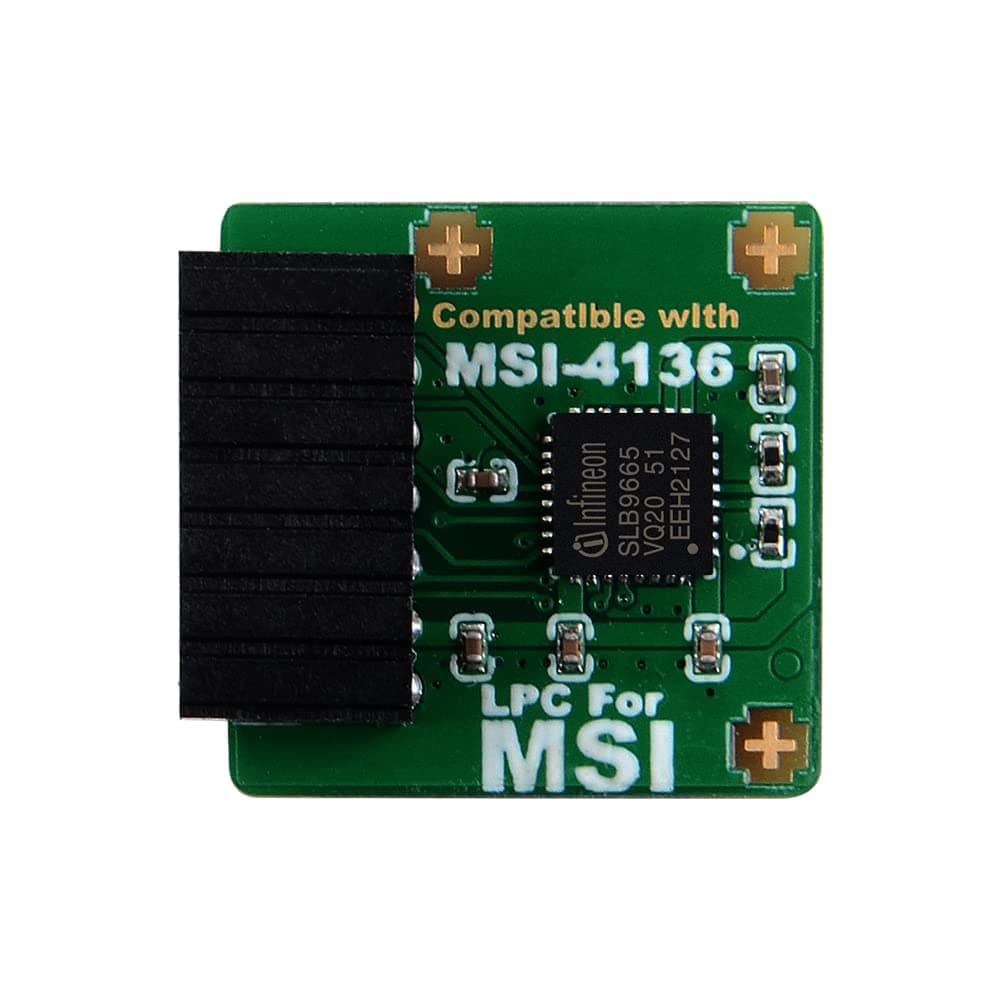
🔐 Secure your system, unlock your future.
The TPM2.0 Module MS-4136 with Infineon SLB9665 chipset is a compact, 14-pin LPC interface security module designed for MSI Intel 300 and AMD 400/X570 series motherboards. It delivers hardware-based encryption and supports TPM 2.0 standards across Windows 7 (x64), 8.1, and 10, enhancing system security and enabling compatibility with modern OS features like Windows 11.


| ASIN | B09PBLG184 |
| Are Batteries Included | No |
| Best Sellers Rank | #143,973 in Computers ( See Top 100 in Computers ) #1,654 in Motherboards |
| Brand | NewHail |
| Customer Reviews | 4.3 4.3 out of 5 stars (126) |
| Date First Available | 3 January 2022 |
| Graphics Card Interface | Integrated |
| Item Weight | 18 g |
| Item model number | MS-4136 |
| Manufacturer | NewHail |
| Maximum Memory Supported | 32 GB |
| Memory Clock Speed | 2666 MHz |
| Memory Technology | DDR4 |
| Number of USB 2.0 Ports | 4 |
| Package Dimensions | 6.1 x 5.11 x 2.21 cm; 18 g |
| Processor Socket | Socket TR4 |
| Processor Type | Core i5 |
| Series | MS-4136 |
T**B
Not bad
Working fine with my x570 board which was having cpu ftpm problems before, although sometimes this module also causes error with certificates at reboot but that happens only 1 out of 10 times.
L**N
This little plug-in item worked as advertised and my computer BIOS readily activated it. However the CPU in the computer remained incapable of recognizing it and that left installation of Windows 11 impossible. This order was received quickly and I was happy with the provider.
M**O
I use this so that I can run Windows 11 on an older motherboard (MSI Z170 Gaming M3) and not have any issues with security updates. It works well. After you install it, you have to configure it in the BIOS, and then afterwards it should be detected by Windows. I configured it before I installed Windows and it worked well, after that I ended up updating the BIOS because I realized it was quite outdated and then Windows stopped detecting it, obviously I had to reconfigure it in the BIOS. Once I did that, it was fixed and it has been working consistently ever since. I'm using this with a 6th gen Core i5, can't remember the exact model number but it's helping keep it out of the landfill because while it's not powerful enough to use as a main computer for my bf and me anymore, it's still good enough as a media center PC.
G**.
ma vielle carte maitresse MSI Guard 97A la reconnus sur le champs.
J**R
This worked just as expected in my MSI B350M Mortar Arctic motherboard. I had to fiddle with the BIOS so that it would point to the module, but eventually it showed up as an IFX TPM2.0 module and I was able to set it to TPM 2.0. The catch to this, however, is that if you still do not have an approved CPU, the Windows 11 upgrade tool and the PC Compatibility tool that you can download from Microsoft are so stupid that they *still* report that you have an incompatible CPU even though Windows 10 sees the TPM 2.0 module. I got so frustrated by this that I forced a fresh Windows 11 install with no issues. Everything is working. Just be aware that even if you install this onto your MSI motherboard and everything seems to be okay, you will most likely need to install Windows 11 with a fresh, clean install because the upgrade tools will not acknowledge the TPM 2.0 module. *slow clap, Microsoft*
J**E
relatively easy install. Solved ability to upgrade my windows 10 tower to windows 11
Trustpilot
Hace 2 días
Hace 3 días