We remain fully operational. Our teams are working around the clock to ensure your deliveries continue safely.

Descargar la aplicación


Servicios al cliente
Sobre nosotros
Copyright © 2025 Desertcart Holdings Limited
Descargar la aplicación
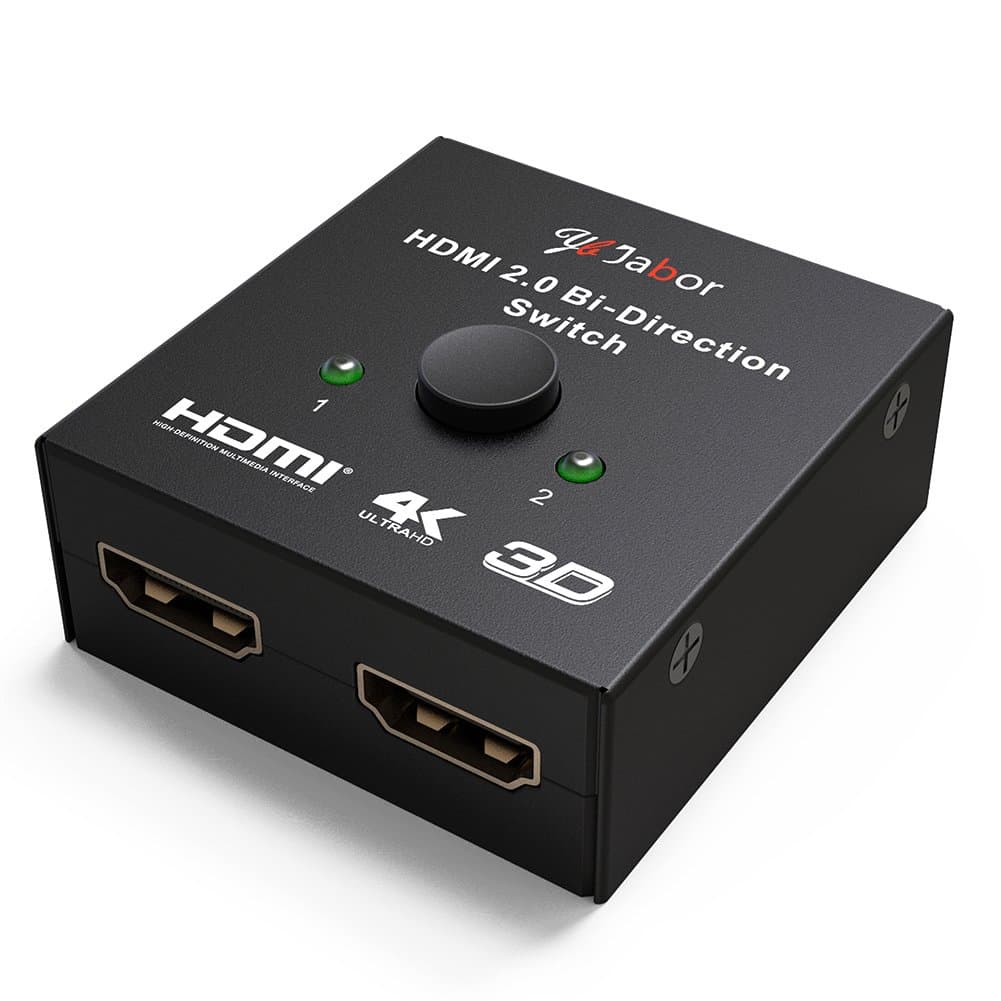
🎉 Elevate Your Viewing Experience!
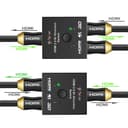
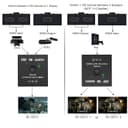
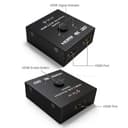
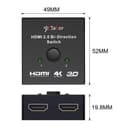
The Jabor HDMI 2.0 Switch is a versatile bi-directional switcher that allows you to connect two HD sources to one display or one source to two displays. It supports resolutions up to UHD 4Kx2K@60Hz, ensuring high-quality visuals for all your devices. With no power requirement and easy switching, it's perfect for gamers and movie enthusiasts alike.
| ASIN | B071CJWSPF |
| Brand | Jabor |
| Cable Type | HDMI |
| Compatible Devices | Blu-Ray Player, Gaming Console, Monitor, Projector, Television |
| Connector Type | HDMI to HDMI |
| Connector Type Used on Cable | HDMI to HDMI |
| Customer Reviews | 3.9 out of 5 stars 96 Reviews |
| Manufacturer | Jabor |
| Number of Ports | 2 |
| UPC | 723740654967 |
M**R
This one works
I love this little box! It saved me so much trouble. I bought it to use as a bypass for my hdcp 2.2 enabled receiver, which wouldn't recognize my older projector but would recognize my newer tv. Turns out this splitter also has an internal hdcp bypass. So instead of having to route my projector around the receiver from my Xbox, I could route through this splitter after the receiver and still use both tv and projector. Sorry if that's all confusing. Short story, this works as advertised as a 2 way splitter and gets rid of copy protection incompatibilities.
A**R
WORKS GREAT! AND GREAT PRICE
I was skeptical at first after reading reviews of some other cheaper switches. So i found the Jabor and tried it out, great price and works great for what i needed. Im using this to split my hdmi out of my reciever to my tv and projector. Works great at the touch of a button. Also has NO degrading of signal or picture quality to my projector through a 35ft bluerigger hdmi cable. Which i was worried about lol, works Perfect! I picked this over a powered one because i didnt want to have to run another power cable and couldnt be happier
R**N
When it comes to HDMI Cables Size Matters
I was a little skeptical purchasing this, but with Amazon's return policy I figured why not. I have an almost new Yamaha receiver, with 5 HDMI ports. Only 3 of them are HDMI 2.0 HDCP 2.2 compliant. the other 2 are HDMI 1.4. I have a TiVo, PS4 Pro, and an Apple TV 4K. using these ports. I was given an 4K UHD Blu-Ray player for Christmas, Which also needed to use an HDCP 2.2 port. Although my 4K TV has an extra port, It only outputs Dolby Digital 5.1 and DTS. No Dolby Atmos or DTS X. I purchased this and connected to my AV receiver. I connected the PS4 Pro and the UHD Blu-Ray player to the other end. At first I thought I received a defective unit, because the screen on the PS4 would flicker. I was using high quality HDMI cables. However, it says it can use cables up to 15 meters (around 16 feet). What I found out it seems to be 15 meters total. I was using three 6 foot HDMI cables for a total of 18 feet. I found a 2 foot HDMI cable and connected to the AV receiver and the switch worked flawlessly. Both the PS4 Pro and the UHD player will output 2160p HDR content, Dolby Atmos, and DTS X sound. It doesent auto switch, but the PS4 Pro is used more than the UHD player so I keep it on that and switch it when I need to. All in all it's worth the price.
S**.
Excellent HDMI Switch
Purchased this to replace a power HDMI switch which failed. I use this to switch HMDI source between a PS4 and iMAC 27" for a second monitor. I have been using it for 5 months and the switch has performed flawlessly. I can quickly switch between devices with little lag. The best part is no requirement for a power source.
G**V
I really don't mind doing it once in a while when it works but it gets really annoying when I have to do it every 15 minutes
I've connected my Xbox One X and PS4 Pro with this to my TV's only HDR HDMI port. I get 4K HDR signals as expected for both consoles and it works well as a switch but it keeps on losing signal very often giving a flickering black and grainy screen on the TV. I need to get up and press the switch button over to the other input and then switch it back for it to start showing again. I really don't mind doing it once in a while when it works but it gets really annoying when I have to do it every 15 minutes, especially when I am just about to kill a boss in God of War and the screen goes black! Would definitely rate it a 5 star if it weren't for this!
J**H
Great product at a fantastic price point.
I used this switch to connect a PC, as well as a PS4 Pro to the single 4k 60hz HDMI input on my Samsung KU6290. I just need to ensure that one machine is turned off before using the other, and push the button to switch. It works flawlessly, and the price point is hard to beat!
H**A
Did not work to have HDR when you have PS4 and VR headset
Did not work for my needs. I have a PS4 Pro and the VR Set. The VR does not support HDR. So when I connect to my TV I loose HDR. Idea was to use this switch to connect the output of my PS4 PRO to it and then connect two separate HDMI cables to my TV (one for when I am use my VR headset and the other when I am not so I can have HDR). I purchased 3 3ft HDMI 2.0B cables to have the cables be the right grade. Connected everything and it does not work. The switch power light comes on. Sometimes I get a signal on the TV but HDR is not available. Other times I do not even get the screen to light up it says no signal. I am not sure what the issue is but it does not do what it is suppose to do at least not this switch I got.
S**S
All green checkmarks on Xbox One X - UPDATE: HDR gaming is a no go
I previously had an hdmi splitter to send the Xbox signal to both my TV and to a gaming monitor on a nearby desk. Recently, I upgraded to the Xbox One X, meaning my 1080p splitter is no longer viable if I wanted to take advantage of 4k and HDR content. One snag in my plan is that my monitor is only 1080p, so if I were to use a splitter, the signal would default to 1080p. After resrarching a bit, I settled on this switch. Much to my surprise, it worked. I got all green checkmarks, meaning full 4k and HDR was being passed through to the TV. With the Xbox off, if I hit the button to switch to the monitor, the Xbox auto detects the resolution and will display 1080p. This is exactly how I expected it to work. Because I am now using a switch instead of a splitter, I'm no longer able to send video to both devices simultaneously, but that isn't a big deal. Just need to remember to have the Xbox off before you hit the switch, so you don't have to fiddle with the video settings. Now I'm able to game in 4k on my TV, or move over to my desk when my family wants to share the room with me. I'll update this review if my experience changes, but for now, this is perfect for my setup. UPDATE: Turns out this switch cannot properly handle 4k HDR. Although it hits all the green marks in the xbox system display settings, you will get intermittent blackouts when playing 4k HDR content, specifically games. I have not noticed this behavior during video playback yet, but will continue testing. For gaming though, there will be a 2-3 second video blackout when playing in a high dynamic contrast setting. I've mostly noticed this while playing Sea of Thieves. High contrast moments, like staring into a setting sun reflecting off a dark ocean, will cause the black outs. Unfortunately, this makes the game unplayable for me, and I have resorted to manually swapping cables when playing HDR games. This is still a worthy switch if you don't need HDR, but I have to drop the rating down as its pretty useless for me at this point.
Trustpilot
Hace 1 semana
Hace 2 días