We remain fully operational. Our teams are working around the clock to ensure your deliveries continue safely.

Descargar la aplicación


Servicios al cliente
Sobre nosotros
Copyright © 2025 Desertcart Holdings Limited
Descargar la aplicación
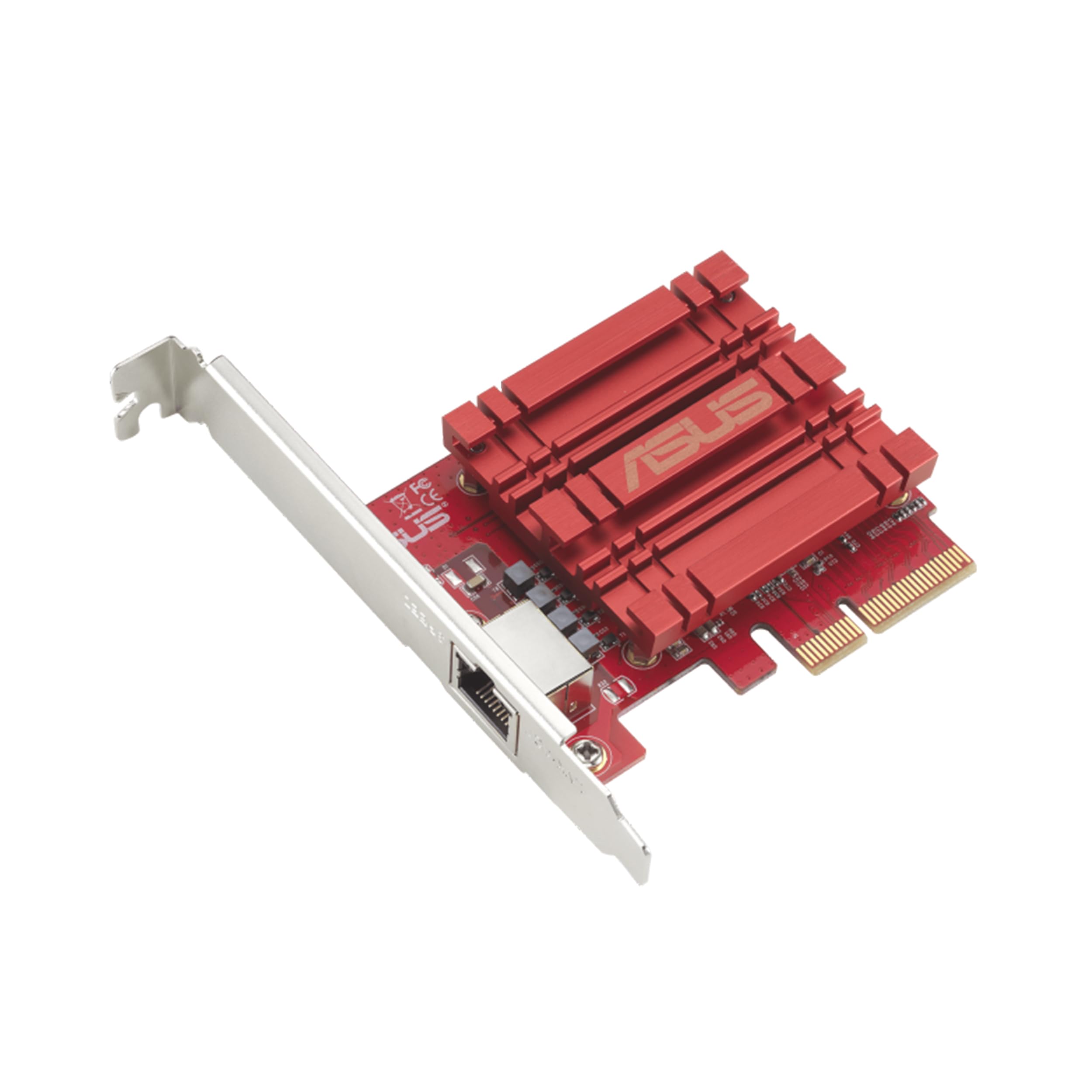
🚀 Upgrade your network, upgrade your hustle.
The ASUS XG-C100C is a PCI-E x4 network adapter delivering ultra-fast 10Gbps speeds with full backward compatibility across multiple Ethernet standards. Featuring a single RJ-45 port and built-in QoS, it supports Windows and Linux OS for flexible, high-performance networking—perfect for professionals demanding seamless, high-bandwidth connectivity.

| ASIN | B072N84DG6 |
| Batteries | 1 AAAA batteries required. |
| Best Sellers Rank | #51 in Internal Computer Networking Cards |
| Brand | ASUS |
| Color | red, grey |
| Customer Reviews | 4.0 4.0 out of 5 stars (723) |
| Date First Available | June 15, 2017 |
| Is Discontinued By Manufacturer | No |
| Item Dimensions LxWxH | 3.33 x 0.81 x 4.73 inches |
| Item Weight | 3.2 ounces |
| Item model number | XG-C100C |
| Language | German |
| Manufacturer | ASUS Computer International Direct |
| Number of USB 2.0 Ports | 1 |
| Operating System | Windows 10/8.1/8/7 and Linux Kernel 4.4/4.2/3.6/3.2 |
| Product Dimensions | 3.33 x 0.81 x 4.73 inches |
| Voltage | 220 Volts |
| Wireless Type | 802.11n |
S**L
So far no issues except annoying network boot
I installed 3 of these. Of course this is just day one, but some of the negative reviews I read, don't apply at all (at least to me, on 3 different computers... one AMD 2 intel). Some of the reviews that say that this card doesn't initialize and you have to wait, or that it disconnects or drivers are horrible etc... this was a very clean plug and play. I downloaded the latest drivers from ASUS... but popped the cards in 2 windows 10 machines, and 1 windows 11 machine. On the 2 windows 10 machines (which are also intel), it tries to boot from the network card. I tried to disable this in the bios but it still tries, this is annoying because it takes like 30 extra seconds to boot. You can click ESC to skip it but if you have a monitor that doesn't show you what is going on you can assume something is wrong or stop it during boot. I need to figure out how to get it to skip this, I am sure there is a way. Full disclaimer still waiting on my other 10G switches, so I haven't tested them out at full speed yet, but on my1G network they work just perfect like the internal NICs always have.
S**E
Works great in unRAID
I installed this on my unraid server to obviously get 10gbps connectivity, hooked it up to an unmanaged 10gbps switch, alongside my desktop so I could move files between it and my NAS at approx 1.25 gigabytes a second (10,000 / 8). Common misconception is that you need cat 6a or at least cat 6 to transfer at those speeds. I'm using a 50 foot cat 5e cable and it works just fine. As long as the distance isn't too much, cat 5e is able to do high speeds. I was running out of pcie slots on my server motherboard so I got an m.2 to pcie slot adapter. Aside from needing to take off the bracket of the NIC, it works perfectly since m.2 is 4 pcie lanes just like this card. Haven't had any issues with this. Only thing I would recommend considering before buying, is that RJ-45 uses more power than SFP+ so if you're just starting to build out your multi gig network, consider looking into fiber too. You can get a lot of refurb or used SFP+ gear online for cheap, and it would probably save you some on your power bill. I sort of regret buying the 5 port 10gbps rj-45 switch I have. I love the speeds, but power is so expensive where I'm at that 24/7 powered stuff makes a difference.
A**R
Did not work out - here is what I ended up doing
I decided to upgrade my home network, so I can access my NAS faster. Given that I had bought a new switch, this NIC card, and a new NAS, I couldn't easily troubleshoot why I wasn't getting the speed to the NAS or why the Internet was dropping. I ended up swapping out every new component, until I discovered that it was this card that was causing all the issues. Issue #1: I couldn't achieve the transfer speed using iPerf3 test. Issue #2: Internet connection was very slow, and Google Speed Test would not run. However, I was able to use the card to transfer files from my NAS to my PC at 1GB/s, which is very close to 10Gbps. If I needed this network card just for internal transfer, then I would've been ok. But, I also needed this card for my Internet access, and that's where it was a no-go for me. I switched out to Intel X550, and without changing anything else, my Internet connection is working fine. I had read some other comments stating that CAT 7 cables are causing problems, but I am only using CAT 6A cables to the Internet. I also upgraded the firmware to the latest, but it didn't help. I do wonder if the card is dropping IP addresses when the buffer is set 'incorrectly.' Either way, after having spent a lot of hours sweating over how to make this card work, I finally gave up and returned the product. Intel card is 3 times more expensive, but I am glad that it just works. I have an ASUS motherboard, which is working very well, so I am a bit disappointed by this experience.
A**J
Great 10G adapter.
Awesome 10G network adapter. Quality built and great price. Easy to install and setup. I highly recommend this network adapter to take the place of most basic desktops since they usually come with only 1G Ethernet adapter.
T**P
Easy to install and is working well
I bought 3 of these to upgrade from a 1Gb network to a 10Gb network. They're connected with CAT 6a cable to a Netgear XS-505M switch. 2 of the PC's are Windows 10 with nVME drives and the 3rd is a Windows 7 with traditional hard drives (platters) in a RAID5 configuration. I didn't install the Asus drivers, but instead used the drives from the actual chip manufacturer - Aquantia. I did that after reading various reviews where people were having trouble with the Asus drivers while the Aquantia ones worked just fine. Installation was as simple as it gets. I anticipated that I may have to tweak some of the TCP/IP settings to get these cards to run at their peak performance. But I didn't. Using the default values I am getting 1.1GBs (880Gbs) between the 2 PCs that have nVME storage. I know that many reviews state they're seeing lower speeds and I wonder if it's due to a bottleneck with their storage? When I copy files to the Windows 7 PC with the RAID5 traditional drives the transfer rate hovers around 260Mbs. It's the slower rotating style hard drives that are the bottleneck. One other strange behavior I noticed was that if I plug the Asus C100C card into a 1Gb switch I don't get very good performance. As an example when using my PC's motherboard's 1GB port I get a steady 110Mbs. But when using the Asus C100C connected to that same 1Gb switch It starts out at 110Mbs and then slows down to around 30-40Mbs. I never figured out why. But, when connected to the 10Gb Netgear switch it works just fine. As for the longevity of this card, only time will tell.
C**S
Inconsistent with identifying network, but otherwise solid.
This card works very well but has some hiccups. It could just be my network specifically, but it sometimes fails to obtain an IP address after windows start up, and is only solved when restarting my desktop. Otherwise, i haven't experienced any lag or packet loss while using this card, previously i had terrible lag and packet loss on my motherboard's integrated Ethernet until i installed this. Would recommend.
P**C
Great for Truenas systems
Got this for my HexOS (Truenas Scale) nas machine. Plug-n-play. Just a little configuring to use the other nic port and youre golden!
D**R
La carte utilise son propre drivers à l'inverse du modèle Tx401 qui utilise directement le driver du fabriquant. JE ne sais pas si c'est cela qui est en cause mais une fois la carte installé dans le pc avec le driver d'ASUS, au prochain arrêt/Démarrage, il y a un conflit avec le CPU empêchant le pc de démarrer. JE n'ai pas rencontré le problème avec la carte TX401
R**B
Great hardware. Performs well at 10gb. Installing on Windows10 was simple! This is a repeat purchase.
S**S
Produto recomendo 😁!
R**.
Hatte zuerst gar keine Verbindung zum Internet mit dieser Karte. Hab dann eine Suchmaschine bemüht und ein User der das gleiche Problem wie ich hatte hatte in einem PC Forum bereits diesbezüglich nachgefragt. Die Antwort die er erhielt. Man muss im Gerätemanager auf Netzwerkadapter dann entsprechenden Netzwerkadapter auswählen dann auf Eigenschaften und dann auf Erweitert. Dann wählt man Energy Efficiency aus und stellt dort von enabled auf disabled. Jetzt läuft es bei mir ohne Probleme und mit super Speed.
S**O
I thought I would post some numbers in case anyone was interested. I used two hosts Host 1: System: Host: nas Kernel: 4.15.0-42-generic x86_64 (64 bit) Console: tty 3 Distro: Ubuntu 16.04 xenial Machine: System: Supermicro product: Super Server v: 0123456789 serial: 0123456789 Mobo: Supermicro model: X10SDV-4C-TLN2F v: 2.00 serial: ZM16CS053878 Bios: American Megatrends v: 1.1c date: 10/03/2016 CPU: Quad core Intel Xeon D-1521 (-HT-MCP-) speed/max: 800/2700 MHz Network: Card-1: Intel Ethernet Connection X552/X557-AT 10GBASE-T driver: ixgbe IF: eno3 state: up speed: 10000 Mbps duplex: full mac: 0c:c4:7a:9d:92:72 Card-2: Intel Ethernet Connection X552/X557-AT 10GBASE-T driver: ixgbe IF: eno4 state: up speed: 1000 Mbps duplex Host 2: System: Host: desktop Kernel: 4.19.9-arch1-1-ARCH x86_64 bits: 64 Desktop: Gnome 3.30.2 Distro: Arch Linux 2015.06 Machine: Type: Desktop System: ASUS product: All Series v: N/A serial: N/A Mobo: ASUSTeK model: Z97-WS v: Rev 1.xx serial: 140525546300294 UEFI [Legacy]: American Megatrends v: 2403 date: 06/18/2015 CPU: Quad Core: Intel Core i7-4790K type: MT MCP speed: 1663 MHz min/max: 800/4400 MHz Network: Device-1: Intel Ethernet I218-LM driver: e1000e IF: eno1 state: down mac: 10:c3:7b:46:d3:a4 Device-2: Aquantia AQC107 NBase-T/IEEE 802.3bz Ethernet [AQtion] driver: atlantic IF: enp4s0 state: up speed: 10000 Mbps duplex: full mac: 0c:9d:92:b7:5f:21 Device-3: Intel I210 Gigabit Network driver: igb IF: enp13s0 state: up speed: 1000 Mbps duplex: full mac: 10:c3:7b:46:d3:a5 IF-ID-1: vboxnet0 state: down mac: 0a:00:27:00:00:00 The network card in the desktop is Asus XG-C100C. All tests were run from the nas with the desktop acting as an iperf server. For the test the 10G interface is .239, the 1G interface is .198. If the 10G interface was being tested the 1G interface was disabled and vice versa. I used 6FT cat 6 cables into the uplink ports. The switch used is the Netgear GS110MX. user@nas:~$ iperf -c 192.168.19.239 -t 100 ------------------------------------------------------------ Client connecting to 192.168.19.239, TCP port 5001 TCP window size: 85.0 KByte (default) ------------------------------------------------------------ [ 3] local 192.168.19.96 port 45280 connected with 192.168.19.239 port 5001 [ ID] Interval Transfer Bandwidth [ 3] 0.0-100.0 sec 109 GBytes 9.39 Gbits/sec user@nas:~$ iperf -c 192.168.19.198 -t 100 ------------------------------------------------------------ Client connecting to 192.168.19.198, TCP port 5001 TCP window size: 85.0 KByte (default) ------------------------------------------------------------ [ 3] local 192.168.19.96 port 33772 connected with 192.168.19.198 port 5001 [ ID] Interval Transfer Bandwidth [ 3] 0.0-100.0 sec 10.7 GBytes 919 Mbits/sec user@nas:~$ iperf -c 192.168.19.198 -t 100 -P 10 ------------------------------------------------------------ Client connecting to 192.168.19.239, TCP port 5001 TCP window size: 85.0 KByte (default) [ ID] Interval Transfer Bandwidth [ 3] 0.0-100.0 sec 907 MBytes 76.1 Mbits/sec [ 6] 0.0-100.0 sec 845 MBytes 70.9 Mbits/sec [ 12] 0.0-100.0 sec 771 MBytes 64.7 Mbits/sec [ 11] 0.0-100.0 sec 1.89 GBytes 162 Mbits/sec [ 7] 0.0-100.0 sec 903 MBytes 75.7 Mbits/sec [ 8] 0.0-100.0 sec 1.91 GBytes 164 Mbits/sec [ 10] 0.0-100.0 sec 879 MBytes 73.7 Mbits/sec [ 5] 0.0-100.0 sec 922 MBytes 77.3 Mbits/sec [ 4] 0.0-100.0 sec 1.04 GBytes 89.5 Mbits/sec [ 9] 0.0-100.1 sec 826 MBytes 69.2 Mbits/sec [SUM] 0.0-100.1 sec 10.8 GBytes 923 Mbits/sec user@nas:~$ iperf -c 192.168.19.239 -t 100 -P 10 ------------------------------------------------------------ Client connecting to 192.168.19.239, TCP port 5001 TCP window size: 85.0 KByte (default) ------------------------------------------------------------ [ ID] Interval Transfer Bandwidth [ 4] 0.0-100.0 sec 5.53 GBytes 475 Mbits/sec [ 6] 0.0-100.0 sec 7.93 GBytes 681 Mbits/sec [ 7] 0.0-100.0 sec 2.25 GBytes 193 Mbits/sec [ 9] 0.0-100.0 sec 3.94 GBytes 338 Mbits/sec [ 11] 0.0-100.0 sec 7.87 GBytes 676 Mbits/sec [ 12] 0.0-100.0 sec 4.75 GBytes 408 Mbits/sec [ 3] 0.0-100.0 sec 1.84 GBytes 158 Mbits/sec [ 5] 0.0-100.0 sec 1.58 GBytes 136 Mbits/sec [ 10] 0.0-100.0 sec 3.22 GBytes 276 Mbits/sec Decent speeds and for a relatively low cost it brings big performance gains. Its smaller than I expected, not that that matters. Device was plug-and-play. No issues dropping it into an Arch Linux box, no config required
Trustpilot
Hace 1 día
Hace 2 semanas