We remain fully operational. Our teams are working around the clock to ensure your deliveries continue safely.

Descargar la aplicación


Servicios al cliente
Sobre nosotros
Copyright © 2025 Desertcart Holdings Limited
Descargar la aplicación
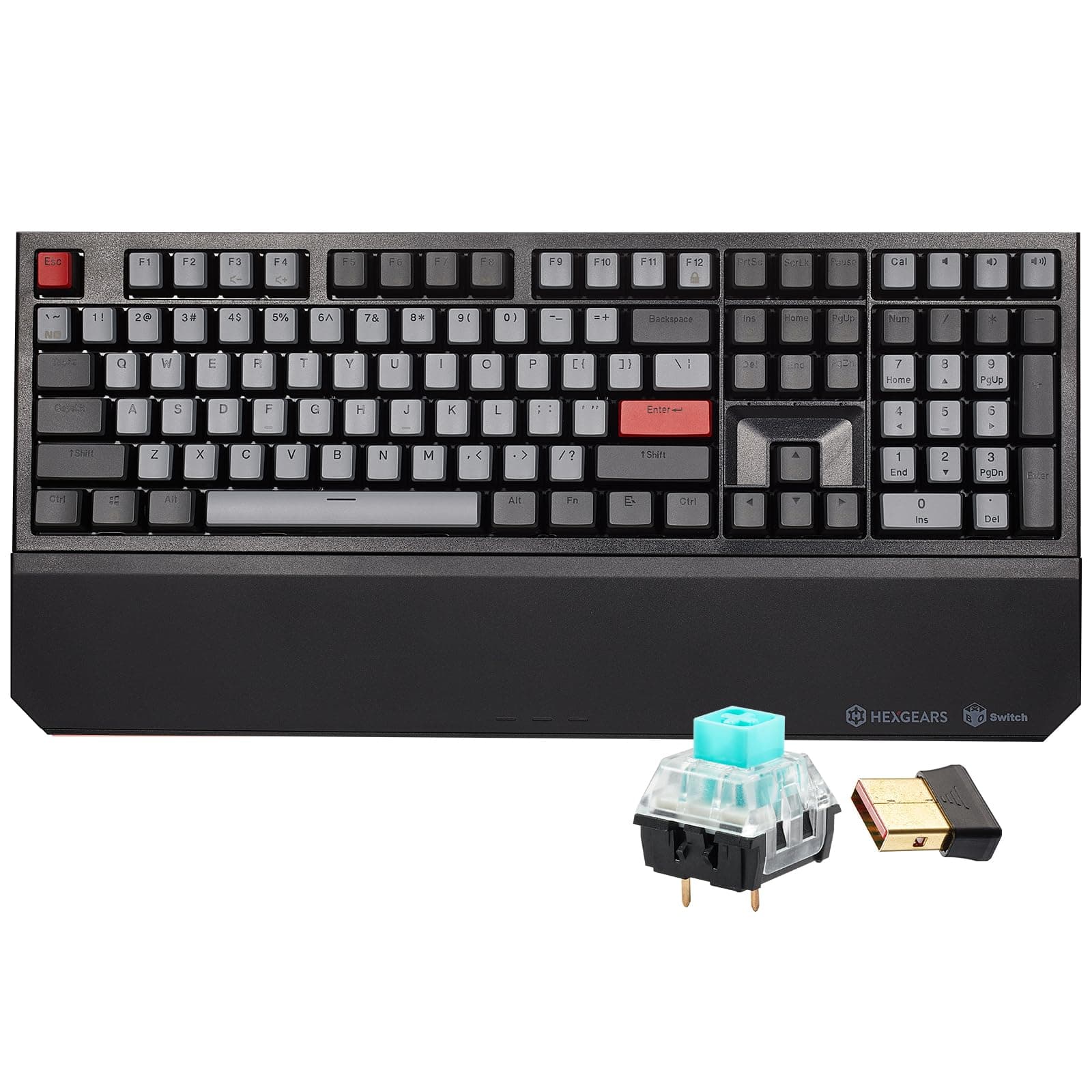

⌨️ Elevate your desk game with pro-grade wireless precision!
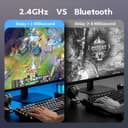
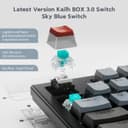
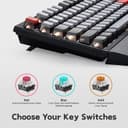
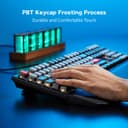
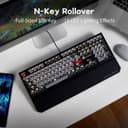
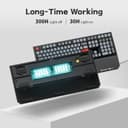
The Hexgears X5 Wireless Mechanical Keyboard combines premium Kailh BOX 3.0 clicky switches with full N-Key Rollover and dual-mode 2.4G/wired USB-C connectivity. Its durable double-shot PBT keycaps and ergonomic detachable wrist rest ensure comfort and longevity, while minimalist white backlighting with 16 modes adds a refined aesthetic. Designed for professionals and gamers craving reliable, responsive input with up to two months of battery life, the X5 delivers high performance and style in a full-size 108-key layout.


| ASIN | B0B3MTH492 |
| Additional Features | Backlit, Ergonomic, Hotkeys and Media Keys, Rechargeable, Wrist Rest |
| Antenna Location | Gaming |
| Best Sellers Rank | #8,248 in Video Games ( See Top 100 in Video Games ) #610 in PC Gaming Keyboards #610 in Wrist Rests |
| Brand | Hexgears |
| Built-In Media | Keycap Puller, UBD Dongle, USB Cable, Wrist Rest |
| Button Quantity | 108 |
| Color | Dark Knight-X5 |
| Compatible Devices | PC, tablet, PS, Xbox, mac, laptop |
| Connectivity Technology | Bluetooth |
| Customer Reviews | 4.2 out of 5 stars 97 Reviews |
| Enclosure Material | Plastic |
| Hand Orientation | Ambidextrous |
| Item Dimensions L x W x H | 16"L x 5"W x 2.4"H |
| Keyboard Backlighting Color Support | Single Color |
| Keyboard Description | Ergonomic |
| Keyboard Layout | QWERTY |
| Manufacturer | Hexgears |
| Mechanical Keyboard Switch Model | Kailh Sky Blue Box Switches |
| Model Name | X5 |
| Number of Keys | 108 |
| Power Source | Battery Powered |
| Recommended Uses For Product | Gaming |
| Special Feature | Backlit, Ergonomic, Hotkeys and Media Keys , Rechargeable, Wrist Rest |
| Style Name | Retro |
| Switch Type | Clicky |
| Theme | Anime, Classic, DC, Dark Knight |
| Unit Count | 1.0 Count |
| Water Resistance Level | Water Resistant |
A**U
Simply an excellent keyboard
I mostly use this keyboard for writing code, where it replaced a DasKeyboard model 3 - nothing wrong with the old keyboard, I simply wanted a wireless model. At the time I'm writing this review I've been using it for about 4 months. Positives: - the construction of the switches and the way they attach to the keycaps make for very stable keys (there's little sideways wiggle), which makes typing very comfortable - the weight of the keyboard and the tight tolerances of the switches produce a pleasantly muted click sound. It's not quiet by any means, but it's not jarring like the plastic clacking of other keyboards - decent battery life. I get about two months out of a charge, which works fine for me. Make sure to remember where its original usb cable is, because the USB C connector is subtly thinner than a regular one. If you lost it, I suppose you could take a shaving off a regular connector to make it fit - customer support has been very responsive. I didn't have meaningful issues, mainly some questions, which they answered promptly and competently Negatives: - although it is a full sized keyboard, the spacing between the various groups could be a bit larger. The top row (the function keys) could be a bit farther from the rest of the keyboard too - I don't like how the palm rest attaches to the body of the keyboard. A magnetic connector would have been nicer. I don't move the keyboard that much, so it comes off mostly when I charge the battery, but then it's fairly annoying Overall, I highly recommend it - not only is it an excellent keyboard on its own right, but the price quality ratio is hard to beat too.
A**N
A very good wireless mechanical keyboard with bang for the buck!
Although I'm new to the Kailh brand of switches, I'm not new to mechanical keyboards. I like the way the X5 feels when I type, with the included wrist wrest, in wired or wireless mode, making this X5 as good as Corsair and Cooler Master (relative) equivalents I've previously used. When you consider that the latter two brands are typically over $100 each, the X5 is very good value for the money. I like that the X5 (and perhaps all Hexgear keyboards) doesn't require software to be installed on your PC to access all features, but to be fair, it doesn't have a lot of RGB lighting features or dedicate macro keys. There's also one tiny advantage that this keyboard has, that doesn't seem to be well known, over the Logitech MX Mechanical: pressing the dedicated <calculator> key puts the (Windows) calculator application at the top and ready for immediate use whereas for the MX Mechanical, doing the same merely opens the (Windows) calculator application but DOESN'T put it at the top and ready for immediate use! You must <Alt>+<Tab> to it or click on in with your mouse, which kind of defeats the purpose of having the dedicated <calculator> key on the MX Mechanical in the first place! What a odd deficiency for a higher priced keyboard! I also like the handy volume control keys that are next to the the dedicated <calculator> key, which contribute to the overall aesthetically pleasingly look of the X5, whether the backlighting is on or not. But not that I've mentioned the backlighting, I'll have to get into where this keyboard is less than perfect; the positioning of the LEDs doesn't fully light up the lettering on the key caps, which is all but immediately obvious while merely glancing down on them while typing. The battery life is shorter that other rechargeable keyboards I've used; they can last a month on a full charge compared to the one week I've experienced on the X5. I wish there were two Windows keys instead of the single one to the left side of the space bar. I like the inclusion of the Num, Caps and Scroll Lock lights that far too many modern keyboards don't have, but they aren't labeled, which makes their placement under the <Del>, <End> and <Page Down> keys awkward. The USB-C port is placed too far in, making plugging in the cable a bit more difficult, especially compared to other brands. If you're using the X5 on a table or a desk, you'll find that the wired/wireless mode switch can only be reached if you lift the right side a little bit first; why isn't it located at the back, closer to the USB-C port? These aren't optimally placed and I hope that a future version resolves these and the other shortcomings I mentioned.
J**N
Best sounding keys
This is exactly the sound I've been hunting for in a mechanical keyboard. If your a big fan of that nice "clicky" mechanical keyboard sound then this is by far the best keyboard you can buy for the price. The only issue I have isn't the keyboard itself, but instead the fact that they don't make an ergonomic version of the keyboard. If that were the case, I could easily justify spending 200 dollars plus on it. Lighting is great. For the most part its a simple white LED underneath each key, but I'm a minimalist. So if RGB is what your looking for than you may need to go with a different keyboard. I absolutely love the red keys that I'm able to swap out as well. Its very visually pleasing to the eye. I also love the key quality. Each key has sort of a sticky texture to it instead of most plastic keys that are so smooth. It just has a feeling on the tips of your fingers like its sticking to your fingertips. Also the amount of pressure for one key press is set to the perfect amount. Not too hard to press, but also firm. This keyboard definitely hit the Goldilocks zone for me as a software programmer.
M**Y
Maybe the nicest keyboard I've ever used.
I could immediately tell when I received this keyboard that it was a premium product. It's heavy and well-built. The keys have a tactile, consistent rebound and it feels fantastic to type on. It works great for gaming too, as there is very little input lag (so little I hardly notice any) and the wireless connection is strong and steady with no drops (I sit with the keyboard about 5 feet away from the USB receiver.) Let me just say too that the board is gorgeous to look at. This is one of the best-looking keyboards I've ever seen, and I've got quite a few nice ones. None of them look nicer than this one though. I also really appreciate that it is a full-size board. I do not like the small 60% boards and the vast majority of wireless keyboards seem to be going the super-compact route these days. All in all, this is an impressive keyboard that doesn't skimp on anything, and it certainly justifies its price.
A**.
Died after about 16 months
It never worked great, the plug in device has to be only a few feet away otherwise it misses keys or get laggy. The actual buttons were satisfying to click. Battery life was ok imo. But it completely died after 16 months, unless I keep it plugged in which is not an option. Feels way too fast for a keyboard to die, even a wireless one.
D**O
Clickity Clack--don't look back
Nicely made thing but very loud.
A**D
Wow i can't believe how cheap this KB is now
A friend asked for a recommendation on a KB. I recommended this Hexgear and checked my Amazon orders to link him to it. I was honestly SHOCKED how cheap this KB is now. Makes me feel like i got ripped off. But at the same time, it's been so great I never once in the last 1 year and 9 months of owning it felt the price was not justified. I literally paid 4 x the amount for it 1 and 9 months ago and honestly I have had no complaints. This keyboard has been the best I've had in a long while. I would consider myself someone who has heavy computer use both productivity and gaming. Have yet to replace any key switches. The battery life is sufficient, but I wish it was longer is my only minor complaint. I love how the keys feel, but you can switch out the key switches to whatever your preference is. The construction is solid. I wasn't looking for a bright loud looking keyboard. I'm not a fan of everything having RGB. I dunno if the manufacturing process changed, or if this model has gotten cheaper components or build materials. I expected it to be cheaper, due to new models coming out etc etc. But 4 times cheaper kind of blew my mind. IF in fact these keyboards are of the same build quality as the one I have, then 100% its a steal for only $40 it is today.
B**H
Great Inexpensive Mechanical Keyboard
I wanted a cheap mechanical keyboard. Was pretty happy to find this Hexgears keyboard available. The keyboard sounds amazing and has that tactile mechanical keyboard feel you don't get with most other keyboards. That said, I did dock it a star for several reasons. First, it feels like the keys are spaced very closely together, as I find myself fat-fingering keys often. Second, I get the occasional wireless "sticky-key" issue where the wireless signal lags and my PC registers like 30 Y presses when I only pressed it once. It's rare, but it happens every couple of days I never get that with my Logitech wireless keyboards. I thought perhaps it was because my keyboard needed charging, but even a fully charged keyboard exhibited this behavior last evening. Third, the charging input port is frustrating. Most cables don't work with it because there's very limited relief around the port, so all of my other cables bump into the frame of the keyboard and I can't use them. I can literally only use the charging cable that comes with the keyboard because of this. All of that aside, this is a good entry level mechanical keyboard. That said, I might suggest springing for a little more higher end version next time, with a more ergonomic feel. But for now, I'm happy with this and will use it for a while.
Trustpilot
Hace 2 días
Hace 1 mes