
Descargar la aplicación


Servicios al cliente
Sobre nosotros
Copyright © 2025 Desertcart Holdings Limited
Descargar la aplicación

⚡ Unlock pro-level radio programming with zero fuss!
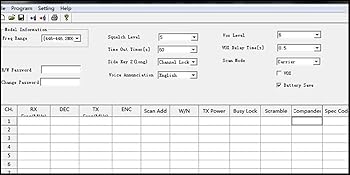
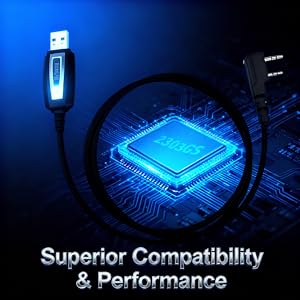
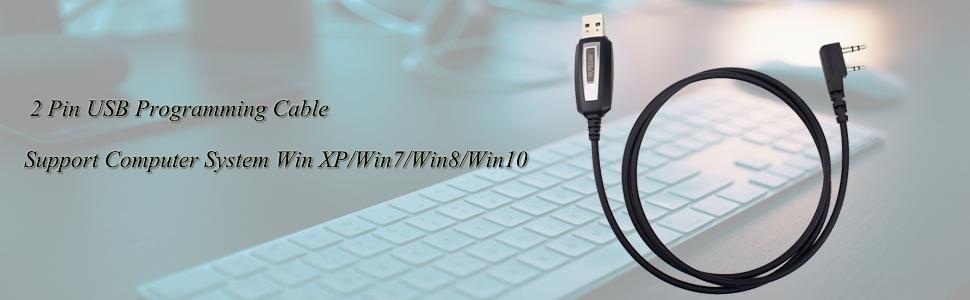
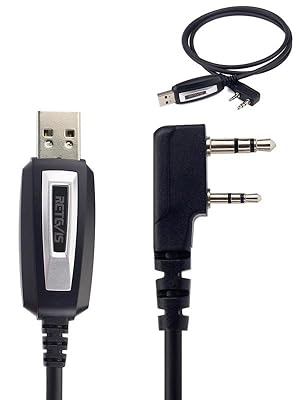
The Retevis USB Programming Cable K 2 Pin features an upgraded 2303GS chip enabling fast, stable data transfer up to 12Mbps. Compatible with a broad range of popular walkie talkies including Baofeng UV-5R, Retevis RT24, Quansheng, and more, it supports plug-and-play operation across Windows XP to 11 and Linux. Its lightweight 100cm cable design offers flexibility and portability, while premium build quality ensures durability for professional and hobbyist radio programming needs.







| ASIN | B00XH54L82 |
| Best Sellers Rank | 29,915 in Electronics & Photo ( See Top 100 in Electronics & Photo ) 154 in Portable FRS Two-Way Radios |
| Brand | Retevis |
| Cable Type | USB |
| Cable type | USB |
| Colour | black |
| Compatible Devices | Retevis RT24 RT27 RT668 RT617 RT86 RA89, Baofeng UV-5R GT-5R BF-888S Quansheng JUCJET, Kenwood, Wouxun, Sunreal, HYT two way radio |
| Compatible Phone Models | May be compatible with smartphones, specific models not known |
| Compatible devices | Retevis RT24 RT27 RT668 RT617 RT86 RA89, Baofeng UV-5R GT-5R BF-888S Quansheng JUCJET, Kenwood, Wouxun, Sunreal, HYT two way radio Compatible devices Retevis RT24 RT27 RT668 RT617 RT86 RA89, Baofeng UV-5R GT-5R BF-888S Quansheng JUCJET, Kenwood, Wouxun, Sunreal, HYT two way radio See more |
| Compatible phone models | May be compatible with smartphones, specific models not known |
| Connectivity Technology | USB |
| Connector Gender | Female-to-Female |
| Connector Type | USB Type C |
| Connector type | USB Type C |
| Country Of Origin | China |
| Customer Package Type | FFP |
| Customer Reviews | 4.5 out of 5 stars 2,746 Reviews |
| Included Components | 1 x Retevis Programming Cable |
| Indoor Outdoor Usage | Indoor |
| Item Length | 100 Centimetres |
| Item Shape | Round |
| Item Weight | 30 Grams |
| Manufacturer | Retevis |
| Maximum Voltage | 5 Volts (DC) |
| Model Name | Retevis TK3107 |
| Model Number | EUC9018A |
| Number of Items | 1 |
| Number of Pins | 2 |
| Other Special Features of the Product | Compatible with Baofeng walkie talkie, Programming Cable with 2303GS Chip |
| Product Warranty | We provide 1 year warranty for accessories and 30 days no reason to return. Beyond the warranty period: We still offer maintain service, buyers are required to afford corresponding costs. We processed in the most hassle-free way possible.You just need to contact with us on Amazon ,we will reply you within 12 hours |
| Recommended Uses For Product | walkie talkie programming |
| Special feature | Compatible with Baofeng walkie talkie, Programming Cable with 2303GS Chip |
| Specification Met | MFI |
| UPC | 635266475547 714559071823 705701998983 705701945628 705701946908 |
| Unit Count | 1.0 count |
C**Z
Works well, hassle-free, with Retevis and other radios.
I bought this initially to re-program some Retevis RB628 PMR446 walkie talkies. Other people have complained about driver issues with some of the cheaper versions of these cables, and I suspect that the issues arise from cheap ones using knock-off FTDI chips or somesuch. Recent Windows drivers detect these and deliberately pretend they are broken. It may be that the extra cost of the Retevis branded lead., which gets more favourable reviews, means that it uses Windows-driver-friendly chips, but I haven't personally tested it with Windows to find out. It works just fine with Linux, no extra drivers (for the cable) required. To program some recent Retevis RB628s (bought in the UK) using CHIRP (free), I had to tweak the radio-specific driver supplied with CHIRP a bit - maybe the default works for the U.S. version or something, the UK radios have firmware that locks them to the PMR446 frequencies and power level, in other territories they may use different frequencies (particularly in Australia, Canada and the USA, I think). Having this cable to hand, I then tried it with some Radioddity walkie-talkies, again using CHIRP, and it worked perfectly. I expect that it will work just fine with any of the radios that are programmable using such a lead. Nice to have if you have any of the PMR446 handsets that work with such a lead (because you can configure a whole bunch of them identically super-quickly) and essential for radios that need programming to make them useful/legal. Overall, I'm very pleased with this purchase.
B**B
USB Programming Cable 2 Pin Compatible with Wouxun KG-UV6d
This is the owner of the radio replying not the account name holder. At last a programming cable I can read/write to my radio. I have had my Wouxun KG-UV6D for many many years, ever since I bought the radio I have had major problems with the then only USB programming lead, you had to install a very old driver after driver doing a restart after restart which meant you could spend a few hours before you could program your radio. The other day I updated my wifes and my laptop to Windows 8.1 after doing so I got this message "THIS IS NOT PROLIFIC PL2303. PLEASE CONTACT YOUR SUPPLIER" no matter what you did you could not read/write to the radio. Having searched for a USB programming lead I came accross this and it said it could be used with my radio so as it was Amazon I thought I would place an order because if it did not work I could return it. Well it arrived today and after plugging it in I did not get the above error in Device Manager. I ran up Chirp and it read from the radio with no problems. The USB lead is of good quality with a metal insert with the name "Retevis" on the USB connector. I am not sure why anyone would not give this lead anything but a five star rating, maybe they did not check which radios it worked with before buying. So if you need a USB programming cable for the Wouxun KG-UV6D this is the one to buy. Bob
E**S
Outer casing wouldn't allow to plug in.
Couldn't get it to work. Then discovered that the casing wouldn't allow my husband to get a secure connection. When this had been carefully cut back a fraction, the cable now works superbly.
G**Y
Genuine cable
Cable uses a genuine Prolific PL203GS USB to Serial chip, not the cheapo CH340. Chip tests as genuine and drivers install and work on Windows 11. Successfully used to update and re-program Quansheng UV-K6 using both CHIRP and PRCPS. N.B. Make sure to fully plug the cable to the K5 - it needs a big push and a wiggle to get it to seat into the K6 casing. It took several "Radio Connection Failed" messages before I realised the cable was not fully home.
S**N
Works fine with my CRT 4CF HAM radio
I have bought this to program my CRT 4CF HAM radio. I wasn't sure if this cable will be compatible with-my radio so I decided to contact the seller who wasn’t sure neither, but I must say it was very helpful and I’ve received an answer super quick. It was a bit of a gamble but in the end, I can confirm it works. I managed to program all of the repeaters and the frequency’s I mostly used with the free CHIRP Instruction to Program your radio: 1. To start, the computer should be on and the radio should be off. 2. Locate the correct USB programming driver for your operating system. 3. Install the USB programming cable driver. Do NOT connect the USB cable at this time. 4. Download the CHIRP Programming Software for your operating system. The latest stable build for Windows XP, 7, 8, MAC and Linux can be downloaded from the official website ( just google it 5. Plug the USB programming cable into the USB port on your computer. Plug the other end of the cable into your radio and turn it on. 6. Run the CHIRP Programming Software. Click Go to Radio on the menu bar and choose Download From Radio. Choose the COM Port number for the USB cable, the Vendor and the model of the radio from the drop down lists in the pop-up box. Your radio should be connected to the computer and CHIRP should now be able to communicate with it.
I**N
Very good cable.
Excellent product but had to return as it was no longer needed. But would highly recommend the seller and product. 5*****
M**9
Works well and worth it
Got to program rt radios works well definately worth it
J**H
Not windows 11 compatible
This is not windows 11 compatible, I did manage to get it working by downloading an older driver and uninstalling the windows 11 driver that was automatically installed by MS. However, it soon updated and over written the older driver and stopped working. If you have win 11 I would look elsewhere.
Trustpilot
Hace 3 semanas
Hace 4 días