We remain fully operational. Our teams are working around the clock to ensure your deliveries continue safely.

Descargar la aplicación


Servicios al cliente
Sobre nosotros
Copyright © 2025 Desertcart Holdings Limited
Descargar la aplicación
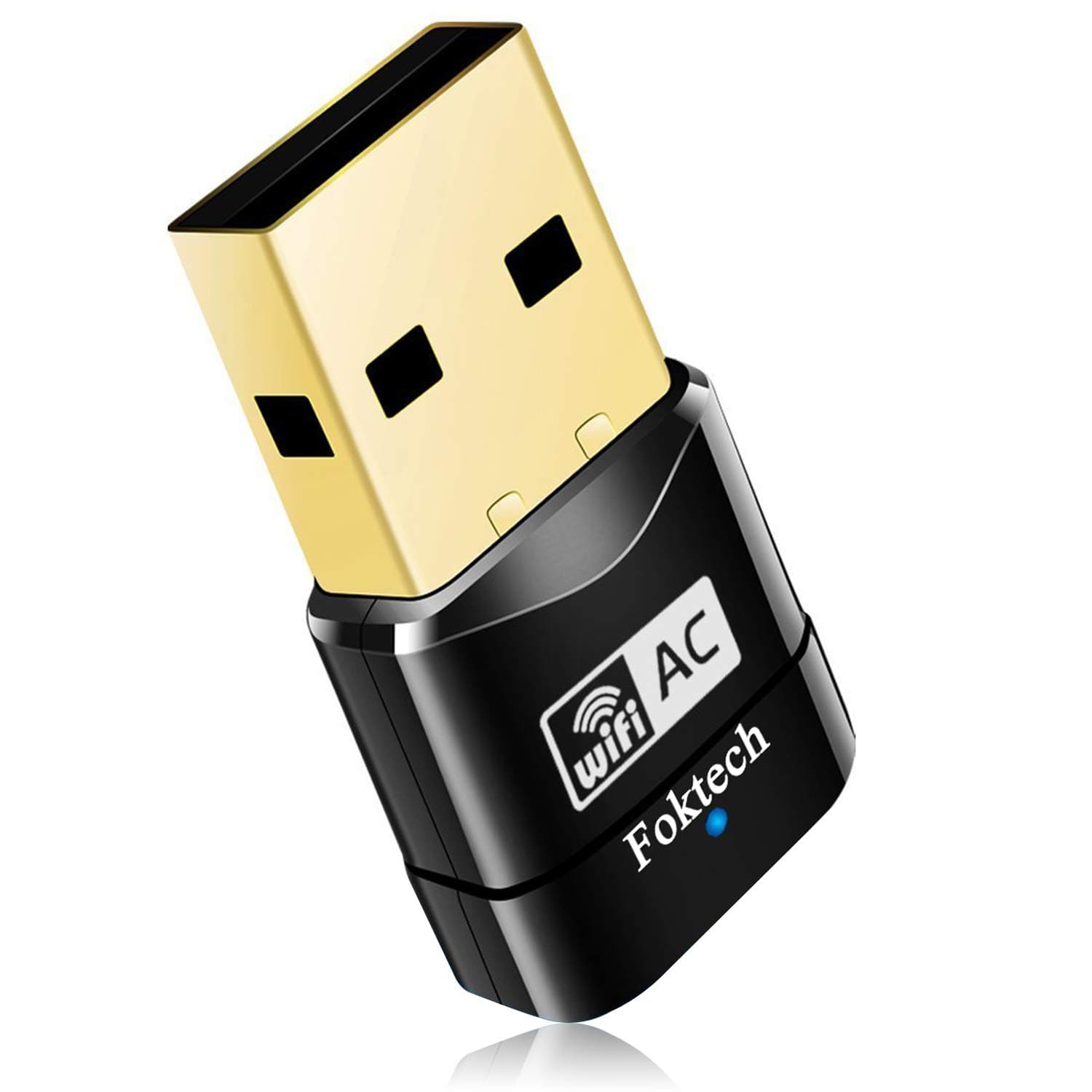
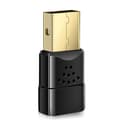
🚀 Upgrade your Wi-Fi game—fast, sleek, unstoppable!
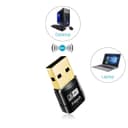
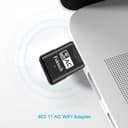
The AC600 Dual Band USB Wi-Fi Adapter by Foktech delivers ultra-fast wireless connectivity with dual-band 802.11ac technology, supporting speeds up to 433Mbps on 5GHz and 150Mbps on 2.4GHz. Compatible with a wide range of Windows and Mac OS systems, its compact design ensures portability and ease of use. Ideal for professionals seeking reliable, high-speed internet without the hassle of cables or hardware upgrades.


| ASIN | B06XZ5B5G9 |
| Best Sellers Rank | 7,307 in Computers & Accessories ( See Top 100 in Computers & Accessories ) 66 in USB Computer Network Adapters |
| Brand | Foktech |
| Brand Name | Foktech |
| Color | Black |
| Colour | Black |
| Compatible Devices | Laptop, Desktop |
| Compatible Operating System Family | Windows |
| Compatible devices | Laptop, Desktop |
| Country of Origin | China |
| Customer Reviews | 4.4 out of 5 stars 13,739 Reviews |
| Data Link Protocol | IEEE 802.11a/b/g/n, IEEE 802.11ac |
| Data Transfer Rate | 433 Gigabits Per Second |
| Data link protocol | IEEE 802.11a/b/g/n, IEEE 802.11ac |
| Hardware Interface | USB |
| Hardware interface | USB |
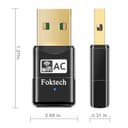
| Item Dimensions L x W x H | 17L x 8W x 32H millimetres |
| Manufacturer | Foktech |
| Manufacturer Part Number | WF-002 |
| Model Number | W-107 |
| Product dimensions | 17L x 8W x 32H millimetres |
| UPC | 723856977219 |
J**N
It saves buying a new laptop.
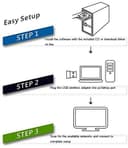
This dual band wifi dongle supplied by Foktech was very easy to set up using the cd that came with it. Also the same setup can be found online if needed. Of course it being comparatively inexpensive didn't harm its appeal. Once set up this new wifi link selected the 5mhz band on channel 36 which had the strongest signals and link qualities. Right from the start the speed of my wifi on that machine increased threefold, it is claiming on the visual display that it is working at 433mbps not that my supplied broadband is that fast. Even when I have the laptop upstairs with lots of interference in between it and the router the signal strength is still very impressive and the speed is just as good. The LAN utility box which is usually minimised gives clear and up to date information on other nearby networks their signal strength and what channels they are using amongst other information such as current signal strength, link strength etc. There is also a tab for use when using wifi protected setup (wps) to connect. All in all a great wifi network in a compact USB dongle that works very well and a lifesaver for machines that do not handle the speeds associated with Fibre networks. I currently average higher speeds than those promised by my supplier even at peak times.
A**S
Plug in and play wifi dongle!
Simple plug in dongle! I damaged my previous dongle when i caught my leg on it and snapped it away from my PC, so with no internet for my computer beckoning I went with this dongle from amazon. The packaging is nice, all secure and included: WIFI dongle, Instruction manual, Mini CD with drivers and manual on it. First of all you don't need the CD to install the dongle. As soon as I plugged this into my Windows 10 PC it automatically downloaded the additional drivers and it was all set up within 30 seconds. My PC is placed in our dining room around 20ft away from our SKY router which is in our living room and even with the brick wall in between there was no issues at all. Full speed of around 70-80mbps which is what SKY provides us. Have been using this dongle for 3 months and so far no issues. Even tried it out on our cheap and cheerful Toshiba Smart TV which is upstairs so we could access BBC iplayer etc and once more that had no trouble in picking up a signal. Overall Im very pleased with this purchase. Simple to use and it does the job. Plus it was a lifesaver when I broke my previous dongle!
B**K
Easy to setup
Works very well, easy setup, worth the money.
M**D
Compact, Quality & Easy Installation.
This is a major step up from my old wi fi dongle which was only on the G network while this is currently on N network. The installation was an easy setup, however I felt it’s not always the way to put the software on as all is needed is the drivers. If you put the dongle into the USB port for the first time it says can’t find drivers. You’ll find going to my computer and going to devices it’s in there as a question mark (Network Devices Realtek Wireless). Right clicking it and going to update drivers and going to the browse section and looking into the CD provided folder you’ll find the drivers in there under Windows 10 and Windows for all 32 bit (X86) and 64 bit (X64) platforms. Once you click on the folder and click ok and next. It will install the driver and you can use Microsoft’s default monitor in the bottom right task bar. The drivers them self use Realtek which is great as there easy to find on there website or using Driver Booster will update the driver automatically. The driver on the CD is 2014 and the latest is 2017. I would suggest though to create a folder and copy all the contents from the CD as if it’s lost you don’t just loose Windows drivers it also has MAC and Linux too. My old wi fi stick had a status up to 56mbps and this one shows between 90 - 200mbps. Whether or not this is true and estimated it sure seems a lot faster than before. Only strange part is the blue light on it always flashes even when not surfing the Internet and when you shut down the computer it stays on as solid blue? I suppose that’s how it was made for standby mode I guess. Also from my picture the base part does not come with it that’s just an old Belkin male to female adaptor so it doesn’t have to sit on the back or front of my desktop. Early days testing this out but all in all seems good value for money and easy enough to use. Also Amazon delivered a day early. Very impressed.
C**E
Connects well.
Does the job first time. Connect to internet no problem.
M**6
Excellent Product And Excellent Service
Up until now, and having my own SKY Broadband service, I have always connected to the internet via an LAN cable. However, as I now no longer have Sky Broadband, and am now going to be using my landlords WiFi - where I am not able to connect to the router via a LAN cable - I was put into a position where I needed to search for a good quality USB WiFi adapter to add Wi fi to my Windows 7 64bt desktop computer. I thought that finding a decent WiFi adapter was going to be somewhat of a daunting task - as there are so many to choose from. However, the Foktech WiFi dongle appeared to have a number of excellent reviews and so I decided to purchase it: and I have to say that I am very happy that I did. I ordered the WiFi dongle, which arrived the following day, and the set up was a breeze. The drivers on the driver disc - which you need to install if you are using Windows 7, installed within moments and without any problems whatsoever. The small USB Wi Fi adapter, which I then inserted into my computer, was recognized immediately: and within seconds had allowed me to enter my password and be up and running. The signal is very strong and I have noticed no decrease in performance at all when using the WiFi dongle - when compared to connecting to the internet via a LAN cable. I am extremely happy with this purchase, and the after sales contact from Kevin - a member of the Foktech team. I would certainly buy this product again and I would certainly buy from this seller again. Five stars all round.
A**N
Works a treat!
This miniature gadget is a marvel! I was getting extremely intermittent wi-fi connection with my 5-year-old adapter, with it often disconnecting altogether, driving me bonkers. This had occurred over a period of many months. Since installing this little Foktech baby, the wi-fi connection has been fine, touchwood. Download speeds have fluctuated, which I understand is common for wi-fi, but so far, after several days, not a single disconnection, and therefore what I would describe as "stable". I like the "Realtek" utility that comes on a CD with the adapter, as it shows both the wi-fi signal strength and quality, in my case, 100% on both counts - so the adapter, as tiny as it is, sends out a strong radio signal to a room upstairs, where the router is situated. It has a neat little blue light - very bright - that shows activity (like a hard drive "busy" light on a computer). I've seen what seems to be a complaint from one reviewer of this product, asking why device lights seem to be blue nowadays. Perhaps "sky-blue-pink" would suit that reviewer. Personally, it matters not what the colour is. I'm grateful it has a helpful light at all! As regards installation, I found the adapter wouldn't work "out of the box", as I believe has happened for some people (I'm using Windows 10 on a desktop computer, by the way). The adapter wasn't recognised until after installation of the Realtek software from the CD, which was a piece of cake. Once the software is installed, ask the adapter to "connect", input the router code, as required, and Bob's your uncle, enjoy connection! Wonderful! A pleasure to use.
M**!
unsure.
Didn't work on my new Windows 11 desktop, but they asked for a review so... i'll hang on to it for future use, it might be handy at some point. 3 stars for delivery and don't want to be unfair to a product that didn't work for me, but might be ok for others.
Trustpilot
Hace 4 días
Hace 1 semana