We remain fully operational. Our teams are working around the clock to ensure your deliveries continue safely.

Descargar la aplicación


Servicios al cliente
Sobre nosotros
Copyright © 2025 Desertcart Holdings Limited
Descargar la aplicación
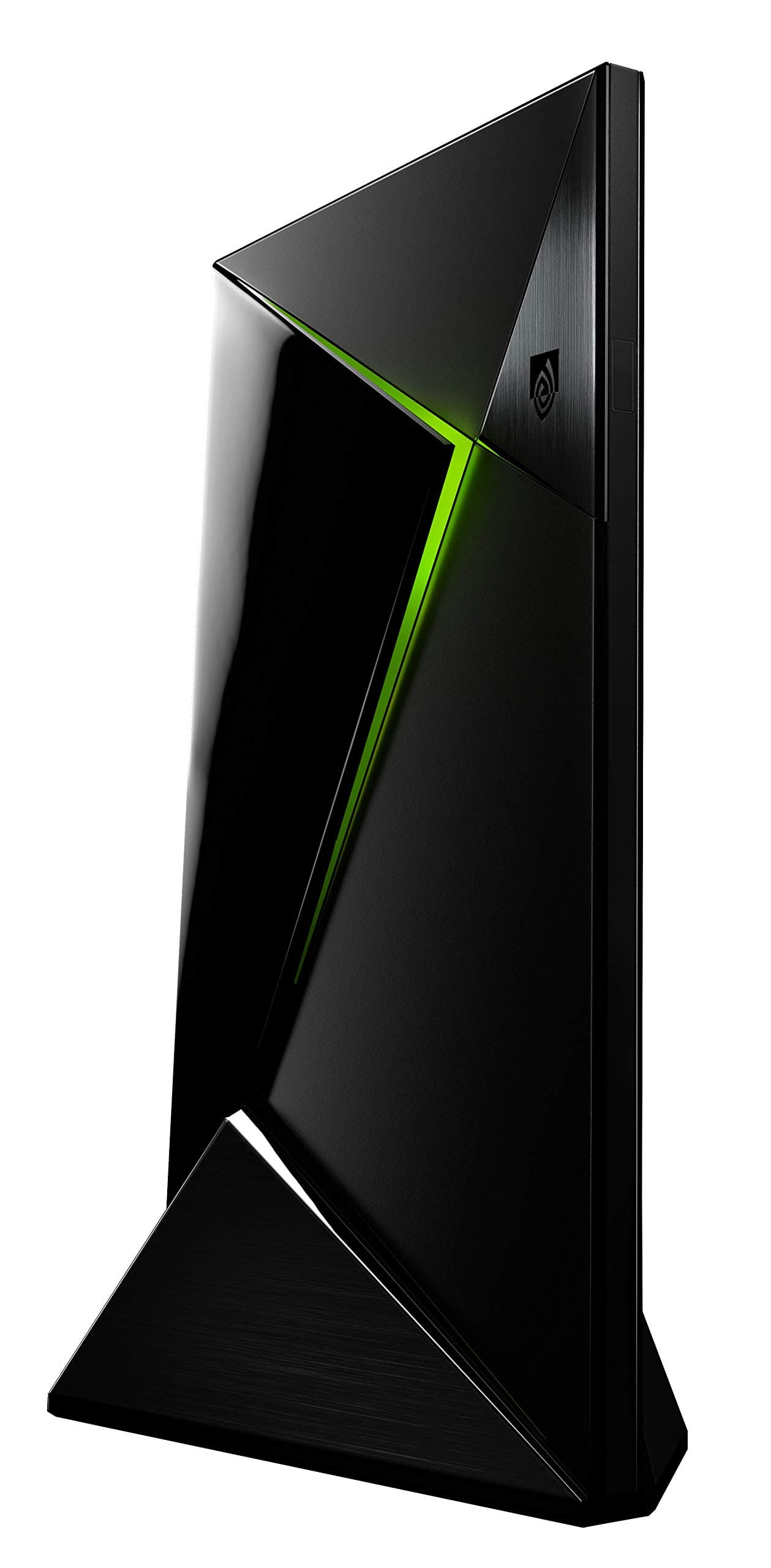
🚀 Elevate your entertainment game with the NVIDIA Shield – where speed meets 4K brilliance!
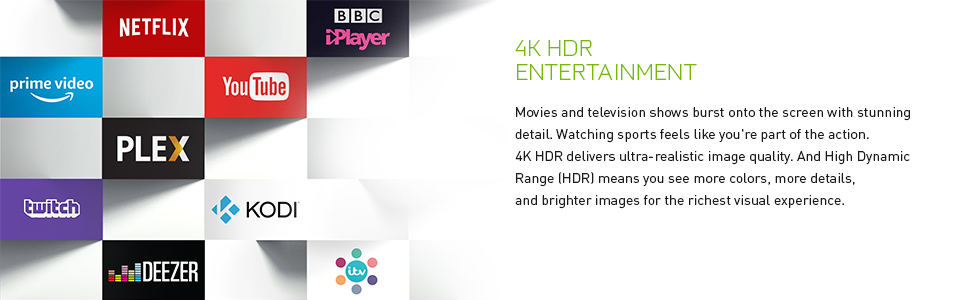
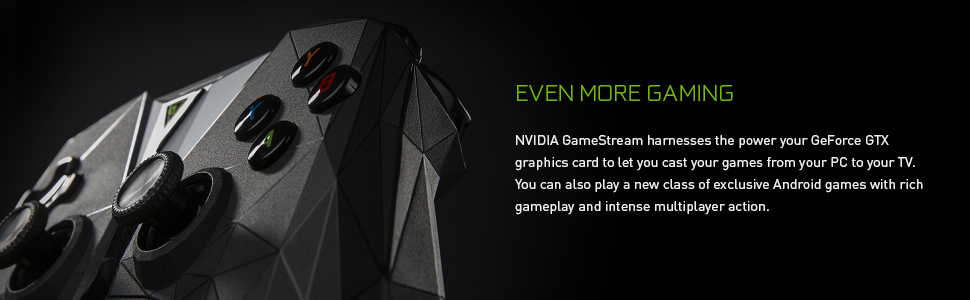
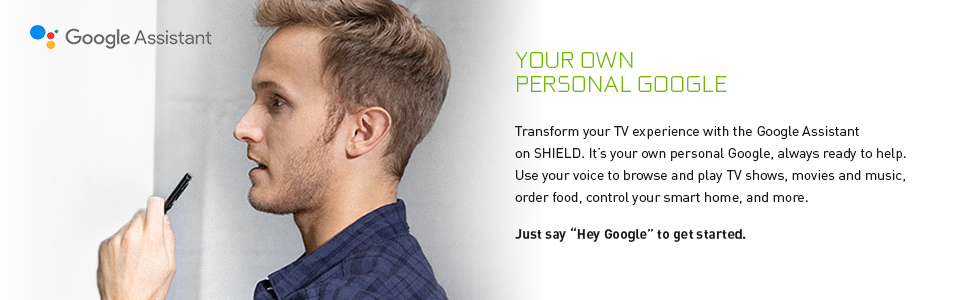
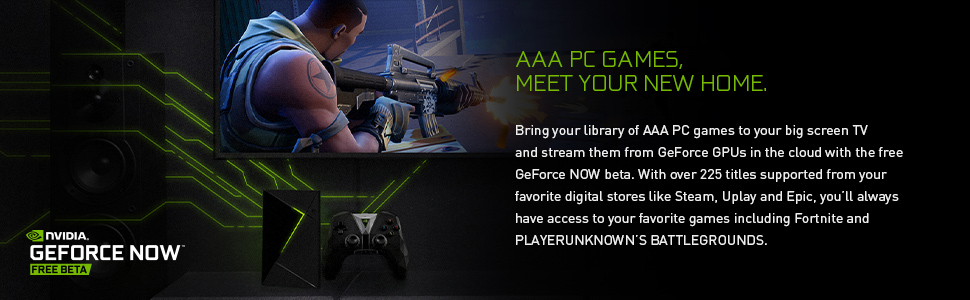
The NVIDIA 16 GB Shield Android TV Base is a powerhouse streaming device featuring an 8-core 3.5 GHz processor and 3GB DDR4 RAM, delivering 3x faster performance than Apple TV. It supports stunning 4K HDR Ultra HD visuals and integrates seamlessly with GeForce Now and Gamestream for high-end PC gaming on your TV. Equipped with universal voice search, Google Assistant, and expandable storage options, it offers a complete, future-ready entertainment ecosystem for professionals who demand speed, quality, and versatility.

| ASIN | B01NBJ6KZY |
| Best Sellers Rank | 126,265 in Electronics & Photo ( See Top 100 in Electronics & Photo ) 1,209 in Streaming Clients |
| Box Contents | 1x Shield |
| Brand Name | nVidia |
| Colour | Black |
| Compatible Devices | Television |
| Connector Type | HDMI |
| Controller Type | Remote Control |
| Customer Reviews | 4.6 4.6 out of 5 stars (5,127) |
| Form Factor | TV Box |
| Item Dimensions L x W x H | 16L x 9.9W x 2.5H centimetres |
| Item Type Name | NVIDIA SHIELD TV |
| Item Weight | 0.85 Kilograms |
| Manufacturer | NVIDIA |
| Manufacturer Part Number | L380287 |
| Memory Storage Capacity | 16 GB |
| Model Name | Shield |
| Model Number | 945-12897-2505-000 |
| Network Connectivity Technology | Bluetooth, HDMI, USB |
| Other Special Features of the Product | NVIDIA GameStream, Dolby Atmos and Dolby TrueHD support |
| Product Warranty | Manufacturer warranty for 2 years from date of purchase |
| RAM Memory Installed | 3 GB |
| Resolution | 4k |
| Supported Internet Services | BBC iPlayer, Netflix, YouTube |
| UPC | 812674020464 812674020457 812674021454 812674021164 |
| Video Codec | h.264 |
| Video Output Resolution | 4k |
D**R
Probably the best 4K TV device for the money!
It's incredibly fast and the interface is always instantly responsive. It has support for everything I use, Netflix, Amazon Instant Video, ITV, BBC, YouTube as well as the added bonus of Chromecast so you can stream videos from your computer/laptop/phone via Chrome to the Shield in an instant top! It's also technically Android TV so it includes the Play Store app where you can install various other games and apps that you cna out on most phones, there are some that don't support the shield though. I purchased the Shield with only the remote and I use an Xbox One wireless controller with it for GeForce Now, Gamestream and Android games. I've had zero issues with the Xbox controller and the Nvidia Shield remote is also brilliant however the touch sensitive volume control is pretty awful. It's not so bad if you're just controlling the volume of the shield but after configuring it to control my LG sound bar volume it's really unresponsive, two simple up and down buttons would be much better. You also often raise or lower the volume by accident by simply handling the remote. At the time of writing this review the shield also includes the GeForce Now free beta which I understand will later become a paid subscription. This allows you to play supported PC titles you own on Epic, Uplay and Steam on the Shield but actually streamed to the Shield from a dedicated system maintained by Nvidia. This allows you to play games like the Resident Evil 2 remake, The Division 2 and other recently released AAA titles in 4K resolution at frame rates well above what the latest PS4 and Xbox 4K consoles are capable of due to the fact GeForce Now is powered by the latest Nvidia hardware. The only negative about GeForce Now is the input delay but a solid high speed Internet connection helps to greatly reduce this although it's still noticeable, more so in games that require precision and speed, such as multiplayer shooters. I also use the Nvidia Gamestream feature to stream games over my local network from my desktop PC housing an Intel i9 9900K and a 2080 Ti. There are downsides, such as being limited to the resolution of the monitor connected to your desktop PC, in my case its not 4K. Input lag is hardly noticeable in comparison to GeForce Now because you're only streaming from your local network. My desktop PC obviously offers better performance than GeForce Now so I'm able to sit downstairs playing F1 2018 on my Xbox controller in 1080p with over 300 fps. The future of Gamestream is a little uncertain as various forums and communities are under the impression Nvidia are throwing their everything into GeForce Now. All in all, the Shield is brilliant. It's a wicked TV box, a great gaming solution and even more so if you're strictly a PC gamer. If you go the console route you have repurchase games you already own in PC and with the Shield you don't. Sorry for the long review but I must add thst in my opinion devices like the Shield are the future of affordable small factor gaming. At the time of writing the PS5 was just recently announced and lists a 3rd generation Ryzen with an AMD graphics solution capable of 8K gaming and this is rumoured to release in 2020. The only affordable GPU capable of truly playable 4K gaming at good graphics settings right now is the 2080 Ti and they retail at £1000+. Theyre also unlikely to drop in price in the next 6-12 months and AMDs new 7nm process has resulted in rumours of cards equivalent to the 1080 Ti/2080. Unless the PS5/Xbox next gen is going to be retailing at over £1000 its still going to struggle with 4K at 60 fps, especially with stuff like Ray tracing. This makes the Shield and devices like it much more affordable in the future because it costs a fraction of the price and has the power of £3-4K of hardware streaming games directly to it.
J**E
It's not perfect but it's far and away the best around!
Still the best around, which is saying something for something made originally in 2015 and re released in 2017. You will never be able to handle a Fire TV stick after you've gotten used to how snappy and responsive this is. There's no denying that it's still just a platform for your Netflix / Amazon Video / etc accounts, but as far as that goes this is the king / queen and whizzing around the interface is worth the price of admission alone (I started wondering how much time I had wasted overall looking at spinning disks while apps loaded on nameless other platforms). With the power from this thing voice searching, installing and even Web browsing is not only viable but works as it actually should! If you are running or building a 4k setup then all the better cause most of the alternatives won't give you the option. In short, if you want 4k and hdr on Android, this is your best option. Streaming is great cause Chromecast is built in so even when you can't be bothered to install an app you can always cast whatever you've found on your phone to the TV instantly, which is something I never thought I'd use initially but was surprised to find incredibly useful. Listening to a podcast on my way home? Get inside and you can just cast it straight off. If you're a PC gamer with an NVIDIA gfx card then this is also the only platform that will let you stream games to your TV through. It's smooth and almost always lag free but bear in mind it makes things play like they do on a console so whilst this is fine for 90% of people, certain PC gamers will find the tiny bit of input lag noticeable or even intolerable! Its not perfect of course, the app selection is spartan and you won't get some of your mainstays like all4 without serious grief and sideloading, so bear that in mind if you're a big user of certain apps and check the compatibility upfront because the play store is not like the one on your phone. The remote also suffers from what I call the SkyQ problem with touch capacitive not-buttons. Manufacturers need to quit this. I used the controller oddly until I bought a suitable Harmony universal remote. If you plan to do the same make sure it works with Bluetooth cause the standard shield doesn't have Infrared (IR). Quick word on the pro as an alternative, the pro is useful in that it has ir and a AUX jack in the remote for headphones, but these are fairly rare use cases. It also has 500gb extra storage but the regular versions storage is expandable so this is something that can easily be overcome. The price difference is usually around 120 so you decide which suits you but personally I was more than happy to save while still buying a big USB stick for storage.
M**A
Beste Anschaffung die ich dieses Jahr gemacht habe. Alleine die multimedialen Fähigkeiten der Box sind schon der Hammer, aber mitsamt der GeForce now Mitgliedschaft ist dieses kleine aber ansehnliche Gerät nicht zu schlagen. Hier nun ein paar grundlegende Sachen die mir aufgefallen sind zuerst die negativen Im GeForce now streaming Dienst gibt es nur wenige online Multiplayer spiele. Das ist aufgrund der gamestream Technologie leider nicht möglich zur Zeit Nvidia arbeitet aber.mot Hochdruck mit einigen Spieleherstellern zusammen um dieses zu ändern. Bisher noch kein Google Assistent. Der beworbene Google Assistent ist bisher noch nicht an Board und wird wohl erst in einem der nächsten Updates dieses Jahr eingespielt. Natürlich gibt es nun schon eine rudimentäre Sprachsteuerung diese ist jedoch noch nicht fähig zur Steuerung von externen Geräten wie Licht usw. Da dieses Feature aber angekündigt ist und noch kommt bin ich gespannt aufs Update. Spiele im gamestream übertragen nicht in Dolby Digital und auch der 3d Modus ist nicht verfügbar. Habe mich noch nicht schlaugemacht wieso das so ist wäre für aber durchaus noch nen Punkt der Verbesserungswürdig ist. Nun zum Positiven. Alles aber auch wirklich alles ist rasend schnell. Menüführung abspielen von Filmen aus Stream oder Festplatten sowohl in KODi oder anderen Mediaplayern.dolby digital passthrough Funktioniert einfach. Netflix Amazon WWE Network NFL/NBA/mlb gamepass pro sieben sat 1 media sowie viele andere streaming Portale haben offizielle Apps im store und funktionieren tadellos und sind zumeist auch in 4k moeglich. Was.mich wirklich positiv überrascht hat war jedoch das gamestream prdukt.Ich hatte nie erwartet dass das zocken mich Mal wieder begeistern koenne, aber der GeForce now dienst für knappe zehn euro im Monat bietet massenhaft spiele und eben auch einige Blockbuster die per flat sozusagen auf die shield gestreamt werden können. Noch neuere oder besondere spiele wie mad Max oder no man's sky können im now shop Gegen Gebühr gekauft werden und sind auch direkt streambar zusätzlich erhält man nen Steam Key für den Download auf den PC. Dies alles verlief sehr leicht und lies sich quasi.mit zwei drei Klicks bewerkstelligen Voraussetzungen dafür sind nen Steam Account sowie nen Nvidia Account und eine Kreditkarte. Was mich jedoch extrem überrascht hat ist die Tatsache dass ich nicht nur den mitgelieferten tollen Nvidia Controller mit der Konsole nutzen kann sondern über Bluetooth auch ps4 controller oder Xbox one bzw mit USB xbox360 controller nutzen könnte, völligst ohne grosse Konfiguration oder anderes es funktioniert einfach. Die Spielauswahl ist auch gut für jemanden der gelegentlich Mal zovkt sogar viel zu viel ich hab immernoch nicht alle guten spiele gespielt und hab die Konsole nun seit Anfang des Jahres. Die Bildqualität ist bei Vodafone Kabel mit hundert Mbit durchgehend flüssig und gut. Selbst bei 4k 60fps. Für Bastler vllt auch interessant ist die Möglichkeit dass man im Netz mit der App liquidsky oder remotr und andere ähnliche Dienste sich selbst nen Cloud Server mieten kann und diesen dann mit Steam ausstattet und sein persönlichen gamestream Server einrichten kann mit allen Spielen die man so gekauft hat unabhängig vom GeForce now Angebot. So habe ich WWE 2017 auf meiner shield zu laufen bekommen dies alles natürlich mit höchsten settings und allem drum und dran. Etwaige Tutorials findet man im Netz Recht flink und machen einen deutlichen merhwert klar da man sich keinen teuren PC alle 12 Monate anschaffen muss ich habe durchgerechnet dass man einen monatlichen Betrag von 120 euro für einenhalb Jahre zahlen kann und damit immernoch unter den Upgradekosten eines gamingpcs ist. Ich sehe das eindeutig als die Zukunft für alle.konsolen und die shield ist hier Vorreiter. Ich hoffe ich konnte ein paar Fragen vorweg nehmen und einige Nutzungs Erfahrungen helfen dem ein oder anderen ich für meinen Teil bin sehr zufrieden und froh Mal etwas mehr ausgegeben zu haben und dafür ein rundes Paket bekommen zu haben welches meine Bedürfnisse vollkommen abdeckt.
A**.
Ho scritto la recensione dopo averla provata 2 anni! Si 2 anni perchè ho il modello 2015 ed ora ho acquistato il modello 2017(QUESTO) Quindi se ne ho acquistata un ‘altra un motivo ci sarà!!!!! Tante le novità durante gli aggiornamenti, il Dolby Atmos e con ultimo aggiornamento compatibilità con l’App DAZN ed è molto più compatta e piccola. Quindi riprendo qualcosa della recensione fatta per quella del 2015. Al giorno d'oggi abbiamo un sacco di abbonamenti mensili SKY, o alla Tv digitale, abbonamento della ricaricabile del telefono mobile o di quello fisso ed altri tipi di costi mensili. Il fatto di caricarsi sulle spalle anche un abbonamento mensile di 10 euro (benché siano pochi) può cmq far pesare il bilancio. Ora se si è un giocatore accanito è una soluzione da abbracciare immediatamente tanti giochi tanto divertimento. Se si è un giocatore sporadico che ama intrattenersi solo quando ha qualche ora disponibile ed un gioco lo finisce dopo mesi allora non fa per voi! Dopo questa precisazione passo alla Shield Molte sono le funzionalità di questa nuova Nvidia Shield Tv Android Vi elenco i motivi per acquistarla. 256-core Nvidia Processor 64-bit CPU 3GB di ram HDMI 2.0 4K ultra HD a 10 bit di colore WI-FI dual Band Porta Ethernet Gigabit Audio Dolby 7.1 e surround 5.1 pass-trough 1 E' la console più performante sul mercato 2 Sistema Android quindi uno dei più supportati del momento e sempre aggiornato. 3 Console di gioco sia per retro game che per i nuovi giochi Nvidia mediante servizio GEFORCENOW 4 Possibilità di giocare ai giochi presenti già nel tuo PC 5 possibilità di registrazione dei propri gameplay o fare streaming 6 Player di video ed intrattenimento domestico Andiamo ad analizzare ciascuno di questi punti. JOYPAD: A mio avviso e un po' scomodo e grosso, non riesco ad tenerlo in mano saldamente perché è un po 'ciccioso' forse perché sono abituato a quello della PS3 che è più snello, magari ci farò la mano.(si fatta la mano e molto comodo)questa la mia opinione sul vecchio controller, mentre sul nuovo oltre ad essere bellissimo si impugna perfettamente! BOX TV ANDROID: Il 4k supportato fino a 60FPS rende unico questo Box che con Netflix riesce a dare il meglio, visto che per è ora l'unico fornitore di contenuti 4k. Le 2 prese USB 3 Super speed permettono di collegare hard Disk esterni con contenuti audio video per essere riprodotti dalla console. Ho collegato un Box HDD con 8TB di film in FullHD e 4K HDR e fila liscia nel leggerli, in due anni mai avuto un problema di scattosita o freeze. Siccome è un sistema Android si posso installare i nostri player preferiti. Come PLEX oppure KODI e vedere i canali Tv in streaming senza problemi. Per quanto mi riguarda preferisco Kodi Grazie alla presa Ethernet Gigabit si può usufruire di contenuti on line e su rete domestica tipo NAS di rete alla massima velocità. Tramite Skype le video chiamate saranno più fluide e non ci sono limitazione nel inserire la propria WEB CAM perché e compatibile con tutte Cam tutte le tastiere tutti i mouse e quant'altro. Naturalmente la presenta del Google Play store e la possibilità di scaricare quello che si vuole la rende uno smartphone di una potenza incredibile. Purtroppo però ho notato che non tutte le APK sono disponibili sul Play store della Shield rispetto a quelle presenti nelle ricerche dal nostro Smartphone. Cmq se si è comprato qualche gioco sul playstore Tramite Smartphone sara possibile giocare anche sulla TV, tanto e già stato pagato. Per quanto riguarda l'interazione con il telecomando vocale si possono richiamare programmi giochi e ricercare in internet semplicemente parlando. Visto che questa console e da 16 Gb di storage ci sono altri modi di aumentare lo spazio. Acquistare una MicroSD da 128GB una U3 e usarla con un adattatore USB, L'altro e collegare un Hard Disk esterno alla presa USB 3.0 andare in impostazione/memoria e impostare l'hard disk come memoria interna supplementare e qui si possono usare parecchi Tera. nella vecchia era presente uno slot MicroUSB, nella nuova non ce più. PARTE GIOCHI: L Nvidia Shield è la migliore console per fare i retro game basta scaricare un emulatore e collegare un joypad anche datato e funziona il tutto, questo e possibile perché essendo una macchina Android e compatibile con se non tutti la maggior parte dei joypad. La console di gioco è diversa da qualsiasi altra macchina da gioco perché utilizza il servizio GEFORCENOW che utilizza il Cloud Gaming. Quindi facendo chiarezza non è da sola una console da gioco, si certo che si possono scaricare i giochi su Google play, ma acquistare la Shield per limitarsi a quelli allora NO! E qui subentra il GEFORCENOW con il servizio di CloudGame. Questo servizio si paga 9,90 euro al mese e per i primi 3 mesi è gratuito. Entrando i questo Cloud si hanno a disposizione molti giochi GRATIS ma anche molti a pagamento oltre a quello del mese. In più se acquistate un gioco dal sito vi danno anche la copia Steam per poter giocare anche sul vostro PC Quindi finché pagherete avrete a disposizione i giochi, nel momento che quel mese non volete rinnovare l'abbonamento semplice'non giocate a nessun gioco. Che differenza c'è allora tra una PS4 e questa? La differenza e che per poter giocare con l PS4 bisogna acquistare il gioco ed è l'hardware della console che lavora per rendere il gioco più fluido. Qui invece non abbiamo fisicamente nessun gioco tra le mani, il gioco e nei server della NVIDIA per essere giocato in Streaming ed il lavoro di rendering lo fanno i server e non la Shield. Il vantaggio è che per i prossimi giochi e nel futuro probabilmente per una realtà di gioco più performante bisognerà sostituire la console per avere un Hardware migliore, con la Shield non succede, perché saranno sempre i server a fare il lavoro sporco di rendering. Questo è fantastico però se si ha una linea internet abbastanza potente. Di contro è che con i vostri amici non potete scambiarvi i giochi una volta finiti, non potrete più fare una ricerca nel vostro negozio di giochi usati, e non potete scambiare il vostro usato per uno nuovo. Per vedere se la vostra linea supporta la Shield sul sito Nvidia c'è la possibilità di provare la rete e quindi se si hanno i giusti requisiti per far girare la Shield. Oltre a tutto questo la Shield dà la possibilità di giocare in streaming sul TV i giochi che si hanno installati sul PC, ed è una ulteriore possibilità che hai Gamer piace parecchio. Basta accendere il PC cercare tramite condivisione di rete dove sono i giochi e tutto ha inizio. GAMEPLAY: Tutti i Gamer amano condividere parti di gioco On-Line magari attrezzandosi con registratori da collegare all'uscita HDMI o altre diavolerie, qui possiamo registrare fin quando ne abbiamo voglia ed anche strimmare. Spero di avere chiarito un pochino il funzionamento di Questa NVIDIA SHIELD ANDROID TV, anche se le potenzialità sono ancora molte. Se su questo prodotto dovessi riscontrare delle problematiche in futuro, aggiornerò la recensione. Se avete domande non commentate sotto la recensione, non si ha più la possibilità di avere una notifica, fatelo in Domande e risposte dei clienti.
S**4
Bonjour, super produit que cette box de jeu et de streaming android tv haut de gamme meme luxueuse, certes a la base faite pour le jeu (partie que je n'utilise pas du tout voire jamais) se revele etre un super produit pour le streaming légal (et autres) comme Amazon Vidéo, Netflix, OCS, Molotov, TF1, M6, MyCanal, Canalplay, Kodi, Youtube (en mode vocal c'est méga top) et aussi Archos Vidéo (en streaming réseau le top en appli) pour la partie réseau qui répond super bien sur ce produit et mxplayer pro comme autre lecteur vidéo, je précise que j'ai l'adsl de base et que je n'ai rencontré aucun probleme sur ce produit a part peut etre OCS qui rame un peu de temps en temps, la HD doit etre plus gourmande sur cette appli, les manettes apres mise a jour non bugé fonctionne a merveille et son super pratique a utilisé, meme la manette de jeu se revele utile parfois meme si on ne joue pas, surtout pour taper du texte ou faire des avance rapide mieux que la petite télécommande de base, et encore pas mal d'appli dessus que je n'utilise jamais, pas ou tres peu, genre spotify, deezer, etc, pour le rendu musique je ne donnerai donc pas d'avis, si la box est assez puissante pour décoder streaming vidéo, sa devrait largement allez si vous faite du streaming audio ^^ , niveau ram les 3 giga font le taf , par contre niveau giga de stockage, meme en n'utilisant pas la partie jeu sa fait juste et limite les 16 go, la box me dit régulierement que plus bcp de place, etc , mémoire cache peut etre trop rempli ? je ne sais pas, prévoyez éventuellement une petit clé de 32 giga pour étendre la place ou l'utiliser carrement a la place du stockage principale, en plus cette box on peut brancher dessus clavier et souris filaire, clavier et souris avec dongle usb (je sais pas si le dongle et bluetooth ou pas) et clavier et souris bluetooth direct sur la shield sans cable ni dongle, comparé a une souris et un clavier branché sans fil a un pc, la portée a l'air plus grande et plus ouverte et plus précise aussi , j'arrive a faire marcher une souris sur le canapé en cuir a ma place ou je suis assis ^^ super pratique, les télécommande livré avec aussi meme de loin , a savoir aussi que comparé aux smart tv , il ya de vrais navigateurs internet de disponible dans les appli , certes pas tres pratique a utiliser mais sa peut dépanner, donc globalement vous l'aurez compris je suis super satisfait de cette box et je la recommande a tous, pour la partie jeux ou téléchargement prévoyer plutot le modele avec disque dur de 500giga sa sera mieux je pense pour vous, que de greffer encore un disque dur externe en plus, a savoir que ce commentaire concerne mon achat ici sur Amazon pour ma deuxieme shield, ma premiere ayant était acheter sur materiel net, et pourtant je laisse mon premier commentaire pour ce produit sur Amazon, voila j'espere vous avoir fait un bon résumé de ces possibilité et défault si il y'en a, cette shield box étant souvent en promo sur Amazon , je ne peux que vous la conseillez, svp merci bcp de m'avoir écouté et lu, Cordialement
O**R
Ich habe mich für das SHIELD TV entschieden um zwei Streaminggeräte zu ersetzen: - Google Chromecast (leider gibt es keine Unterstützung von Amazon Prime Video) - Amazon Fire TV mit seiner Fernbedienung und Benutzeroberfläche Letztlich hat es mich gestört zwischen beiden Geräten hin und herzuschalten und SHIELD kann beides. Der Preis von 160EUR ist durchaus gerechtfertigt wenn man bedenkt was beide Geräte einzeln kosten: Chromecast Ultra (79EUR) + Amazon Fire TV 4K (80EUR) ----- Kurzbeschreibung: Pros: + sehr schnelle Leistung auch für Android Spiele + 4K und HDR Support + breite Streaming Unterstützung: Netflix, Amazon Prime Video, YouTube, Spotify, Amazon Prime Music, Google Play Music, ARD, ZDF, Prosieben, 7TV usw. + eingebauter Chromecast für Screen-Sharing und Google Home + gute Fernbedienung, nur ein paar mehr Knöpfe wären noch schöner + PS3/PS4 und Xbox Controller werden direkt unterstützt + Game Streaming aus der Cloud (NVIDIA GeForce Now) funktioniert reibungslos + Game Streaming über PC im Netzwerk (NVIDIA GameStream) funktioniert reibungslos + Game Streaming über PC im Netzwerk von Stream klappte auf Anhieb, inklusive des Startens von nicht-Steam-Spielen wie z.B. Emulatoren (CEMU) + Game Streaming über PC im Netzwerk von Playstation NOW Spielen soll gut gehen (nicht getestet) Cons: - Google Assistant leider nur in Englisch - PS3 Controller Bug, Steuerkreuz hängt etwas, aber das Problem lässt sich umgehen - beim Wechsel in den Standby kommt es zu einem lauten Knacken Fazit: Ich bin wirklich nicht leicht zufrieden zu stellen und habe keine Lust lange an irgendwas rumzufummeln. Dieses Gerät hat mich völlig überrascht, denn fast alles funktionierte auf Anhieb. Die kleinen Kritikpunkte werden hoffentlich noch über Updates behoben, aber rechtfertigen keinen ganzen Stern Abzug. Daher 5 Sterne und absolute Kaufempfehlung! ----- Ausfuehrliche Beschreibung: 1. Android TV Android TV kommt in einer recht aktuellen Version daher (Nougat mit Sicherheitsupdate von letztem Monat) und hat alles was man braucht: Netflix, Amazon Prime Video, YouTube, Spotify, Amazon Prime Music, Google Play Music, ARD Mediathek, ZDF Mediathek, Prosieben, 7TV usw. Die Benutzeroberfläche läuft extrem schnell und flüssig. So schnell startet Netflix auf keinem meiner Geräte. Jedes Android Spiel dass ich gestestet habe lief absolut ruckelfrei. 2. Chromecast Im Netzwerk gibt sich das Gerät wie ein normaler Chromecast aus, agiert aber bei Weitem intelligenter (Cast for Android TV). Verbindet man sich zum Beispiel über Netflix oder YouTube mit einem normalen Chromecast, dann startet auf diesem eine kleine "Web App", die das Streaming übernimmt. Das SHIELD allerdings erkennt, dass es eine eigene Netflix und YouTube App installiert hat und nutzt stattdessen diese zum Streaming. Das hat den Vorteil dass man dann mit der SHIELD Fernbedienung die Steuerung des Streamings übernehmen kann. Wenn keine passende App installiert ist, dann verhält sich das SHIELD wie ein normaler Chromecast. 3. SHIELD Fernbedienung: Die Fernbedienung ist gut. Ich hatte keine Verbindungsprobleme oder verzögerte Eingaben (Distanz ca. 4m). Sie hat etwas weniger Tasten als die Fire TV Fernbedienung und ist daher etwas weniger komfortabel. Extrem praktisch ist aber die Lautstärkeregelung über eine vertikale Touch-Leiste. Alleine deswegen würde ich sie jederzeit der Fire TV Fernbedienung vorziehen. Das Mikrophon funktioniert einwandfrei, auch aus einiger Entfernung. 4. Game Streaming: Für Game Streaming hat NVIDIA den eigenen Streaming-Client "NVIDIA GameStream" vorinstalliert. Er tut was er soll. Spiele-Computer mit aktueller NVIDIA Grafikkarte im gleichen WLAN werden sofort automatisch gefunden und man kann direkt Spiele starten. Streaming-Bitrate und Auflösung werden automatisch angepasst. Bei mir läuft das Ganze meistens bei 1080p@60fps. Der Router ist ein etwas höherwertiges Model von TP-Link und steht ungefähr 8m weit weg. Der Input-Lag (Eingabe->Übertragung->Rendern->Übertragung->Anzeige) ist kaum wahrnehmbar und dürfte bei deutlich unter 50ms liegen. Für Rennspiele, Assassins Creed, GTA usw. keine beeinträchtigende oder gar spürbare Verzögerung. Der Streaming-Client von NVIDIA unterstützt Cloud und lokale Streaming: 4.1 Cloud Streaming "NVIDIA GeForce Now" Die Spiele werden auf den NVIDIA Servern gerendert. Mein Ping betrug 14ms, das Spielerlebnis war gut. Kein installieren, keine Grafikeinstellungen, keine Updates, stattdessen: einfach Spiel auswählen und starten. Der erste Monat ist kostenlos, danach kostet es 10EUR pro Monat. Einziges Manko, die Spielauswahl is noch sehr begrenzt. 4.2 Lokales Streaming "NVIDIA GameStream" Bei lokalem Streaming werden die Spiele auf einem Windows-PC mit NVIDIA Grafikkarte gerendert, der sich im gleichen Netzwerk befinden muss, und dann auf das SHIELD gestreamt. Ein NVIDIA Tool scannt automatisch die Festplatten nach Spielen und zeigt sie auf der SHIELD an. Startet man ein Spiel auf der SHIELD startet am PC automatisch der Spiel-Client (Origin / Uplay / Steam / Rockstar Social Club) und dann das Spiel. Muss man irgendwie eingreifen (wegen Updates oder ähnliches) kann man den Controller als Maus verwenden und muss nicht extra zum PC laufen. Man kann über den Client auch direkt Steam im Big Picture Modus starten und dort Spiele auswählen. Das ganze besonders praktisch, da man zur Steam-Bibliothek auch nicht-Steam-Spiele hinzufügen kann. So zum Beispiel auch Emulatoren wie CEMU. Außerdem soll es auch möglich sein Playstation NOW relativ unkompliziert über den PC zu streamen, was ich allerdings noch nicht ausprobiert habe. 5. Playstation 3 Controller Support: Als Controller werden der SHIELD Controller, der Playstation 3/4 Controller und der Xbox Controller nativ unterstützt. Ich habe nur einen Playstation 3 Controller getestet. Das Bluetooth-Paring beim PS3 Controller ist denkbar einfach: kurz mit dem USB-Kabel anschließen und schon sind sie gepairt. Bis auf die Lautstärkeregelung kann der Controller die Fernbedienung komplett ersetzen. Das gesamte Android System kann damit gesteuert und das Streaming von Spielen gestartet werden. Einziger Wermutstropfen: Das PS3-Steuerkreuz hängt mit dem "NVIDIA GameStream" Client (nur jede 2. oder 3. Eingabe wird erkannt). Das nervt bei manchen Spielen gewaltig. Das Problem kann man aber umgehen wenn man den "Moonlight Game Streaming" Client installiert und verwendet. Dieser hat diesen Bug nicht und funktioniert genauso wie der NVIDIA Client, mit der Ausnahme, dass die Benutzeroberfläche optisch etwas weniger ansprechend ist. Ich hoffe NVIDIA behebt diesen Bug in seinem Client bald. 6. Google Assistant: Der Google Assistant ist derzeit nur in der englischen Version verfügbar (also wenn ich das System auf Englisch stelle). Mit dem Assistant kann ich mein Smart Home steuern (z.B. Phillips HUE Lampen), allerdings dann nur auf Englisch "Lights out". Stellt man das System auf Deutsch, dann hat man nur die einfache Google Suche. Mit dieser kann man aber auch nach dem Wetter fragen, die Länge der Golden Gate Bridge nachschlagen oder Filme/Schauspieler/Genres in den Streaming Apps suchen. 7. Google Home Integration: Das Zusammenspiel mit meinem Google Home Mini ist ein Traum: "Hey Google, spiele Tagesschau auf dem Fernseher" oder "Hey Google, starte Netflix auf dem Fernseher" weckt die SHIELD aus dem Standby auf, diese schaltet den Fernseher über HDMI ein und dieser wiederum macht meine Soundanlage über den optischen Ausgang an. Das alleine ersetzt schon einige Fernbedienungen. Man hat beim Essen keine Hand frei und kann trotzdem die komplette Wiedergabe steuern. "Hey Google, Fernseher stop" beendet die Wiedergabe und nach einiger Zeit geht die SHIELD in den Standby und in Folge dessen alle anderen Geräte auch wieder aus. Einfach Klasse!
J**E
Bueno creo que casi todos lo conoceis no tiene presentacion, si es un producto relativamente caro, en mi caso lo compre reacondicionado despues de una bajada de precio y el estado muy bueno. muy cercano a los 100€ El mejor android tv del mercado, aun quitando la funcion de los videojuegos, es el mas rapido mas potente y versatil que hay de todos al menos lo que he probado. soporte de 4k HDR y practicamente todos, o sino todos los codecs dolby y dts. Ligero, potente y versatil, compatible con gamestream de nvidia y configurando solo un parametro podras controla tu pc en streaming sin lag ninguno desde el salon o cualquier otro punto donde tengas intalado el shield. solamente necesitaras un teclado y raton para manejar tu pc principal como si de manera directa estuviera conectado. VENTAJAS: -STREAM DE VIDEOJUEGOS: solo si dispone de una geforce gtx, tanto juego como escritorio de pc tal como indico arriba, asi como tu biblioteca de steam y otros de fuera de steam tambien. -COMPATIBLE CON LAS PRINCIPALES PLATAFORMAS QUE EMITEN EN 4K. -KODI: Capaz de retransmitir una pelicula leida desde el disco duro en el ordenador desde la otra punta de la casa en un disco duro externo de un tamaño de 80GB la pelicula sin despeinarse. ADEMAS DE TODAS LAS FUNCIONES DE KODI. -EMULACION: emulacion de todo tipo de plataformas para jugar directamente. -COMPATIBILIDAD MANDOS XBOX ONE BLUETOOTH. -CUENTA GRATUITA GEFORCE NOW: al menos 20 titulos algunos AAA para jugar sin coste alguno y sin necesidad de PC a traves de los servidores de NVIDIA. -LIGERO Y PORTATIL: ideal si necesitas un centro multimedia para llevarte en vacaciones. cabe casi en un bolsillo. DESVENTAJAS: -A veces y supongo que por optimizacion, en algunos casos hay que reiniciarlo, pues se queda algo pillado y no retransmite a los 60 hrz por ejemplo en NETFLIX. Con reinciarlo se solventa el problema. Añadir que desde la ultima actualizacion de este mes de agosto de 2019 no he tenido mas ese problema. Por lo que de momento perfecto. -Quizas al principio o al menos para mi es un poco engorroso algunas configuracion y hacer que funcione todo con la estabilidad y calidad que yo requeria. Poco mas que añadir es sencillamente de las mejores compras que he hecho, al final vendi un pequeño pc que tenia en el salon, que pese a ser no muy potente pero si muy actual se le atragantaban los MKV grandes o los UHD. y casi del doble de precio ( hablamos de precio original de ambos ). y este aparatito a podido solventar todas mis necesidades, tanto en calidad de imagen como de sonido asi como de manera independiente o la ventaja de complementar un PC. Sin duda expectante de la nueva version que esta a punto de salir aun mas potente que esta y deseando probarla. y este sin ninguna duda es de estos productos que me quedare hasta el final de sus dias, siendo una persona que practicamente vende todo cuando lo actualiza por algo nuevo. 10/10
Trustpilot
Hace 2 meses
Hace 2 semanas