We remain fully operational. Our teams are working around the clock to ensure your deliveries continue safely.

Descargar la aplicación


Servicios al cliente
Sobre nosotros
Copyright © 2025 Desertcart Holdings Limited
Descargar la aplicación
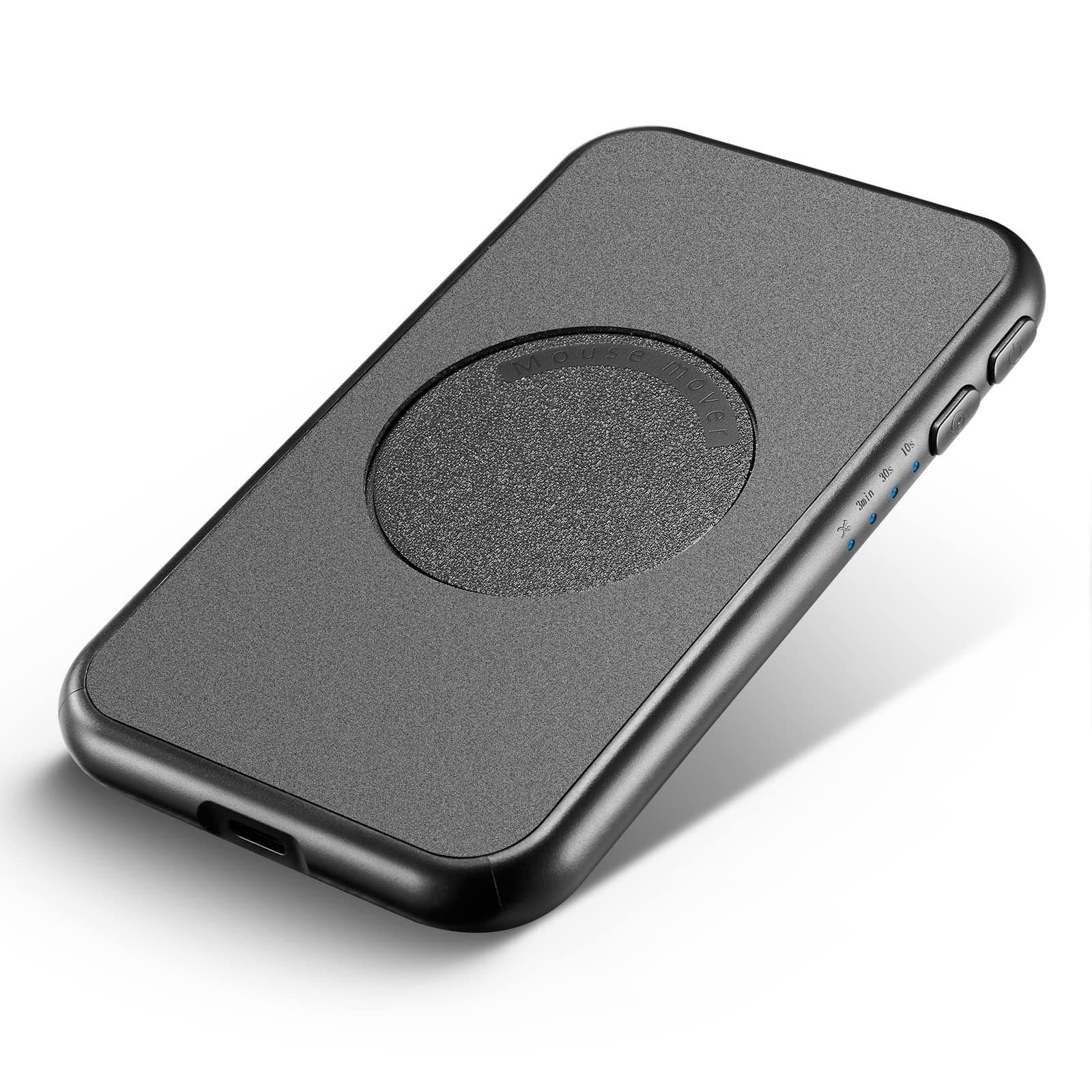

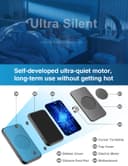
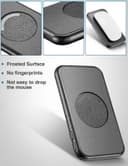
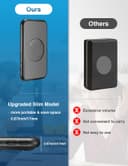
💼 Elevate Your Efficiency: The Ultimate Mouse Mover!
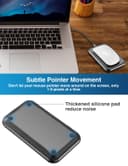
The EAXBUX Ultra-Slim Mouse Jiggler is a cutting-edge device designed to keep your computer active during meetings and remote work. With its ultra-thin profile, adjustable time intervals, and silent operation, it ensures a seamless user experience while maintaining an undetectable presence. Compatible with all optical mice, this device is perfect for professionals looking to enhance productivity without interruptions.


| ASIN | B0BL9M3NMK |
| Additional Features | Interval Timer Adjustable, Ultra-Slim Mode |
| Best Sellers Rank | #3,387 in Computer Mice |
| Brand | EAXBUX |
| Compatible Devices | Laptop |
| Connectivity Technology | USB Connection,Wall Plug in Outlet |
| Customer Reviews | 3.8 out of 5 stars 69 Reviews |
| Item Weight | 0.15 Kilograms |
| Manufacturer | EAXBUX |
| Mfr Part Number | FME011B |
| Model Number | FME011B |
| Special Feature | Interval Timer Adjustable, Ultra-Slim Mode |
| Specific Uses For Product | Preventing screensavers, Keeping a computer active |
| UPC | 774034396209 |
| Warranty Description | 1year |
M**6
Keeps my computer from going night-night
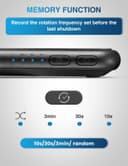
My work computer has an issue where if locks (which occurs after 10 minutes of no activity), there's like a 50% chance that I'll have to completely restart it to get it back on. That leads to a lot of wasted time and lost work. I bought this to fix that issue by prevent the computer from going to sleep. It's a nice slim size, so it doesn't take up too much space. Unlike other ones that have a lip around the edge, this doesn't, so it can fit mice of all sizes. It's easy to use, with a two button operation: one to power on/off, and one to change the activity interval (random, 3 minutes, 30 secs, and 10 secs).
R**O
Works as advertised
Good mouse jiggler for when you need to take a quick break from your desk but do not want your computer to go to sleep after five minutes. I haven't used it for an entire day and don't plan to.
S**D
You have to remember to use it :-)
This unit claims to be undetectable by IT. Honestly, if you're working for a company that's THAT invasive on whether you're actually moving your mouse or typing on your keyboard, then you're likely better off just finding a new job. Managers that go to that extreme are basically proving they don't know how to manage people if how they gauge whether you're working or not is if your computer is active. Personally, I use multiple computers, and do a fair amount of work where I start something on one computer and then come back to it ten or 30 (or more) minutes later. The lock screen kicks on by default after fifteen minutes, so if what I'm waiting to finish hasn't completed in that time, the screen will blank and I'll have to stop what I'm doing on the second computer to re-login to the first one so I can monitor that process some more. I had to source a second mouse (thanks to my KVM), but this device does allow me to avoid the stop and log back in ritual. I also have Windows Hello enabled, and if I walk away with my phone (which is tied in to my Hello Login) then the computer will still lock after 15 minutes no matter if the mouse is on this or not. So if I'm wanting to do something away from my desk (like lunch, or sitting on a heating pad in a recliner), this jiggler won't keep my screen active (which from a security perspective is a good thing). If I'm willing to leave my phone next to the computer, then when I come back however many minutes later my computer screen won't be locked. That has nothing to do with this device, just more information to help you decide whether you can use this or not. Now, I did play with the settings, and my computer will still lock on both of the slower speeds and the random one (which is why only four stars). Keeping it on the fast one allows me to sit across the room and watch the screen to see if my process finishes to know when I need to come back actively do something on the computer again or go grab lunch. The instructions are very simplistic, but it also isn't rocket science to get this to work. There's a power button and a speed / activity button (which you just cycle through by repeatedly pushing the button). While I am happy I can say my boss does NOT monitor whether I'm sitting at my keyboard (he's a good manager), I can definitely see a use for this in my work and am happy to have it. My biggest issue so far is forgetting to move my mouse to sit on the circle before moving over to the recliner with another laptop.
K**E
Awful. Intermittent and lasted less than 6 months
Power works fine. The cheap (duh) moto gave out after a few months. Definitely not worth it, and of course I have no idea how to exchange it - nor faith that a new one will work either. Avoid.
A**A
Good
Does the job only the time setting doesn't work
T**A
Mouse jigger
Great product
A**R
Silent, unlike others that I’ve tried.
It’s the best one I’ve used. Several others I’ve tried are noisy, but this one is completely silent. Also has a random setting which is excellent. This is the one you want. Note: don’t buy the ones that plug into your computer. Your IT department detect them.
G**T
Awesome Product
This is a magnificent product.
Trustpilot
Hace 5 días
Hace 2 semanas