We remain fully operational. Our teams are working around the clock to ensure your deliveries continue safely.

Descargar la aplicación


Servicios al cliente
Sobre nosotros
Copyright © 2025 Desertcart Holdings Limited
Descargar la aplicación


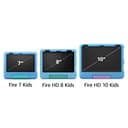

🎉 The ultimate kids' tablet that parents trust and kids adore!
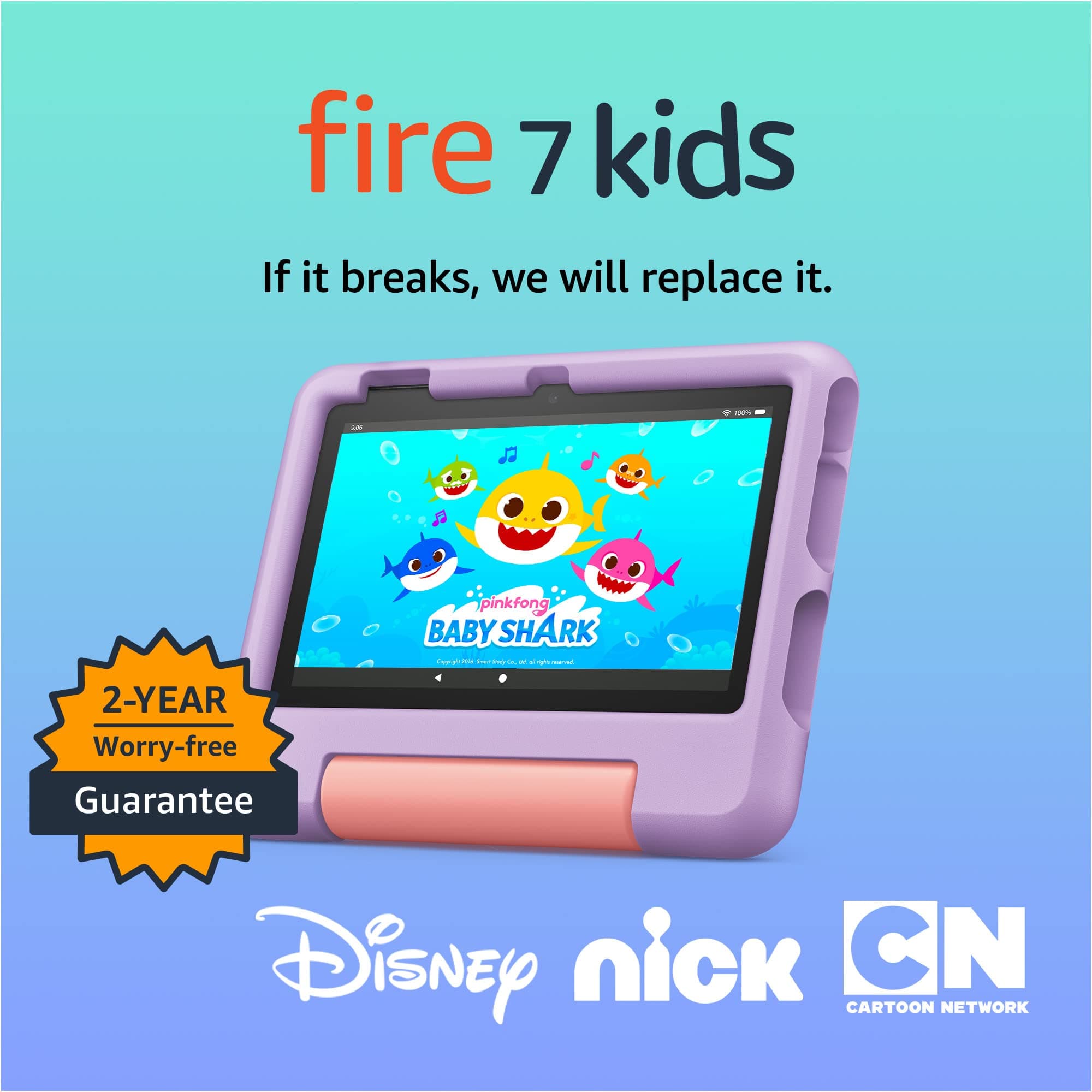
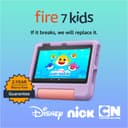
The Amazon Fire 7 Kids tablet (newest 12th gen model) is a robust 7-inch touchscreen device designed for ages 3-7, featuring a vibrant IPS display, 10-hour battery life, and 16 GB internal storage expandable up to 1TB. It includes a kid-proof case, 1-year desertcart Kids+ subscription with thousands of ad-free educational and entertainment titles, and easy-to-use parental controls. Backed by a 2-year worry-free guarantee, it’s the top-selling kids tablet that balances fun, safety, and durability.
| Display | 7” touchscreen, 1024 x 600 resolution at 171 ppi, SD video playback, with IPS (in-plane switching) technology. |
| Size | 6.4” x 7.9” x 1.1” (162mm x 201mm x 28mm) |
| Weight | 15.1 ounces (429 grams). Actual size and weight may vary by configuration and manufacturing process. |
| CPU & RAM | Quad-Core 2.0 GHz with 2 GB of RAM |
| Storage | 16 GB (9.5 GB available to user) or 32 GB (25 GB available to user) of internal storage. Add microSD card for up to 1 TB of additional storage. Some apps may require that they are installed on internal storage. App or feature updates may impact available storage. |
| Battery life | Up to 10 hours of reading, browsing the web, watching video, and listening to music. Battery life will vary based on device settings, usage, and other factors such as web browsing and downloading content. Certain software features or apps may reduce battery life. |
| Charge time | Fully charges in approximately 4 hours using the 5W power adapter included in the box. |
| Wi-Fi connectivity | Single-antenna dual-band Wi-Fi. Supports public and private Wi-Fi networks or hotspots that use the dual-band 802.11a, 802.11b, 802.11g, or 802.11n standard with support for WEP, WPA, and WPA2 security using password authentication; does not support connecting to ad-hoc (or peer-to-peer) Wi-Fi networks. WiFi 6 (802.11 ax) is not currently supported. |
| 4G connectivity | N/A |
| Ports | USB-C to connect to a PC/Macintosh computer, or to charge your device with the included power adapter; microSD slot for external storage |
| Audio | 3.5 mm stereo jack and integrated speaker |
| Sensors | Accelerometer |
| Camera specs | 2 MP front and rear-facing cameras with 720p HD video recording |
| Location services | Location-based services via Wi-Fi |
| Available colors | Blue, Purple, and Red |
| Additional features | External volume controls, built-in Bluetooth with support for A2DP compatible stereo headphones, speakers, microphone, and LE accessories support |
| Accessibility features | VoiceView screen reader enables access to the vast majority of Fire tablet features for users who are blind or visually impaired using text-to-speech or a connected refreshable braille display. Screen magnifier enables viewers to zoom in and out, and pan around the screen. Fire tablets also include accessibility settings for Closed Captioning, Font Size, High Contrast Text, Color Inversion, Color Correction, and Convert Stereo to Mono audio. (Captions are not available for all content). Learn more about these accessibility features. |
| Subscription | Includes 1 year of Amazon Kids+ for new subscribers. Learn more about this here. |
| Warranty and service | 2-year worry-free guarantee. See more details about this coverage. Use of Fire 7 Kids tablet is subject to Amazon's Conditions of Use and these terms. |
| Included in the box | Fire 7 tablet, Amazon Kid-Proof Case, USB-C, 5W power adapter, and Quick Start Guide |
| Age range | Ages 3 and up. WARNING: CHOKING HAZARD – Small parts. Not for children under 3 years. |
| Generation | 12th generation - 2022 release |
| Software Security Updates | Learn more about these software security updates. If you already own a Fire tablet, visit Manage Your Content and Devices for information specific to your device. |
C**A
A great parent control tablet
This tablet is perfect with the parent controls. The screen size is good. The speed is good for a tablet. I feel like the price is reasonable. The display on the screen is clear the battery life last about a whole day if being played on Straight, the case makes it very durable. I cannot recommend this tablet enough because my kids can’t even download an app without my permission. They can’t get on the Internet. It is perfect for any young child.
A**O
Great tablet for littles
Bought 2 of these. Perfect screen size for young kids. Easy to setup and navigate. Battery last quite awhile. Good quality.
A**R
amazing
I gifted the Amazon Fire 7 Kids tablet to my 4 years old niece, and it’s been fantastic overall! It’s the perfect size for little hands, super easy for kids ages 3–7 to use, and the kid‑friendly interface makes navigating apps and videos simple and stress‑free. The tablet feels sturdy and durable — the kid‑proof case is a huge plus and definitely gives some peace of mind. The content options through Amazon Kids are great, with plenty of age‑appropriate games, books, and videos that keep our child entertained and learning. Battery life has been solid, too — it lasts long enough for car rides and quiet time without constantly needing a charge. A few things to note: the screen resolution isn’t as sharp as some more expensive tablets, and performance can be a little slow with lots of apps open. But for the price point, it delivers amazing value
T**Y
Great for price
Super easy to use. Tons of educational games and able to monitor whatever they do with it. Display is bright and good quality. Speaker gets loud and great christmas gift. Tons of games
E**A
Worked great during the warranty time frame
I got this tablet in November of 2023. My toddler didn’t use it much the first year after I got it, maybe for a little bit a few times a week. Only after summer this year, she started using it more frequently. I was grateful it had the 2 year warranty and I also got it when it was on sale. I also purchased the screen protectors, along with all of the available and recommended accessories. Unfortunately, a month after the 2 year, warranty expired, the tablet started having significant issues almost out of no where. Which seemed interesting. The battery used to last definitely for ten hours and even being used here and there for days in a row. Now, sometimes the battery dies after being fully charged to 100% and used for less than a few hours. Sometimes it can’t even make it through a whole movie without the battery running out, when before, we could watch multiple movies back to back on road trips and still have some battery life left. I find myself plugging it in to charge to 100% multiple times a day some days. Or even having to just leave it plugged in to stay charged. It still has served us well, it has been a godsend for keeping my toddler occupied and distracted when I was super busy with my recent newborn and when I was home alone with them. With that being said, I would only get this tablet again if it went on sale. I do think that with the technical issues, especially regarding battery life, starting almost immediately after the warranty expires, that makes this tablet not worth paying full price for.
L**A
Perfect table for kids
This tablet is perfect for kids. It’s easy to use, durable, and the parental controls are very helpful. My kids love the games and learning apps. Great value and a very good purchase. ⭐⭐⭐⭐⭐
D**.
Update: 11 months later... Hatred
This was a Christmas gift for my child. First, the good... It's a nice tablet! I love the way it's built... With a sturdy, protective case, and a kickstand. It's built well for little children. But... I wanted something on which I could install the apps my child enjoys using on my phone; and this operates only in the Amazon ecosystem. It offers a LOT of apps, videos, books and things, and that's great... But I don't see a way to install the apps I wanted to. I WANTED to install YouTube Kids, because there are certain YouTube channels my child likes to watch. But you can't install apps on this tablet like that. Speaking of which... I'm also not happy about having to pay for a subscription to Amazon Kids+ to use this tablet! All I wanted was a tablet on which to install FREE apps! Money is tight right now. And I thought I was buying a TABLET and that was the only money out of my pocket... But no... You have to have a subscription to Amazon Kids+ to use it. AND I wanted my child to have ANONYMOUS access to some entertainment and games... But no... You have to link it to your own Amazon account, and start a subscription to Amazon Kids+. So be aware you're not finished spending money on this when you order it. But why I'm giving it only one star... I can't block the things I DON'T want my child to see without going to a lot of trouble to do it. Amazon Kids+ has a lot of videos! But on YOUTUBE Kids, when there are video creators that we don't want our child to watch, we can block the video OR the entire channel... But on Amazon Kids, you have to block each video individually, one... at... a... time. And yesterday my child found on Amazon a particular video creator which we had blocked on YouTube, and started watching him... So I just spent nearly an hour trying to block everything by this particular creator, one video at a time! I wasn't happy. But it gets worse: Because, since my child had already watched some of his videos, those videos are shown in the "Recent" section at the top of the page... And even though I spent an hour blocking it, it STILL APPEARS in the "Recent" section! ...and I'm sitting here listening to it play right now as I'm writing this! (And yes, I'm going to step in and be a parent and stop it, but I'm making a point here.) I blocked it... I even went and searched that title SPECIFICALLY, to make sure it is blocked! Yet my child still has access to it! It's at the TOP OF THE PAGE! So I'm going to have to KEEP saying "no", and then contending with the crying. The whole point of blocking, is to remove the offending content from view, so you don't HAVE TO argue over it. Also... If you do see something you don't like... You can't block a video FROM the corner menu while the video is playing... Which would be convenient. No, you have to go into the settings and search for it. And without trying to describe the entire process, let me just say, it's tedious. Bottom line... Amazon does not WANT you to be in control of the content your child has access to. The pretense is that they are just unaware that it's not very convenient... But the truth is that it's difficult on purpose! Because ANYONE can see how to make it better! It's made this way ON PURPOSE, and it's obvious. We're not that stupid, and neither are they. They know what they're doing. This tablet could be AMAZING... But If I can't find an easier way to control the available content on this tablet, I'm going to get rid of it. So far, I'm not happy with it. Update: after a month... I hate this thing. My child wants to watch YouTube... I found what looks like a GREAT app that allows me to choose what channels are available, and everything else is blocked... That's perfect! But the free version is limited, so since the paid version isn't too outrageous, I decided to subscribe to it... But I can't complete the sign-up. It was a couple weeks ago so I can't remember what it said, but it said something like, purchases weren't enabled... So I looked to enable it - couldn't find it... had to do a lot of Google searching to find out how to enable it - finally found it... It WAS enabled. So I've been dealing with the app's limitations because I can't complete a subscription. And just now... My child wants to play a new game... But the tablet is out of storage space... So I tried to Uninstall a game or two, to make space for the new one. I clicked "Clear storage"... And nothing happens. The button indicates that it's been pressed, but nothing is cleared. I tried to find another way to clear old games, but I only see this one way, and it doesn't seem to work. So I can't install the new game. I'm so fed up with this thing. It's the most difficult device I've ever dealt with. Update: I am livid. I thought a specific video creator was finally blocked because I haven't seen it in a while. But now, nine months later, here it is again. And there's nothing I can do to block it from the video itself. Once it's been viewed once, it will stay in the previously viewed section even if you block it. I will be replacing this tablet with something I can control, as soon as I possibly can. I HATE this tablet. I am absolutely enraged at seeing this video that I consider harmful, popping up again! I'd rather have a regular android tablet, on which I can install YouTube Kids and some games. Update: 11 months... I... Hate... This... Thing. It has 11gb of storage... We figured out a workaround, when we want to download a new game, I delete what we added (like, an hour ago, and it's already out of space). But now that's not working... It says storage is full, but I can't clear anything. I've been working for hours, even with the help of AI, trying to find a menu option to clear unwanted files but I've been going in circles. It's late, I'm tired, and it's still not fixed. And I realized it's almost Christmas, and someone else might buy this thing if I don't warn them. I will say, I love the durability of the thing... The battery life is still good after a year of use... But using it is infuriating.
Trustpilot
Hace 2 semanas
Hace 2 meses