We remain fully operational. Our teams are working around the clock to ensure your deliveries continue safely.

Descargar la aplicación


Servicios al cliente
Sobre nosotros
Copyright © 2025 Desertcart Holdings Limited
Descargar la aplicación
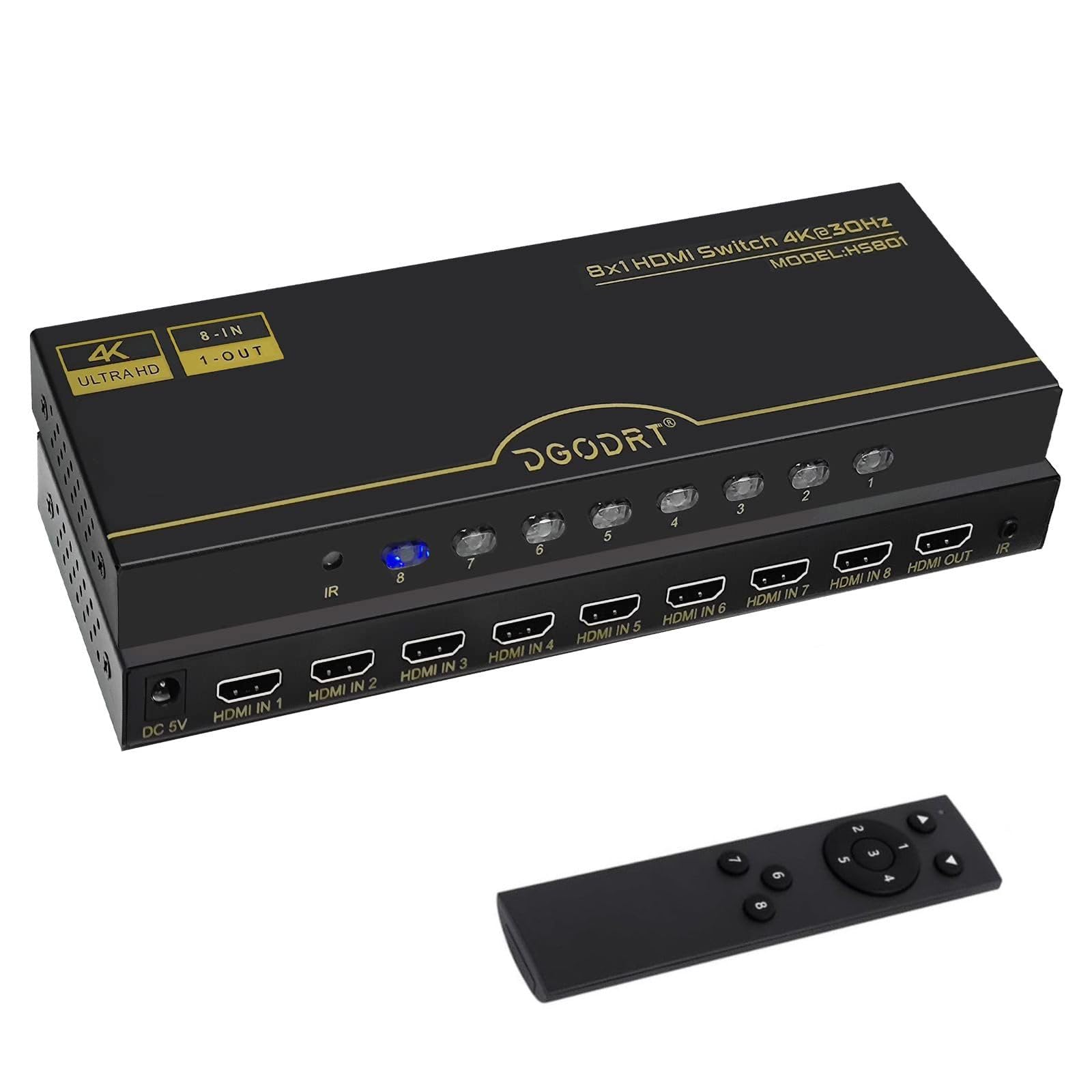
🎬 Elevate your entertainment setup — 8 inputs, 1 seamless experience!
The DGODRT 8×1 HDMI Switch is a robust 8-port HDMI selector designed for professionals and gamers alike, supporting 4K@30Hz Ultra HDR, HDCP, and 3D formats. Its durable metal construction guarantees stable, lossless signal transmission, while the IR remote and panel button offer flexible control. Perfect for home theaters, offices, and gaming setups, it simplifies managing multiple HDMI devices with automatic input detection and seamless switching.


| ASIN | B0C2BL5ZNP |
| Best Sellers Rank | #132 in Audio & Video Selector Boxes |
| Customer Reviews | 4.0 4.0 out of 5 stars (197) |
| Date First Available | April 21, 2023 |
| Item Weight | 1.3 pounds |
| Item model number | HS801-T |
| Manufacturer | DGODRT |
| Product Dimensions | 1.99 x 7.99 x 0.99 inches |
J**A
Good product
Works exactly as expected
G**S
Quality
Excellent quality. The power supply is not for Europe. So you will need an adapter. VFM for what it gives.
C**D
Worked for 3 months then stopped
Worked for a few months then stopped, the buttons for the switch light up but will not change to a different port and unless you use the remote.
P**S
Great for older HDMI devices!
Great for older HDMI devices. I was recently given a ps4 so I needed another port for my HDMI switch and sadly my old one was out. This switch works great for auto switching cause all of my devices can be turned all the way off, with none of that always on BS like a roku or other streaming box. It works great for my GBS Control for retro console upscaling, my Consolized GBA, my Retro usb AVS, PS3, WiiU and PS4. None of those devices output higher then 1080p 60fps so this inexpensive switch works great. If you are using basic non 4k hdmi devices it's awesome and you'll never need to worry about using the included remote or manual switching. :)
S**E
Works as it should
Item works as it should
B**X
Far better than expected for my use case
This review is specifically for the 8-port DGODRT (wow, what a name) HDMI switch. It does indeed work as advertised, with a couple of minor hiccups, but has a couple of "surprise" features that might make up for any shortcomings. As expected, pressing the buttons on the front of the unit will switch the input to the corresponding port, with a nice, satisfying "clicky" feel. So far, so good, but a step-up feature I discovered after using it is the auto switch functionality, which I didn't know it would do. How it works is that if you're watching a source and power that source off, the device will automatically search for the next active input and jump to that. Similarly, if you're watching one source and then power another source on, the switch will jump to that source. This seems to work very well, I've had it set up for about a week now and the behavior is consistent and predictable; for my setup, this is a very handy bonus. As far as the downsides: first off is the remote, which is not the one pictured with the unit. Instead, they've made a very bizarre decision to use what appears to be the shell of a Fire Stick (or similar) and relabeled the buttons with numbers, which makes for a kind of nonsensical layout (I'll try to include a photo). I mean, it works, but it reeks of "we have a thousand of these weird remote shells, what can we use them on?" I suppose I'll get used to the layout, but I'd have preferred something more... Sane, I guess? The other small hiccup is with my Xbox Series X: when I first booted it after it was connected, it defaulted to 640x480 mode with no obvious way to change it. After a bit of Googling, I found a fairly simple fix: go into Settings/General/TV and Display Options/Video Fidelity & Overscan/Overrides, and set the override to HDMI. This unlocks the Resolution setting on the TV & Display Options page, which can then be set as desired. This setting persists after restarts, so it should be good to go unless an update forces it to default or something, but even then it would be easy to fix. It should be noted at this point that the unit advertises its 4K output at 30fps, which is likely a deal killer for serious gaming. However, in my specific use case (which is an older, 1080p Sony display), it works beautifully, and at least appears to offer 60fps in 1080p mode. Please take this with a grain of salt, as I have no way to verify this at the moment: all I know is that everything I have, from ancient retro games to Cyberpunk, all look exactly the same as they did when my system was directly connected. No motion tearing, no strobing or artifacts. It really looks great. In conclusion, I've found this unit, despite its wonky remote, to be well worth its price, at least in my 1080p-locked setup, but serious 4K users (gamers in particular) will likely want to look elsewhere.
M**N
Splitter
This is an amazing product.
D**N
Unit failed within 48 hours
Bought this to upgrade and replace a good working 5 port switch. The new unit worked great when first connected. I tested all the cables and components and all passed the signal through and the automatic switching worked well. Second day some of the components no longer had video or audio even though the unit still switched to them and the TV did not show a "no signal" error -- just a blank screen. I tried unplugging and resetting the unit, swapping cables and inputs, and switching manually from component to component. Components still seemed to "drop off" randomly with no video or audio pass through. I then reinstalled my old 5 port switch and everything works fine again with it. Returned to amazon for refund since I did not want to risk a replacement.
R**H
Ich habe an dem Gerät die folgenden Geräte angeschlossen: - C64 Maxi - Laptop - A500 Mini - XBOX One - Atari 2600 (die neue Konsole) - NES Mini Danach habe ich einen HDMI/Audio-Splitter geschaltet. ALLE Signale kommen perfekt an, die Umschaltung geht manuell und auch automatisch. Der Umschalter ist sehr zu empfehlen, auch was die Preislage angeht!
R**.
Ottimo prodotto. Ben 8 porte HDMI: melius abundare quam deficere!
M**E
Very good, works exactly as it should do
L**I
Questo prodotto non è compatibile con le smart tv. La descrizione del prodotto non è chiara, quindi, non permette di capire se effettivamente il prodotto è utilizzabile. Dopo mille tentativi, ho reso il prodotto proprio per questo motivo. " NON FUNZIONA CON LE SMART TV.
K**Y
Works as described
Trustpilot
Hace 3 días
Hace 3 semanas