We remain fully operational. Our teams are working around the clock to ensure your deliveries continue safely.

Descargar la aplicación


Servicios al cliente
Sobre nosotros
Copyright © 2025 Desertcart Holdings Limited
Descargar la aplicación
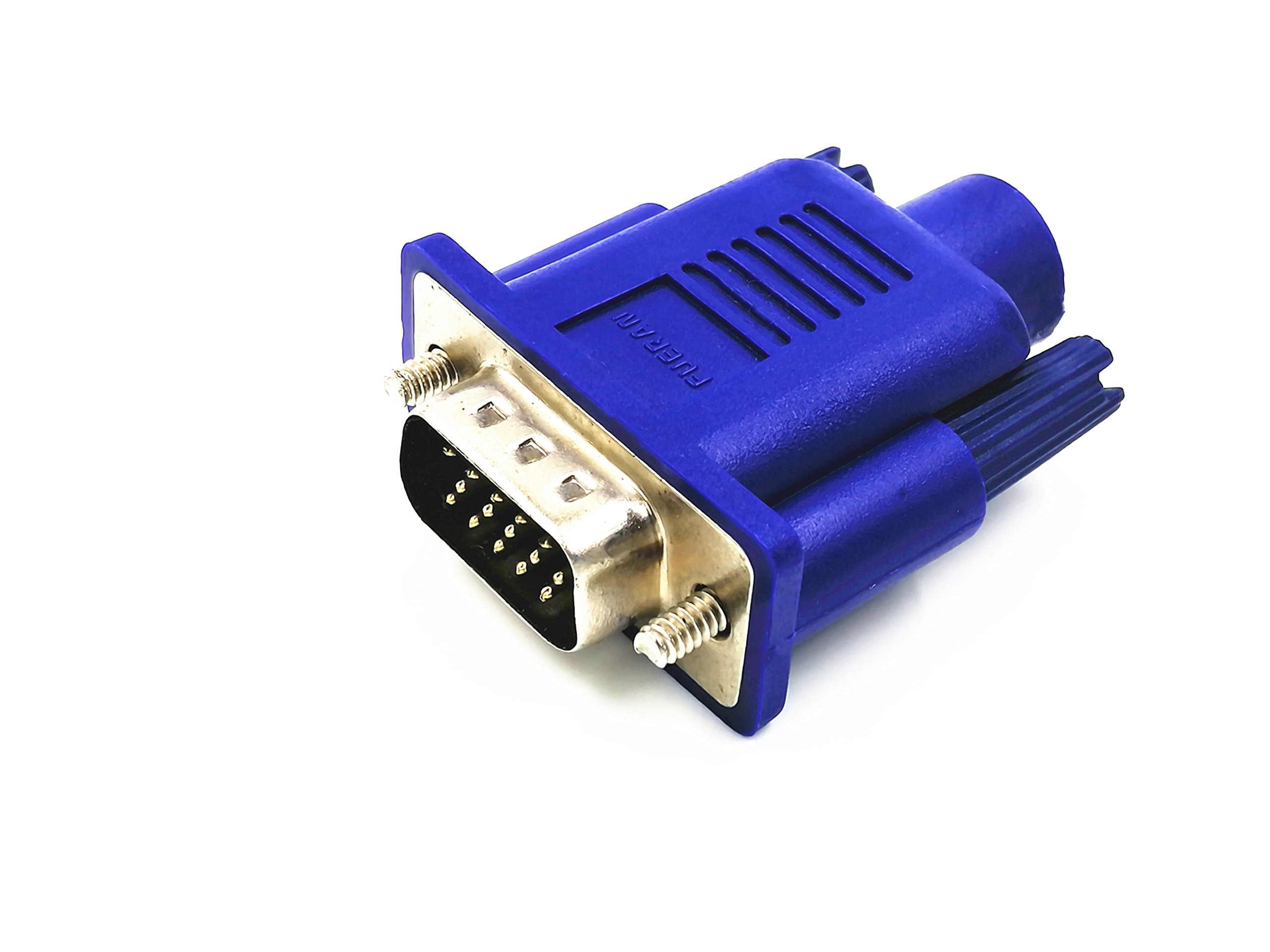
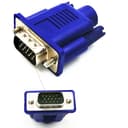
🖥️ Elevate your headless setup — see what others can’t!
The FUERAN VGA Dummy Plug is a compact display emulator that simulates a 1920x1080@60Hz monitor, enabling high-resolution GPU acceleration and remote desktop access on headless systems. Compatible with Windows, macOS, and Linux, it requires no drivers and supports plug-and-play functionality, making it ideal for cryptocurrency mining, virtual desktops, and seamless remote workflows.
| ASIN | B075ZMVGQS |
| Best Sellers Rank | #45 in HDMI-to-VGA Adapters |
| Brand | FUERAN |
| Color | VGA-1Pack |
| Compatible Devices | Monitor |
| Connector Type | HDMI |
| Customer Reviews | 4.4 4.4 out of 5 stars (1,073) |
| Finish | Hdmi |
| Item Dimensions | 1.7 x 1.4 x 0.6 inches |
| Item Weight | 1 Grams |
| Manufacturer | FUERAN |
| Model Number | 8541673701 |
| Number of Items | 1 |
| Number of Ports | 1 |
| Package Quantity | 1 |
| Power Plug Type | No Plug |
| Specific Uses For Product | Monitor, PC |
| UPC | 605621077990 |
| Unit Count | 1.0 Count |
| Warranty Description | 1 |
B**S
This works to make AppleTV A1842 headless
I purchased this to run AppleTV headless. The product works well and as expected but to access AppleTV over the local network requires specific certain steps. My Configuration: HDMI dummy plug purchased on Amazon: FUERAN 4K-1080@60-3840x2160@60 HDR Apple TV model: 4K 32GB A1842 AppleTV selected as HomeKit preferred Home Hub in Home app , normally runs with wired ethernet connection. Steps to access AppleTV from Macbook when headless: 1. With AppleTV connected to a TV, configure AppleTV settings to use your WiFi and confirm wireless network connection. 2. Insert HDMI dummy plug into AppleTV HDMI port (instead of HDMI cable going to TV). 3. Unplug ethernet cable from Apple TV, which will then force it to join your WiFi. Leaving ethernet cable plugged in will not allow this to work via a Macbook laptop (surprising and don’t know why this is the case). 4. Make sure Macbook laptop is connected to the same WiFi network as AppleTV. 5. Wake up AppleTV by pressing home button on AppleTV remote. 6. Start Quicktime on laptop, cancel file open dialog box, then from the menu select "File / New Movie". 7. In QuickTime at bottom of screen select "Screen" as “Apple TV”. 8. Use AppleTV remote to navigate while viewing laptop screen. 9. If no AppleTV screen appears in QuickTime, try rebooting Apple TV by unplugging power. 10. When finished using AppleTV via Macbook, plug ethernet cable back in to AppleTV.
B**R
Works perfectly when accessing a Beelink EQR6 Mini PC via Google Remote Access
I have a recently purchase Beelink EQR6 Mini PC running Win 11 Pro that I run "Headless". No monitor.). (Works wonderfully well.) I wanted to configure things so that I might access it locally (on the same network) as well as from across the country. I chose to use Chrome's remote desktop app for that purpose. Chrome's Remote Desktop app worked fine but the display resolution that I saw after connecting to my Beelink EQR6 Mini PC was 640 X 480. Folks on the Internet told me I was seeing this resolution because the Beelink EQR6 Mini PC didn't have a physical monitor installed. And these same folks recommended I buy and install a "Display emulator plug". I chose this one from Amazon. Once plugged into one of my Beelink EQR6 Mini PC's HDMI connectors, I I tried a Google Remote Desktop connected and the resolution was 1920 X 1080. I didn't need to make any changes to the Beelink EQR6 Mini PC or restart it after inserting the "Display emulator plug". Was absolutely Plug and Play. I have only had this "Display emulator plug" for 3 hours but so far, I would recommend it.
E**.
Works well with Headless Ubuntu Mini PC.
Works flawlessly with my Mini PC running Ubuntu, allowing me to remote in with NoMachine or Moonlight.
L**E
Great tool for managing headless computers
Works like a charm. Plugs into an HDMI port and reports a slew of display resolutions that you can set in order to change display resolution while using remote desktop software. On my Mac, the dongle reported 30 display resolutions ranging from 4096x2160 (4k) to 800x600 (SVGA). Most common aspect ratios are covered (1.9:1, 16:9, 16:10, 4:3). There are no UltraWide aspect ratios or "tall" aspect ratios (like 3:2 on the HP Spectre x360 13.5).
D**.
Allows old computers to boot modern Linux OS
If you have an older computer you want to run headless then one of these makes it possible. With so many uses for obsolete hardware, this little device can turn a useless computer into something practical. Modern Linux can't boot on the old hardware unless a monitor is attached and if you are looking at this item you surely know that. I can only say a junk 2007 mac-mini will boot Debian 12 and operate as VPN server, AdBlocker DNS, and NAS without a problem - but without this device, it can't boot at all and you can't ssh into it to do anything.
E**R
Custom EDID
Worked perfectly! Contains a flashable EEPROM. I was able to generate a custom EDID with timings/resolution for my ipad screen and flash it back to the dongle. Now I can use it an additional monitor with the native resolution.
T**.
not helpful
doesnt seem to produce good output on crd or rdp.
W**.
Good value and works great
Works exactly how I needed it to! I am using these for Intel NUC mini PC. My Team Viewer now allows me to change a huge range of resolutions to get the best sized screen when viewing remote. Value for money is great as long as they don’t fail or have some glitches.
S**.
Works well - Used for remote systems with no monitors
O**O
Funcionando perfeitamente.
D**F
Parfaitement fonctionnel. Utilisé sur un mini PC pour prise de main à distance depuis une station à 2 écrans
R**6
We needed it for remote users using VNC on Linux machines with VGA-only server boards. Resolved remote access video issues.
A**O
4k nativo, funziona bene da mesi su un server
Trustpilot
Hace 2 meses
Hace 4 días