We remain fully operational. Our teams are working around the clock to ensure your deliveries continue safely.

Descargar la aplicación


Servicios al cliente
Sobre nosotros
Copyright © 2025 Desertcart Holdings Limited
Descargar la aplicación
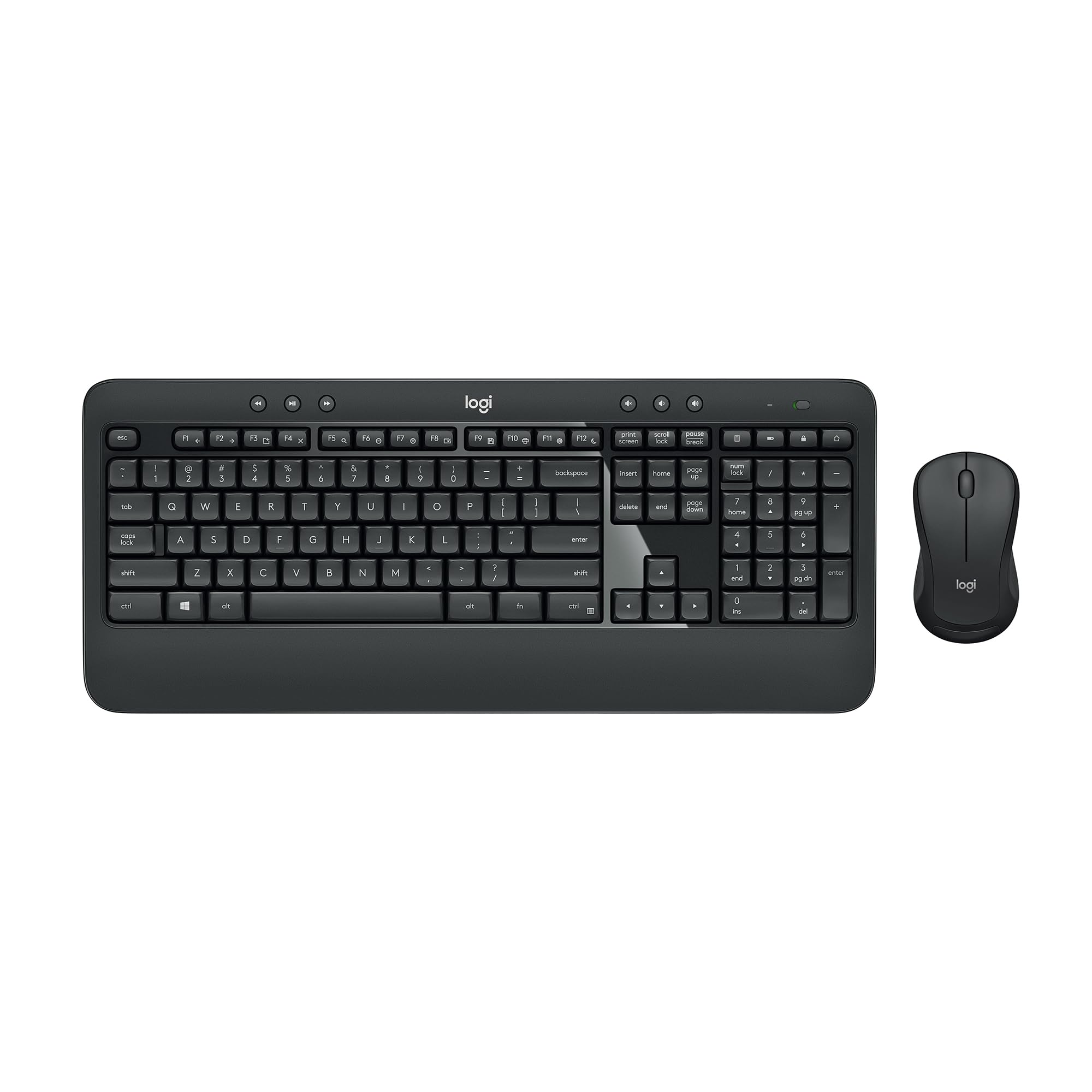


⌨️🔋 Stay ahead with precision, power, and wireless freedom — your desk’s new MVP!
The Logitech MK540 Advanced Wireless Keyboard and Mouse Combo delivers a professional-grade typing and navigation experience with a full-size, quiet keyboard featuring spill resistance and a 3-year battery life. Its ambidextrous mouse offers precise optical tracking and up to 18 months of battery autonomy. The combo connects effortlessly via a compact Logitech Unifying USB receiver, providing a reliable wireless range of up to 33 feet. Designed for Windows and Chrome OS users, it combines ergonomic comfort with productivity-enhancing hotkeys, making it an ideal setup for home or office professionals seeking durability and convenience.


| ASIN | B0CBPNWCVS |
| Batteries | 1 AA batteries required. (included) |
| Best Sellers Rank | #7 in Computer Keyboard & Mouse Combos |
| Brand | Logitech |
| Color | Black |
| Customer Reviews | 4.3 4.3 out of 5 stars (2,289) |
| Date First Available | January 1, 2024 |
| Item Dimensions LxWxH | 17.5 x 6.5 x 3.5 inches |
| Item Weight | 1.79 pounds |
| Item model number | 920-012585 |
| Manufacturer | Logitech |
| Operating System | Windows 7, 8, 10 or later, Chrome OS |
| Power Source | Battery Powered |
| Product Dimensions | 17.5 x 6.5 x 3.5 inches |
| Series | ADVANCED MK540 |
M**X
Good Keyboard and Mouse For The Price
I’ve been using the Logitech MK540 combo for a while now, and overall it delivers very good value for the price. For what you pay, you get a full-size keyboard with a number pad, dedicated media keys, and a comfortable mouse that works exactly as it should right out of the box. The wireless connection is stable, the keys respond reliably, and the mouse tracks smoothly on most surfaces. It’s the kind of setup that just quietly does its job without any fuss. That said, there are a couple of trade-offs that come with the budget-friendly price. The materials feel a bit on the cheaper side, especially compared to Logitech’s higher-end lines. Nothing feels like it’s going to break, but the plastics don’t have that premium weight or finish. Another drawback is that the combo does not support Bluetooth, which means you’re locked into using the included USB receiver. Not a dealbreaker for a desktop setup, but it’s something to keep in mind if you’re short on ports or prefer Bluetooth for laptops or tablets. Overall, if you’re looking for an affordable, reliable keyboard and mouse combo that performs well for everyday use, this one is a solid pick. Just be aware of the lighter build quality and the lack of Bluetooth before buying.
O**R
Great keyboard
The Logitech MK540 combo is excellent for everyday use. The keyboard is full-sized and comfortable to type on, with quiet, responsive keys. The mouse is simple but works well, and both have impressive battery life. Setup is easy with wireless receiver and the build feels solid. Perfect for a home or office productivity.
A**R
East to set up and maintain.
This is my third Logitech. I love them and eventually wear some of the keys out. I especially love the wireless keyboard and wireless mouse. Great value for the money and the high quality product that it is. It is unbelievably easy to set up.
A**R
Works.....but with issues
I have used this keyboard and mouse for about a month plugged into an Alienware 19 inch laptop on Windows 10 with all updates installed. Only issue with this wireless keyboard is the lack of function for two of the most basic keyboard shortcuts. Ctrl+C and Ctrl+V for copy and paste. Surprisingly the Ctrl+Z and Ctrl+S shortcuts work. Spent over an hour on chat with tech support at Logitech without finding a solution. Eager, friendly and worked with me in a gracious manner, but unable to find a solution. I am able to left click and select these windows functions from a menu, but I have used keyboard shortcut for so many years it feels awkward. I have uninstalled the software Logi Plus, cleaned my registry of all traces of their software and did a clean install with no change in behavior. Still trying to decide if I will dump this and find another keyboard.
S**1
Love this keyboard and mouse
I used a Logitech MK520 keyboard and mouse for years. When I had to bought a new desktop computer, it came with a new keyboard. I used that new one for a while but didn't like it. I ordered the MK540 trying to get something like my obsolete MK520. Unfortunately, I received a keyboard that was warped -- didn't sit flat. I returned that one to Amazon and received a new set the next day! Nothing wrong with this keyboard! Basically, I love it. I love the feel of the keys, the light on the "caps lock key", the wrist rest...everything. I can't think of anything I would change. Thanks Amazon for quickly handling the exchange.
K**S
Well, Logi (Logitech)'s normally great record has been broken...
Gotta vent. I've had my Logitech K800 forever and a day and LOVED it. Never any performance problems, smooth, comfortable, easy to use, and took a beating daily for years. Got it through work, so it was more expensive than your usual, but it couldn't last forever. It started being unable to take a charge, so I knew I would have to retire it. (They stopped making these (WHY???) and they're selling after-market for a fortune.) I have Logi all things keyboard, mouse, etc., so went with them again. Bought a K650, but out of the gate, it started doing weird stuff, like repeating keys when you weren't even touching the keyboard, jamming up, or just stopping functioning. Did all the usual troubleshooting, but nothing worked. Just to save time, I sent it back here and replaced it with an MK540. Son of a gun if it didn't start immediately doing the same things. NOW I was cranky, so I did my online research and learned these are well known problems for others, who also couldn't solve them. I then went to Logi tech support. Got a level 1 person who walked me through the standard steps I'd already done multiple times (Did you turn it off and on again? :-D), gave me long lists of things to try, then at the end, when nothing worked said, "Well, it's within 30 days so just return it to the seller, and here's a link to our other keyboards." "Ummm," I said, "this is the exact same circumstance with two DIFFERENT keyboards in a row. As I had no trouble with my previous Logi keyboard, and nothing else has changed on my end, it seems logical that the problem is with the new software, hardware or some QA problem with producing these models. Why would I go buy another one when we don't know WHY it's doing this, suggesting I could go through this all over again?" (BTW, a MAJOR inconvenience for days). Her answer (twice): "Don't worry, it'll be fine, just go get another one." OMG. Stubborn, so I gave it a third shot (MX Mechanical) now for 3x the money hoping better quality would help, but guess what? I've now received my 3rd notice from Amazon saying delivery will be delayed, this time with no date estimate known. I tried, Logi, but even I am done. Buying a highly rated other keyboard that has all the features I need. Logi, not sure what you're doing with these membrane ones (vs. mechanical), but it's not working. If you could ship me a K800, I'd so appreciate it. :-D K
J**N
Quality Keyboard!
This is the one I was looking for. Soft touch keys are quiet and dedicated volume control buttons are key!
C**W
Good devices, reliable!
Good quality, no issues! I like this brand and model, I use them at work and at home, and have had the same ones for years with no issues. They just type VERY nice and are super reliable, which is what I want!
H**N
The keyboard feels great, nice and quiet but still has a good "click" to the keys. It’s been really comfortable thanks to the wrist rest. The mouse is ok. Nothing super fancy, but it feels good in the hand, tracks well, and just works. Not really a gaming mouse, but totally fine for everyday stuff.
B**Y
Fast shipping. Very nice wireless keyboard and mouse combo system.
P**N
Great keyboard and mouse combo! Easy setup, smooth to use, good quality — and even my cat loves it. Very happy with this purchase!
S**E
Thus far no complaints. The keyboard and mouse are comfortable for daily office use. Have not experienced any lag issues so very pleased with that. Connectivity was seamless. Only complaint, very minor, is that there is no light or indicator to show when the “number lock” is on/off. I really thought this would be a standard feature in 2025. There is however an indicator light for “caps lock”.
K**M
Super smooth for typing, full num pad. Great for accountants or who work with spreadsheets all day. I bought 2
Trustpilot
Hace 1 mes
Hace 1 semana