
Descargar la aplicación


Servicios al cliente
Sobre nosotros
Copyright © 2025 Desertcart Holdings Limited
Descargar la aplicación

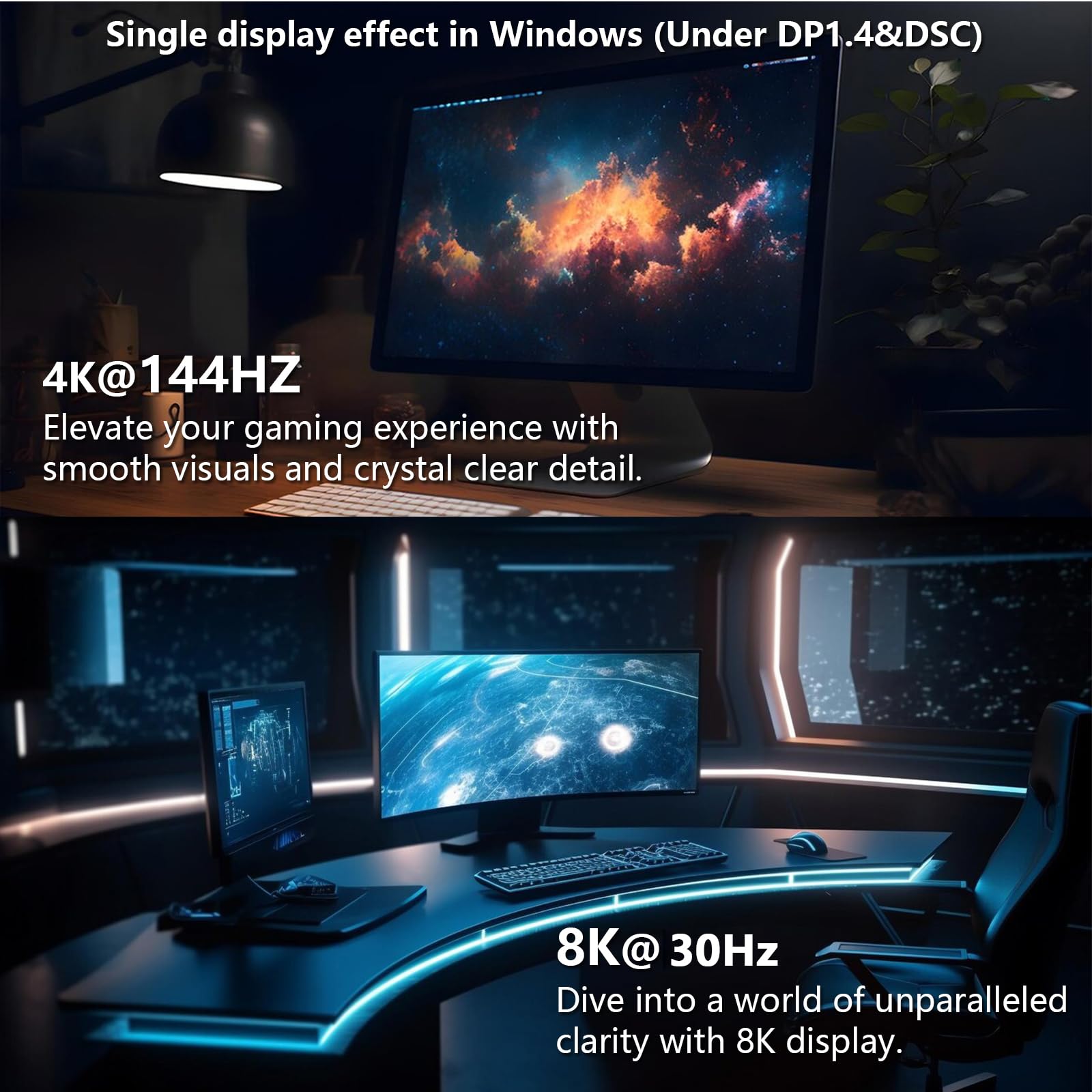
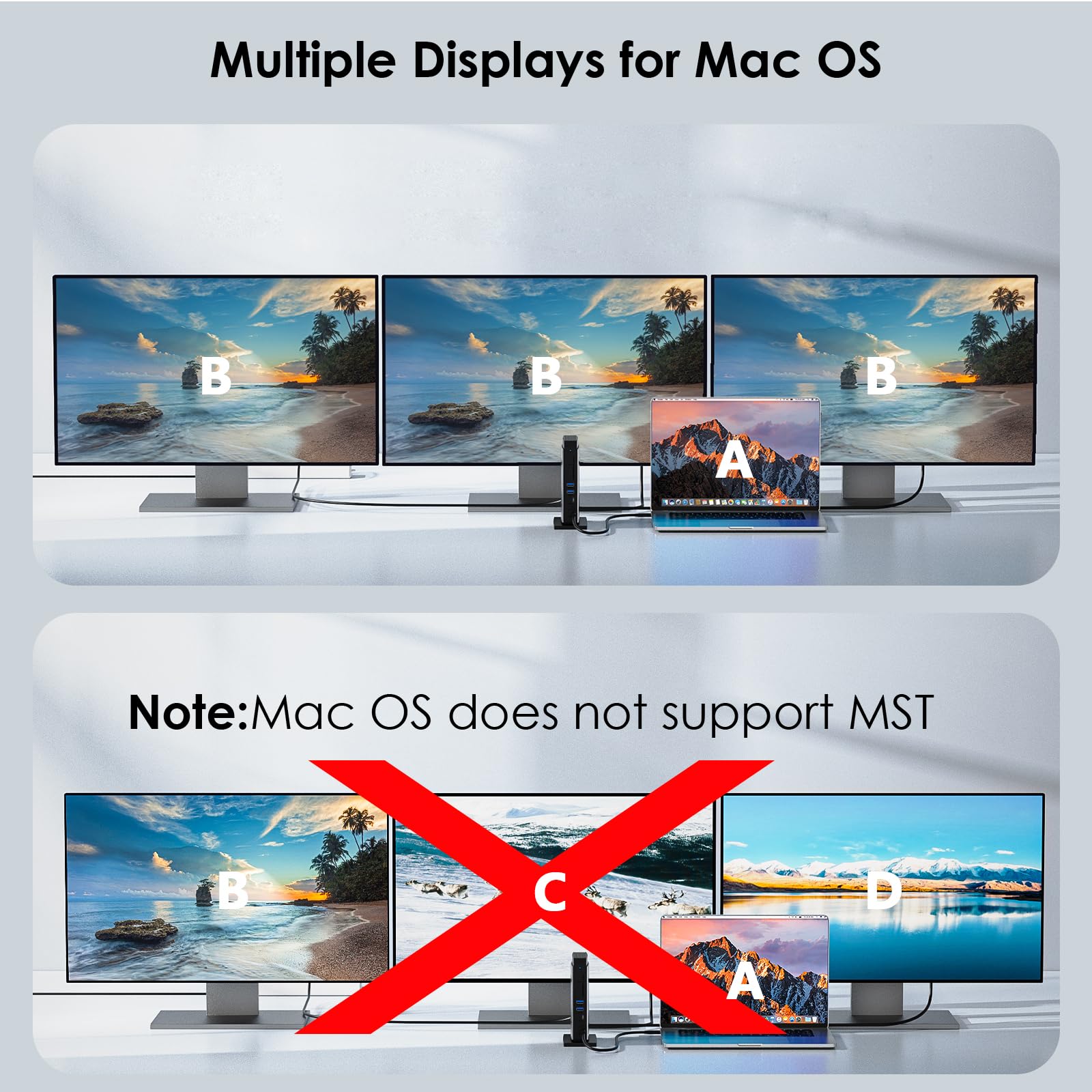
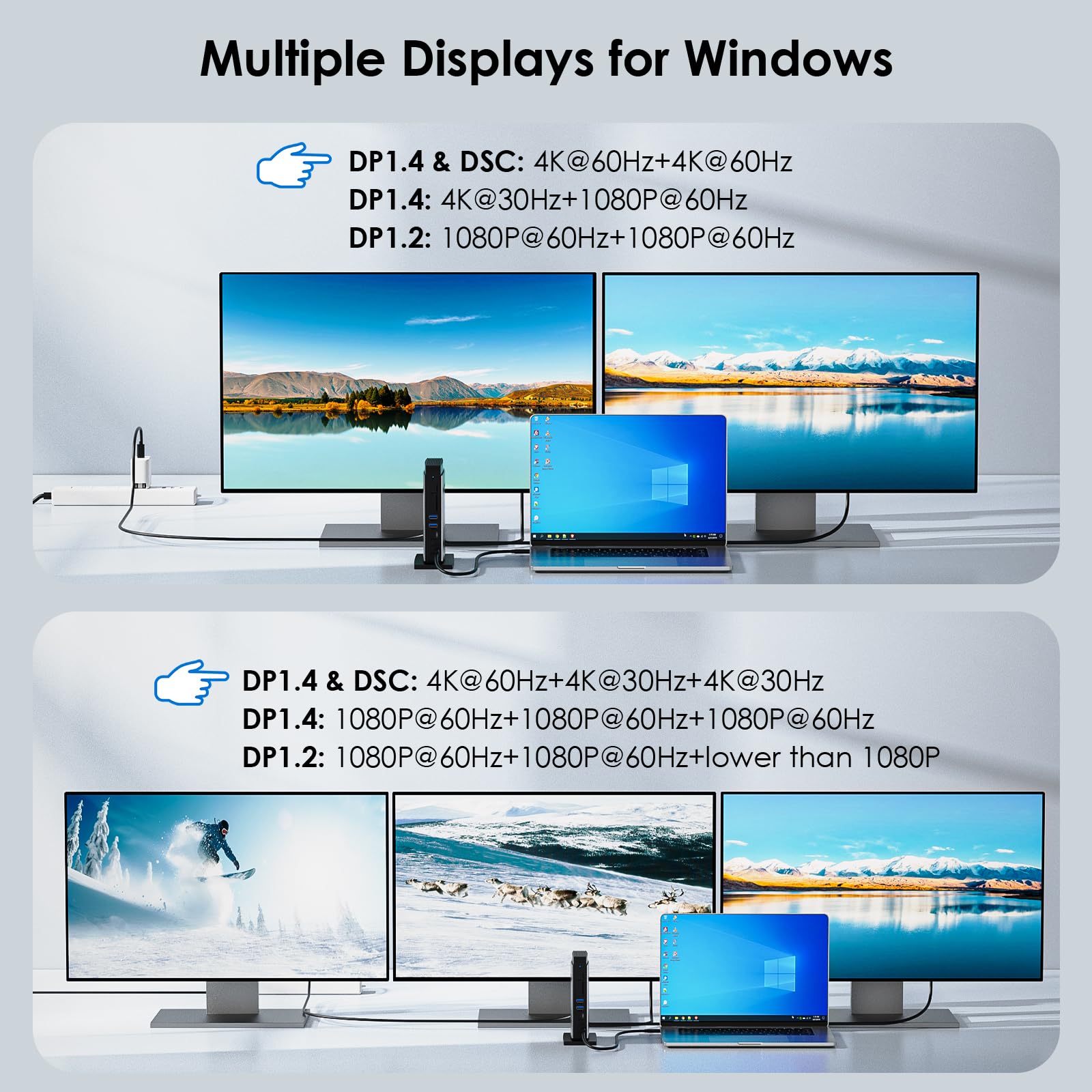

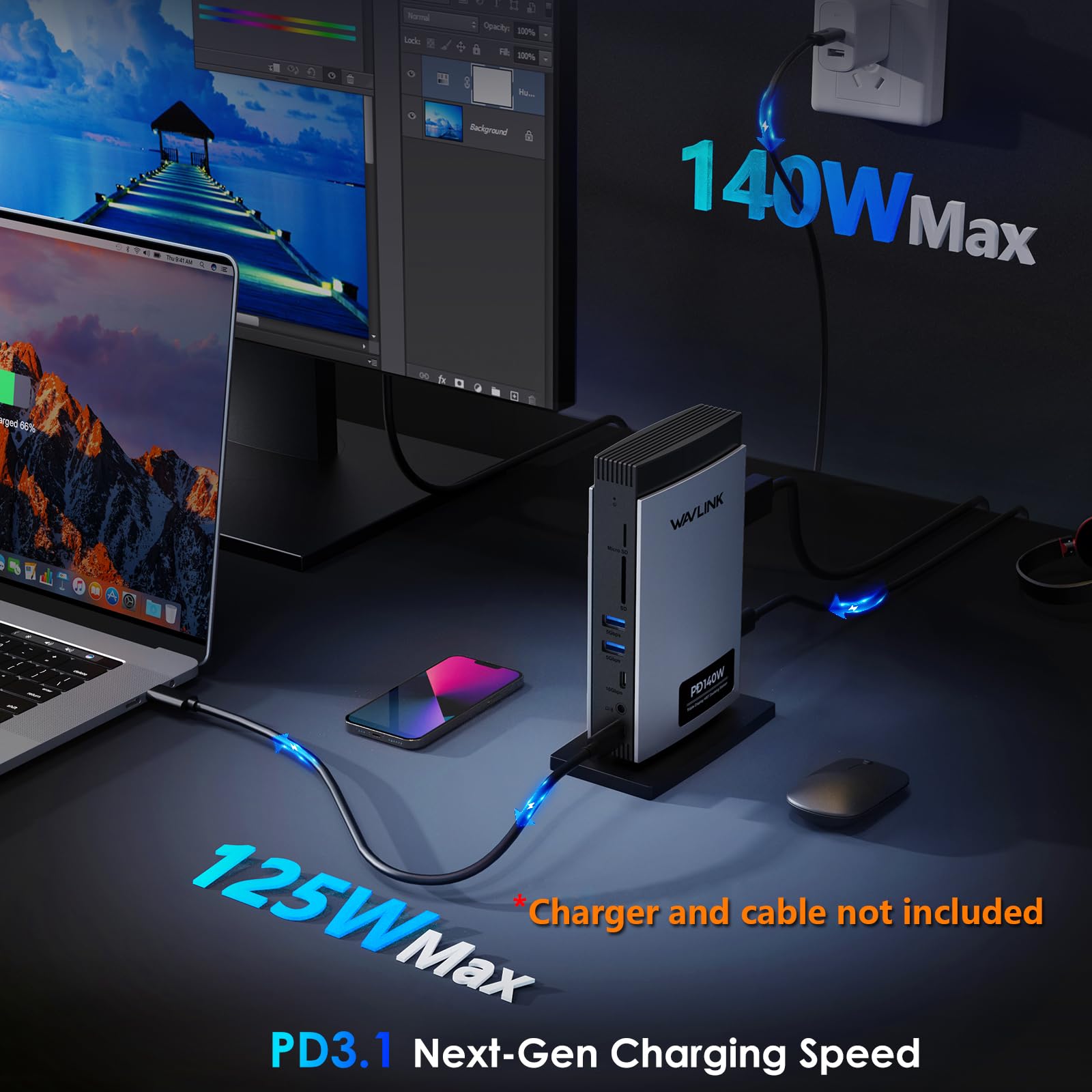
🚀 Elevate your desk game with 8K clarity and powerhouse charging!
The WAVLINK 11-in-1 USB-C Laptop Docking Station delivers stunning multi-monitor support with up to 8K resolution or triple 4K displays, powered by 125W PD3.1 pass-through charging. Featuring HDMI, dual DisplayPorts, USB-C 3.2, USB-A, SD/TF card readers, and gigabit Ethernet, it’s engineered for MacBook M1-M4 and Windows laptops with USB-C video output. Its driver-free design ensures broad OS compatibility, making it the ultimate productivity hub for professionals craving high-res visuals and streamlined connectivity.


| ASIN | B0D9NSH11C |
| Best Sellers Rank | #106,233 in Electronics ( See Top 100 in Electronics ) #1,146 in Laptop Docking Stations |
| Customer Reviews | 3.7 3.7 out of 5 stars (200) |
| Date First Available | July 18, 2024 |
| Item Weight | 1.47 pounds |
| Item model number | WL-UMD28 |
| Manufacturer | WAVLINK |
| Product Dimensions | 4.8 x 2.6 x 6.8 inches |
N**L
High resolution video - great KVM
Results first: I'm running 3 identical 32" gaming monitors with 1440p native resolution. The max refresh rate on the monitors is 185Hz. With the Wavlink KVM, I'm able to run all monitors at 1440p at 144Hz. Not bad at all. I have a dual Xeon workstation, gaming monitor and company laptop. All sources share keyboard, mouse, video and USB devices with no issues. I'm very satisfied. You can buy a cheaper KVM with 3 monitor support but the video is disappointing. if video quality is important, this is a great choice.
P**T
A bit shy of perfect (for most users)
I really wanted to like this docking station more than I have over the past few weeks of use. It's certainly not a bad docking station by any stretch and would recommend to most people, but a few points kept me from giving it a perfect rating. I'll provide a overview of the major features: == Design and Port Layout == Subjectively, I like the vertical orientation of the device so it does not take up much desk space. The base is quite stable and even the plastic build doesn't topple but DOES shift and slide easily on the big foam foot. The port are laid out sensibly, with ethernet, display, and PD USB in the rear for better cable management. The front's choice of having an SD and micro SD stacked vertically, leaving a lot of blank space to the left, was a strange choice, considering how little space it leaves for the precious few USB ports. None of those ports are in the rear of the unit, so any permanently attached devices will have their cable looping around to the front. So, if you had a keyboard, mouse, and external drive that you always use from the dock, they would saturate all your USB ports and always been connected around the front. == Display Support & Refresh Rates == The triple-display support is an excellent feature, particularly if you're displays are 4K and you're after higher refresh rates. For the casual or mainstream gamer, you'll have an great experience with this docking station. Just be mindful of your laptop's USB-C port and it's capabilities. For example, in my case I have embedded and discrete graphics, but a dedicated HDMI port for the discrete display adapter. So, in order to get 60HGz on my 4K screen, I need to run a separate cable, which was a limitation of my laptop and not the hub. It's also nice to see the option of either two DP/one HDMI or two HDMI/one DP depending on the display connectors you prefer (or are currently stuck with). == USB Ports == If you need a docking station, it stands to reason you probably need a USB ports for peripherals and external drives. Not including the PD port and the upstream computer port, three USB ports for devices is a bit spartan. The two USB-A ports are only 5BGbps when there are far cheaper, mobile USB hubs that support 10Gbps. While this is a Thunderbolt-compatible dock, this is not a Thunderbolt dock, which may explain the fewer USB ports and lower speeds. A second USB-C port or another USB-A port would have been a much needed addition. == Power Delivery (PD) == PD (Power Delivery) of up to 125W is claimed and requires a separate cable and charger. I was not able to test PD on my laptop (not PD compatible), I was able to confirm fast (68W) charging on my android. What I can also add is that 125W should cover most mid-range laptops without issue, but power-hungry gaming laptops may not get enough power to fully charge from this dock. == Drivers == The driver-less design of this docking station does make it convenient and compatible across a wide range of operating systems; I can confirm the Linux and Android compatibility without any notable issue. == Other Features == Gigabit Ethernet, 3.5mm audio, SD/TF card ports are all also included, making this a better rounded docking station. In my experience, there was a buzz/hum from my speakers when there was no device attached to the dock. I don't know if this was due to the speakers or the dock; YMMV. Overall, I feel this is a good docking station and offers a bit for most folks that would be interested in upgrading from a USB hub. While connectivity, data throughput, and PD capacity is lacking to fully support business-class machines, most consumer grade laptop users will be well served by what I'd call a 'entry level' docking station.
T**N
Absolutel junk
Does not support dual hdmi output at 4k from hdmi port. USB ports stop functioning quickly. All around junk. Bought Dell station, and finally, problem solved.
P**O
Consistantly works.
I work from home in IT related field. I have 3 displays, 1 or which is a 34" Ultra-wide screen. This expands my laptop resources so I can use multiple USB devices as well as displays. USB-C cable is long enough to place my laptop away from the keyboard so it is out of the way. Would be nice to have a USB-C charging port as well to eliminate cable clutter
R**K
Missing cords
I received this item, and I don't know how well it works. this item came entirely without the cords to use it. I think I have some extra cords, but this is slightly silly
D**N
Working like a champ
This was a lifesaver for my work from home (WFH) situation as the one that I got with my computer took a nosedive one Monday morning so I decided to test this one out and it was exceptionally easy to hook up, it is performing so incredibly well, it's out of the way because it is able to stand up instead of lying down like the other one was, and it's got just about as many ports as I can use (but I can always use more). I use 2 monitors that are hooked up via DisplayPort and they are giving me the full 240 Hz and 120, respectively, and they haven't given me any issues, unlike the one that it replaced that is much less of a value. Pros: Super easy and simple to set up, plug and play Working very well with both my monitors Good value Stands up and can stay out of the way Cons: None Things to know: This DOES require a PC or laptop with a fully-functioning USB-C port
A**R
Powerful but could be laid out better
Really needed to switch to an upright dock to save desk real estate. This one fit my expectations and is compact. Unfortunately, it has no USB ports on the rear, so it seems to be designed more towards people using their laptop mouse and keyboard who just need extra monitors and storage peripherals as opposed to those using a dedicated mouse and keyboard. Display output options seem strong but I don't have an 8K display to test or any DP alt mode powerful enough to drive 4K > 120 Hz. Mind you, it can only reach this performance for a single display. Using 2 displays it tops at 4K@60Hz, and less for 3 monitors. For most productivity use cases, that's unlikely to be a problem at least. Like the rest of their products, there are drivers available to download but this was plug-and-play for me on Win10 with no download or installation necessary. Ethernet measures pretty close to the promised 1000 mbps. Runs silent an doesn't get too hot. Does charge my laptop quite slowly though, which only takes a 65W power supply.
F**O
Excelente material y fácil de conectar, solamente toma en cuenta que NO te carga la laptop solamente podrás conectar 3 monitores y usar los otros puertos etc
R**A
This is a fantastic product...very mobile, can take anywhere, just plug and play with 3 or more monitors.
C**C
Dock haut de gamme, au design très élégant, et aux fonctionnalités performantes. Ce dock est axé qualité vidéo, avec 2 display port 8K et un hdmi 8K. Il se destine aux gamers, mais aussi à tout ceux qui utilisent des applications graphiques. Bien évidemment, aucun soucis pour une utilisation simple de bureautique..mais là n'est pas son objectif. Il n'aura d'intérêt que si vous pouvez afficher au moins du 4K niveau résolution, donc avec l'ordinateur capable, mais aussi les écrans capables. Un + aurait été de supporter un plus gros débit via la prise ethernet, 2G par exemple, pour matcher avec les capacités de la fibre de nos jours.
ひ**僧
ちょっと心配しながらの購入ではありましたが、WindowsのノートPCで無事3画面出力できました!typeCが1本接続で3画面できるのはありがたい!!!LANポートも付いてるので、WiFiより格段に回線スピード上がりました!贅沢言えば10GHzまでいけると尚嬉しいですが… 後は耐久性に期待するのみですね! 端子について、 1枚目の写真はDP×2、HDMI×1 ですが、 2枚目以降の写真ではDP×1、HDMI×2 になってます。 僕の届いた商品はDP×2、HDMI×1でした。 他の方のレビューみてると、HDMI×2の写真もあったので、仕様として両方あるのかな?といった感じです。ケーブルの用意も必要なので、商品届いてから手配した方が良いかもしれません。ちなみに僕は商品届いてからDPケーブル 追加購入しました😅
S**I
Un très bon dock USB-C utilisé avec un MacBook Pro, la connectique est intéressante, la charge est prise en compte sans soucis, testé en double écrans sans aucuns problèmes sous MacOS Séquoia. Mais la distribution des ports sur les tranches rend l'organisation du bureau complexe et parfois incompatible avec le sens des câbles, c'est un peu dérangeant, autrement l'ensemble est bien fini, ça respire la qualité et durabilité à priori, le dock est stable et ne bouge pas.
Trustpilot
Hace 2 semanas
Hace 2 semanas