We remain fully operational. Our teams are working around the clock to ensure your deliveries continue safely.

Descargar la aplicación


Servicios al cliente
Sobre nosotros
Copyright © 2025 Desertcart Holdings Limited
Descargar la aplicación
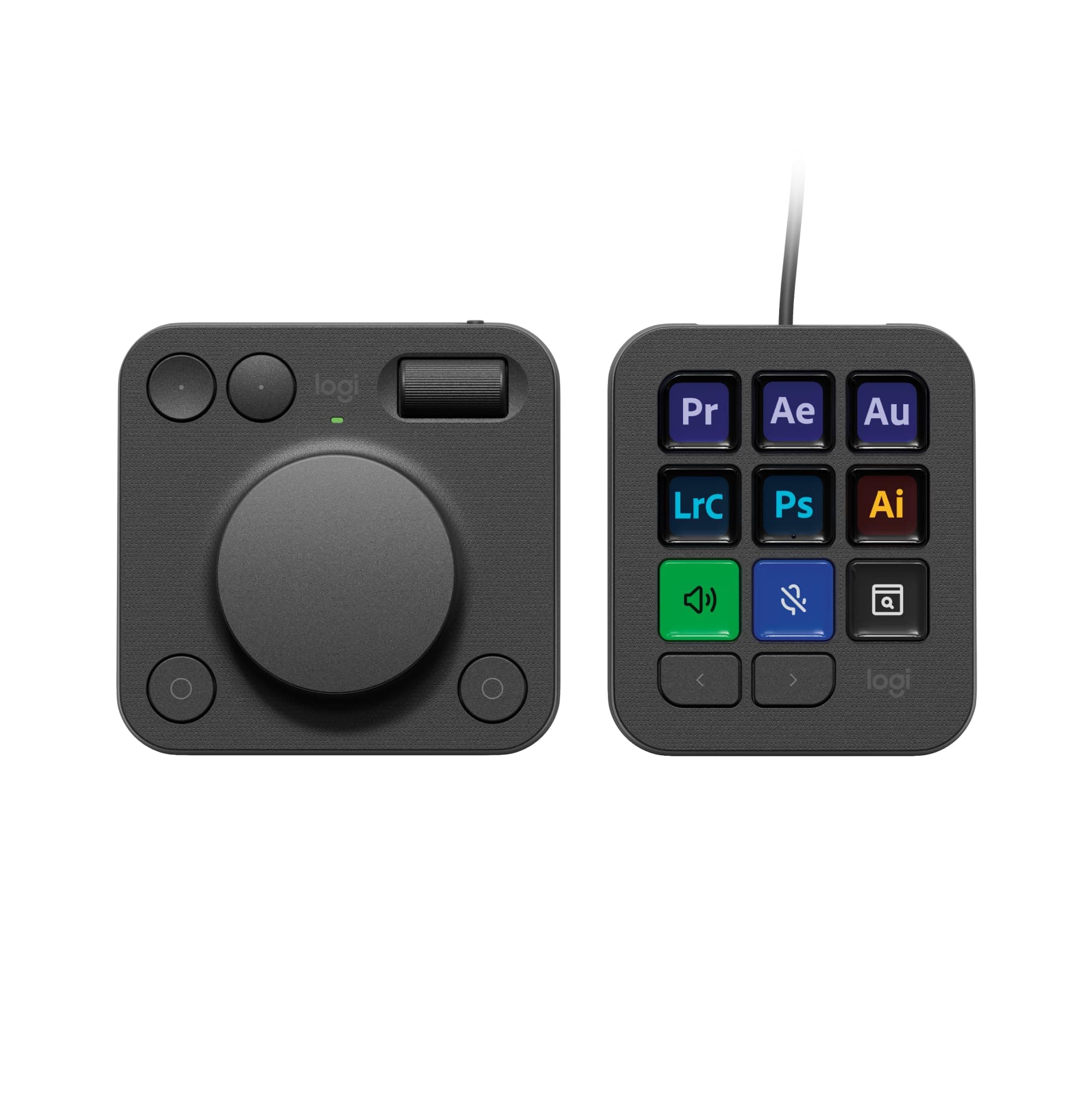

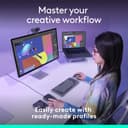
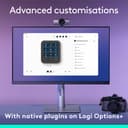
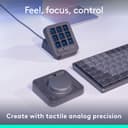

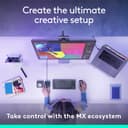
🎛️ Unlock your creative superpowers with every twist and tap!
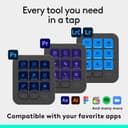
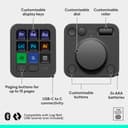
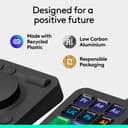
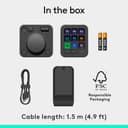
The Logitech MX Creative Console is a premium programmable keypad featuring 9 customizable LCD keys and a tactile control dial designed to streamline workflows for graphic designers, video editors, and photographers. It offers native integration with top creative apps like Adobe Creative Cloud, Zoom, and Spotify, supports up to 15 keypad pages, and provides precise control via an aluminum dial and roller. Connectivity options include Bluetooth and USB-C, with an impressive 18-month battery life. The console also includes 3 months of Adobe Creative Cloud subscription and is built with eco-friendly recycled plastics.


| ASIN | B0DDPZK8SV |
| Best Sellers Rank | 8,976 in Computers & Accessories ( See Top 100 in Computers & Accessories ) 37 in Graphic Tablets |
| Country of origin | China |
| Customer reviews | 3.7 3.7 out of 5 stars (186) |
| Delivery information | We cannot deliver certain products outside mainland UK ( Details ). We will only be able to confirm if this product can be delivered to your chosen address when you enter your delivery address at checkout. |
| Item model number | 920-012931 |
| Language | English |
| Package Dimensions | 27.5 x 13.5 x 6.9 cm; 580 g |
| Rated | Unknown |
| Release date | 5 Nov. 2024 |
P**R
Excellent product
Excellent time saving console, just with a few buttons, your well in on your work. Settings for Lightroom classic & Photoshop are a great help & save time with a fine control with the dial making it much easier to fine adjust your edits.
A**R
An extremely useful work in progress
There is massive buzz about this device on YouTube which I'm sure Logitech paid a high price for but after using this device for the last few days I am starting to love it, currently there are no profiles for alot of the software I use (C4D, Resolve) however make your own is not hard. I've only scratched the surface of what it can do and its bring a nice satisfaction to my work. I think its definitely worth the price.
C**D
Oversights and assumptions from a company that should know better.
Keep your cash. Don't bother. For the price of these units - there are a lot of assumptions and oversights from Logitech. Spoke to their technical support because the dial wheel was not working, these units do not connect to the other dongles in their ecosystem...it's a 'special one'. Your motherboard better have bluetooth otherwise you're paying for basically a streamdeck that you could've picked up for £60 as opposed to £200 for the same functionality - unless you're interested in paying more for a dongle that they don't feel is important enough to list a 'necessary for function' to get the dial to work. Outrageous way to treat the consumer. This does not work out of the box with all computers, unless you the consumer take extra steps and spend more to make it so. After flagging the absurdity of this - for a unit costing £200. Logitech offered to send me the 'Bolt Dongle' which is necessary to make it work. Ah, okay - great. That's good customer service, understanding the shortcoming and helping a resolve for people paying hundreds for devices...I paid for two of these units so both of them will need to be set up to work properly. No, we will only send you one dongle. Fine, suit yourself - both my units will be returned. They are not functional out of the box upon delivery with an ecosystem that you've put in place. Unbelievably stupid and tremendously poor show from Logitech. Go pay £60 for a basic streamdeck, and find a simple editing scrub wheel instead. You'll be less let down.
V**V
It's good value for money, if you use it enough
The Logitech MX Creative Console is a great device. I mostly use it for editing in Lightroom and DaVinci Resolve. In Lightroom it makes me work faster and easier, but in DaVinci it does not help all that much. Maybe because they have to integrate the device into the program a little bit better. The 9 buttons are easy to customize and the software is intuitive. It's lightweight, so you can bring it with you wherever you go. Long story short if you use creative apps on your PC or laptop it's a great value for money and can save you a lot of time and hassle.
J**B
Limited software apps off the shelf
In theory nice kit. Software support very lacking unlike other competitors
P**E
Happy with this product
Happy with this product
D**F
Logitech quality
Love the product, still integrating it into my workflow
J**E
Don't waste your time.
This product is not at all what I was hoping for and the 3.6 star average currently on Amazon is a stretch. For a product costing £200, Logitech has really let themselves down here. The materials are mostly cheap plastic, the buttons feel awful and the wheels have zero in the way of tactile feedback. I was hoping to use this for editing photographs in Lightroom. I didn't realise this, but the only way to use this product is to create a custom button - you can't for example click a setting (lets say brightness) and then use the wheel to make edits. Nor can it be used within local masks... this is for global edits only. In addition, you couldn't use the roller wheel to move between settings within the right panel. It's a good concept, but it could have been taken much further. I'd much rather stick to good old fashioned mouse and keyboard, as clunky as that can be at times when editing large volumes of images.
T**I
Wat een super handige toevoeging voor iedere creator! Er zijn zoveel mogelijkheden dat ik soms door de boom het bos niet meer zie. Niet dat dit nou echt een minpunt is per se. Een enig "issue" is wel (mogelijk omdat het product vrij nieuw is) dat het console af en toe uitroeptekens aangeeft en daarbij niet goed werkt met sommige programma’s waarbij die daarvoor wel werkte, maar dat kan een softwarematig dingetje zijn waarbij simpelweg een update nodig is..
D**K
Po pierwsze - założenie, że każdy użytkownik ma zintegrowany moduł BT w komputerze, i w efekcie konieczność dokupienia odbiornika kosztującego ~70 zł do urządzenia kosztującego ponad 700 zł, to skrajna bezczelność ze strony Logitecha. Po drugie - klawiatura ma beznadziejne klawisze. Nie mają wyraźnego, liniowego skoku, mocno się kołyszą, wymagają mocnego wciśnięcia dokładnie na środku, inaczej po prostu się przechylają, nie zawsze rejestrując wciśnięcie. Scroll i pokrętło mają tak precyzyjnie dobrany opór, by nie być ani szybkie, ani precyzyjne. Konsolę kupiłem do edycji w Davinci Resolve, ale po prostu się do tego nie nadaje. Pomysł jest spoko, materiały też ujdą, ale wykonanie całości niestety ssie. Osobiście swoją konsolę zwróciłem i niestety polecić nie mogę.
S**R
Superbe périphérique , facile à configurer. On l’essaye on l’adopte
S**.
mich haben Streaming Decks schon immer fasziniert, doch waren mir alle bisher bekannten Produkte zu unproduktiv. Ich habe mir dieses Produkt NICHT für Foto Shop, sondern zur Steigerung meiner Produktivität. Sei es Excel, PowerPoint, Word, 3D Druck oder technische Zeichnungen. Sprich ich habe das GEN 1 Produkt abseits seines Hauptzwecks gekauft und ich wurde absolut nicht enttäuscht. Es hat allein jetzt kurz nach Release mehr Funktionen und Möglichkeiten, als ich vermutet habe. Das Produkt hat auch seine negativen Seiten, welche ich nicht außer Acht lassen möchte. Nachdem es ein Logitech untypisches Produkt und dann noch in der ersten Generation ist abzusehen, dass viele Funktionen nicht oder nur eingeschränkt funktionieren (So wie es bei fast allen GEN 1 Produkten im aktuellen Zeitalter der Fall ist). MX Creative Keypad: Pro: - Displays sind schärfer als angenommen - aktuelle Werte wie Lautstärke, Uhrzeit, Kalenderwoche sind sichtbar - Farben (Hintergrund, Text, Symbole) und Abbildungen sind frei wählbar Einstellung und Hinterlegung der Befehle: Es gibt weit aus mehr Einstellungen als gedacht. von Mediasteuerung bis hin zur Eingabe vorgefertigte Texte. Alle Grundeinstellungen habe ich euch in die Abbildungen eingefügt. Es sind so viele, dass ich die nicht alle abtippe 😂. Was mich am meisten überrascht hat, war die unnormal einfache Einstellung und die fast Intuitive Einfügung meines Philips Hue Zuhauses. Negatives: - Die meisten meiner Abbildungen habe ich selber machen müssen, da diese meist grafisch in unterirdischer Qualität erstellt worden sind. Dennoch erstellt Logitech die Abbildungen der Programme, was ein unglaublich hilfreicher Schritt sein kann. Ich wollte dennoch eine scharfe Abbildung und habe daher aus Google Abbildungen heruntergeladen oder diese selber erstellt und auf die Tasten gelegt. Wolla, geile Taste. - Zeitaufwand ist super hoch. Für meinen Prusa Slicer habe ich 2 Seiten a 9 Tasten belegt. Die Shortcuts zu erstellen dauerte nicht lange, dafür habe ich die Abbildungen der Tasten alle selber erstellt und daher 3-4 Stunden gebraucht um alle 18 Tasten so einzustellen wie ich es haben möchte. MX Creative Dialpad: ich habe mich Stunden / Tage / wochenlang über dieses Produkt informiert und empfand das Dialpad als weniger interessant. Doch weiiiiiiit gefehlt. Das Ding ist unnormal praktisch. Pro: - zwei Drehregler, die super steuerbar sind. - konvexe und konkave Tasten sind super bedienbar. - jede der Tasten ( auch die unten Rechts) sind frei wählbar - egal wo ich mich befinde, ich habe Zugriff auf den Action Ring und kann alles damit regeln. Con: - Technisch wäre der große Drehregler auch als Drehknopf möglich. Damit könnte man den Action Ring ( in der Theorie) öffnen, mit dem Drehregler auswählen und auch bestätigen. Solch eine Funktion würde ich mir bei einer GEN 2 wünschen Meine Meinung: Ich finde das Produkt für diesen Preis unglaublich gerechtfertigt. Ich würde es auch für mehr kaufen, da es meine Produktivität erheblich steigert. Ich liebe es mich damit zu beschäftigen. In Zukunft werde ich meine Tastatur nur noch zum Tippen nutzen. Kein copy and paste mehr, keine Duplizierung. Ab sofort nur noch mit der MX Creative weil es einfach schneller und flüssiger in den Flow passt. Zoom, scrolle werde ich nur noch mit dem Dialpad machen und habe dazu noch viel mehr Regelungen, welche unglaublich schnell und einfach zur Verfügung stehen. Es ist das beste Produkt in meinem Homeoffice!!!! Hier noch ein paar Einfügungen: - GRÖßTES CON: bei der Keypad ist es nicht möglich einzelne Tasten auf andere Seiten zu Projektieren. - Beide Geräte sind frei einstellbar, ob Funktionen in einer Applikation oder überall anders gleich sein sollen - Man kann, wie andere das Gegenteil behaupten, schrittweise Zoomen. Hierfür muss man sich nur reinfuchsen und die passenden Einstellungen finden 😉 OS > Mausscrollen > Control horizontal and vertical mouse > auf und ab > haken bei: Beim Scrollen Modifikator hinzufügen > CTRL > Speichern. Anderenfalls kann man ihn auch als teuren Briefbeschwerer nutzen 😉 - Es ist und bleibt ein GEN 1 Produkt. Daher gibt es nicht viele Einbindungen für Standardprogramme wie Excel, word, Pptx und co. Aber diese währen eh auf den Workflow anderer angesetzt. Daher macht die Einstellungen selber. Investiert ein Wochenende damit, somit habt ihr es perfekt auf euch zugeschnitten. - Bitte Keine Beschwerden über 2024 und Kabelbindung und Batterien. Logitech hat euch damit einen super großen Gefallen getan. Schaut euch doch mal die Technik an. Das Keypad hat 9 helle Tasten. Mit einem Akku würde es jeden dritten Tag geladen werden müssen und das würde mich persönlich super Stören, auch wenn sonst auch alles in meinem Homeoffice kabellos ist. Was ist nun der Unterschied vom einem Akku und Batterien? - Ich bin kein Fachmann, aber ich weiß, dass Akkus bei Produkten, welche Sleep Modes haben deutlich länger halten. Daher müssen wir diesen ebenfalls nicht all zu oft welchseln. NACHTRAG: ich wollte heute eine Arbeitsumgebung für Fusion 360 erstellen. Doch die Mx Creative erkennt das Programm nicht. Meine Vermutung: wenn das Programm geöffnet ist, steht im Menü unten (Maus liegt auf dem Programm und drückt nicht auf das Programm) und da steht nicht der Programmname. Dennoch arbeite ich viel mit Fusion und muss eine Lösung finden. Dennoch ist das Gerät super
A**R
Passade mig perfekt. Speciellt för redigering i Adobe produkter. Snabbade upp många steg på ett bra sätt, speciellt om man lägger lite tid på att anpassa den efter ens egna behov. Det finns potential i mjukvaran till den att bli ännu bättre. Men lägger man ned lite jobb på den så är den grymt bra.
Trustpilot
Hace 1 mes
Hace 2 semanas