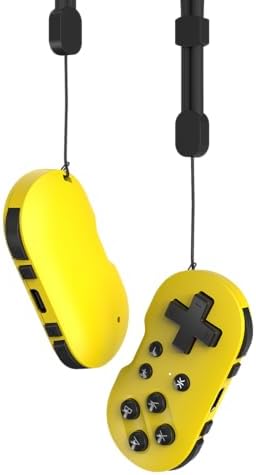


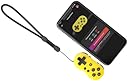
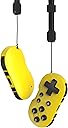
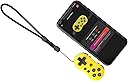
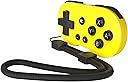

CRKD ATOM - Collectible Keychain Controller for Nintendo Switch, PC, Mac, Mobile and Smart TV (Yuzu Yellow)
ID del producto: 659863181
🔋10 hours battery life
🔗Bluetooth wireless sync
🧩Compact & attachable design
🎮 Tiny controller, massive play—level up your game style!
The CRKD ATOM is a collectible, Bluetooth-enabled keychain controller compatible with Nintendo Switch, PC, Mac, Mobile, and Smart TVs. It boasts a compact design with joycon-sized buttons, a rechargeable battery offering up to 10 hours of playtime, and a unique collectible system featuring 8 editions with rarity rankings. Perfect for gamers seeking portability without sacrificing performance.


| ASIN | B0DCZW1WN9 |
| Batteries | 1 Lithium Polymer batteries required. (included) |
| Best Sellers Rank | #675 in Video Games ( See Top 100 in Video Games ) #16 in GEM Box Microconsole #30 in Nintendo Switch Controllers #43 in PC Game Controllers |
| Customer Reviews | 4.0 4.0 out of 5 stars (291) |
| Date First Available | August 26, 2024 |
| Item Weight | 3.52 ounces |
| Item model number | 24-AT |
| Language | English |
| Manufacturer | CRKD |
| Product Dimensions | 2.72 x 0.59 x 1.34 inches; 3.53 ounces |
| Release date | August 26, 2024 |
| Type of item | Video Game |
J**H
Better than 8Bitdo.
Tiny without being to small. Connects easily. Buttons aren't to small if you're used to joycon sized ones. Has held up well so far with good responce time. Functions just like you would expect at a really good price.
T**R
Worth it
Great controller works with delta emulator and RetroArch on iOS. Had it for a few months and the membrane on the A button wore out. Worth the purchase though. Has occasional conectivity issues but is easily resolved by forgetting the device in bluetooth settings and reconnecting. buttons have nice clicky feel and is comfortable in hand
C**P
It works incredibly well, but you need to play with the settings a bit on Android
UPDATED: Out of the box, D-pad doesn't work on Android without in the default settings. All other buttons work fine, mapped to the same buttons an Xbox controller uses, across 5 tested games. It works fine on PC, while connected via Bluetooth or USB-C (which also charges it). The key is to force Left-Stick operation when on Android, and hold the buttons for a little longer until you definitely see the flash. You'll see the flash in either PC (orange) or Bluetooth (cyan) mode, and you can change stick-mapping freely. RESET DPAD FUNCTION BACK TO DEFAULT -- doesn't do anything on Android. Press and hold Dpad and Minus Button (-) for 5 seconds. The status LED will blink and then turn back to solid. CHANGE DPAD TO FUNCTION AS LEFT STICK -- THIS is the Android setting! Press and hold Dpad and Minus Button (-) for 5 seconds. The status LED will blink and then turn back to solid. CHANGE DPAD TO FUNCTION AS RIGHT STICK Press and hold Dpad and Minus Button (-) for 5 seconds. The status LED will blink and then turn back to solid.
E**A
Cute for Pokemon and not much else
I bought two of these but ended up returning one due to slight D pad issues. They are SUPER cute but functionality wise, they are super awkward controllers that only really work with retro games. I've discovered they work well to navigate system settings as needed on Switch. Perfect to combine it with with the official Pokeball controller, so that you only have to take the switch Tablet part and these two controllers. PLEASE read the instructions to pair with your system! The controller can pair with Nintendo Switch, Android and PC via Bluetooth if the correct button keys are pressed upon initialization. If you connect it to a PC via USB C cable, it registers as a wired controller. NO JOYSTICK support. In addition, because the controller is awkward and tiny, it's better to hold it sideways as pictured and remapp all front buttons through your android emulator. That way, the controller is super easy to hold with one hand. Perfect for Pokemon and Final Fantasy games. There is no way to change the button configuration on Nintendo Switch. I love all the color schemes but honestly have little to no use for so many controllers. Maybe if they were slightly bigger with joysticks, hopefully they can implement that in an update.
S**T
Better than 8BitDo for iPhone. Does not work on Mac.
Bought this to use with Anki App. Works great on the iPhone, even better than the 8BitDo remote since it will automatically connect to your iPhone when turned on. The 8BitDo you have to manually connect to your iPhone every single you turn it on. Atom is smaller than 8BitDo and $5 cheaper and looks sleeker. Does NOT work on Mac. Sticky down arrow key even after readjusting key bindings via the Karabiner App. Saw someone else reported this issue and it resolved after hours of use but the issue came back after a while. The 8BitDo does not have this issue and works perfectly fine on the Mac. *Update: After just a month of using this, it no longer connects to my phone right away. Now every time I use it, I need to “forget device” then go through the pairing process again. Would not recommend. Just get the 8BitDo
M**Y
Short Lifespan
Bought this product 6 months ago, and two buttons no longer work. I use this product daily for school. Worked amazingly until the 2nd button stopped working. Otherwise, good size, easy connectivity to my laptop, and good value.
I**N
Feels premium
Somewhat small but for what it is for is perfect. Not recommended for big hands
D**E
Awesome! Perfect for what it's designed for.
Awesome little controller! I love this thing. Not sure why it has any less than 5 stars. It's been nothing less than excellent in my opinion. I've gamed on it for hours at a time without any issues. And I don't have small hands. Buttons are nice and clicky, they don't feel spongy at all. It connects to Bluetooth no problem. Just make sure you read directions as there is a different combination of buttons for to connect to different types of devices.. for instance android is down plus the crkd button and a computer is up plus the crkd button. And if you have paired to one before just quickly press the appropriate button combo to reconnect to whichever device. I didn't like the "keychain" or lanyard as a keychain. It's too long and the controller has no protection leaving it dangling to banged and scratched up. So I bought this nice little leather Hide and Drink car key fob case for it. Fits perfectly. And provides a decent amount of protection. Absolutely love it. I picked it up on sale for like $15.99 or so but I'd have been happy paying full price as well.
A**R
No tiene gran ergonomia pero es super util, ya que lo puedes poner de llavero en cualquier llave
O**R
En cuestión de calidad de los materiales es excelente y se siente como cualquier control de la NES, ahora por los botones y el mapeado únicamente sirve para los juegos retro de plataforma como los primeros Mario, o los primeros Castlevania, pero no es funcional para los juegos más actuales que necesitan joystick derecho y joystick izquierdo , uno para el movimiento del personaje y otro para el de la cámara, no hay forma de configurarlo, a ese tipo de juegos, si es un poco complicada su configuración del mapeado ya que en el manual que viene anexo solo viene como configurarlo al Bluetooth, si te gusta el coleccionismo y los juegos retro que no se ocupan los joystick es un producto para tí, pero si quieres ocuparlo para juegos más actuales no hay forma
C**N
bien
A**O
Fantastico portachiavi da collezione per amanti del retrogaming.
D**G
Small but very handy controller I use it mainly on my phone for games like brotato and VS Works very well for them since all you really need to do is move It's also very good for emulating up to PlayStation since it has all the needed buttons and it works well for switch as well for the games in the various retro apps You can remap the dpad to either analoge stick which is also a nice touch so far I have two and will probably grab some other colours at some point
Trustpilot
Hace 5 días
Hace 2 meses