We remain fully operational. Our teams are working around the clock to ensure your deliveries continue safely.

Descargar la aplicación


Servicios al cliente
Sobre nosotros
Copyright © 2025 Desertcart Holdings Limited
Descargar la aplicación
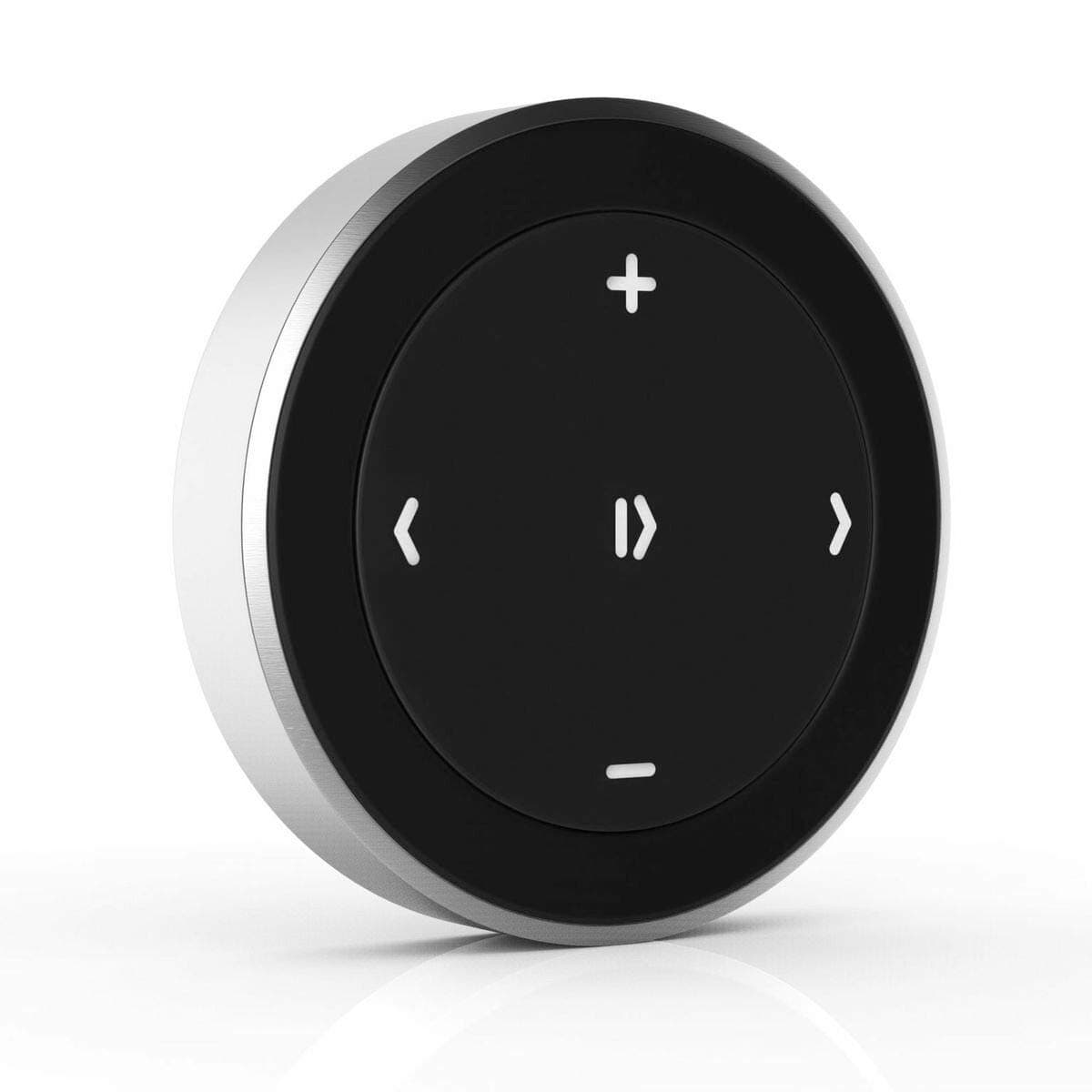
🎵 Take control, stay connected, and never miss a beat on the go!
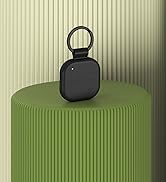
The Satechi Bluetooth Media Button is a compact, wireless remote designed for seamless music and volume control across iPhone, iPad, MacBook, Android, and vehicle audio systems. With a 40ft Bluetooth range, tactile one-button operation, and versatile mounting options for steering wheels and bike handlebars, it enhances your media experience while keeping distractions minimal. Powered by a replaceable CR2016 battery offering up to two years of use, this device is perfect for commuters, bikers, and professionals seeking effortless, hands-free audio control.
















| ASIN | B00RM75NL0 |
| Additional Features | Automatic |
| Audio Output Mode | Stereo |
| Audio Output Type | Bluetooth |
| Battery Type | Lithium-Ion |
| Battery Weight | 1.7 Grams |
| Best Sellers Rank | #26 in Bluetooth Car Kits |
| Bluetooth support? | Yes |
| Brand | Satechi |
| Built-In Media | Steering Wheel Mount |
| Color | Media Button |
| Compatibility Options | Laptop, Smartphone, Tablet |
| Compatible Devices | MacBook Pro 14/16-inch (2024 M4/M3/M2/M1), MacBook Air 13/15-inch (2025 M4/M3/M2/M1), iPad Pro 11/13-inch (2024 M4/M2/M1), iPad Air 11/13-inch (2025 M3/M2/M1), iPad Mini (2024 A17/6th Gen), iPhone 17, iPhone Air, iPhone 17 Pro, iPhone 17 Pro Max, iPhone 16/15/14/13/12 Series, Mac Mini (2024 M4/M2/M1), iMac (2024 M4/M3/M1), Mac Studio (2025 M4/M3/M2/M1), Lenovo ThinkPad, Microsoft Surface, Google P… |
| Compatible with Vehicle Type | Vehicles |
| Connectivity Technology | Bluetooth, Wireless |
| Connector Type Used on Cable | Wireless |
| Control Method | Touch |
| Control Type | Volume Control |
| Customer Reviews | 4.1 4.1 out of 5 stars (2,944) |
| Enclosure Material | Plastic |
| Global Trade Identification Number | 00879961004866 |
| Hardware Interface | Bluetooth |
| Human Interface Input | Buttons |
| Includes Remote | No |
| Installation Type | Plug-and-play or wireless pairing |
| Item Dimensions L x W x H | 1.3"L x 1.3"W x 0.24"H |
| Item Weight | 14 Grams |
| Lithium Battery Weight | 0.03 Grams |
| Lithium-Battery Energy Content | 0.27 Watt Hours |
| Manufacturer | Satechi |
| Model Name | Bluetooth Media Button |
| Number of Batteries | 1 C batteries required. |
| Number of Channels | 2 |
| Number of Lithium-ion Cells | 1 |
| Power Source | Battery Powered |
| Rechargeable Battery Included | No |
| Supported Application | Spotify, Apple Music, Google Play Music, etc. |
| Supported Media Type | MediaControlButton |
| Supported Standards | Bluetooth |
| UPC | 879961004866 |
| Unit Count | 1 Count |
| Voltage | 1 Volts |
| Warranty Description | 2-year limited warranty |
| Wireless Compability | Bluetooth |
Q**B
Awesome little remote for my motorcycle.
First of all, I was surprised that there aren't as many of these bluetooth remotes out there. That being said, this one would probably be the best designed anyways. Pros: Small and compact Aesthetically pleasing Functions as advertized Cons: Hard to push pairing button Steering wheel mount diameter is to big for my motorcycle handlebars (not a real complaint since that's not the design, but something for them to think about if they come out with a newer model) The unit looks great and functions as it should. The button in the back which is the pairing button is a little hard to push but other than that I have no legitimate complaints. I bought this for my motorcycle so I could control my music in my bluetooth helmet without taking my hands off of the handle bars. The steering wheel attachment is awesome and I used it to help mount it to my handlebars. My handlebars diameter is slightly smaller than a steering wheel which allowed it to spin freely so I used some thick foam tape to bulk it up and then rapped the base up to keep it from spinning due to the vibrations. I think this company would do much better with this product if they targeted motorcycles as well. I'm not sure how it will hold up to water, but then again, I don't plan to ride in the rain. However, if it happens, I will update. Addition: I'm using this with a samsung galaxy note 4. This product pops up as a keyboard on my phone. Works with amazon mp3, slacker radio, iheart radio and Google music app. June 4th 2015 update! So after a few months of use, this little guy is still going strong, I use it a lot and it seems very tough. I will update again if it breaks anytime soon. With that being said, I got caught in the rain a couple weeks ago, which was light to moderate shower and it held up just fine. Also yesterday I was near the beach and in the morning my bike (including the button) was covered in a heavy, heavy dew. After the ride home today, I think it's in the clear as its still working fine with no deficits. But again, only time will tell. Bottom line? 4 of my riding buddies have bought one since I got mine and they all love it and you will too. Good job Satechi.
M**H
Handy, helpful bluetooth music button!
I have an old car. I often play music from my phone 6S through the car speaker or through a bluetooth speaker. I have my iphone mounted on the dash, but it's not convenient to change songs while driving. It's one thing to push radio buttons on the dash, but it's harder to reach over and push virtual buttons on a phone screen while driving. So this Satechi Bluetooth Media Button helps tremendously. You can see in the photo how perfectly it mounts on my steering wheel. It doesn't get in the way at all while turning. There could be some improvements, such as making it easier to feel what I'm pressing without having to look, but I'm getting used to it. Sometimes I hit pause when I mean to hit forward. But that's a small issue. This button is much easier to use than having to reach over to tap a virtual button on my iphone. It paired easily and wakes up easily. I like how easy it is to pop it off and toss it in the glove box when I park. Some of the comments by other reviewers make lots of sense. I also wish they'd either included a tiny screw driver for help in changing the battery when that time comes or made it easier to open the back. Anyway, it's attractive, functions perfectly, makes driving safer, and it's really fun to have some new technology in my old Bug! As a plus, the media button works well with taking photos and videos with my iphone. Just like on my iphone, you can use the volume up or down buttons to take a photo. And you can also start and stop recording a video the same way. I like having a remote button to play with the next time I'm taking photos with friends. I have one bone to pick with Satechi. The size of this media button is obvious from the photos, yet the dimensions listed on Amazon and on the Satechi site are totally wrong! They list the diameter of the button accurately, but the other dimensions are way off! I don't know why. Doesn't make sense. Fortunately the pictures give you a good idea. Overall, I'm very happy with my purchase. It's fun to use. Time will tell how long it lasts.
T**E
It’s good
It works very well and connects good and works instantly as well , I’ve only used it for like so I can’t really say anything about the say but it takes like 5 seconds to connect automatically.
H**L
Cumple funciones descritas, función con Huawei P40 Pro
N**O
Tek kelime ile mükemmel Direksiyona tuturmak için aparatta var. ileri geri. ses açma kapama ve durdurma....
C**.
Doet wat ik ervan verwachtte: stuurt de audio-cues app aan zoals het moet.
M**O
Ho un OPPO A15 con sistema Android eppure funziona molto bene. A due settimane dall'acquisto mi trovo in disaccordo con le molte recensioni negative legate a questo prodotto. Funziona bene con ogni app che ho usato: spotify, lettore multimediale e con Audio Cues (un simil qlab per smartphone). Consigliatissimo.
R**W
Best prijzig maar het werkt wel goed. Hij connect relatief snel nadat je 1x erop hebt geklikt.
Trustpilot
Hace 2 meses
Hace 2 meses