We remain fully operational. Our teams are working around the clock to ensure your deliveries continue safely.

Descargar la aplicación


Servicios al cliente
Sobre nosotros
Copyright © 2025 Desertcart Holdings Limited
Descargar la aplicación
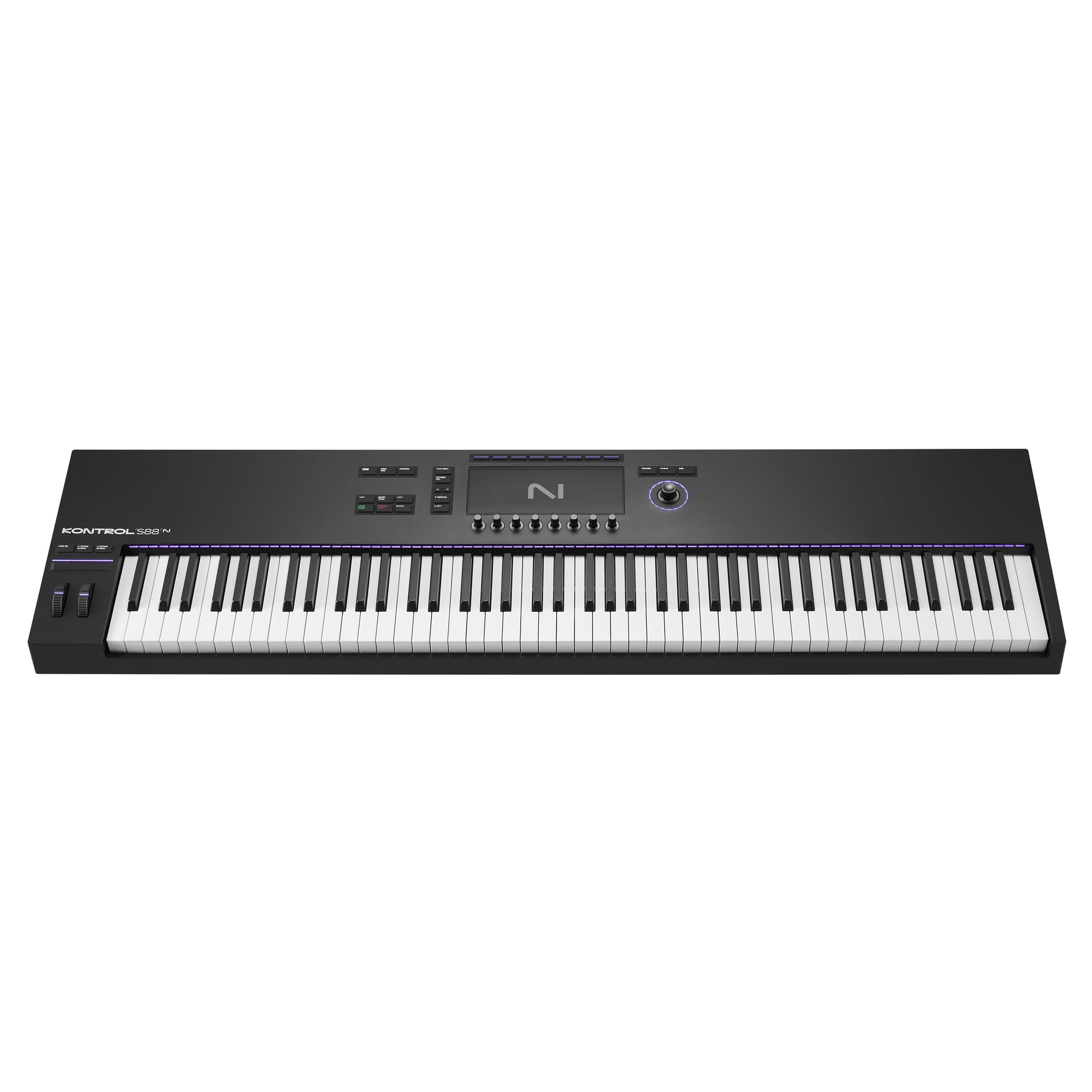
🎶 Elevate your studio game with the ultimate keyboard controller experience!
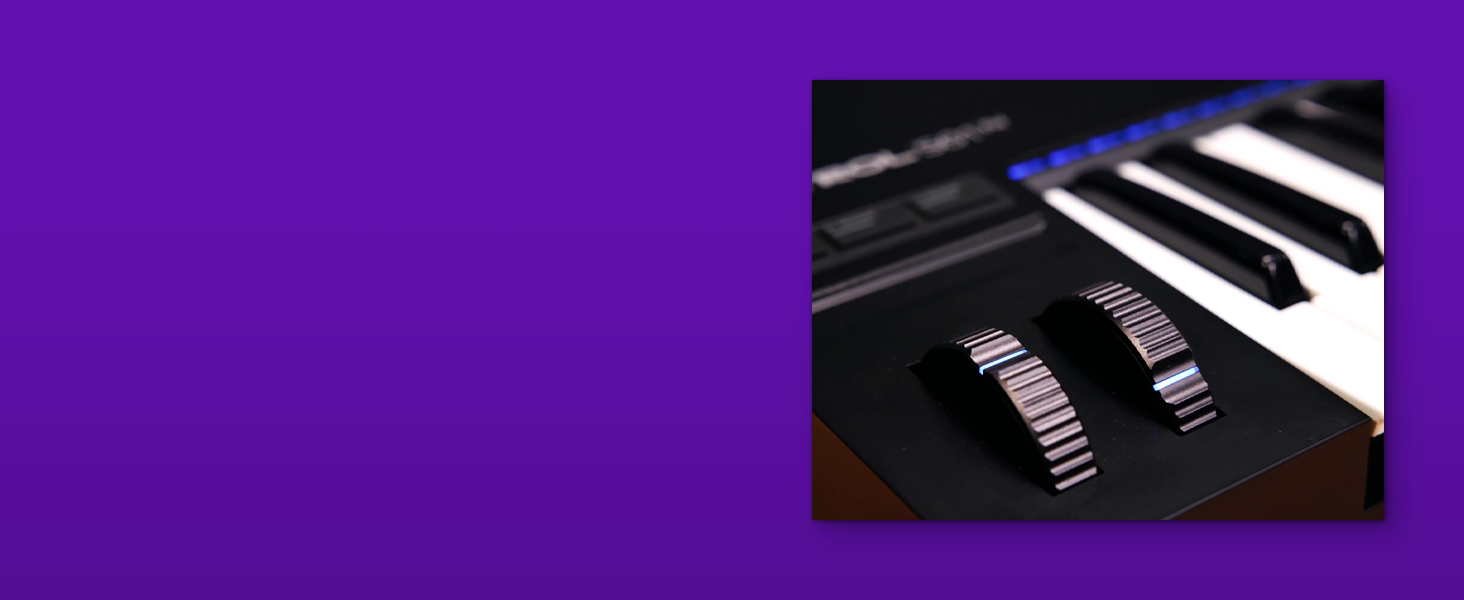
The Native Instruments Komplete Kontrol S88 MK3 is a professional 88-key semi-weighted keyboard controller featuring advanced NKS software integration, a high-resolution color display, and polyphonic aftertouch. Crafted with premium metal and glass materials, it offers seamless Kontakt instrument control and expressive playability, making it an essential centerpiece for modern music production studios.



| ASIN | B0CH3Y64TZ |
| Additional Features | Keyboard Controller |
| Brand Name | Native Instruments |
| Color | Black |
| Compatible Devices | Laptop, Desktop (Windows, macOS) |
| Connectivity Technology | USB |
| Connector Type | USB |
| Control Method | Touch |
| Control Type | Keyboard Controller |
| Customer Reviews | 3.5 3.5 out of 5 stars (24) |
| Hardware Interface | USB |
| Hardware Platform | PC/Mac |
| Human Interface Input | Keyboard |
| Included Components | USB Cable, User Manual |
| Instrument | Keyboard |
| Instrument Key | Any |
| Item Type Name | S-Series Komplete Kontrol S88 MK3 Keyboard Controller |
| Item Weight | 17.8 Kilograms |
| Keyboard Description | Full-size with 88 keys, Barrel keyboard with hammer effect |
| Manufacturer | Native Instruments |
| Material Type | Metal |
| Model Name | S S |
| Model Number | 29855 |
| Number of Keys | 88 |
| Platform | Windows 10, Windows 7 |
| Product Style | Modern |
| Size | Large |
| Supported Software | Embedded Instruments Compatible |
D**L
The touch is horrible. The material, features and possibilities are very good, but I hardly find any reason to put a better rating than the worst possible considering that the touch is that hard (High mechanic resistance), that noisy, and that affects both your playing and the velocity accuracy. You press the touch very slighly and the note sound is far from being silent when it's supposed to. The mechanical sound of the keys are noisy, as well. I'm highly disapointed and don't know what to do with this keyboard. I have no courage to repack it, not sure I kept everything, my bad, but I wish I hadn't bought it. I don't like to play on it.
B**F
Not as physically robust as the aluminum one I had a few years ago but, it's solid enough. The three Bluetooth connections are a convenience I don't think I could live without now that I've had it. An Interesting bonus for this particular keyboard is that if you own a Surface tablet, this keyboard will snap right to the magnets at the "bottom" of the tablet.....which is pretty nice for keeping them both in your lap.
J**E
First of all, if you want to use this as a simple MIDI controller, you can’t use this right out of the box. The unit I received was loaded with a pre-release version of its firmware (0.2.9!) and would do nothing at all until I first upgraded it. And that was the first big problem: you can only update it through the software manager program you have to install in your computer (Native Access). And then THAT has to install another package - Hardware Connection Service to do the firmware update. But THAT only runs successfully on Mac OS version 13.6 or newer. Which I didn’t have installed on my stage/performance laptop, and which I don’t want to upgrade due to needing a stable unit for performing. So I had to do that on another newer laptop that luckily I had already upgraded with a compatible OS version. Note that nowhere did the sales doc mention this requirement. And the installer didn’t stop the install of the hardware connection service if you attempt it with the wrong OS version installed. It just randomly fails, crashes, complains about “permissions”, etc. Took a lot of internet searching and Reddit discussion reading to figure all this out. Horrible first impression. Also, the box I received (shipped/bought via Amazon) had been previously opened when I received it - all the staples closing the cardboard flaps had been ripped open, and the box was poorly taped back shut with two strips of tape and looked like it had been around the world several times. The unit inside was filthy with dust and fingerprints. There was nothing in the box except the keyboard - no doc, notes, registration info…. Nothing. No usb cable. Makes me wonder if this was a previously used and returned unit. The description of the keyboard said the housing was a gorgeous bead blasted anodized aluminum finish. No. Not at all. It’s all plastic. With a finish that shows fingerprints and is impossible to clean even with a microfiber cloth and cleaner. The keybed does feel real nice and the velocity response and weighted key design is awesome for playing piano patches. I don’t use the NI soft synths / sampler stuff provided with the unit, and for the price, this is a lot to spend on just a MIDI controller, but once you get past the setup work, I think it’s still worth it for my needs. But wow - quite disappointed with the initial experience.
M**R
The interface for this keyboard is still a mystery to me after several weeks trying to learn it. It is the furthest from intuitive one can get and still be useful. It works fine as a very basic keyboard and that's what I've ended up using it for. Claims they make saying you can step away from the computer are unfounded in my view. I can sometimes get a plugin to display on its screen and sometimes I can even control some of its parameters. This is by no means assured and because of that its not really useful. I use both Logic and Ableton and have a good mix of plugins in Kontakt 8, Omnisphere and others. It's a real shame because the amount of quality buttons, dials and knobs on this thing it should be easier to work. I am new to NI ecosystem so that' probably the biggest of my problems. I am still not entirely sure why they have three apps for managing plugins (Kontrol, Kontakt and Access) I understand what they all do. I'm not so sure why they aren't one app. One thing is for sure. There is a LOT of setup to customize your DAW to work with this thing! I'm sure I just need to spend a month sitting with this thing to get better. Maybe one day something will click and I'll finally understand it. That has not happened. I almost dread working on it.
P**N
I was immediately attracted once I saw Native Instruments release a new version of this thing as an avid Kontakt user. I absolutely love the aesthetic and build quality. It’s an attractive keyboard that’s got a slim build with a minimalist interface and stunning screen, but $1,400 for a controller is no joke and it’s unfortunate to say that I’ve had many issues with this thing on the software side. I have an m2 MacBook pro with Logic and it seems a lot of other people are having issues with getting this keyboard to work properly on MacOS. Setting it up is a pain because it only includes one usb c to usb c cable but the thunderbolt port isn’t enough to power the thing to update. Besides the updating, unless you have it plugged into the wall for extra power it won’t function correctly. A lot of Native Instruments plugins crash when you try to open it with the keyboard plugged in. It’s just really buggy in general but hopefully I’ll be able to get my money’s worth once they add a few more updates? There really is no telling when it comes to Native Instruments. I truly enjoy the look and feel of this keyboard, and it’s a pleasure when it does work. It’s just a pain when logic crashes just because I wanted to open a sound from a plugin I don’t usually use. I would really only recommend this keyboard to someone who wants the convenience of having a screen for your DAW right in front of you; and I just so happen to be that kind of customer. High quality, good feeling knobs and materials that are responsive, and buggy, unreliable software that’ll undo hours of work.
Trustpilot
Hace 2 meses
Hace 1 mes