We remain fully operational. Our teams are working around the clock to ensure your deliveries continue safely.

Descargar la aplicación


Servicios al cliente
Sobre nosotros
Copyright © 2025 Desertcart Holdings Limited
Descargar la aplicación
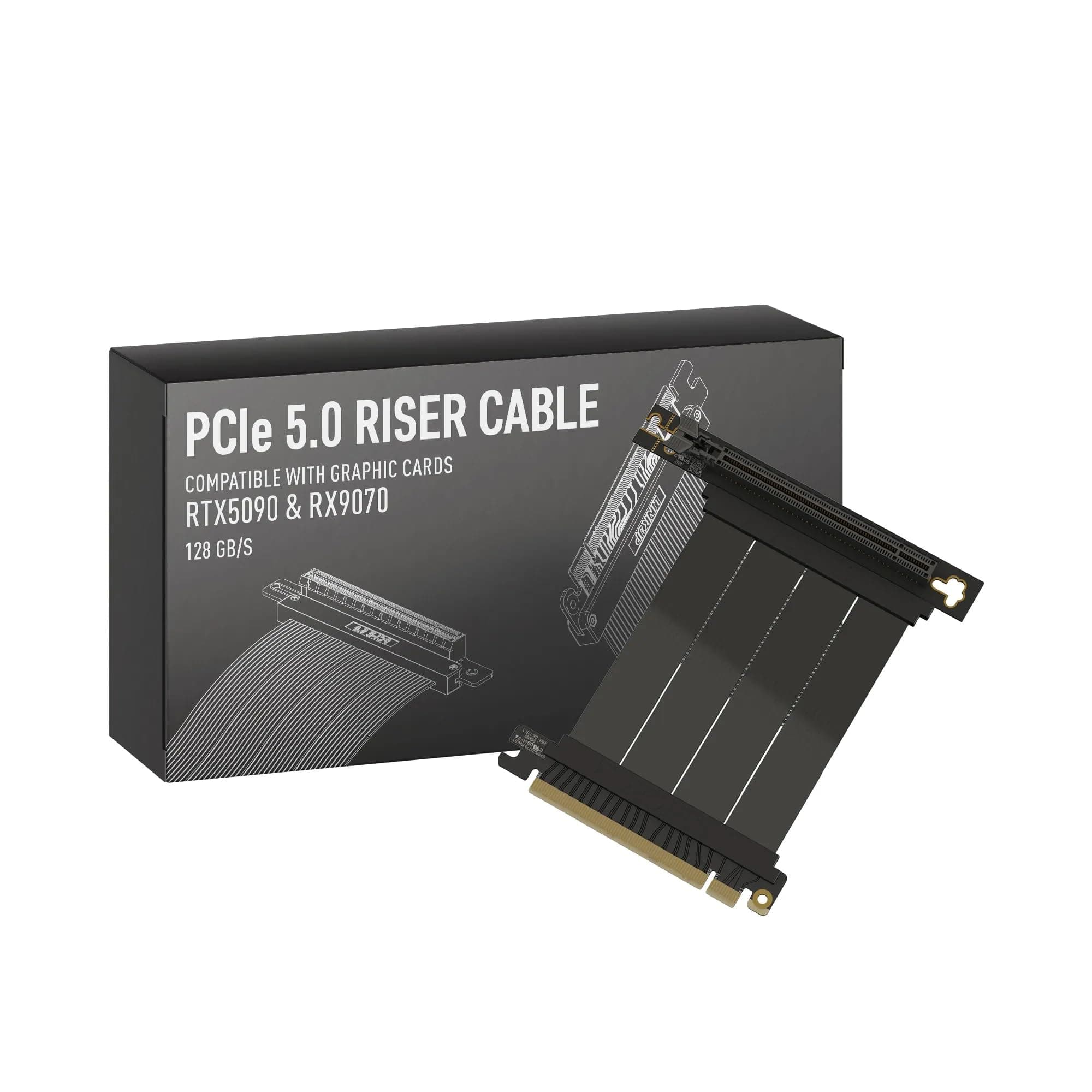
⚡ Elevate your build with LINKUP AVA5 — where speed meets style!
The LINKUP AVA5 PCIe 5.0 Riser Cable delivers cutting-edge 128GB/s x16 bandwidth, compatible with the latest RTX5090 and RX9070 GPUs. Designed for professional gamers, AI developers, and PC enthusiasts, it supports PCIe 4.0 and high-end WRX80/WRX90E motherboards. Its right-angle form factor optimizes space and cooling, enabling vertical GPU display without sacrificing performance. Manufactured with premium shielding and backed by US-based customer support, this cable future-proofs your rig with reliable, high-speed connectivity.


| ASIN | B0CXJJVR9R |
| Best Sellers Rank | #17,729 in Computers ( See Top 100 in Computers ) #5,393 in Computer Cables & Interconnects |
| Brand Name | LINKUP |
| Cable Type | PCIe |
| Color | (AVA5 PCIe 5.0) 90 Degree (v2) |
| Compatible Devices | ASUS WS WRX80SE WIFI II, WRX90E |
| Compatible Phone Models | Probably compatible with smartphones, specific models not listed |
| Connector Gender | Male-to-Male |
| Connector Type | Pcie |
| Customer Package Type | sealed anti-static bag |
| Customer Reviews | 4.4 4.4 out of 5 stars (5,195) |
| Data Transfer Rate | 128 Gigabits Per Second |
| Ethernet Cable Category | Cat 8 |
| Frequency | 16 GHz |
| Included Components | graphics card |
| Indoor Outdoor Usage | Indoor |
| Item Shape | Round |
| Item Weight | 0.11 Kilograms |
| Manufacturer | LINKUP |
| Maximum Voltage | 3 Volts |
| Model | AG-P5-33SR-010BK |
| Model Name | AVA5 PCIE 5.0 Riser Cable |
| Number of Items | 1 |
| Number of Pins | 4 |
| Other Special Features of the Product | Data Transfer |
| Recommended Uses For Product | Gaming, Professional |
| Specification Met | IEEE |
| UPC | 882991238248 |
| Unit Count | 1.0 Count |
R**Z
Works perfectly!
Works like a charm in the NZXT H1. I was worried that it would be too short, but my concerns were unfounded. RTX 3070 now has the space to stretch its legs, thanks to this Gen 4 riser! Well done Linkup, its a great product.
B**I
LINKUP Riser Cable performance is the best with RTX3090.
First of all I would like to thanks LINKUP , Family they help me purchase the product. I tested LINKUP riser cable with RTX3090, Asus, Zotac & Palit @ full throttle speed and LINKUP Riser Cable working fine with best performance...
B**B
Good Cable for PCIE 4.0
Has not performance degradation or compatibility issue. However, make sure you see the chart to fit your PC case, I used it with an Nvidia RTX A4000
M**R
GPU Extension Cable does not worked with RX 5500XT
Hi, As advertised its tested with different graphics card but they did not detailed what kind of test they have performed. I installed it, as far as normal display is concerned, it worked fine. As soon as i started CSGO (Game) session, display hanged after 2 minutes. Had to restart my PC, started CSGO again, hanged again. Removed the extension cable, started CSGO and problem is resolved. So i think this cable is not capable of load. Regards, Mazhar
A**J
High quality product
Worked perfectly. No issues combining it with a Phanteks mount.
C**E
PCIE 4.0 Confirmed
Definitely working on my system Ordered a 250mm Riser PCIe 4.0 Cable Asus ROG Crosshair Hero X570 Sapphire Nitro+ RX 5700XT Phanteks Evolv X Creme - UAE
G**N
Parfait cette Riser à réglé mon problem de Riser sur ma config. Avec Mon boitier Cooler Master C700P une riser de livrer elle fonctionnais très bien avec Mon ancienne carte mère encore en PCIe2 + ma RTX3080. Après avoir fini mon upgrade X570 + Ryzer 5800X impossible de faire démarré la config Erreur "CMOS VGA 94". Après débug j'ai trouvé que la carte mère détecter automatique que ma carte est un PCIe Gen 4 Mais le cable Riser d'origine était seulement PCIe Gen3. Petite astuce branché la CG sur le dernier port PCIe (PCIe_3 x4) aller dans le Bios et forcer le Gen 3 sur les PCIe_2 et _1. ça dépanne en attendant de recevoir ça nouvelle Riser. Depuis la Réception de ma "LINKUP - Ultra PCIe 4.0 X16 Câble Riser" tous fonctionne j'ai pu repassé dans le Bios en PCIe Gen4 . apres plusieurs heure de Benchmark rien à signaler. Mais attention à bien prendre la version "ULTRA" ce n'est pas très claire mais il y a aussi une version "Extrême" qui est bien moins performante elle est noté juste compatible PCie Gen4/3 et pas certifier PCIe Gen4.
M**R
Der meinem Fractal Node 202 beigelegte Riser unterstützt nur PCIE 3.0. Nicht mehr ganz zeitgemäß. Um PCIE 4.0 Karten nutzen zu können, habe ich diesen eingebaut (Ultra 4 gerade, 5cm). Funktioniert seit einigen Monaten tadellos!
A**N
Acheté pour une 3090 Aorus et il fonctionne parfaitement! Je l'ai monté sur le support vertical cooler master en changeant le cable par celui-ci. PCIE 4.0 merci la technologie de toujours brider pour vendre...
D**Y
The specific riser cable i got is the NZXT H1 [23cm]. If you are getting this specific riser cable to replace the 32cm cable from NZXT, then understand that the 23cm length will not work if you route it the same way that NZXT's riser cable is routed. Two of the attached pictures show the incorrect way of mounting the riser cable. In this, I attempted to route the riser behind the GPU then curve the riser cable 270 degrees so that the female end that connects to the GPU meets the PCI-e slot. This results in the riser cable length being too short, where it needs an additional 2-3cm of length to fully socket the GPU and secure it to the chassis. The third picture is the correct way to route the riser cable for the NZXT H1. The riser cable needs to be routed in front of the GPU so that the female end of the riser cable connects to the GPU's PCI-e slot. This route is likely going to block one of of the GPU fans, which restricts air flow and is likely to make your GPU hotter if you are using it for gaming. The GPU I'm using is a Radeon 6700 XT. The venting of heat is at the top of the GPU, facing left in the pictures. The concern I have is that the cooling of the GPU will heat up the riser cable and may cause problems in the future. But this will work for the 23cm length. The 23cm riser cable does technically work, but the only way that the length is compatible, routing in front of the GPU, may cause issues due to restricting air from a fan, and being in the way of heat exhaust from the top of the GPU.
海**苔
ケース: Cooler Master NR200 マザボ: Gigabite B550 AUROS PRO AX グラボ: Galakuro RTX 3060 White縦置き 上記の組み合わせに関しては長さ5cmがジャストフィットでした。 いざ取り付ける時に長さが足りないのはショックなので、最初は大は小を兼ねるで10cmにしようかと迷いましたが思い切って正解。ケーブル長誤差が±10mmと記されているので少し不安はありました(笑)。 きちんとPCIEX4.0x16で認識され、減衰も感じられず、快調にゲームを楽しめております。 良い買い物でした!
Trustpilot
Hace 1 mes
Hace 2 días