

Desert Online General Trading LLC
Dubai, United Arab Emirates
Desert Online General Trading LLC
Dubai, United Arab Emirates


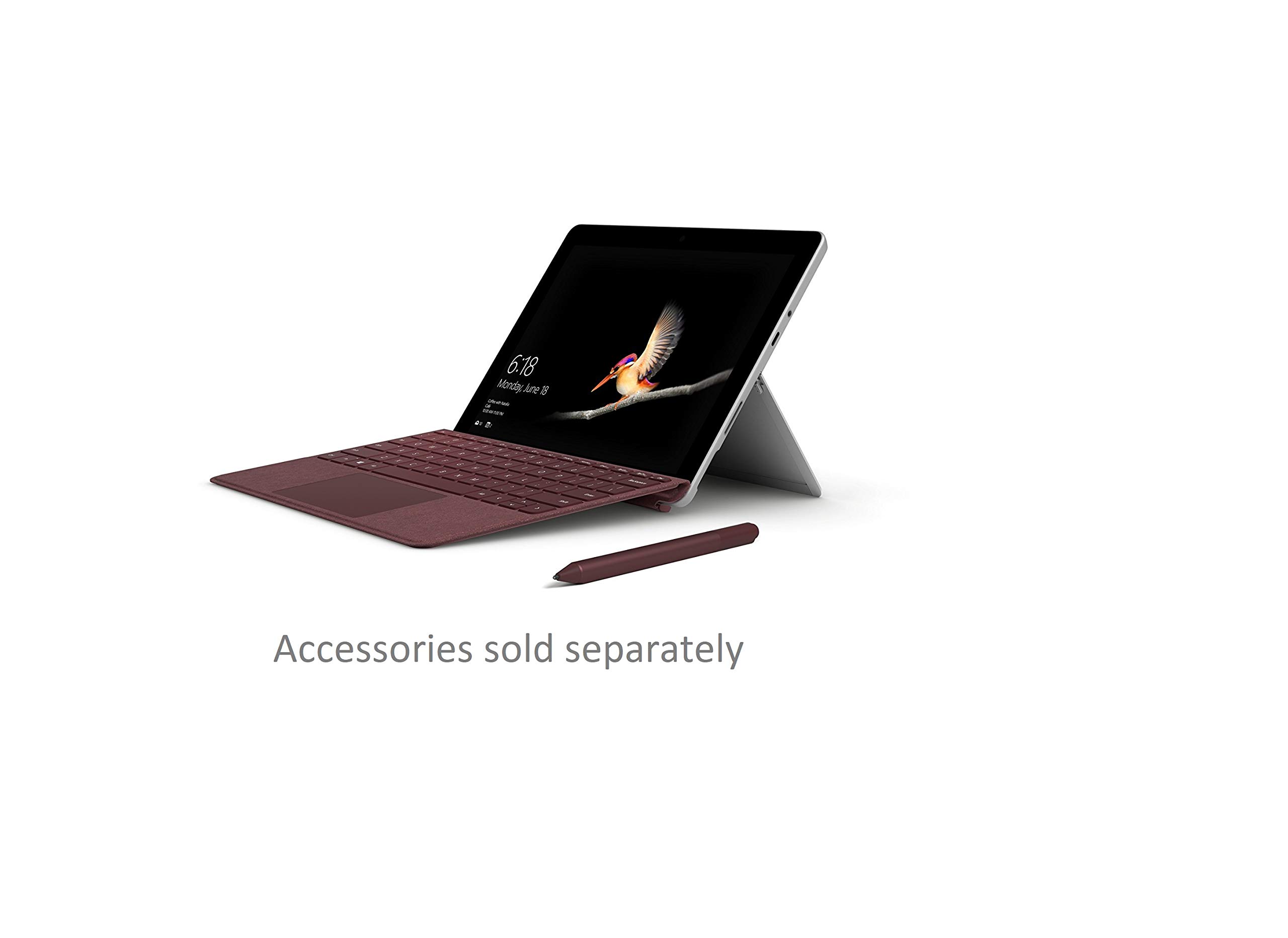


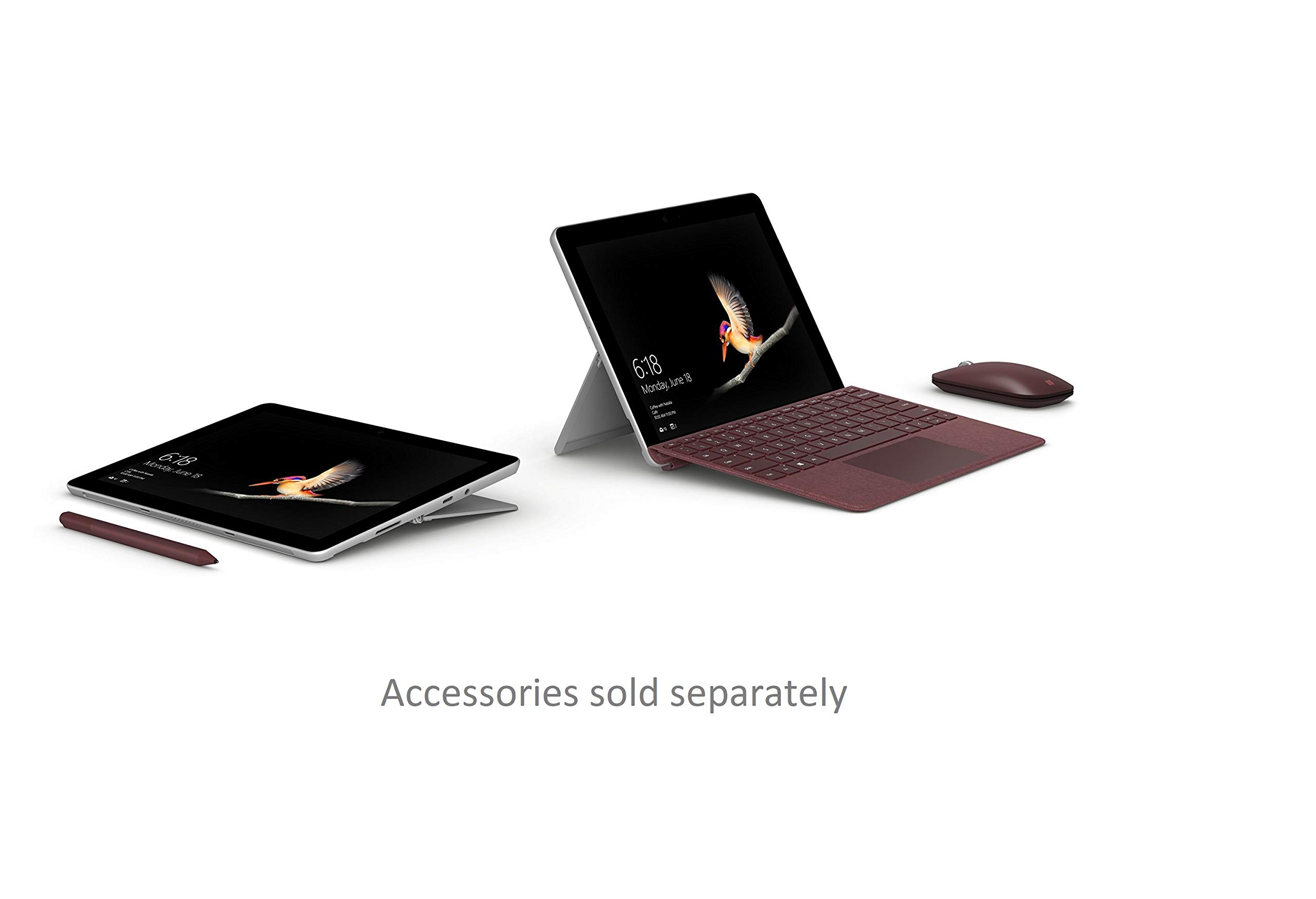
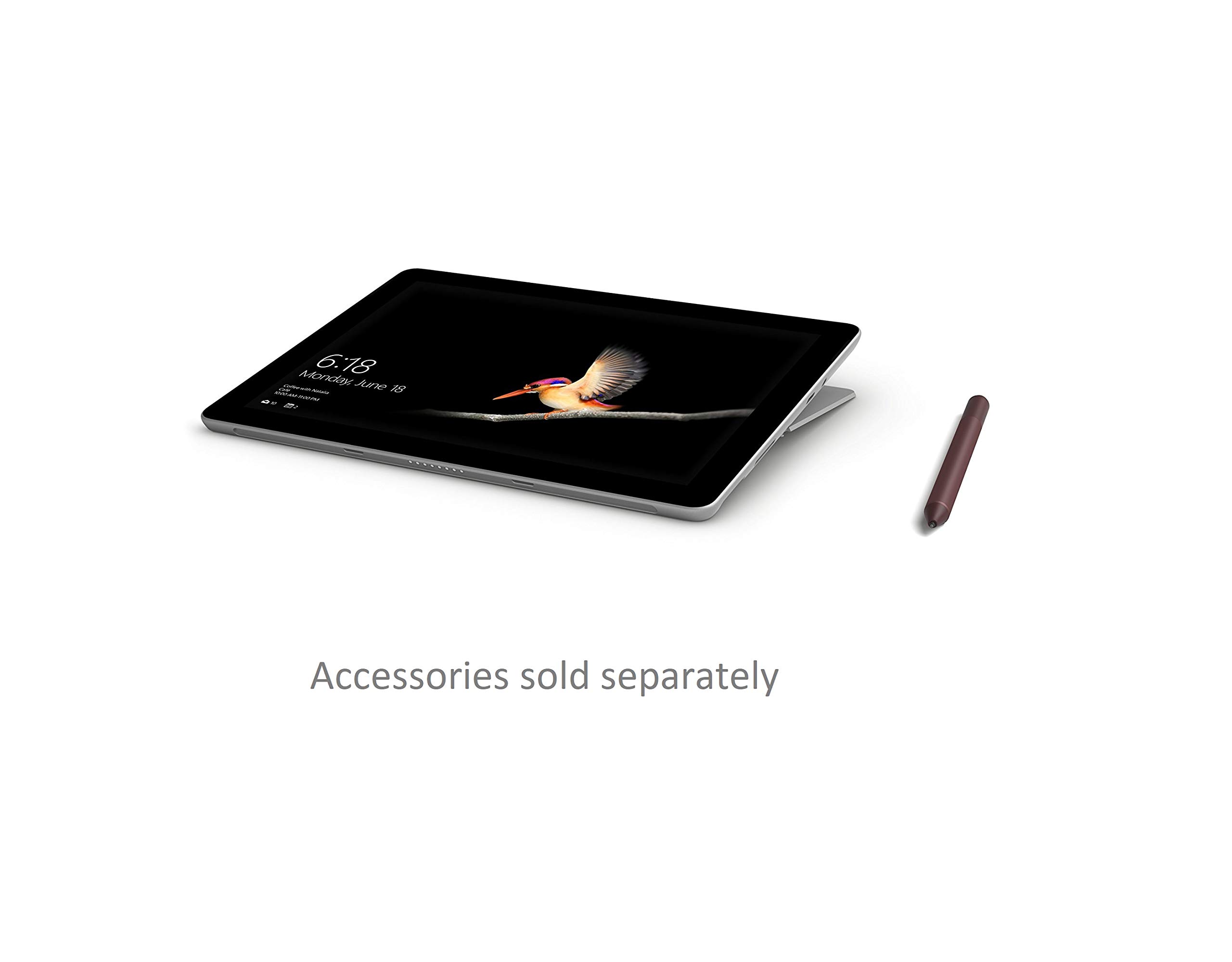
🚀 Surface Go: Power meets portability, so you never miss a moment.
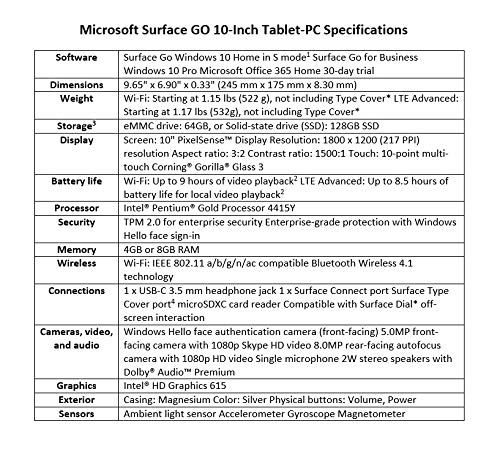
The Microsoft Surface Go is a sleek 10-inch tablet-PC combining lightweight design (522g) with laptop-level performance via an Intel Pentium 4415Y processor, 4GB RAM, and 64GB eMMC storage. Featuring a vibrant 1800x1200 touchscreen, built-in HD cameras, USB-C connectivity, and up to 9 hours of battery life, it runs Windows 10 in S mode for secure, efficient multitasking anywhere.
| Brand | Microsoft |
| Product Dimensions | 24.3 x 17.5 x 0.84 cm; 560 g |
| Batteries | 1 Lithium Ion batteries required. (included) |
| Item model number | MHN-00002 |
| Manufacturer | Microsoft |
| Series | Surface GO |
| Colour | Silver |
| Form Factor | Tablet-PC |
| Standing screen display size | 10 Inches |
| Screen Resolution | 1800 x 1200 |
| Resolution | 1800 x 1200 |
| Processor Brand | Intel |
| Processor Type | Core i5 4258U |
| Processor Speed | 1600 MHz |
| Processor Count | 2 |
| RAM Size | 4 GB |
| Computer Memory Type | DDR3 SDRAM |
| Maximum Memory Supported | 4 GB |
| Hard Drive Size | 64 GB |
| Hard Disk Description | Emmc |
| Hard Drive Interface | ATA-4 |
| Hard Disk Rotational Speed | 1400 RPM |
| Graphics Coprocessor | Intel |
| Graphics Chipset Brand | Intel |
| Graphics Card Description | HD Graphics 615 |
| Graphics RAM Type | DDR3L-1600 SDRAM |
| Graphics Card Ram Size | 4 GB |
| Graphics Card Interface | Integrated |
| Connectivity Type | 2.4_ghz_radio_frequency |
| Wireless Type | 2.4 GHz Radio Frequency |
| Voltage | 24 Volts |
| Front Webcam Resolution | 5 MP |
| Operating System | Windows 10 S |
| Average Battery Life (in hours) | 9 Hours |
| Are Batteries Included | Yes |
| Lithium Battery Energy Content | 26.5 Watt Hours |
| Lithium Battery Packaging | Batteries contained in equipment |
| Lithium Battery Weight | 108 Grams |
| Number Of Lithium Ion Cells | 2 |
| Item Weight | 560 g |
| Guaranteed software updates until | unknown |
D**T
A highly productive 3-in-1 portable computer
Purchased: Microsoft Surface Go - 8GB RAM / 128GB StorageI had been considering a Microsoft Surface product for some time. The full fat Surface products are expensive. I always figured they are good products, but the price compared to other non-MS offerings put me off. I then bumped into someone using a Surface Pro, we got talking about it. This guy said that the Surface Pro was the best computer he had ever owned. That comment just made me that much more interested in a Surface product.Anyway, I am a single computer business user. I need something that is fast for everyday productivity tasks. Microsoft Office products, including heavy Outlook usage. VPN connectivity, Remote Desktop ability, VOIP, sometimes heavy web browsing. File management, including cloud based, music player, basic to intermediate photo editing. The odd lightweight game (MAME, emulation, etc.).I absolutely don't need cutting edge gaming / graphics performance. For gaming I will use my Xbox One X. I also do not have a need for the more advanced photo or video editing suites. My main focus is on day to day productivity applications, and for that, the Surface Go has more than surpassed my expectations.My line of work is mostly office based. With occasional work away from the office. I also use a 10" Android tablet occasionally - in the office and out on site.Generally, I was looking to replace the Android tablet with something more powerful. Powerful in the sense that it would be something running a fully-fledged OS. I've used an iPad in the past - and it is not good enough for my needs.So, I figured that the Surface Go (in 8GB form), was sufficiently cheap enough to take a gamble on whether this machine would replace my existing set up. Worst case, I would end up with a reasonably powerful tablet computer.The Surface Go has exceeded all of my expectations - and then some.In a matter of days, this machine has replaced my more powerful laptop as my main computing device. In some ways, it betters my more powerful machine. With no loss in productivity.Now, when office based. I like to use a bigger screen. I have a Samsung 28" 4K monitor. When used with my more powerful laptop, 4K can be used via HDMI 1.4 - but only at 30Hz (30 frames per second). Also, because of the size of the laptop, it has to go under the desk on separate shelf / level. Meaning that I can only use the main 4K display. Well, the Surface Go can output a 4K 60Hz signal... 60 frames per second. I'm using a £15 cable that converts from USB-C to 'DisplayPort'... and it works perfectly. Even better, the 'Go' is sufficiently small enough to sit in front of the monitor and behind my Bluetooth keyboard. This allows me to use the 'Go' as another display, and it doesn't impact my view of the 4K screen at all (still on its normal supplied stand), and the keyboard is still in the ideal position for use. Even better still, the USB-C to DisplayPort cable carries audio to the monitor. The monitor has a 3.5mm jack which is then plumbed into my stereo speakers. So that's the music sorted.I use a VOIP application rather than a desk phone. On my old machine I used to have to use it with a headset - because the computer was below the desk. Because the 'Go' is right in front of me. I can set the VOIP app up to use the microphone and speakers in the 'Go' itself. Which means all of my call audio - is all via the Go. Whereas music (and everything else), is relayed to the monitor and out of the much better quality desktop speakers. That said, the VOIP call quality via the Go is excellent. According to people I have spoke to, there is no feedback echo. Apart from sounding like you're calling from the toilet. It is superb.Everything else. Productivity, etc. is excellent. I can have multiple tabs open in Edge with no performance hit. I'm sure the 8GB of RAM helps with that - which is as much as my old machine. I don't have a need for heavy CPU processing. So all of the regular apps I use are more than fast enough. The SSD performance is perfectly quick enough. I've added an extra 128GB of storage to the machine by way of a SanDisk 'A2' performance MicroSDXC card. Copying to and from the car is about 60MB/s. Not blazing. But certainly fast enough for everyday tasks.I also purchased the Surface Mobile Mouse for desktop duties. Works perfectly via Bluetooth. Lastly, I also have a Bluetooth Arteck keyboard to use at the desktop.Also, for mobile usage... the Alcantara 'Type Cover'. This and a slip case to put it into means that it is easy to carry. Also, the Surface Go is incredibly light. The magnesium build helps with that. The kickstand is nothing but awesome as well. Some people moan that the Surface Go is not powerful enough. Of course, if you want to do heavy video or photo editing - this machine is not for you. Purely as a productivity tool, it is MORE than powerful enough. I think it might be the most powerful computer 'per gram' on the market.Some people will say an iPad is better. I don't agree. But that depends on what you need from your device. An iPad is just a restrictive toy in comparison. The orientation of an iPad is all wrong for a serious computer replacement. The camera / speakers are in the wrong orientation. The add-on keyboard doesn't have a track pad... and no mouse support? Also, no fully-fledged operating system... and let's face it, if you're using a computer in a business environment - it has to be Windows. An iPad may be more 'swish' in use, but it offers nothing like the flexibility of a full desktop OS Surface Go.Something else. Reviews suggest that the Go comes in Windows 'S' mode out of the box. Well, my brand-new unit came with Windows 10 Pro out of the box. Microsoft may have recently changed how this machine ships now. In any case, I would have switched the machine out of 'S' mode anyway. So, having 'Pro' enabled in the first instance - was a bonus.In my opinion, this machine (and the Windows 10 OS) is likely highly optimised for each other. I think this machine feels more powerful than the numbers suggest. I'm very familiar with Windows, it's my job to know a lot about how Windows works. There are certain things I've noticed when using the Go compared to Windows 10 on 'another brand' machines. Memory management and application suspend / resume seems to be pretty damn good on the 'Go'. This likely helps with the performance delivered by the machine - with a relatively low spec.Ok, to finish. Out of the box, the 'scaling' of the display is 150%. That makes everything a little too big for the display in my opinion. I tweaked this down to 125% and it is perfect. It also matches the scaling I use on my 4K display. At 125%, the Surface Go display has just the right scale for good productivity without the text being too small.So. The 8GB Surface Go. Certainly not the most powerful machine I have used. But - I've got to say - from a power versus productivity point of view - quite possibly... the best!Highly recommended. Well done Microsoft!
R**D
I am rarely this impressed with tech products!
Actually, I don't think I've ever been this impressed by a new PC/Laptop/Tablet/Smartphone in the 25+ years since I bought my first one.The pre-launch marketing of the Surface Go caught my attention when I once again got frustrated by the little touchscreen laptop I was using. But I was very reluctant to pay this price for what appeared to be a glorified tablet. After a day or so of comparing options I decided to buy a 'foldable' laptop instead. I've also bought some hybrid touchscreen laptops and detachable keyboard tablets in recent years. All of them mean I have grown to appreciate the portability and immediacy of a small touchscreen device with the power of having a full blown Windows 10 installation (and the ability to use all the software I've learned to master over the years). I thought I was buying bargains when choosing devices with the flexible form factors but opting for less storage / memory / features and only 'adequate' engineering standards, but it turns out I was just wasting money. OK, not entirely wasted, they have gone on to do other things. But his one is a gem and worth every penny.To be clear: "this one" is a Surface Go, 128GB SSD, 8GB RAM, Type cover and Surface pen. It cost me more than the combined total for the three other devices I am comparing it to and I still rate it as excellent value for money!I was worried that compared to a conventional laptop it would be fiddly to use on my lap. Not so. The kickstand makes it more stable than my lightest laptop in fact. And it makes it possible to hold the thing in tablet mode much more securely and more comfortably in different situations. I am still surprised at just how clever and useful this design feature is.The keyboard works very well - good feel to the keys and I can type at full speed. The adjustable backlighting is a great help when using in the evening and in bed. And it has made me realise just how bad the trackpads are on my other devices. They all have special Fn keys to turn off the trackpad and it has become reflexive to use them constantly because as soon as you put your hands on the keyboard (to touch type) the mouse shoots the cursor off to some unwanted part of the screen. With the Surface it is as if the trackpad is not there when typing. But when you do want to use it the responsiveness and accuracy and features (multi-finger functions and gestures etc.) are all so much better than I'm used to. I was plugging in a USB mouse when at my desk with the other machines but no need with this.Similarly the screen. The resolution means the small size is not an issue. And the touchscreen and pen just work and you can rest your palm on the screen and not worry about interfering with the drawing / writing from the pen.Performance was another worry. The tech specs do not promise much, but I have yet to find it lacking. A 250MB PowerPoint presentation stuffed with over 500 annotated images opens and responds without issue but the same file had become almost unusable on my other apparently equally capable devices.All the 'clever' features like magnetic power socket and pen holder and going to sleep when folding the (detachable) type cover and waking up when Windows Hello almost unfailingly recognises my face etc. may not be that new or particularly innovative in broad tech market terms but are another set of things that I think represent real value for money here. They don't make me think they are expensive tweaks but just make me realise my other machines are crude and outdated by comparison for not having them.I have one 'qualifying' comment to make. The printed instructions mention that charging via the USB C socket is suppoorted but may be unpredictable. I have bought one generic USB C charger that works perfectly and another that doesn't work at all. So the instructions are quite right.In conclusion, if you want what is probably the smallest and lightest form factor for a fully featured and performant Windows 10 computer then look no further. You'll get a brilliant tablet and digitial notepad as a bonus too.
A**R
A Work in Progress
I really like the concept of the Surface Go but there are a number of issues that need to be addressed by Microsoft. It's great to have a truly portable machine that runs Windows 10 and on which I can touch type. The keyboard works extremely well and the Surface Go can cope with basic tasks, running Office programs, surfing the web and basic photo processing. It does this in an extremely lightweight and portable format that has been carefully thought through.It's because it is so nearly the perfect travel companion for doing serious work that it's defects are all the more disappointing. Other reviewers have already pointed out the problems so I'll simply list them below:-Poor battery life. I get 4-5 hours. Nowadays consumers expect their gadgets to last a lot longer than this particularly those designed for travel. This is my main complaint the other issues are relatively minor.-The bezel is very wide, again not what one would expect on a modern device.-Why is there a separate dedicated socket for the power supply? This is a waste of sockets there could have easily been two type-c sockets either of which could have been used for power.-The processor is not very powerful but to be honest I find it adequate.I look forward to the next iteration of the Surface Go but in the mean time I'll hang on to mine.
Trustpilot
Hace 3 días
Hace 2 semanas