We remain fully operational. Our teams are working around the clock to ensure your deliveries continue safely.

Descargar la aplicación


Servicios al cliente
Sobre nosotros
Copyright © 2025 Desertcart Holdings Limited
Descargar la aplicación
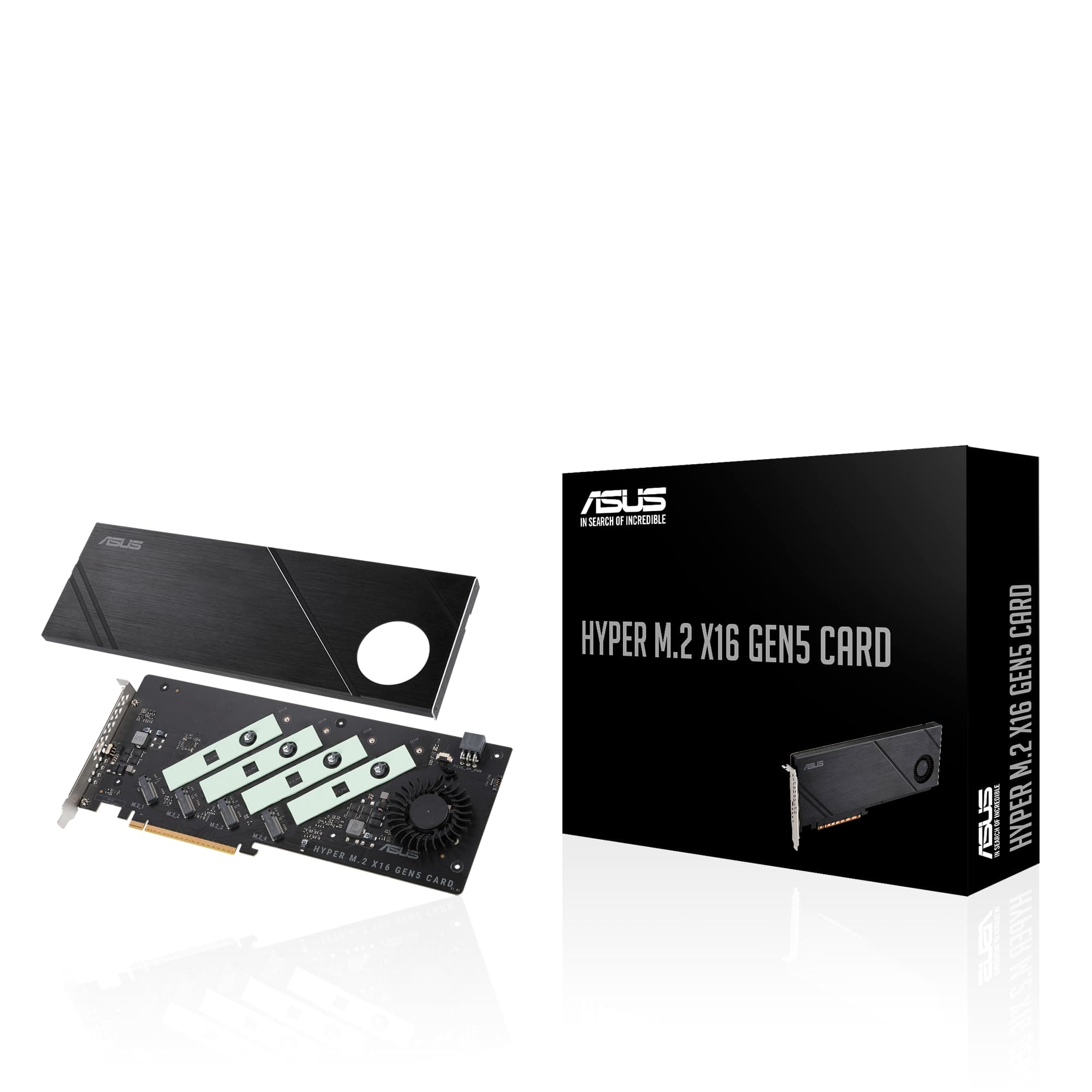
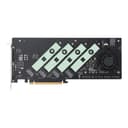
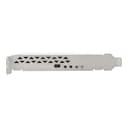
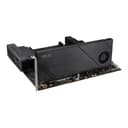
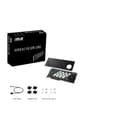
🚀 Unlock Hyper-Speed Storage, Stay Ahead of the Pack!
The ASUS Hyper M.2 x16 Gen5 Card is a cutting-edge PCIe 5.0 expansion card that supports up to four NVMe M.2 SSDs simultaneously, delivering a combined bandwidth of up to 512Gbps. Designed with robust thermal solutions including large heatsinks and active fans, it ensures sustained high performance without throttling. Compatible with both AMD and Intel platforms, it offers flexible RAID configurations and supports multiple M.2 sizes, making it the ultimate upgrade for professionals demanding blazing-fast, reliable storage.




| Compatible Devices | Laptop, Personal Computer |
| Color Name | Gen 5 (PCIe 4.0/5.0) |
| Batteries Included | No |
| Batteries Required | No |
| Brand | ASUS |
| Manufacturer | ASUS |
| Item Model Number | HYPER M.2 X16 GEN5 CARD |
| Operating System | Windows, Linux |
| Product Dimensions | 26.16 x 32.77 x 5.11 cm; 861.83 g |
| Item Weight | 862 g |
あ**き
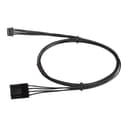
Gen4向けカード のところであげられたらよかったのでしょうが、Sapphire Rapidsプラットフォームに移行したので本カード自体も買い直しました。なかなか国内発表されないので、個人輸入で先にゲット まず注意点として・・・本カードを検討される方が省スペースケースを使うことはないものと思いますけど、長さが29cmとPCI規格のフルサイズ(=312mm)に迫るものとなっています。高さも12.2cmとオーバーしており(=107mm)、下手なグラフィックスカードを食う勢いです ゆえ、フルタワーケースなどを持っていないと熱をため込んでしまう恐れがあるのでお気をつけください。Gen4バージョンよりもさらに長くなった、ということです。GeForce 7800 GTXよりも大きいといえば伝わる・・・でしょうか SSDにKIOXIA EXCERIA PRO NVMe SSD-CK2.0N4P/Jを4枚、VROC Key StandardでVROC RAID 0を組んでみました。比較としてWindows 11のOS RAID 0を。スコア的にはSSD単機でシーケンシャルのリード・ライトがそれぞれ7,300・6,400 MB/sとなっており、どうにも3枚分相当のスコアが限界となってしまっています VROCよりはOS RAIDの方がスコア・記憶領域は若干伸びますが、1度使えばその利便性を知るところとなるはずですので私はVROCで運用しています。4枚分の性能が出ないのはSapphire Rapidsプラットフォーム自体が洗練されていない感じを受け、マザーボードとの連携がうまくいっていないように感じました。同社にフィードバックをしてみるしだいです>案の定たらい回し気味でした PCIe補助電源コネクター(6pin)はつながなくても動作しています。専用ケーブルが付属しており、ファンヘッダーから4pin PWMへと変換することでマザーボードからファンコントロールできるようにしてある仕掛けはお見事の一言。かゆいところに手が届くとはこのことです。PCIe5.0対応ドライブを使用の際、検討するといいでしょう。Q-Latchも採用されているのでドライブの取り付けも簡単です(手動固定用のネジも付属しています) PCIe4.0は登場から時間もたって十分こなれており、温度は4枚稼働時でも50度になるかどうか(室温21度)。完成度は確実に上がっており、M.2 SSDでRAID構成を考えている人にはよいデバイスだと思います
J**.
La peor compra de mi vida. Utilizando Intel 9 13900K con una tarjeta madre Asus ProArt Z790 wifi creator y no es compatible. La instale en el primer slot, con bifurcacion activada y no aparece 4x4x4x4 sólo 8x8 por lo que sólo lee 1 SSD no 2 ni mucho menos 4, me arrepiento totalmente de esta compra y como pasó el mes ya no pude devolverlo difícilmente volveré a comprar algo de Asus
M**R
This is well made and works very well. Faultless / flawless so far. Do use the various heat management apparatus to keep your NVME in temperature range (they slow down if they get hot). Takes a PCIE3 or better slot, bifurcated 4x4x4x4 (may have to specifically/manually set from BIOS screen.)
S**I
Fits well with my b650x ax gigabyte and amd rygen 9 7900 , birufication is needed to run it , I am using 4 samsung evo 990 Looks premium
R**2
I you have a board that supports X4X4 on the 2nd PCIe slot at 5.0 this is a no brainer. I will list reasons for and against. 1. It is slim 2. It fits 4 5.0 M2 drives 3. It has a 4 pin PWM header 4. It is the best solution for cooling 5.0 M2s.. 5. It is built much better than the previous Generation. 6. It works automatically in my As Rock board Cons. 1. It must be a MB that has at least 2 PCIe slots wired to the CPU for more than 1 drive to be recognized by the OS. 2. On X670E and X870 there are only 4 or 5 boards that support this and they are all expensive. 3. It has no on board controller like the WD AN1500. If you know what this is and are tired of the M2 sitting under your GPU adding to the thermal load in the case making the fans spin that much faster? Then this is the solution. I have some Crucials connected and the blaze through operations. It is the fastest drive to download and install Epic Games.
T**H
As someone who needed more super fast storage this was the perfect solution. I had already used up all four m.2 slots on the motherboard and needed to add more storage capacity. So far I have only used two of the slots and it seems to be working great but there have been some reviews saying trying to use all the slots doesn't work as well but I have not had any issues out of it. The speeds are also just as good as the ones directly on the motherboard and it was very easy to install. And being that it is from Asus you can expect a quality product that has good value.
Trustpilot
Hace 2 meses
Hace 2 meses