We remain fully operational. Our teams are working around the clock to ensure your deliveries continue safely.

Descargar la aplicación


Servicios al cliente
Sobre nosotros
Copyright © 2025 Desertcart Holdings Limited
Descargar la aplicación
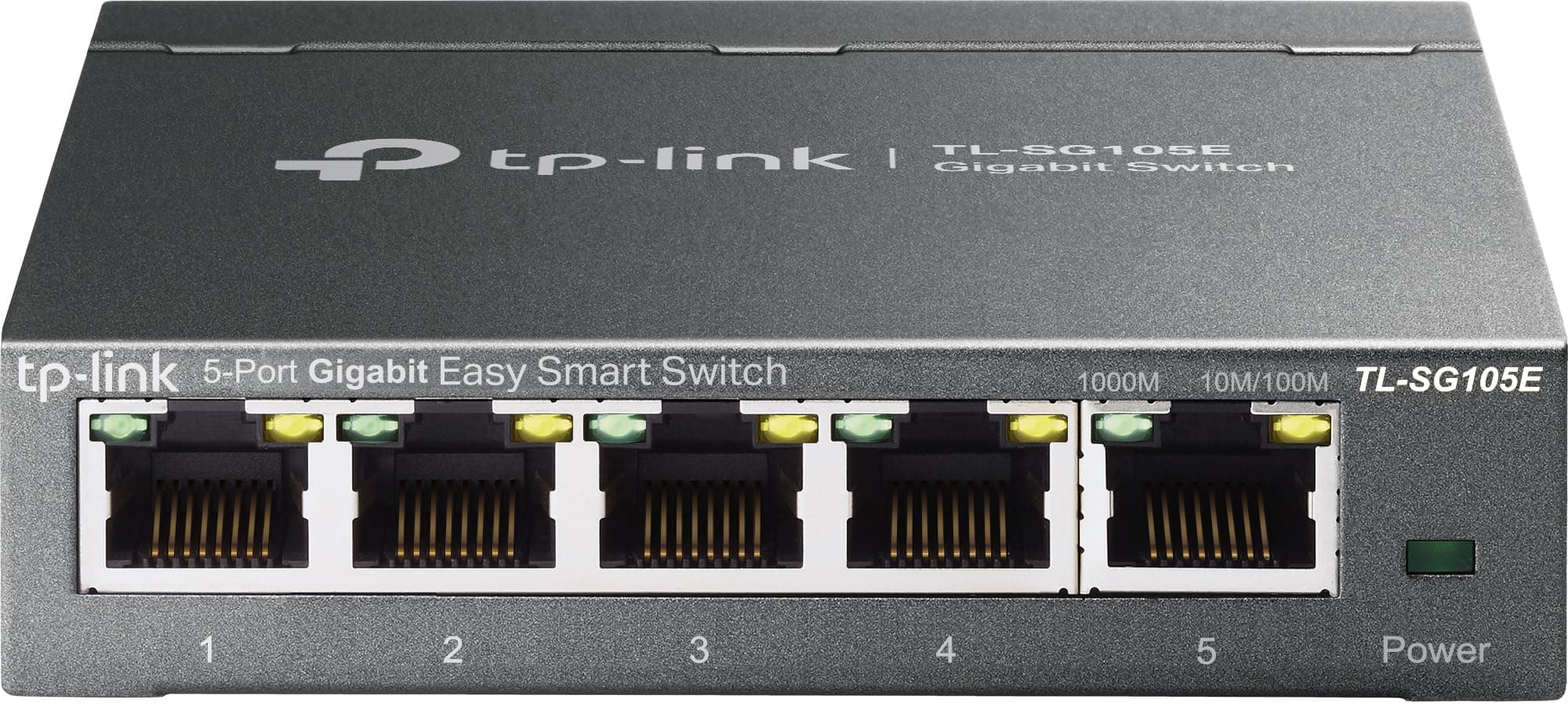
🚀 Elevate your workspace with lightning-fast, smart networking that means business.
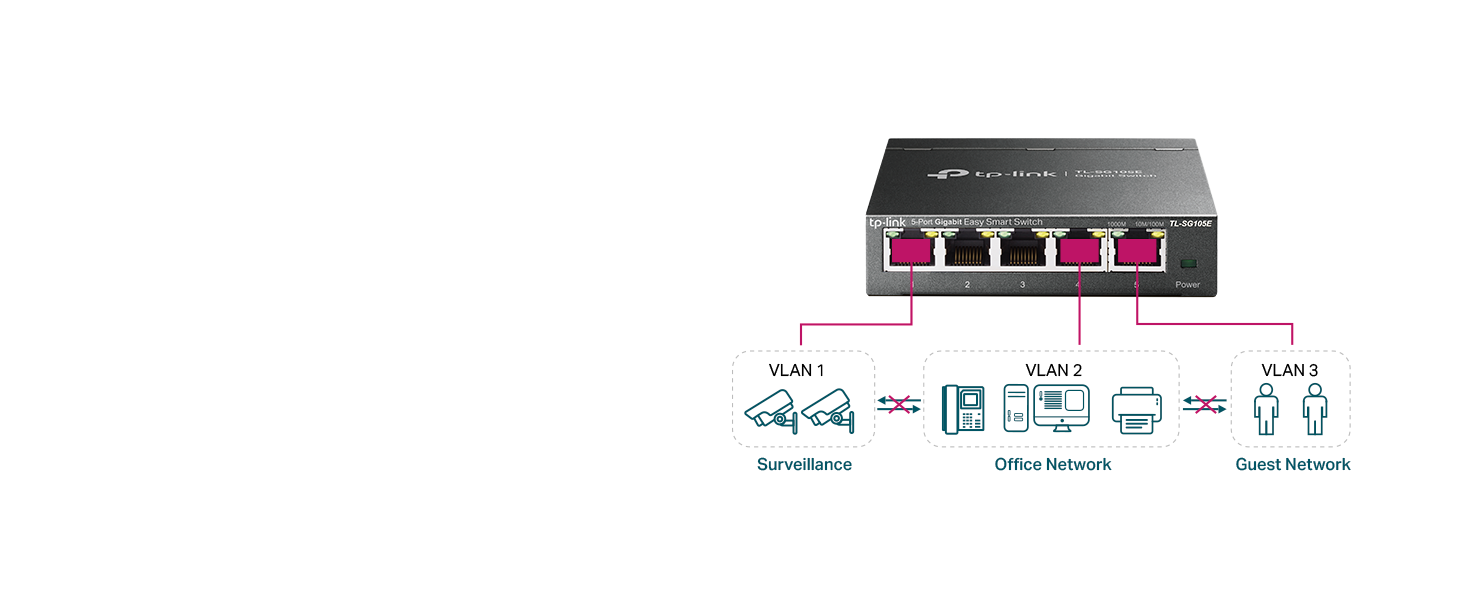
The TP-Link TL-SG105E is a 5-port Gigabit Easy Smart Switch designed for small to medium business networks. It offers high-speed 1 Gbps connectivity with advanced features like VLAN support for up to 32 segments, QoS for optimized traffic flow, and network monitoring tools including port mirroring and loop prevention. Its durable metal casing ensures quiet, cool operation, while energy-efficient technology reduces power consumption by up to 75%. Easy to install with plug-and-play setup, it comes with a 3-year warranty and dedicated technical support, making it a reliable and professional-grade networking upgrade.







| ASIN | B00N0OHEMA |
| Best Sellers Rank | #8 in Computer Networking Switches |
| Brand | TP-Link |
| Built-In Media | TL-SG105E Power Adapter Installation Guide Rubber Feet |
| Color | Black |
| Compatible Devices | Desktop |
| Current Rating | 1 Amps |
| Customer Reviews | 4.7 4.7 out of 5 stars (13,125) |
| Data Transfer Rate | 1 Gigabits Per Second |
| Global Trade Identification Number | 06935364022037 |
| Interface | 5 10/100/1000Mbps RJ45 PortsAUTO Negotiation/AUTO MDI/MDIX |
| Item Dimensions L x W x H | 3.9"L x 3.9"W x 1"H |
| Item Part Number | 6935364022037, TL-SG105E V2.0 |
| Item Weight | 0.43 Kilograms |
| Manufacturer | TP-Link |
| Mfr Part Number | 2781095 |
| Model Number | TL-SG105E |
| Number of Ports | 5 |
| Platform | No Operating System |
| Switch Type | Rotary |
| UPC | 840460604048 |
| Unit Count | 1.0 Count |
| Upper Temperature Rating | 40 Degrees Celsius |
| Voltage | 220 Volts |
| Warranty Description | Limited Lifetime Warranty |
M**O
Great product - worth its weight in gold
This switch works amazingly, it is easy to set up, you plug it into the wall, and you are good to go! I have had up to 4 devices connected to it at once, and not a single issue, and it gives off 0 noise. The back of the switch has a mount that can be easily set up. The entire device is built with good quality metal, and looks nice aswell. The singal strength given off is also amazing. I am able to have a video playing on one screen, a game on another, and google open all at the same time without any issues!
C**S
Reliable, compact, and easy to set up
This 5-port switch has been excellent for my home office setup. The port capacity is perfect for my needs, and each port has worked flawlessly with consistent gigabit speeds. Heat level is very low—even after hours of use, the metal casing stays cool to the touch. Port functionality is straightforward, and it handles multiple devices without issues. Connectivity has been rock-solid, and I haven’t seen a single drop or slowdown. Setup was extremely easy—just plug and play—and the compact, sturdy design fits perfectly on my desk without taking up space. A great choice if you want a no-fuss, reliable way to expand your wired connections.
C**H
Connection for printer
It’s the best you can buy for the price.It’s excellent and is working great.
F**T
Good if you can deal with the Java utility
Pros: Inexpensive, compact, cool, does the job well. Supports 802.1q VLAN tagging, rate limiting and a handful of other enterprise-grade features. Great for networking enthusiasts (the 802.1Q VLANs work fine in cooperation with Cisco gear in my lab setup). Cons: No web interface for configuration. You have to use an awkward Java-based utility which (as shipped) only works with Windows. (There's instructions online for getting it to run on other platforms with an appropriate JRE) The unit clearly is a downgraded version of a similar switch, as it still exposes a Web server, but it doesn't do anything. (The actual configuration is done through apparently encrypted UDP packets). Also, you can't assign VLAN 1 as a tagged VLAN at all (see below for details). Upshot: Great if you need a cheap managed switch and don't mind fussing with the Java configuration utility. Once it's configured, you don't have to ever use the utility other than to modify the config, so it can run for a long time without any supervision once it's been setup in your environment. -------- Details (for the network geeks): You cannot assign VLAN 1 to be a tagged VLAN on any port. The only way VLAN 1 can be used is as an untagged (native) VLAN. This means if you have an e.g. Cisco switch connected to a port, you can't just configure that switch's port as a trunk with allowed VLAN 1. You have to set the Cisco switch's native VLAN on that port to 1. This is a minor inconvenience, but it stumped me for a while when trying to configure a lab environment. Not really a con, but also does not support any sort of automatic VLAN configuration, you have to manually enter the VLANs. (I don't expect automatic VLAN config from an entry level switch though, so again, not a con.)
T**R
Great Switch Box
Ethernet Connectivity is the way to go. It is faster, more reliable, and just a lot better overall connection as compared to WI-Fi. With all the hype that wireless gets, the connection is only as good as the signal strength and with the latest 5G advancement of wireless the wavelength is much shorter than previous versions 4G and below of which had the longer wavelengths. So as with 5G the short wave it has trouble going through many structures without having a tremendous outlay of many many relay towers to boost the short signal. Ethernet all-though older technology is the way to go, as the connection is always there. I recently had my house wired and purchased StarTech Ethernet Cables of varying lengths for the different connection points and components; such as router to multiple wall connection, computers, game consoles, streaming devices, security systems, exercise equipment. Yes, Exercise Equipment, there are still a few out there with Ethernet connectivity. I called up quite a few asking about Ethernet, but the trend for them is wireless. However; if you read exercise blogs and articles you find the opposite as actual real people would rather have Ethernet connections, stating many times losing wireless connection half way or three quarters of the way though an exercise routine or competition and being kicked out. There were even a few representatives of exercise equipment saying yes Ethernet is the way to go, but the manufacturers do not seem to care or listen. With exercise equipment you already have a power cord coming off the machine, so one more Ethernet cord is not going to hinder anything. I wanted a device for multiple connections in each room so I purchased this TP-Link 5 Port Gigabit Switch Easy Smart Managed,Plug & Play. Using the StarTech 6A Ethernet Patch Cables it has a nice solid connection with no wiggle, as I have experienced with other brands. Overall a well done quality product experience. purchased three so far, will purchase number four when I set up the last room. Great quality product, still have my first TP-Link 5 Port Gigabit Switch purchased years ago. Repeat customer for sure.
D**Y
Very Reliable
This is my third TP-Link ethernet switch. They work flawlessly every time.
R**Z
Parfait
F**N
Advertised as “managed “ switch it is in reality an unmanaged one.
A**O
Non avevo mai acquistato uno switch prima d'ora, e sono stato piacevolmente sorpreso della facilità e del prodotto in ogni suo aspetto. Piccolo, nascosto dietro alla mia scrivania, senza rumori e con una piccola interfaccia gestionale per settare alcuni parametri che per me sono rimasti invariati. Solidità, il prodotto è in metallo, non scalda e si può installare in qualunque posizione data l'assenza di parti in movimento. Poca spesa molta resa. Consigliato!
J**N
A great little performer when WiFi isn’t good enough 👍
N**R
i was in hurry, thats why forgot to take product pictures, still attached few photos and will try to cover all topics IMPORTANT - when you connect router , you need to know its ip address ,just use app made for switch , you can go to tp link site and download "" easy smart configuration utility"" trust me ,their are other ways too but this one is simplest then, simply login , and do the first think go to ip address setting of switch and turn off dhcp and set static ip of switch , and then delete app ,we dont need anymore, to login just use that ip( like i did, i will also post that ) connectivity - all five port support gigabit speed durability - madeup of metal ,and feels solid , its definitely durable size - very small form factor, i think this is perfect size , because smaller than this will make struggle to manage lan, its heavy enough to remain on flat surface when all port are filled testing - i tested , and this switch always delivered solid performance , i can post photo and video but i dont think its required some doubts 1. managed vs unmanaged i personally feel you should go with managed switch , because managed switch gives full control over each port , and good for future ( like you have 2 connection , then you can combine 2 different connection into 1 ) or you might want one port should have priority 2. is it safe to run 24/7 ?? ofcourse, it designed to run 24/7 , and its not like router in which many hardware use ,in switch most of the work is done by chip and cpu hardly does 1% work, and these chip runs many years 3. expected life since their is not that much in switch , all of the work is habdle by chip , so expect 5+ years lifespan 4. does it heat i have 100 mbps connection, and in my case under heavy stress , switch runs cool pros 1. exceeded my expectations , full of features like vakn,qos,, bandwidth control,strom control,vlan etc 2. solid built , feels very good 3. good and bright led light 4. runs cool 5. value for money cons 1. zero cons this is the first time when i have no cons about any product final conclusion - if you stuck and want to buy a solid performance switch and just want 5 port , then this is for you , dont doubt its performance, its looks small but always deliver solid performance go with managed switch ,it gives you full control over switch just think about number of port you required and and connection limit ,and choose accordingly
Trustpilot
Hace 2 meses
Hace 3 semanas