โจ Elevate Your Control with Style!
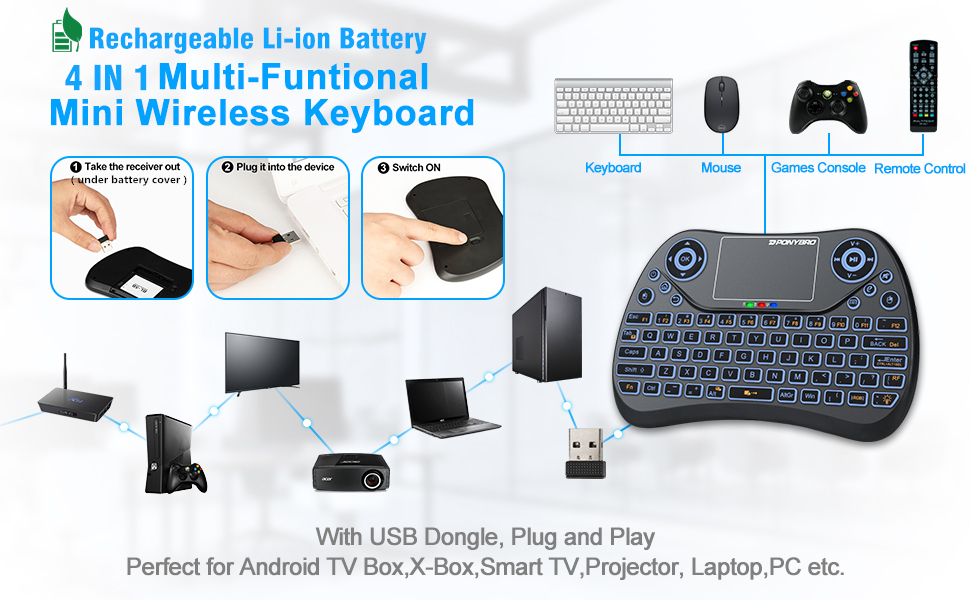
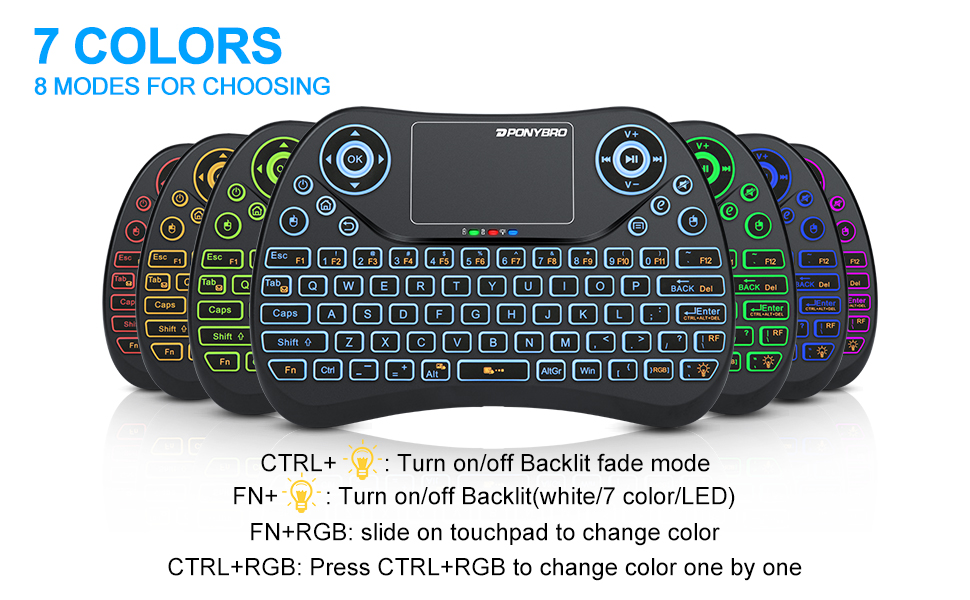
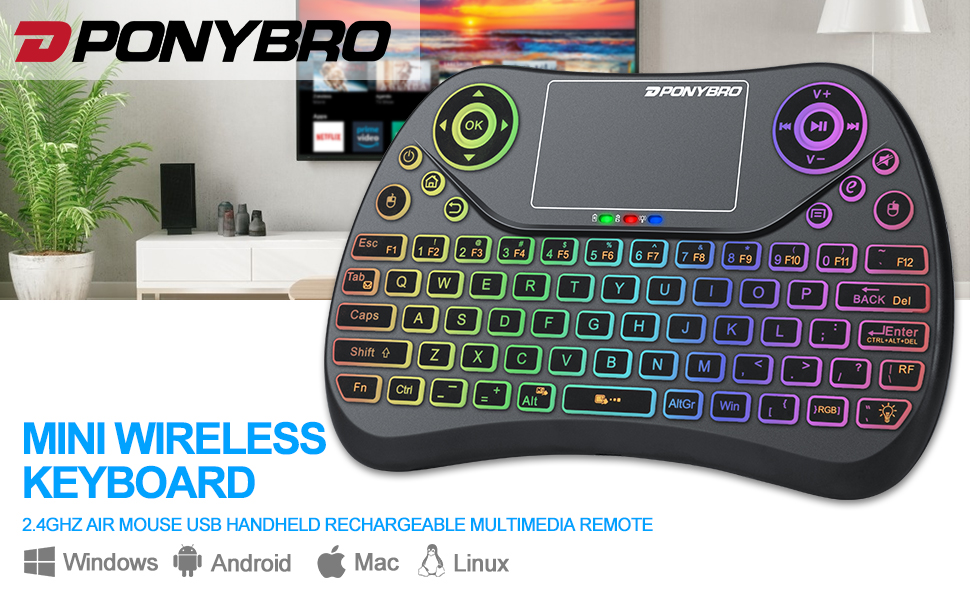
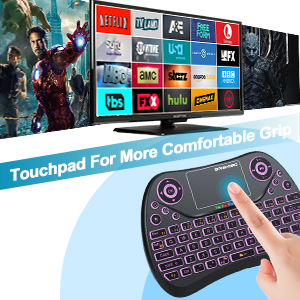
The PONYBRO Mini Wireless Keyboard is a versatile 3-in-1 device that combines a compact QWERTY keyboard, a touchpad, and RGB backlighting. It features a rechargeable battery with impressive longevity, supports multiple devices, and offers a seamless plug-and-play experience. Perfect for enhancing your smart TV, gaming, or PC setup.


| ASIN | B07VR5Y39T |
| Additional Features | Portable, Rechargeable |
| Antenna Location | Gaming |
| Best Sellers Rank | #619 in Computer Keyboard & Mouse Combos |
| Brand | PONYBRO |
| Built-In Media | USB Dongle |
| Button Quantity | 77 |
| Color | Black 2.4G |
| Compatible Amazon Tablet Models | Amazon Fire 7 5th Generation, Amazon Fire 7 7th Generation, Amazon Fire 7 9th Generation, Amazon Fire HD 10 5th Generation, Amazon Fire HD 10 7th Generation, Amazon Fire HD 10 9th Generation, Amazon Fire HD 8 5th Generation, Amazon Fire HD 8 6th Generation, Amazon Fire HD 8 7th Generation, Amazon Fire HD 8 8th Generation, Amazon Fire HD 8 Plus 10th Generation, Amazon Fire HD 8 Plus 11th Generationโฆ |
| Compatible Devices | Laptop, Pc, Tablet, Smart TV, Projector, Smartphone |
| Compatible Operating System Family | Android, Linux, Windows |
| Compatible Tablet Computer Models | Amazon Fire 7 12th Generation, Amazon Fire 7 5th Generation, Amazon Fire 7 7th Generation, Amazon Fire 7 9th Generation, Amazon Fire 7 Kids (2022), Amazon Fire 7 Kids 12th Generation, Amazon Fire 7 Kids 5th Generation, Amazon Fire 7 Kids 7th Generation, Amazon Fire Max 11, Amazon Fire Max 11 13th Generation |
| Connectivity Technology | USB |
| Customer Reviews | 3.7 out of 5 stars 6,921 Reviews |
| Enclosure Material | Plastic |
| Hand Orientation | Ambidextrous |
| Item Dimensions L x W x H | 6"L x 4"W x 0.4"H |
| Item Weight | 130 Grams |
| Keyboard Backlighting Color Support | RGB |
| Keyboard Description | Wireless |
| Keyboard Layout | QWERTY |
| Manufacturer | PONYBRO Direct |
| Mfr Part Number | T2 |
| Minimum Required Operating System Version | Android 13.0, Mac OS 14 Sonoma, Ubuntu 24.04 Noble Numbat, Windows 11 |
| Model Name | T2 |
| Model Number | T2 |
| Number of Keys | 77 |
| Power Source | DC |
| Recommended Uses For Product | Gaming |
| Series Number | 2 |
| Special Feature | Portable, Rechargeable |
| Style Name | handheld keyboard |
| Switch Type | Membrane |
| Theme | Technology |
| UPC | 714453941536 |
| Unit Count | 1.0 Count |
| Warranty Description | We promise 100% Satisfactory after-sales service, 60 days unconditional refund, up to 12 months Product quality warranty (Free replacement) |
M**N
Perfect Streaming Buddy
I grabbed this controller to use for my home entertainment set up. I have my PC hooked up to the TV instead of a monitor and use a controller for gaming. I had been using a Logitech trackball and off brand wireless keyboard for browsing and streaming prior. It worked well enough but was frustrating spinning that trackball all over the screen to hit play/pause, change the volume, etc. When I saw this I was actually looking a keyboard with a track pad for my dad. I put it in the cart and sat on it for a few days before buying it. Boy I wish I had just pulled the trigger sooner. It's perfect for streaming and light browsing. Not only does it have a play/pause button, volume control, page back/forward, it also rewinds and fast forwards. It's also SOOO much nicer having a little smartphone sized controller on the side table instead of a full sized mechanical keyboard and trackball. I've only encountered two "problems", if you can call them that. Because it's so compact alot of the keys a not only doubled but tripled up, making typing weird. It also, rarely, starts freaking out with the input, like it starts typing/pausing when you're using the track pad. The fix is as simple as turning it off for a few seconds and then turning it back on. All in all I not only would buy this again but I did, I got one for dad for a similar entertainment set up and am kicking around the idea of getting a backup for me as well.
N**S
a MUST have item for Mister FPGA and Bazzite/Steam OS
a must have item for mister fpga and for bazzite/steam os when you install it on rog/lenovo devices etc works perfect and has trackpad and keyboard built in- perfect all in one! worth every penny!
B**A
Erratic cursor movement, random disconnections, endless issues - Complete junk, stay away
This thing has so many problems and is so horrifically bad I barely know where to begin. I'll start with the most annoying. It works fine for a few minutes and then the touchpad will suddenly flake out and start sending random cursor movements and button presses, without even holding it in your hand. The only way to stop this is to slide the rear mounted power switch off and back on again which gives you a few minutes of normal use. On several occasions, this behavior has led to totally scrambled screen icons and a few deleted items. I now instinctively toggle the power switch every time I pick it up. Occasionally, the red and blue LED's will suddenly start flashing, which means loss of communication, even after being "fine" for long periods. The fix is to unplug/re-plug the wireless USB receiver in the controlled device. Sometimes just wiggling it is enough even though it is firmly seated in the USB port. The blue power LED is *WAY* too bright, stays on for WAY too long before going into standby and is extremely annoying in a dark room. This remote is unusable while charging (the mouse cursor goes crazy if any buttons are pressed with the charger connected). The buttons were laid out by a moron because the power button for the remote device is right beside the "home" button and is very easy to accidentally press. This is made even worse because, for some reason, my AndroidTV box will NOT power back on with this remote. The only way to turn it back on is to use the original remote's power button or power cycle the TV box by pulling the plug. I could go on, but I'm getting mad from typing this. About the only "good" thing I can say about this piece of garbage is that it can withstand being thrown across the room and against a hardwood floor, multiple times, without damage (so far). One of the poorest quality, most infuriating things I think I've ever bought. The only reason I've used it this long is that I've lost all trust I can find a replacement that will be any better. I do NOT like wasting money. Avoid at all cost.
R**N
Limited Range and Compatibility
I purchased this PONYBRO backlit mini wireless keyboard in 2021 and itโs still working overall. Itโs very easy to use, lightweight, and the backlit colors are a fun touch, especially when using it in the dark. The rechargeable battery life is actually very good and lasts a long time between charges, which is convenient. However, the wireless connectivity range is much shorter than expected. In my experience, it works reliably only within about 6 feet, and sometimes the connection can be inconsistent. The touchpad worked fine for about two years but eventually started to fail. Also, not all buttons function properly with my Samsung TV, so compatibility may vary depending on the device. Pros: โข Still functioning after years of use โข Good battery life โข Fun and useful backlit colors โข Lightweight and easy to use โข Convenient all-in-one keyboard and touchpad Cons: โข Very short and sometimes unreliable wireless range โข Touchpad wore out after about two years โข Not all buttons work with certain TVs โข Build quality feels basic Conclusion: This mini keyboard is a handy and affordable solution for basic use with a TV box or PC, especially if youโre close to the device. The backlight and battery life are strong points, but limited range and long-term durability issues keep it from being perfect. Itโs good for light use, but expectations should be realistic.
W**J
Useful as a keyboard but not a replacement for a remote
I had been using a Logitech K400Plus with my Toshiba Fire Edition TV. Useful but awkward to have to pull out on the rare cases I need it. I then saw someone list a remote like this one with their FireTV and thought I'd give it a try. Pro tip while I'm here; the TV has a single USB port but with a USB hub you can connect the included USB dongle and still be able to connect a game controller and USB storage without an issue. For the most part this worked great. There are few apps where it doesn't work perfectly like the normal remote will work. For example in Paramount+ if I go to a listing of a TV show where it has menu options below like Episodes, Extras, and whatever else while I can move to those options for some reason the OK button doesn't get registered. In the Silk browser if I got a website and select the video to watch on some sites the OK button won't register when I click on the on-screen play button. I've tried most of the other buttons on the remote and still no go. Other than those sort of things I have no problem. I tried this on an Insignia Roku TV. Nothing at all, which I'm not surprised by. Also tried it on a LG TV and got very limited functionality there, and again I'm not too surprised. I didn't try it on my Windows OS computer but I'm fairly sure it should be fine there. I know the Logitech keyboard, mentioned above, works, so I'm just guessing this will too. Let's talk about battery life. The batter is listed as being a 300mAh. Which is ok. You can get, and I have just not tested as of yet, other batteries with high capacity and for very little expense. Now the times I'm going to mention are not with this being use 24/7 this is just from the day I had it fully charged until it stopped. I used a spreadsheet to input the dates and times and let it calculate the result as a duration. Also these are based on me using this as daily driver remote for my TV. With the backlighting on and set to blue the battery lasted around 92 hours. This is about 4 days of use. With backlighting off it was about 350 hours or 16 days of use. I kind of wish I had the battery life of the normal remote to compare it too, but that would take a very long time. I know I've gone several months with just a couple AAA batteries on that remote. I now have a 1020mAh battery to extend the usefulness of the remote if I was to keep using it as a daily driver but my guess is that I would just 2-3 times the life of the included battery. I kind of want to a test to see how long the battery last when the unit is switched on but isn't used, if for no other reason to see how useful and convenient it would to just leave it on and only using it when I really need to like for typing on the TV. It's very comfortable to hold and use. I primarily use the D-pad and OK as well as the Back and Home for my daily use. So I can still one-hand it. Luckily I don't use the menu/options button all that much or the Play/Pause button because it's not easy to get to one-handed. I do which the backlighting and trackpad being on, or off as the case maybe, was something the remote would remember when you turn remote off or replace the battery. It remembers what color you set the backlight to but that's it. I kind of wish the on/off switch on the top or something on the side, and maybe make it a button, so it would be easier to turn it on and off. I don't have any games on my TV so I have no idea how well it works with them. If I was going to be doing any gaming on my TV it would be with a console and it's controller. If you have a Fire TV, Android TV, or a PC of some kind that you need a remote keyboard, and it has a USB port, then give this a try. I partly wish I had spent a bit more for a bluetooth version of this kind of remote, but I'm good with this.
E**A
Sturdy, easy to use and comfortable.
Just received this this morning, been using it for about an hour and feel confident delivering my first thoughts. I had a previous keyboard similar to this. That product lasted about 6 months before failing. I am confident that this one will last much longer. By comparison, this product is much sturdier and heavier, the material feels to be of a better quality. The touchpad is lightly textured, so you are aware you are touching it without looking at the product. The individual buttons are made of a gripping material that even if your hands get sweaty, as they do when gaming, your fingers don't slide across and fumble the keys while in a sensitive PvP situation. My two complaints are that the directional buttons and media controls should be reversed. As a right handed individual it feels unnatural to be using my left hand to be making adjustments when typing and editing comments, although I suppose I am quickly getting used to it; also I do not like the dual finger drag for scrolling. It hops back up a little bit when you remove your fingers. On a small dialogue box like this review section, you have to scroll way below the section you are aiming for, and it becomes a guessing game. Yes, I can edit the size of the dialogue box, but games generally do not have that option for their chats. The previous handheld keyboard I had used a raised line on the right side of the touchpad that you lightly ran your thumb down, and I feel that that was a much better implementation. It came well packaged and protected, with no wiggle room inside the box. The instructions are clear and easy to use - it is obvious from some of the wording and tense errors that this is a foreign made product, but the team put in actual effort to have their instructions be understandable by English speakers, which is really nice. I have been using it straight out of the box for close to an hour and a half, two hours, with the phasing LED option and the battery is working just fine. Buttons are very well marked, clear and concise even when using colors like blue and purple, in bright or low lights. I am very pleased with this product, and if my earlier caveats do not bother you, I suggest you purchase this product!
A**E
Some keys are in strange places
Updated after a few months of use: * The device goes wacko after about 30 minutes of use and has to be powered off and on again to reset the touch pad. Mouse movements happen without any inputs, even when nobody is touching the device anywhere. * Some of the keys need "hard and fast" inputs to work at all. Remember those cheap calculators from high school that didn't get the inputs unless you hit hard and fast? Same with this. * Battery life has dropped greatly after just a few months. Initially, it was lasting 4+ days between charging. Now it needs 2 charging periods a day. The good thing about this is that it was cheap. This is a short-term purchase, not a long term solution. Sadly. Original Review: The hardest part so far was finding the USB dongle. It sits snug in the battery compartment. This is not a bluetooth device. The RF between the keyboard and dongle are fixed. The dongle acts like a USB keyboard which is really great, provided you didn't want to change connections to multiple devices quickly without pulling a USB dongle and moving to the other device. If a USB keyboard plugs into the device you want to control, then this keyboard+dongle will work. No drivers. Nothing on the OS, so it will work with any computing device regardless of operating system that supports USB keyboards - also called HIDs - Human Interface Devices. I love the key "feel". You know you've hit it. There is clear, positive feedback, which is wonderful. There are a bunch of extra keys, but some of the main keys I use as a computer programmer, 100% touch typer, are missing from where they belong. All the '"[]{}|\ are in the wrong places. I'll miss the right-SHIFT most, but the right-CNTL too. It doesn't either of those. Should say that I had a RIM 950 and multiple other Blackberry devices, so thumb typing on real keys is something I prefer. The size is a little larger than I'd expect. Just stuff to get used to, I suppose. The backlight doesn't show the Fn keys or other keys that work with modifiers, so in unlit rooms, those have to be guessed. That will take a few weeks only using this little keyboard to learn those locations. At least the rainbow changing backlight can be set to a specific hue. Read that others were getting a month of use from the L-Ion battery. That would be nice. Charged it using the provided short USB cable for an hour from a computer port. The charge light went out - "full." Since I need the backlight on almost always, seems the battery cannot last a month. We shall see. If it lasts a few days, that would be great. I have been turning it off using the switch, but it has a power-saving mode that seems to shutdown the connection and turns off the backlight after a few minutes. The touchpad is a little sensitive. Double tapping to replace a click seldom hits the desired location. That must be why there are separate buttons for the left/right mouse buttons. For my OS, it is common to use the middle mouse button. Normally, that is simulated using three finger tap on the mousepad. That hasn't worked and pressing the L+R mouse buttons on the controller simultaneous doesn't work. That could be a deal breaker, since select/paste is extremely common for Unix-based OSes. After about 4 hrs of use, most of the keys are ok, but I still miss the right-hand SHIFT and CNTL keys. It clearly is NOT an IBM 101m keyboard. If only, but that isn't realistic. Did some searching today for a model with better keyboard layout. What I'd change if I could. * Have a normal US keyboard layout for the main keys. Seriously, Put extra keys somewhere else, including the Fn key. It doesn't need to take up a place. Right SHIFT, ALT, CNTL keys are mandatory, in the correct places. Entering a "W" is right-SHIFT and 'w' using the left fingers. * Keep the proprietary dongle, but add bluetooth so other devices can be controlled. Would love to toggle a switch and control Android tablets and phones. * Swap the arrow "circle" with the media key "circle" - arrows should be on the right side, at least for right-handed people. Maybe have 2 models? Suppose I can swap those keys around too using software methods. * I have little use for the media keys and Home, Return keys. Those will be remapped to something useful, probably the more standard PgUp/Dn, Home/End keys. I'm slightly missing the PgUp/PgDn keys. * CAPS lock has been useless on keyboards for 40 yrs. Make that the "Super" key, then take the misplaced right-Super key for CNTL. The row placement matters. Keys need to be on the expected, correct, row. I'm not a gamer. Gamers will probably have completely different needs.
G**Z
Nifty and useful device!
This wireless keyboard is exactly the kind of device I was hoping to find; I often get annoyed by having to manually spell out the names of movies or TV shows and was looking for a device to end the tedious typing. This thing is awesome. Not only can it control my TV just like my remote, but it also makes using a web browser on the TV super functional and actually worth browsing the web. The obvious main function is the full keyboard and I'm now legitimately excited when it comes time for me to type something: a password, film title, or website. The keyboard is also RBG backlit and can cycle fade through all the LED colors. I love this device and would recommend it to anyone who has a smart TV. I would say it's a must-have for those who despise having to slowly type from your remote. This keyboard is insanely easy to setup & operate, and I'm now looking for other devices to use with the wireless keyboard. It's made operating my TV a total breeze, and I've also used it to control my laptop while streaming music from a distance.
R**.
Feels good in the hands
UPDATE: It has a mind of its own. it starts shorting out (I guess). I have to turn it off and on to reset it every couple of minutes. I should have returned it, but the window is now closed. Feels good in the hand and feels of good quality, I like the backlit colors looks good, replace the other one I bought off of Amazon with this one.
A**Z
Excelente producto
Botones de silicon, tiene el tamaรฑo ideal para las manos, la bateria dura bastante tiempo.
J**R
It didn't work as I thought ๐
It is not the best control because it lacks connections. I was using it for a week now and I will take it off my Android box because it jumps when I'm watching a movie and cut me off ๐.
R**S
Es compacto y ligero
Me gusto
T**Y
Definitely would buy again
Worked as one might think, little clunky but what do you expect in such a small form factor
Trustpilot
2 weeks ago
1 week ago