We remain fully operational. Our teams are working around the clock to ensure your deliveries continue safely.

DOWNLOAD THE APP


Customer Services
Copyright © 2025 Desertcart Holdings Limited
DOWNLOAD THE APP


🚀 Elevate your data game with TerraMaster’s powerhouse NAS — speed, security, and scale in one sleek package!
The TerraMaster F5-422 is a 5-bay NAS server featuring an Intel Apollo Lake quad-core 1.5GHz CPU, 4GB RAM (expandable to 8GB), and a blazing 10GbE RJ45 port delivering up to 670MB/s read speeds. It supports AES hardware encryption and the advanced Btrfs file system with extensive snapshot capabilities for robust data protection. Designed with an aluminum alloy shell and intelligent cooling, it offers silent operation and supports up to 80TB raw storage capacity. Ideal for professionals seeking high-speed, secure, and scalable network storage.

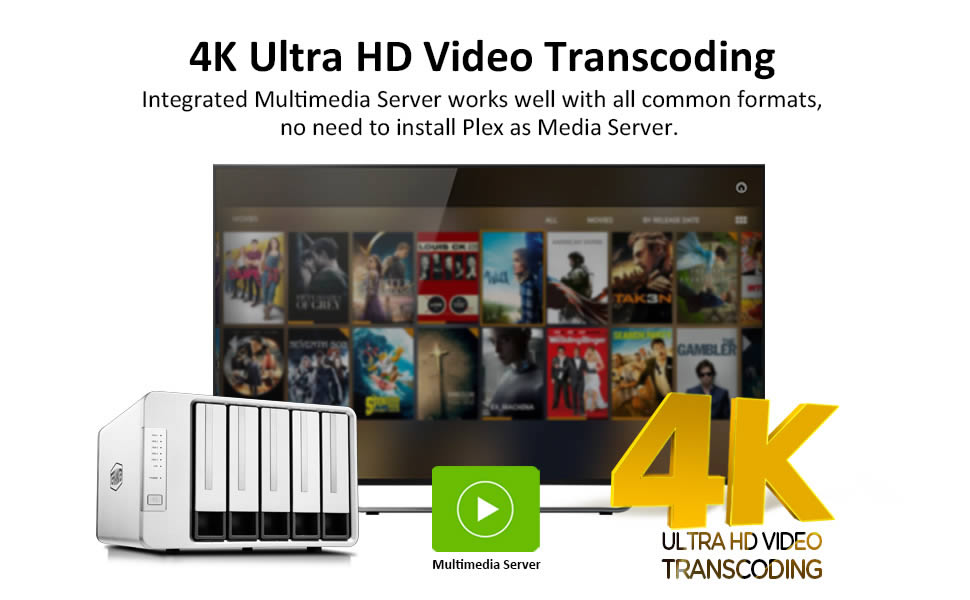

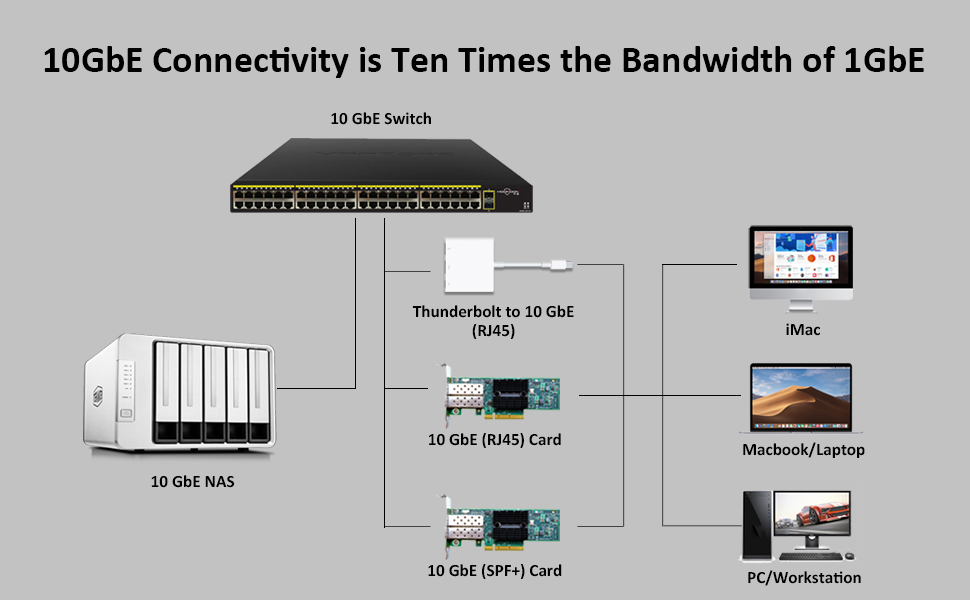


| ASIN | B07WHXV5FP |
| Best Sellers Rank | 418,451 in Computers & Accessories ( See Top 100 in Computers & Accessories ) 271 in Network Attached Storage (NAS) Enclosures |
| Brand | TERRAMASTER |
| Brand Name | TERRAMASTER |
| Colour | Silver |
| Compatible Devices | Server |
| Compatible devices | Server |
| Customer Reviews | 3.8 out of 5 stars 159 Reviews |
| Enclosure Material | Aluminium |
| Is Assembly Required | No |
| Manufacturer | TERRAMASTER |
| Material | Aluminium |
| Mounting Type | Tabletop |
| Mounting type | Tabletop |
| Product Warranty | 2 years |
| Size | 5-Bay Quad Core 10GbE NAS |
R**E
First time buyers should seriously consider this!
Let me start by saying: I’ve not been paid to write this review and this is my complete and honest review of this NAS. I haven’t used something like this before, but I had a few spare drives sitting around and I was running a Plex media server on an old upgraded Desktop computer (as well as a bunch of other stuff) Now, Desktop did a damn fine job until 2 people were streaming at the same time. I mentioned it was old because it had a 100Mb Ethernet card built in and it had a tendency to cut out from time to time. Needless to say, I was looking for something to replace it! That’s where this NAS comes in. It doesn’t come with any drives, you have to go get your own but honestly if you’re buying a NAS, that’s probably for the best. It’s got a 100Mb, 1Gb and 10Gb Ethernet ports which you can use to create bonds for failover or for load balancing. That’s pretty awesome. Plex can be installed on this machine and with a lot of Googling, I’ve been able to transfer all my metadata and databases from my Windows machine to this Linux NAS, it’s not let me down! The Web GUI is simply the best I’ve seen buuuut it can be a little buggy at times. Hit refresh and it’s fine again. Tech support… I hate belittling, but it did seem as though I knew more about a specific problem I was having with a login message problem than what the tech team did. I gave up on it it the end, it’s honestly not something I would be concerned enough about to keep chasing about, nor was it that important to functionality. I probably wouldn’t use the tech support again though… Now, onto the interesting bit, how does it perform compared to my Windows machine? Beats it hands down. Windows: 4GHz CPU, 12GB RAM, SSD installed. Handles a few streams at the same time, network drives are fine though. Expensive as hell. Electricity usage is high NAS: Intel CPU, can’t remember frequency but less than 4GHz, 4GB RAM, HDD installed. Handles a load more streams, network drives are also fine, handles Windows backups, handles TimeMachine, supports redundancy/load balancing and uses almost no electricity. Smashes all my expectations, extremely impressed -oh and I almost forgot about the fan - it’s silent. If you’re a first time buyer, consider the amount of drives you’ll need and if you’ll need a RAID configuration. I didn’t so 2 drives were plenty. If you use Plex, consider a minimum of 2TB worth of storage. 2024 edit: This is still going strong! I’ve since upgraded storage and running TOS5. This NAS is quite literally the heart of my data storage. The 10GbE port - I’ve not fully tested this as I’m throttled by the speed of a single HDD. I’ve reached 2.4Gb speeds so far and planning to upgrade. However, as I have a backup running nightly - even at these speeds - this just throws files over to my backup server. Still worth considering if you’re a first time buyer!
M**K
Changing the drives, changed my opinions
Update 4. As I was getting ready to send this back for a refund, I decided to try one more thing, I changed the drives for two WD "White Label drives" (Shucked from WD Elements enclosures), popped them in (Raid 0) and set it all up again. WOW, suddenly the device was hitting transfer speeds of over 600MBps and writes of around 280MBps. (Using AFPS, SMB shows slightly different speeds (464 Write and 372 Read). I am using the QNAP for other NAS tasks (backups, Serving music, recording from 8 CCTV cameras) and the Terramaster as fast storage. I am Happy with this and hopefully as the software improves and more packages are added, it will get even better. Update 3. So despite the optimism shown in update 2, this device is very frustrating, I transferred 180 GB to both this and to my QNAP TS453 which as 4x1Gbe adapters in Link Aggregation. Timing both I discovered that there is something wrong with the Terramaster's networking capabilities, it should be able to knock the QNAP into the weeds in terms of transfer speeds and while it will peak at 240MBps, it then slows down, initially I thought this was the 10GBe adapter overheating but monitoring the heat shows it did not get overly hot, in both read and write speeds the QNAP was slightly faster as it maintained a speed 118MBps and did not slow down. It was the same in read speeds. Then there's the issue with any USB device you plug into the Terramaster, it will show up on the network, you can read the files, but you cant write to the drive nor can you delete files. This has been raised by others on the support forum. So I am becoming increasingly frustrated with the lack of networking speed, the lack of apps, the relatively old Operating System and increasingly fond of my 5 year old QNAP. Update 2. Ok so to get 10GBe speeds, make sure you have very good Ethernet cables, by swapping to Kasimo Cat8 cables, I found I got a much more reliable transfer rate between MacBook and Terramaster. (around 240MBps from WD Mybook Pro (2xWD Black Drives, RAID 0, connected via USB 3.0 to a Caldigit TS3+ dock). And via an OWC Thunderbolt 3 10GBe adapter. Now to enable Jumbo frames (From a Mac) Open Terminal app on Mac ssh root@(enter IP address of the NAS for example)192.168.1.200 -p 9222 then press enter Then type ifconfig eth2 mtu 9000 if you check on TOS and clicl on Control Panel, then Network, then Network Adapters you can see the connection speed and the MTU (9000 is Jumbo Frames, 1500 is standard). Unfortunately this has to be entered every time you restart the NAS. Update: Now it's decided that as admin, I do not have the authority/permissions to delete files (3rd photo). Seriously this is becoming very frustrating. Sadly this NAS has the hardware that is very competitive but the firmware/software just makes me want to bang my head against a brick wall repeatedly... The real annoyance is that this could be so much better. Ok first of all, it's not an Intel Apollo CPU, its an Intel Celeron. (Apollo Lake version), with a 1.5GHz Base speed, (Boosting to 2.3GHz) with 4 cores. So it's well specced. The RAM is upgradeable to 8GB (it comes with 4GB as standard) and the Dual 1Gigabit ports are useful, but for me the star of the show was the 10GBe port. My MacBook Pro (16" 2019 i9) is docked to a Caldigit Thunderbolt 3+ Dock and connected to the second thunderbolt 3 port is an OWC 10GBe adapter and very good it is too. Our home network is all Unifi, and the MacBook Pro and the NAS are both connected via the Unifi 48 Port (non POE) switch in my study. Via QSFPTEK 10G SFP+ Copper RJ45 modules. I quickly setup a 10GBe connection and was good to go. I placed a spare Samsung 860 Pro SSD (512GB) into slot one of the Terramaster (use the black screws if you are doing the same) and a spare 6TB WD RED drive into slot 2, and a WD Pro with dual 6TB WD Black Drives (RAID 0) into one of the USB 3 slots. Setting up took seconds and the latest version of "TOS" (Takes me back to the old Atari ST days seeing TOS ), was downloaded and installed on the SSD. Booted up and setup some shares. I assigned a fixed IP address and all seemed good. I took al look at the App Store and this is where the good stuff starts to end, compared to the Synology and QNAP stores there is a very limited selection of Apps. (I also have a DJ218J and a TS4353A on the network). In comparison the app selection is very very poor. I installed Plex and already had some media on the WD Pro. Also compared to the other brands, there is a real lack of software for mobile devices, the one app there is, doesn't get updated often and has poor reviews. Another negative was the speeds, my Qnap TS453a, has 4x1Gb ports in link aggregation and transferring a movie from the QNAP to the Mac was easily as fast as transferring the same movie from the WD Pro via the Terramaster's 10GBe. (admittedly the 5Gb USB 3.0 might have been a bottle neck), so I tried the same movie copying it back to the SSD in the Terramaster and got similar speeds to the ones I get with the QNAP. OK so I setup the Plex server, and all seemed to go well, I can access the movies on "New movie server" and all works . A couple of days later, the new movie server has disappeared from Plex, never to be found again. The QNAP? Still serving up movies. And that is my experience so far, I feel rather underwhelmed by the Terramaster, it shows so much promise on the hardware front, but the OS, lack of APPs and the mobile app significantly dent it's usability. so much potential but it needs more apps, a classier interface (The current one is a bit Janet & John), more granular controls... (Don't bother looking for a jumbo frames setting, that requires you to use SSH. So, I think this will be returned as not quite what I was expecting and if I was you? Well unless you really like the hardware specs (and they are very competitive), then go for a Synology or a QNAP, as the old saying goes "Software sells hardware" and sadly the software is lacking. If you have never had a NAS, this wouldn't be a bad option to cut your teeth on, but if you have owned one of the other brands, this will start to frustrate you. Hopefully TOS 5.0 will be better and I will take another look then.
S**A
Well packaged, online instructions excellent for initializing the NAS
although arriving later than expected, the packaging was excellent, plastic, foam, and box in a box for good protection. The online instructions are straight forward and easy to follow, one network cable to get started and use the TNAS PC app to easily find your new NAS. Bonding the 1Gbps network took a couple goes but eventually got it going for stable 2GBps with TP-Link SG108E switch with LAG and static aggregation. 5 slots would have been plenty, but 8 gives me more options for other projects. looking forward to testing the 10Gbps port but waiting for TP-link to catch up.
A**S
Hmmm not all that good
I bought this to be my plex server first impression was wow this is good set up was easy and everything was going well shard drive set up was easy and works well and was super quick on access, Then I set up Plex and copied over all my box sets this was when all the issues started. Plex set up went well and signed in and I set the shares up for everything I was pleased I tested it on my tv and 4K play back was a bit laggy and it stuttered so I thought let’s give the unit a reboot once it rebooted plex was no longer installed on the NAS and all my setting had gone missing so I re install it again set it up and it would not sync my box sets see any new items added or deleted I thought this is odd, I googled this issue and a lot of people have the same issue with plex it loses the setting and Data once rebooted. I contacted tech support very in helpful I was told don’t reboot it 🤔 what happens if there is a power cut it will lose everything I was unhappy with the tech support answer so I returned the unit it’s a shame because if you just want a NAS it’s great if you want Plex bo not buy this I then bought a QNAP and it has been perfect no issues at all with Plex. So to wrap it up Plex server 0/10 as a NAS or data server 10/10 sadly I wanted a Plex server that’s why I give it 1 star and it shows on the company website it is a Plex server
D**.
Ease of use, reliable and fast. Tech support in china is very good via emails
Excellent product, I use it mainly for PLEX to watch all my stored movies on all the TV's , laptops, tablets, phones etc. Also store all my documents and downloads as a back up.
V**J
Great experience with this NAS
I am coming from Synology to Terra Master and find out that this NAS has a great stability, super fast access through phone app (which looks sharp) and plenty apps that I am using in software development. Interface is more like android-windows making me feel home. It comes with UK and EU plug \m/
P**E
Easy Set-Up - Plus, Ram Upgrade
I purchased this unit, to replace a failed NAS, of another manufacturer. My main use is as a Media Center. Unfortunately, due to various 'unexpected' reasons, I've only just had a chance to set it up. The unit appears to be well constructed, with a metal case and Plastic, for the remaining parts. Simple design but pleasing on the eye. Well, HDD installation was easy and the set-up went smoothly but, I'm finding my initial use of the user interface is not going as smoothly. Hopefully, it is something I'll soon get used to. I can confirm though, should you be looking at upgrading the internal RAM, for 4Gb to 8Gb. A suitable 4Gb module, can be found on Amazon: https://amzn.eu/d/1Es19Lp Works. However, you will need to remove the front panel as well, as the RAM appears to be a 'bit' higher, than the design expected.
D**D
The support is none existant
The application screen refuses to load multple people have complained and nothing has been done. The support team is located only in asia so you wont get support until they can get online.
Trustpilot
3 weeks ago
1 month ago