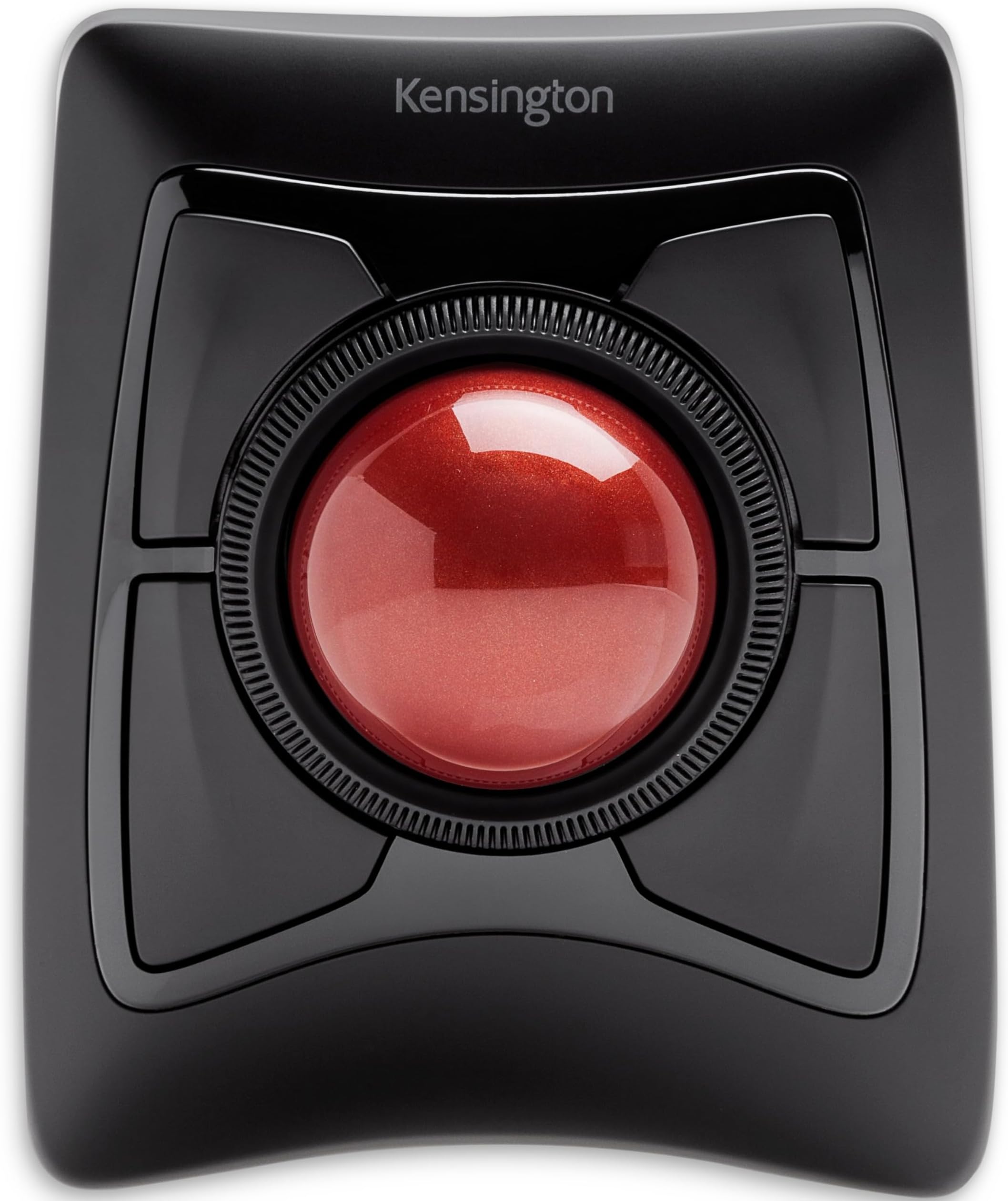




Expert Wireless
Product ID: 22784003
Details
- BrandKensington
- ColorBlack
- Connectivity TechnologyUSB
- Movement Detection TechnologyOptical
- Special FeatureErgonomic
🎯55mm precision ball
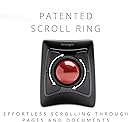
🔄Patented scroll ring
🔋Auto-sleep power saving
Desertcart purchases this item on your behalf and handles shipping, customs, and support to Bolivia.
🖱️ Elevate your productivity and game with the ultimate wireless trackball experience!
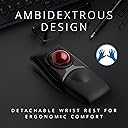
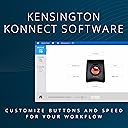
The Expert Wireless Trackball Mouse (K72359WW) by Kensington combines a large 55mm precision ball with patented scroll ring technology for smooth, accurate control. Designed for ambidextrous use, it features a detachable ergonomic wrist rest and customizable 4-button layout via KensingtonKonnect software. Connect effortlessly through Bluetooth LE or a 2.4GHz USB dongle, with smart auto-sleep power saving. Compatible with Windows, macOS, and Chrome OS, it offers 3 years of coverage and lifetime technical support, making it a top-tier choice for professionals and gamers seeking comfort and precision.


| ASIN | B01936N73I |
| Additional Features | Ergonomic Design, Touch Scroll, Wireless |
| Antenna Location | Office |
| Best Sellers Rank | #2 in Computer Trackballs |
| Brand | Kensington |
| Button Quantity | 4 |
| Color | Black |
| Compatible Devices | Laptop, Personal Computer, Surface Pro 1st Edition 12" and Surface Laptop 1st Edition 13", Tablet |
| Connectivity Technology | USB |
| Customer Reviews | 4.2 out of 5 stars 5,421 Reviews |
| EU Spare Part Availability Duration | 3 years |
| Embellishment Feature | Crystal |
| Enclosure Material | Plastic |
| Finish | Smooth Plastic |
| Global Trade Identification Number | 00085896723592, 07802880611214 |
| Hand Orientation | Ambidextrous |
| Hardware Platform | PC,MAC |
| Included Components | Trackball;Wrist Rest;Dongle;Batteries (2);Quick Installation Guide;Warranty Insert |
| Item Dimensions L x W | 8"L x 6.1"W |
| Item Type Name | Trackball |
| Item Weight | 1.4 pounds |
| Manufacturer | Kensington |
| Mfr Part Number | K72359WW |
| Minimum Required Operating System Version | Windows 7 |
| Model Name | Expert Mouse |
| Model Number | K72359WW |
| Movement Detection | Optical |
| Movement Detection Technology | Optical |
| Number of Batteries | 1 A batteries required. (included) |
| Number of Buttons | 4 |
| Operating System | Chrome, Mac, Windows |
| Pattern | Mouse |
| Power Source | Battery Powered |
| Range | feet |
| Special Feature | Ergonomic Design, Touch Scroll, Wireless |
| Style Name | Wireless |
| Theme | Computer |
| UPC | 085896723592 |
| Unit Count | 1 Count |
| Warranty Description | 3 years parts & labor |
J**S
24-hour Initial Review – Early Pros & Concerns
February 04, 2024 Update: Track ball works well. Doesn't seem to have but one issue and that issue is probably my problem. The scroll ring sometimes and my fingers don't jive causing me top hit one of the corner buttons. I must further practice, do much more practice. New Thought, 31dec23: Dragging and dropping, for instance, an email in MS Outlook to a folder can be challenging. I have not figured out the best method. Am looking for any ideas... 28dec23: Overall, I like the trackball and am tentatively at about 60/40 thinking to keep the device. Has many interesting functions and possibilities. Will know more as I work to better use the device. I definitely need more practice with the trackball because my long-term use of a regular mouse allows me to be pretty fast with the mouse. Early Pro’s: 1. Bluetooth connecting is really easy. 2. Kensington Works software for the trackball is easily downloaded for the device and pretty easy to use although it is not overly intuitive. 3. Large trackball seems very good particularly located in the mid position. Is good for me with some tremors and a shaky thumb compared with a side trackball. The middle trackball is far superior, for me, to the side mounted track balls. With practice, I am sure that I can rapidly move the cursor via the trackball. 4. Left Click/lower left button works pretty well. I seem to have it pretty well figured. Using my thumb for this button. 5. Right Click/lower right button not so handy as the Left Click button. Learning. May do better with it after more practice. 6. Have not really used upper two buttons, yet. 7. Scroll ring works well. Don’t have clicking noise that other reviewers have reported. 8. Don’t know how the battery life will be; we shall see. 9. Don’t yet know how the wrist rest will be although it seems okay with this short time review. Early Concerns: 1. Will take considerable practice for me which I am willing to do to become proficient with the trackball. 2. Have already learned to be very careful not to simultaneously touch the trackball while trying to scroll. Is easy to do! Result is my inadvertent action takes me some crazy place I did not want to go!
C**S
Why did I wait so long?
The reason I bought this trackball mouse may be different than others. ARCADE GAMING!!! More on that in a bit.. However, I have found that this is probably THE BEST accessory I have purchased for my computer(s) in many years. And that's saying a lot considering the number of goodies I have bought. I have 4 mice sitting here. All of them are wireless. 2 of them are gaming mice with many buttons, DPI changers, etc.. They all do exactly what they should do, and they do it very well. However, as one that uses my computer at times 20 hours at a time my hands can get very painful holding/using a mouse. I use an ergonomic keyboard and will NEVER go back to using a straight flat keyboard again. I had a trackball (wired) from Kensington many many years ago (like back in windows 98 era I think) and loved it. So I have had some experience with them. I did a couple days of research into which trackball mouse I would want. I looked at the finger ones, thumb ones, marble, full size, etc.. I read literally 1000's of reviews. (Just a hint, I ALWAYS read the negative reviews first. Show me the issues people have so I can decide if it is worth it, just in case....then show me all the positives.) The reviews of this one over many different sites sold me. And of course, since I buy via Amazon, I have NO ISSUES if I don't like it and want to return it. So, why exactly did I want one? Well, because I LOVE to play arcade games. And my favorite arcade games are old one like Crystal Castles, Centipede, Star Wars, Missile Command, Golden Tee (golf), etc. And to play these where they simple don't suck, you MUST use a trackball. Well, I sold my video cabinet years ago which had a trackball panel with it. So I thought I would give this a try as a replacement. WOW!!!!!! This is a dream when it comes to playing arcade games that utilize trackballs. The ball spins so beautifully and has exactly the right momentum force that the games play exactly how they are supposed to. As for use as a mouse for the PC? Again..... WOW! My hand does not fatigue at all, even after 10-15-20 hours of constant use when doing design work. I LOVE the fact that you can program the 4 buttons to do whatever you want PER APPLICATION!!!! In other words, you can tell it to use button 1 for this function in MS Word, and that function in Photoshop. And the scroll ring???? OMG I have fallen in love with this thing!!! While I wish I could use it in games that use a spinner (tron, arkanoid, etc.) I have not found a way to do that. It simply scrolls pages up and down. And can also be used for zoom effects zooming in and out. LOVE that feature. What makes it so much better than any mouse wheel I have used (and some of my mice are $$$$$) is that you can program the speed/range. Same with the ball speed. You can adjust it for how far it will move, acceleration speed, and how fast overall. I can't boast enough about this trackball. And while I got down to two choices....I am so happy that I picked this one. I am selling my mice now...(may keep one, just in case) but will never NOT have one of these trackballs on my desk.
D**S
Ergonomics better than expected.
I gave it 4 stars because nothing is perfect. Here's my experience. I have used the smaller Kensington Orbital trackball (perfect ergonomics) for almost twenty years in my Digital and Print Production work and into my retirement. I have no idea how many miles of clipping paths I've drawn over the last twenty-five years with a mouse or a trackball. I usually had to replace the Orbital every two to three years because of the mileage. For a long time I have considered the Expert wireless as a replacement because of the additional 2 programable buttons and Bluetooth. But after reading the negative reviews, the Expert seemed too awkward to use, and I would buy another Orbital. I finally took a chance on the Expert Wireless, and without too much adjustment, I do not regret the purchase. There definitely is an adjustment, but then I'm left-handed and have been adjusting all my life to right-handed tools and devices. The beauty of the Kensington Orbital and Expert trackballs is the symmetry and programability. Now for the adjustment period (please refer to uploaded photos). 1. Side view of both to illustrate difference in ergonomic hand to ball position. As you can see, the older version fits perfectly in the palm of your hand with at a comfortable position for movement. You absolutely need the wrist pad for the Expert. 2. The Expert Wireless requires more desk space. 3. On the Mac, disregard removing the Bluetooth USB dongle from the battery compartment. Check your Bluetooth settings for ExpertBT5.0 that confirms your trackball is connected. The software install an App in your Applications Folder with a Preference Pane in the System Preferences that will launch the app. 4. You must enable the 'KensingtonWorksHelper' in the System Preferences/Security & Privacy/ Otherwise you will not see any programable settings in the Trackball preferences. 5. The software asks you to link your preferences to either Dropbox or Microsoft OneDrive. Since I have both I didn't ask any questions about alternative local prefs. 6. The major ergonomic consideration for me is arm/hand position height relative to the arm of the chair. I like to have the chair support my elbow and have my hand fall effortlessly on the trackball so all movement is in the wrist without strain. For me, this requires the keyboard tray to be about 25" from the floor, while the desk surface is a normal 29" from the floor. 7. I have program the bottom right button for a single click (thumb). I found that the lower left button was too awkward for what is considered the right-click. So I use the upper left button and my middle finger. this seems natural to me. 8. I find the scroll wheel not useful compared to scrolling with Magic Trackpad. It's not in the way, so it's not a problem. 9. Yes, you do have to wake up the trackball after the Computer has been in Sleep mode. That's a function of being wireless. I've been using the Expert now for almost three weeks without a problem. So far, so good.
D**E
Trackballs are more fun
This is a fantastic, well built track ball. I could always do with fewer wires on the desk so I love that it’s wireless and I can move it around. Bluetooth also worked great for me though I prefer to use the receiver since I switch computers often. I haven’t used a trackball in a long time but I wanted to try one and I have no regrets about trying this one. I have been using it constantly for the past week and I’ve got to say, I’m very happy with it. As far as ergonomics go, I’m not sure whether it’s better than my old mouse yet. I haven’t used a track ball in 15-20 years and it uses a different set of muscles depending on how you use it which has led to some muscles getting tired the first day. Being able to use it with my pointer finger, thumb, palm, or combination of digits, however, is a huge plus for me. I can adapt my grip for comfort or accuracy easily. It has a nice pad for my hand which I do like and is comfortable but sometimes prefer not to use as I’m used to having my wrist rest on the desk by itself. I also really like that the trackball stays in place and I don’t have to keep picking up my mouse to move it around. The scroll wheel also has a nice feel and I like I can scroll with my thumb, pointer, or middle finger instead of constantly using the same one and wearing it out. After a few days, I raised the sensitivity much higher as I felt the muscle control in my fingers was adapting. It may take a bit longer before I’ve really mastered this. As a side note, I tried a mouse accuracy test online and was able to achieve a slightly lower, but nearly the same, level of accuracy on the trackball vs a regular mouse. Even though I’m not regularly clicking circles on different sides of the screen often, I believe this ball can perform just as well as a regular mouse at any task. I even tried playing some FPS games just for the heck of it and it was fine, but I think it will take some getting used to before I prefer it. The hardware itself is beautiful. I love how it looks like HAL or a robot from Portal or something. The ball is a beautiful color. The cradle is rock solid. It goes well with the rest of my black colored accessories. The only negative for me, was the KensingtonWorks software on macOS Catalina. It was a pain to install due to security settings and required multiple reboots before it would detect the trackball. Even then it didn’t seem to update settings correctly. I should mention, Kensington support was phenomenal. They were available through chat right away and helped me get the software installed and working. Unfortunately I got sick of rebooting/troubleshooting and I ended up using another piece of software called BetterTouchTool that let me really jack up the sensitivity and assign Mission Control to the top buttons, a setup I’m quite happy with. I also turned off mouse acceleration on Mac since that gave it a weird feel I didn’t like. On my Windows machine, the KensingtonWorks software installed just fine, although I have noticed I can’t jack up the sensitivity any higher in KensingtonWorks which I’ve wanted to do after developing finer muscle control in my digits. I’m sure I will find a way when I get around to it. Overall, if you want a great wireless trackball, this is an excellent choice. You won’t be disappointed.
I**K
ABC.... Easy as 1,2,3... Do Re Mi .... that's how easy love can be
First I want everyone to know I have used a wireless mouse for years. Second, for most of those years, it has been a Logitech Trackball. I have been thru four of them. I work from home, and I think I just wore them out. Logitech is a great mouse. I have no regrets there. Then the other day, I left my home office for an appointment and when I returned home a few hours later, it was like my electronics went haywire. My mouse, dead. I mean dead. Not battery dead. But dead, dead. Every one of my Alexas, spontaneously disconnected from the wireless internet. Wireless Keyboard - also dead - but just the batteries - I had replaced them about a month ago, and traditionally replace them once a year on average. There was no power outage. and I have everything on surge protectors. My computer was fine. It was the peripherals that were winking out on me. It was bizarre. I thought maybe it was just time to investigate a new mouse after using my backup muse for half the day and literally wanting to huck it out the window. I read blogs and reviews. This Kensington Mouse was rated the number one choice for people in my industry, and to be clear, I was hesitant. I had been a loyal Logitech user for years. But with nothing to lose, I took the plunge, made this purchase - and KNEW I would know within minutes if I would like it or revert back. I received it less than two days later. Shipping was hyper fast. The pairing was incredibly easy. Getting it out of the package was harder than the pairing process, and it came with 2 batteries in the package. Because of my wireless habit, I always keep a healthy supply of batteries on hand, but it was nice to have them encased. Within 20 minutes of delivery I had it A.) out of the box, B.) Paired to my PC, and C.) Software downloaded and buttons custom configured. SHA-ZAM! I can absolutely tell you within minutes I am loving it. I thought the scrolling ring would be a bit tough to adjust to, but no. The scroll feature is probably one of the best things I like. No regrets. If you're on the fence - work in the tech industry, YOU WILL LOVE THIS MOUSE. I can't attest to gaming use, but then I'm not a pc gamer. Without hesitation- I know this will be my new go to. So worth the money.
L**S
With this many wireless reviews, who's gonna care about mine?
You buy a trackball - it's like buying a mouse, right? Plug and play. Even wireless. Oh, don't be so droll. Kensington has finally micro-managed itself into the pit of ineptitude from which I fear there is no escape. They may be on their final downhill slide. I own Kensington products. I've purchased trackballs from them since the 1980s. Yes. Perhaps since they started making them. All with a cord. All very happy. And why not? They did everything right. But I was feeling sporty and modern. I generally don't like wireless devices as they occasionally exhibit a finicky side I don't enjoy in computer work. But this setup may have benefited from a wireless device. I was so stupid. Plug it in. Yes it works slowly. Kensington USED TO include the drivers. Nope. Not anymore. Those days are gone. No matter, I have other trackballs - i'll use THAT copy of drivers. Nope. Can't recognize it. Go get the LATEST driver, you stupid customer. Okay, I'll do that soon. Then i notice the wireless is inferior. Yes, it's without a wire, but no, the reception makes it unusable. It's only line of sight. It may as well be an old infrared unit. Line of sight works great. Behind anything at all (including flowers), it skips, stutters, and pauses. Worthless. Far below what I once thought was Kensington quality. New batteries? Nope. No change. Still a mess. Okay, let's do the driver thing. Downloaded -- a bit of an unfriendly chore by itself -- and install. But wouldn't you know it?? "This version of Windows requires a digitally signed driver." (W7) Can't use it. It's their driver, off their site, d/l this very day, but they're apparently not trustworthy enough for windows to work. Now, of course, the device doesn't work at all -- after 2 more reboots and tweaks - what with Windows having isolated the driver and even warning me about it. It's going back. The reception is rubbish. The software is insane -- and that's good ol' W7 and it STILL won't work. Kensington has jumped the shark. They no longer make products for people to use, but simply bait for fish to bite on. It SHOULD have been 1. plug and play. 2. exceptional reception. 3. no-glitch software. 4. a happy-to-give-you-the-drivers-we-require website. If you're looking for any of this, do not buy the wireless version. Do not buy from Kensington. Love my other Kensington trackballs.
S**.
Very mixed feelings about this trackball
I just got this trackball, so this is just my initial impression. (See Update below.) I am switching from a Logitech Wireless Trackball M570. The M570 ball is controlled by your thumb. The Kensington is controlled by your fingers. This is a huge and superior difference. The M570 immediately began to hurt the top of my hand and I had to basically hover my hand over it in order to control the ball with my thumb. That is fatiguing. With the Kensignton wrist rest attached, I can relax my wrist into the pad. I use the trackball primarily for editing in Photoshop. Trying to get precision movements using the M570 controlled with your thumb is basically impossible. Being able to use your fingers gives you much more precise control, as does the bigger ball. Problems so far: the ball doesn't glide easily. It's sluggish and feels like it's resisting my movement. One other item that I expect to adjust to is the button placement. They are big buttons, but with my hands, my thumb for clicking falls exactly between the top and bottom buttons, so I have to move my thumb to pick one or the other. Repositioning the trackball at an angle on the desk helps, but that obviously moves the right click button further away. UPDATE: I don't have positive additions to add at this point. Here are my additional comments. Because I have to use the trackball at an angle in order for my thumb to land on the left click button, I have had to configure the buttons in an odd way. The lower left button is the left click, per default, but the upper right button is now my right click. It works, but it's indicative of a larger problem. This is not an ergonomic trackball. It is basically a flat surface with the ball in the middle and button arranged symmetrically around the ball rather than ergonomically. The wrist rest makes an important addition, as does the upward angle of the trackball itself, but these are by no means enough to call this trackball ergonomic. I still experience some discomfort, especially because of the flat surface and non-ergonomic buttons. I have programmed the bottom right button as the SHIFT key (CTRL key for Photoshop. The ability to set the button by software program is nice) to make horizontal scrolling possible without using the keyboard. That sort of works. It does scroll, but it also tends to have unpredictable results once you stop holding down the button. Large images may close, for instance, which kind of defeats the horizontal scrolling! I programmed the upper left button to open a new tab on a hyperlink click, and I love the ability to do that. I have mixed feelings about the scroll wheel. It's big, and having a horizontal wheel rather than a vertical wheel means I'm lifting my hand to do a 360 degree spin if I want to rapidly scroll down a large page without lifting my finger off of the wheel, which as you can imagine you wind up moving the ball itself when you do that. That's just a minor annoyance though. You lift your finger on a vertical scroll wheel as well, but it just seems faster with a vertical wheel. The biggest problem with the scroll wheel surrounding the ball is that when you scroll, you tend to unintentionally move the ball as well if you're not careful. I've clicked on the wrong link many times as a result of a last second movement of the ball. Or reached the right point in the image only to have it move due to accidentally brushing against the wheel. This just isn't a problem with vertical scroll wheels. The wireless response: Next to the poor ergonomics, this has been the most disappointing. The left click can get stuck, so that it grabs instead of clicks, and you wind up dragging stuff across your screen. Clicks frequently don't register at all. It's not a battery issue, as I replaced the batteries that came with it once I first experienced this. Changing the USB port hasn't resolved it either. The trackball can become poorly responsive at all, although switching the USB port did at least make this better, if not resolve it entirely. I am contemplating replacing this wireless version with a wired version, as I suspect that would resolve these issues. The poor ergonomics are my biggest problem with this trackball. Ergonomics are supposed to be one of the key advantages of trackballs. UPDATE: 2/22/2018: My biggest remaining problem is that the left-click sometimes gets stuck and drags things around the screen. Not good, since it can drag file folders from one location to the next, eliminate taskbar icon shortcuts, browser bookmarks, etc.
E**N
My Most Prized Possession
This mouse runs like a dream, I don't usually write reviews but this deserves it. I started having a lot of wrist and elbow pain from using a traditional mouse and did some research on more ergonomic trackballs, I went through a few of the major ones until I landed on this one. The wireless Kensington expert however is a joy to use, the extra buttons once you get used to them change your experience for the better. Pressing two buttons for a third function honestly blew me away, it's not an exaggeration to say my browsing experience is an absolute delight, I LOVE the scroll ring. It's highly customizable so you can adjust the speed of the trackball and the scroll ring, you can set the buttons to do different things depending on what application you're using, it's hard to imagine life without this feature now. This is truly my most prized material possession. Going back to a laptop trackpad or traditional mouse or god forbid a thumb ball is an agonizing, hellish experience. My only quibble is that I dropped and broke my first Expert and had a lot of trouble getting it fixed product support was next to no help, I ended up having to pick up another one but its well worth it. I would say if you're not prepared to commit a Benjamin for a computer accessory, try to get an open box or gently used Expert on ebay. I've tried vertical mice, thumb balls, elaborate gaming mice, all pale in comparison to the ease of use of the Expert. I don't do a lot of high intensity gaming and if I do I'll use a gamepad but for most gaming like RTS/MMO/MOBA it worked absolutely fine if not better than a traditional mouse. If you're looking to play FPS you may want to look at the Kensington Orbit as that kind of trackball as that kind of mouse is more suited for gaming. I was suffering from carpal tunnel and repetitive stress injuries and this mouse causes me no pain, in almost any position it's extremely comfortable to use, I recommend you try the Expert if you're in pain from the sweeping motion and positions that come with using a traditional mouse.
U**Y
Came for the ergonomics, stayed for the productivity
Why, why did I wait to buy one of these it's beyond brilliant. First up let me explain, about 3 months before buying this I had a fall and broke my wrist, broke 2 bones and did some ligament damage - ouch, yes it's as painful as it sounds and if you take nothing else away from this review be careful with icy pavements. The healing from a broken wrist can take up to a year in some cases and a lot of pain ensues while thats happening, when I had a cast on for 6 weeks towards the end there was no discomfort hardly at all so in my head it's yay, cast off, back to normal, rock on. Er no, as the cast came off my reaction was mm ow ow OW OW! MOTHERFU.... that hurts, and so began a quest to find someting I could use comfortably and get my extremely bored arse back to work. So finally, the trackball itself, what can I say, silky smooth operation from the actual ball, being 55mm across it means you can control it with three fingers if needs be, the four buttons around the ball are totally customisable if you download a small application from Kensingtons website and you aren't limited to four functions either, you can add keys to each button so you get a different function if you press shift, or control, or alt or the win key so four individual functions on each of four buttons - that's a lot of shortcuts. In addition to this you can specify a set of shortcuts for each application, the combinations and permutations are mind boggling. There is also a scroll wheel right next to the ball and again it's customisable in terms of speed and direction and inertia which I tried but didn't like but it's worth looking at it to see if it works for you. There is of course the usual pointer speed control which using a super ultra wide high resolution monitor I have set quite high to quickly move around the huge screen area, that is fine but it's not the most precise method - however Kensington have thought of that too, you can set one of three keys to instantly and temporarily lower the pointer speed making precision a doddle, there is even a setting to lock the movement to just vertical or horizontal movement in a single axis and while this might not sound like the pinnacle of technology if say you have a bunch of tabs open in a browser or are going through a bunch of drop down menus in a professional application such as Photoshop or illustrator - which I do all day every day while doing actual work it just makes it even easier - hence quicker to use. It's just one more reason to like this trackball and why I will NEVER go back to using a mouse again - ever. Looking at one of the other reviews there was a criticism that you had to float your arm to use the trackball and it placed strain on your arm/wrist - well as this was the entire reason I'd been looking at things like this trackball to reduce just that and allow me to get back to work take a look at this... https://www.amazon.co.uk/gp/product/B0752MCX82/ref=ppx_yo_dt_b_asin_title_o04_s00?ie=UTF8&psc=1 It's basically a device that clamps to your desk and cradles your arm taking the weight and strain away from your arm - and crucially for me the wrist, a combination of that cradle and this trackball means I have a perfectly straight arm position from the elbow to fingertips and the sometimes unbearable pain of using a mouse - and i've tried 6, everything from gaming mice to really thin bluetooth mice to smaller sized mice, even a vertical mouse has gone, I can use this for hours with nothing more than the odd twinge - using a mouse all day I'd have to mainline so many painkillers it'd turn me into a zombie. Very seldom do I buy anything that makes a real improvement to my daily life but this is definitely one of those times and I don't like this trackball I love it.
B**N
J'adore
J'ai acheté cette souris trackball, après avoir utilisé pendant des années des souris ergonomiques classiques. J'avais avec celles-ci tout de même quelques gênes à l'usage. J'ai acheté ce trackball après avoir lu les avis. Je ne suis vraiment pas déçue. C'est la souris la plus ergonomique que j'ai utilisé. Aucune douleur, aucune gêne. Elle est très agréable. Je ne pourrais clairement plus revenir en arrière.
D**R
A few flaws, but I'm a trackball convert anyway!
A trackball is nothing I would have considered in the past as most of my PC time is used for gaming and being able to do work has always just been a "bonus" of the platform. However, over the course of the wonderful year of 2020, I had to find solutions to working from home and purchased not just one, but two trackballs. I first started with Logitech's M570 (wireless) and followed it up a couple of months later with the Kensington Expert Wireless. Chances are that if you're seriously considering transitioning to a trackball, you are looking at exactly these two models or their wired siblings. Both solved a very simple problem of making the most of confined space. For my gaming and personal PC, I have a typical desk setup with a brick of a gaming mouse, but for the work laptop I lugged home with me, the idea was that it was a temporary thing and I'd be back in the office with a full desk in no time. Three quarters of a year later and the work machine is growing roots in an old TV table. I managed for a very long time as I was quite comfortable with simply using the built-in trackpad, but when they replaced my machine with a new one, I could no longer work without wanting to throw it out the window. The 'brilliant' minds that designed the new trackpad clearly never used one as they removed the physical buttons that bisected the pad and made the pad itself one giant button that would only right click if you used the very bottom right corner. So now I needed a mouse, but TV trays don't have the runway for effective mouse use. Enter the trackball. Since trackballs stay put, they can sit comfortably in a small space and you still have full use of your cursor. The second thing both trackballs solved was the right-click issue. While the M570 has more traditional placement of buttons like a regular mouse, the Kensington Expert (herein "Expert") has four fairly large buttons that can be tapped easily regardless of what hand position you take. Since the laptop's trackpad cut the right-click distance by 2/3rds and I live and die by context menus, I needed that functionality without feeling the need to break equipment. The above issues are solved by pretty much any trackball device available in the market today, so what it really comes down to aside from general reliability and longevity is preference. First off, while the M570 seems sturdy enough, the Expert feels like a tank. It has a fairly large footprint compared to the relatively mouse-sized M570, but the Expert also has a much larger ball (maybe three times bigger?) and is heavier and kept in place with rubber feet. As mentioned above, it has four large programmable buttons surrounding the trackball and a rubbery ridged wheel that provides you with your scrolling (compared to Kensington's Slimblade which has you twisting the ball in the socket to scroll instead). The Expert uses the bottom left button (by default) for left click and the bottom right for right click. Since the ball is finger operated as opposed to thumb-operated M570, you typically use your thumb and pinky to click and right-click respectively. It takes some getting used to, but it really becomes second nature pretty quickly. On top of that, you get two extra programmable button assignments by clicking the top two or the bottom two buttons together. Despite its wider footprint, the Expert has become my go-to device for work while the M570 has been repurposed for the media machine I have connected to my TV. While it comes with a very sturdy wrist pad to help with your ergonomics, since I sit higher than the Expert instead of level with it, I find it feels better without the pad attached. The larger ball is much easier to manipulate and makes more logistical sense than when using the thumb ball of the M570 and Kensington's software allows you to set up keyboard hotkeys to assist with accuracy. For example, I can hold the Ctrl key to drastically slow down the cursor (this is completely customizable) so I can select specific things or position the cursor with precision. For cleaning, the ball is held in the device by gravity only and can be easily lifted out without having to lift the base unit (and it's kinda fun to do that anyway). Underneath you'll have access to the sensor as well as the three beads or skates that the ball rides on. I don't find that the ball is a dust magnet, but normal use will see crud accumulate either on it or on the skates. It's easy to simply lift the ball and give everything a wipe down. There's only two things that I am nitpicky about when it comes to the Expert. First, the ball has a very high profile (exactly half of it is exposed) and while I find it very comfortable to use throughout the day and experience no wrist strain whatsoever, it would have been nice if the 'horizon' or the plane of the base unit was a bit higher and the ball sunk a bit lower (things addressed in the Slimblade). The second thing is that this thing puts itself to sleep, which is admittedly a good thing. However, you cannot wake it by rolling the ball or scrolling the wheel; you must click one of the buttons to wake the device from sleep, but the click is actually registered with the OS and is not thrown away. Therefore, unless you're expressly positioning your cursor safely when you go idle, then you need to be careful on what button you press to wake your device. Neither are dealbreakers, but I really find the registration of the wake input to be weird. Overall, I am very happy with both of my purchases, but the Expert won out as my day-to-day solution for work. I would never use the device for gaming (at least competitively), but its customizable configuration from speed to keystrokes with Kensington's lightweight software easily make it a power-user's device. It may be unintuitive at first, and I was always first in line to mock these devices, but I have completely turned around on them. I think wherever I go in my professional life, the Expert will come with me.
M**Y
Quality
An excellent piece of kit. I bought this a few weeks ago to replace à failing trackpad and I am delighted with it in practice. I have been able to program the different functions of the Kensington trackball to fit perfectly with my workflow. Finally I got it at a very attractive price. Highly recommended.
J**N
The large ball makes this the best choice, period.
I have two of these, one for home use, and one at the office. Never going back to a mouse again. I have tried a couple of difference trackballs with smaller balls, they are nowhere near as good. Good points: - Very accurate thanks to the large ball. Any trackball takes some getting used to, but after a short period of adjustment, the accuracy is comparable to a regular mouse. - Lots of travel for my triple screen setup. Other trackballs were a PITA when having to move from left to right monitor. - Smooth! - Scroll wheel works very well after some use - Very comfortable, no more wrist twisting, do everything with just 3 fingers - Looks pretty good - Easy to clean It is not without its faults, but they are minor issues: - The scroll wheel is very scratchy initially. This mostly goes away after a couple of weeks of daily use though. Even then it could be little more smooth, maybe this is something Kensignton can improve in future models. - The trackball falls out if the device is not kept upright. Not normally an issue, just something to be cautious about. - Wireless is pointless for something that is clearly stationary and only uses battery (although the battery life is very good regardless, I've had these for months, no battery change yet). - Somewhat pricy although I paid more than Amazon sells them for now. It is definitely worth EUR 90 - The wrist wrest is a must. Ideally it would be one piece, as it is it comes off a bit too easily - Gunks up. Really need to clean with some tissue once a week to retain smoothness. Doesn't affect accuracy though, as a laser is used and the working is not mechanical. Overall I love this product and would recommend it to anybody using a desktop PC.
Trustpilot
2 weeks ago
5 days ago