🎥 Elevate your video presence—because your image deserves the spotlight.
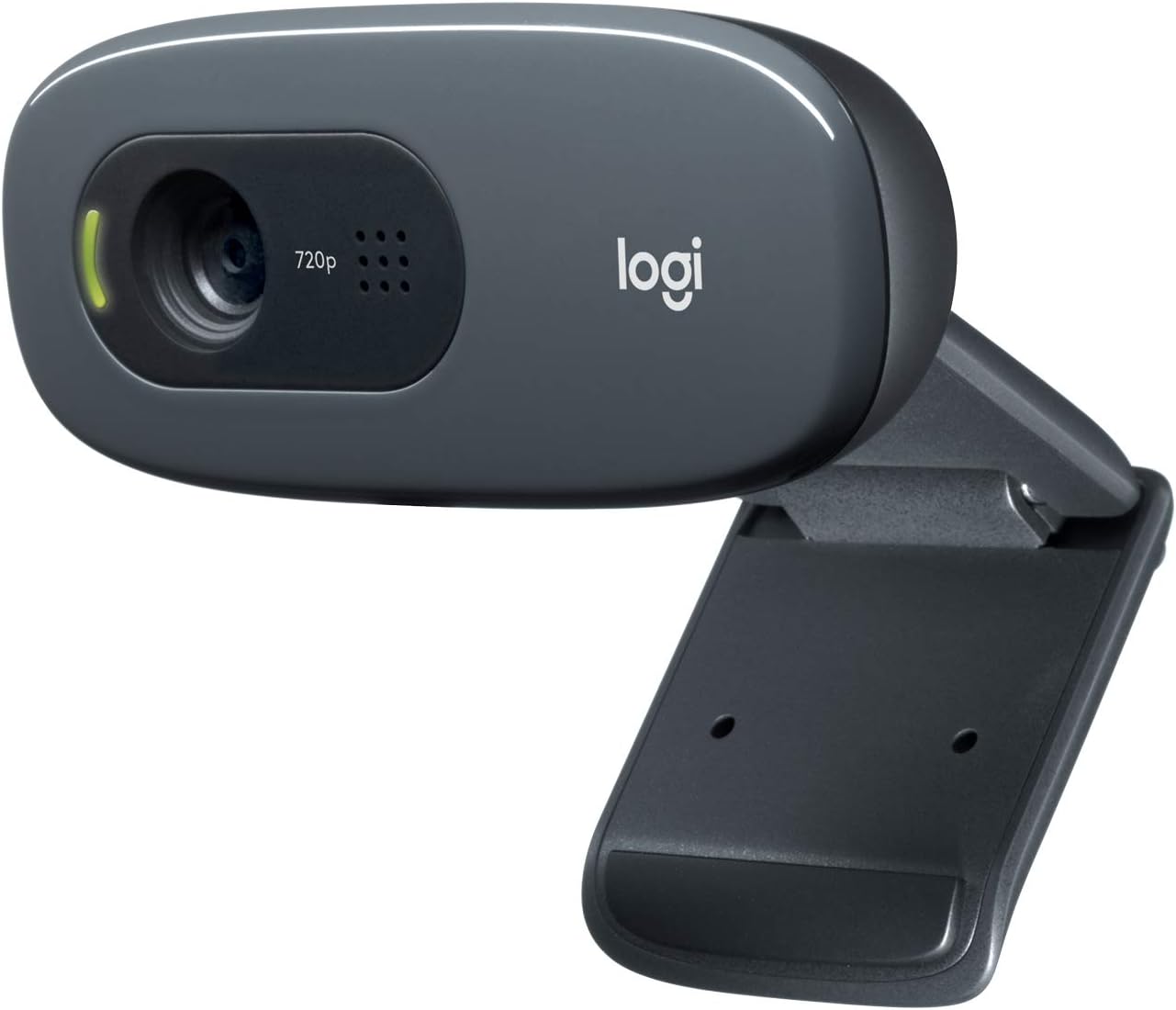
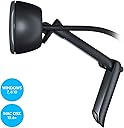
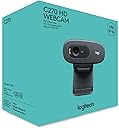
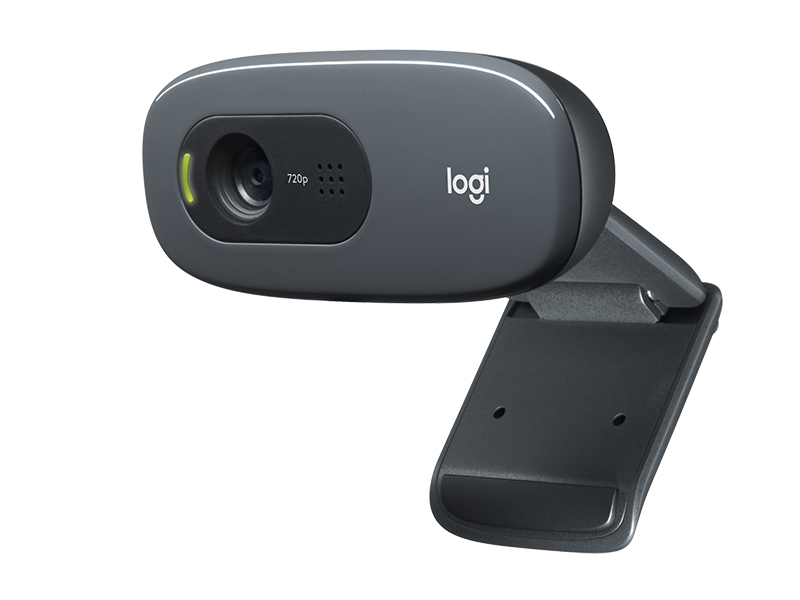
The Logitech C270 HD Webcam delivers crisp 720p HD video with a 55° wide-angle lens and 30fps smoothness, enhanced by RightLight 2 auto light correction for optimal image quality in any environment. Its built-in noise-reducing microphone captures clear audio up to 1.5 meters away, making it perfect for professional video calls and streaming. Compatible with major platforms including Zoom, Skype, and Nintendo Switch 2’s GameChat mode, it features a versatile universal clip for easy mounting on laptops, monitors, or shelves. Plug-and-play USB connectivity ensures hassle-free setup across Windows, Mac, and Chrome OS devices.


| ASIN | B004FHO5Y6 |
| Antenna Location | Universal mounting clip fits laptops, LCD or monitors |
| Are Batteries Included | No |
| Best Sellers Rank | #1 in Webcams |
| Brand | Logitech |
| Built-In Media | User documentation, Webcam with 5ft cable |
| Camcorder Type | Webcam |
| Color | Black |
| Compatible Devices | Windows 8, Windows 10, Windows 11 or later, MacOS 10.10 or later, Chrome OS, Skype, Google Hangouts, FaceTime for Mac, and potentially other specific devices or brands |
| Compatible Processors | Intel Core2 Duo |
| Connectivity Technology | USB-A |
| Customer Reviews | 4.4 out of 5 stars 26,218 Reviews |
| Display Resolution Maximum | HD |
| Effective Still Resolution | 3 MP |
| Effective Video Resolution | 1280 Pixels |
| Exposure Control Type | Automatic |
| Features | Microphone Input |
| File Format | JPEG |
| Flash Memory Speed Class | C10 |
| Flash Memory Type | Internal flash memory |
| Flash Memory Video Speed Class | V10 |
| Focus Type | Fixed Focus |
| Form Factor | Webcam form factor |
| Global Trade Identification Number | 00097855070739 |
| Has Image Stabilization | No |
| Image Aspect Ratio | 16:9 |
| Image Capture Speed | 30 fps |
| Item Dimensions D x W x H | 9.85"D x 4.94"W x 6.45"H |
| Item Height | 8 inches |
| Item Weight | 131.54 Grams |
| Lens Type | Wide Angle |
| Manufacturer | Logitech |
| Maximum Aperture | 1.8 f |
| Maximum Focal Length | 0.01 Millimeters |
| Minimum Aperture | 2.8 Millimeters |
| Minimum Focal Length | 0.01 Millimeters |
| Model Name | 960-000694 |
| Model Number | 960-000694 |
| Number of Batteries | 1 Lithium Ion batteries required. |
| Operating System | MacOS 10.10 or later, Chrome OS, with USB-A port. Works with Skype, Google Hangouts, FaceTime for Mac., Windows 8, Windows 10, Windows 11 or later |
| Screen Size | 2.7 Inches |
| Sensor Type | CCD |
| Shooting Modes | Automatic |
| Style Name | 720p |
| Supported Audio Format | PCM |
| Supported Image Format | H.264 |
| UPC | 097855070739 |
| Unit Count | 1.0 Count |
| Video Capture Format | MJPEG |
| Video Resolution | 720p |
| Viewing Angle | 55 Degrees |
| Warranty Description | 1 Year Limited Hardware Warranty |
| Water Resistance Level | Not Water Resistant |
| White Balance Settings | Auto |
| Wireless Compability | Radio Frequency |
| Zoom | Optical |
S**Z
Works great! Easy setup - just plug it in!
I have several Logitech track balls that are over 10 years old and still work fine so I thought I'd try this Logitech webcam since it was on sale and I've had good experience with Logitech products. I had been using the builtin camera in my old Dell laptop but now was using a larger monitor so when I looked at the monitor I wasn't looking at the laptop camera and it seemed odd with my head always turned. I was a bit concerned about how I would hook the web cam up but fortunately it was a simple plug and play. I just plugged it into my laptop and it worked fine. The picture quality is much better than my 2017 old laptop camera. I zoom once a week with old friends who have moved away and have been using it for several months now without a problem. I do have 2 complaints: 1. The instruction booklet that came with it has such tiny font that I couldn't read it. Fortunately, just plugging it in worked (I do have a Logitech software that works with my Logitech trackman so I don't know if that helped or not). LOGITECH SHOULD USE 12 font size in their instruction booklets. REMEMBER - baby boomers and people with vision issues also use computers and buy webcams! 2. My new LG 32 inch HDMI monitor is very thin so the camera doesn't attach securely to the top of the monitor. It will sit there, but occasionally it seems to drop down a bit and then I have to re-adjust it to aim on where I'm sitting. They should make the bracket that attaches smaller so it is more secure with newer thin monitors. I still gave it 5 stars because of the camera quality and the easy plug in setup.
D**S
Easy to use and a great value
This product is exactly as described and works great. Very practical and well-made. I’ve used it several times and it holds up really well. Easy to use and a great value. Highly recommend!
K**N
Best Webcam I’ve Used. It Hangs Down a Bit on the Monitor unfortunately.
This Logitech Brio 101 is the best webcam I’ve ever used. The picture is crisp and it works great for both meetings. and Setup was quick. I did have to take off one star because the way it clips on causes it to hang down slightly, which blocks a tiny portion of the top of the monitor. Not a dealbreaker, but worth mentioning. The autofocus feature works great. It has a lot of the other modern features as well. Overall, excellent video quality and performance.
D**L
Simple to install, Easy to use, Great price!
Arrived as expected. Plugged into USB port and it instantly worked. Resolution is great. Software is integrated into Win 11 and can be downloaded from Logitech. Microphone works better than I ever expected. When doing Zoom meetings it captures every word I say. Need to make sure I'm using the mute button when necessary.
A**R
Great bang for your buck!
Honestly was great quality and the picture is really good especially for the budget pricing. Didn't expect it to be as good as it was but truly is worth the price and highly suggest to purchase. Note that it is not studio perfect quality but good enough quality to stream, record or do work with. Perfect for Zoom, OBS and Camera applications. Really worth it and highly recommend to anyone on a budget.
C**A
Good webcam
Works great and the image is clear. Easy to setup.
S**I
Great Budget Webcam with Surprisingly Clear Quality
This webcam delivers crisp 720p video and handles lighting adjustments well for the price. The built-in microphone picks up voice clearly without much background noise. It’s easy to set up and works smoothly on multiple platforms. A reliable, affordable option for calls, meetings, or casual streaming.
D**H
Works well but a little annoying. Blocks screen, can't aim.
Camera and microphone both works well. No software needed and simple to set up. I like the physical camera block for privacy. There is no physical mute though. Nitpicky stuff: I wish you could adjust the zoom as it shows a little too much of my background than I prefer. My desk is in my bedroom and the camera angle shows my bed which is annoying. You can't always rely on the meeting software to blur or cover the background. Doesn't sit nicely on my monitor. I've had a couple of monitors, and it varies based on how the monitor is made. My Alienware had a triangular shape when looking from above and it never sat well. It always wanted to aim the wrong direction. My current monitor is rectangular shaped so the camera sits better, but you can't aim the camera, it only points forward. My monitor is on an arm so I can angle it, but then I'm looking at my monitor from a weird angle when I'm in meetings to avoid showing my bed in the background. The camera also blocks a portion of the screen. It's just annoying to have to duck to see under it or move it to read a browser tab. Finally, what's with the price? I don't understand why webcams (this one is $40) cost nearly 3 times as much as a 2k security camera with microphone, zoom, Wi-Fi, Bluetooth, SD card reader, and a smart software suite that works on web and mobile ($16).
Trustpilot
1 week ago
2 weeks ago