

Desertcart purchases this item on your behalf and handles shipping, customs, and support to Bolivia.
⚡ Unlock lightning-fast storage with zero hassle — your data’s new best friend!
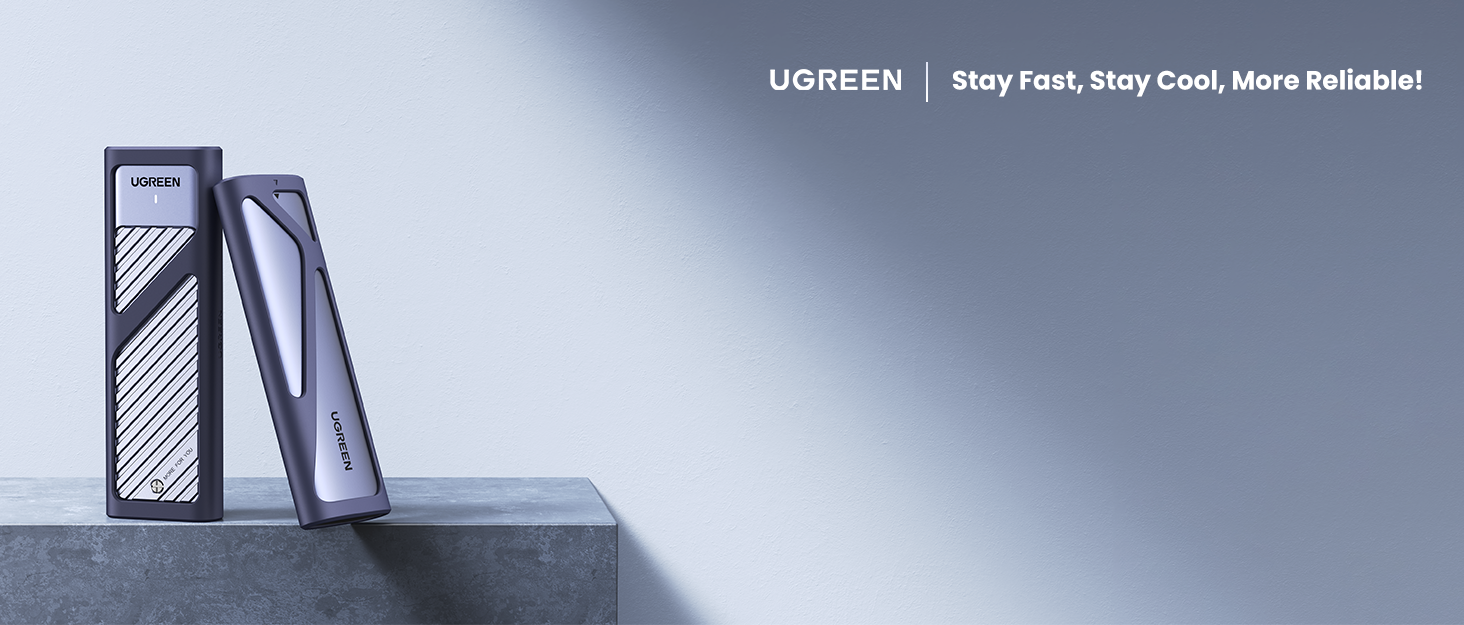
The UGREEN 10Gbps M.2 NVMe SSD Enclosure is a sleek, ultra-portable aluminum case designed for M.2 NVMe SSDs up to 8TB. Featuring USB 3.2 Gen 2 Type-C connectivity, it delivers blazing 10Gbps transfer speeds with UASP & TRIM support. Tool-free installation and broad OS compatibility make it ideal for professionals seeking fast, reliable, and cool external storage on the go.



| Asin | B08DNR22Q7 |
| Best Sellers Rank | 3,971 in Computers & Accessories (See Top 100 in Computers & Accessories) 17 in Enclosures |
| Box Contents | 1 x M.2 PCIE NVMe SSD Enclosure, 1 x user manual (English language not guaranteed) |
| Brand Name | UGREEN |
| Colour | Silver |
| Compatible Devices | M.2 NVMe Solid State Drive |
| Country Of Origin | China |
| Customer Reviews | 4.4 4.4 out of 5 stars (3,849) 4.4 out of 5 stars |
| Data Transfer Rate | 10 Gigabits Per Second |
| Enclosure Material | Aluminium |
| Global Trade Identification Number | 06957303819027 |
| Hardware Interface | USB 3.1 Type C |
| Hardware Platform | Universal |
| Item Dimensions L X W X H | 11.9L x 3.7W x 1.2H centimetres |
| Item Highlight | Aluminum, Tool-free Hard Drive Enclosure, Support UASP & TRIM for M and M&B Key in 2230/2242/2260/2280 SSDs |
| Item Weight | 45 Grams |
| Manufacturer | Ugreen Group Limited |
| Manufacturer Part Number | ACBUGN10902 |
| Memory Storage Capacity | 4 TB |
| Model Number | ACBUGN10902 |
| Network Connectivity Technology | USB |
| Number Of Items | 1 |
| Number Of Packs | 1 |
| Product Warranty | / |
| Supported Devices Quantity | 1 |
| The Standard Size Of The Hard Drive Or The Bay The Hard Drive Is Compatible With In Inches | 2280 Inches |
| Unit Count | 1.0 count |
User
Brilliant plug-and-play enclosure—sleek, speedy and superb value
This UGREEN M.2 NVMe SSD enclosure has been an absolute game-changer. Installation was a complete doddle—just slide in your M.2 drive, secure the single screw and snap on the aluminium cover. No faffing with drivers or cables, it works instantly with my laptop and desktop alike.Performance is impressive: I consistently see transfer speeds approaching the advertised USB 3.2 Gen 2 10 Gbps, which makes offloading large RAW files a cinch. The solid metal build doubles as an effective heatsink, so the drive stays cool even under sustained transfers. It’s compact enough to slip into a pocket yet feels reassuringly robust in use.For the price, it represents outstanding value for money. It’s affordable, looks smart alongside my kit, and has saved me countless trips back to the office for forgotten files. I’d buy it again in a heartbeat, and I’d wholeheartedly recommend it to anyone needing a reliable, easy-to-use, high-performance external SSD solution.
User
Keeps Cool !
I bought this for my Mac Mini M4 setup to house an Acer NVMe 2TB M.2 SSD that I had initially installed into what was supposed to be a USB 4 Thunderbolt enclosure but the SSD was getting very hot even just plugged into the rear Mac port with zero traffic (but was just warm and ok plugged into the from usb-c port under traffic). But this UGreen enclosure I excellent. I was able to swap the SSD into it and didn’t even have to rename it and all existing written data accessible. It is barely even slightly warm (on a hot day) during the end stage of 170GB written to it. No fuss - just works - silently. Exactly what I wanted and needed and I’m pleased all overheating concerns are over. I’d rather have an usb-c connection working well and cool and perhaps take a bit of a speed reduction but gain reliability. And this is only one sixth of the cost of the other manufacturers one I sent back. If I ever look at expanding, I’ll be buying another one. Thoroughly recommended.
User
Pretty good product, details below.
Got the item today, and it is my first USB to M.2 adaptor so nothing to compare it to.I unpacked the product and examined what was provided, the device itself, which is a plastic shell inside another outer shell that absorber material on it to soften any impact from a fall or some other type of force.Two documents with tiny text and images, one of them instructions.Short USB type C to type C cable.Thermal pad.The instructions are reasonably clear except that there is no mention of the thermal pad. I examined the case, and the thermal probably should go on top of the M.2, not underneath, however when examining inside the outer shell, the pad would clearly be making contact with nothing at all. I felt it a bit pointless so didnt install it, and is perhaps why its not mentioned in the documentation as I expect it wasnt originally incorporated into the design, at best the pad will be a weak heat spreader considering it wont make contact with the outer shell. If like me you might be swapping drives in and out the case, using a pad adds needless complexity as well.It is tool less which is nice, working on tiny M.2 screws is horrible, although the little plastic holder is fiddly in itself, took me a few mins to get it in. If that gets lost, the problem is then that it is propriety to the product, so take great care with it.I slid the inner part back in to the outer shell but had to check the manual for correct orientation, it doesnt just go in any way. But once pushed in correctly its easy, and clicks in place.Attached the USB cable and everything is working when using it with my laptop. Performance is very respectable. 1000MB sequential (laptop itself only has 2 PCIE lanes, so its not that far off the 1600 on internal M.2). Random 4k performance is very similar to if installed internally.The power LED is at the end and could be covered by the outer protective rubber, I would have preferred it in a more visible location. It does flash on activity.I have a room temp of 27C whilst testing this, bit of a heatwave in my part of the country, internal M.2 is 31C, and this one is 35C, so its not particularly hot and cooler than M.2 in my desktop which are approaching 50C.Just be aware the cable that comes with this unit is to fit USB type C devices, you could probably still buy a USB C to A cable, but if thats what you going to do, there is an alternative adaptor that comes with C to A instead. This isnt clearly labelled on the product page, but eyeballing the product picture indicates the difference between the two products.An earlier review says both cables are provided with this product, but my unit was just C to C cable, although the bag the cable came in looked designed for two cables. If you not sure which to buy, buy the product that comes with type A cable, as type A is still a far more common port on hardware, as an example I have a modern desktop PC and that only has a single type C port, but more than 8 type A ports, my laptop has two of each, but the type A ports are more accessible, and one of the type C is used by the charger.
User
If I could give more stars, I would!
This. Is. Amazing.My laptop died and I panicked about my data... but this fabulous little doohickey saved my life.Okay, so I'm being melodramatic, but it certainly saved me losing everything (I hadn't backed up files for a while. Bad Sam).It's really easy to use, surprisingly fast, and comes with a nice, chunky data transfer cable. I can't believe how cheap this is!Now I have a portable SSD external hardrive, and I'm going to buy another one to put the other unused SSD to work as well.
User
Fast and useful for recovering data
I used this enclosure to pull data from a damaged drive and it worked very well. The tool-free design made installing the M.2 SSD quick and straightforward, without needing to find tiny screws or specialist tools.Transfer speeds reached the full available speed of the drive and connection being used, and the aluminium casing helped keep everything reasonably cool during longer transfers.A very useful enclosure for data recovery, cloning drives or turning a spare NVMe SSD into fast external storage.
User
Yup it does as it says.
Nice enclosure, no screw needed with short cable that does the job.Zero noise and can run bit hot. Easy to carry since size of your palm.
User
Just what you need, don't look any further!
I was in urgent need of an affordable enclosure to back up data from my M.2 drive to an HDD after suspecting a drive failure (Windows wouldn’t even boot). This device turned out to be exactly what I needed and made the recovery process smooth and hassle free. As it turns out, the M.2 drive was completely fine, the actual problem was with my laptop. Regardless though, having the means to safely access and back up my data was crucial and gave me real peace of mind.The build quality is excellent. It features a solid metal shell with a soft shock absorbing rubber sleeve that offers great protection against drops and knocks. Even the internal plastic holder that secures the M.2 drive feels durable and well designed.Now that the backup’s complete, I’m planning to repurpose it with another M.2 drive for quick and portable file transfers on the go. Highly recommended!
User
Bit to slow for what I required it to do ..
I have in fact already done a favourable review on a different M2 enclosure that I have been using since 2020 but as I’m always on the lookout for a bargain this Ugreen M2 enclosure price/description caught my eye. The description tells me that it will write at this speed and it will do this and that and it does have some very good reviews. All very impressive I thought so lets give it a go. Well let me just say that my thoughts are what happened when I backed up my computer with this unit against that M2 enclosure which I have always been using. You may not agree with me but this is what I found on how this unit reacted to my Windows 10 clone backup on my computers ‘C drive. The main working drive and brains of my computer.The clone backup was carried out by this unit to a 7000mb/s NVMe Western Digital 500gb BLACK SSD drive. The clone is for around 294Gb. On my old M2 enclosure the time it takes is approx 75mins, however on this enclosure the time it took was around 2hrs 20mins or 140 minutes. Now that’s a lot lot longer than I anticipated given the descriptions that I read above. I also didn’t like the fact that you also had to remove a small rubber bung thing to place the drive in the unit and then push the same rubber bung back in place to hold the drive down. Amateurish I thought that was.Now I’m by no means a computer techie. My expertise is that I load the drive, press a button and wait for it to finish. So if my existing enclosure takes 75 minutes to complete a clone against that of 140 minutes then my old brain tells my that it is not so quick !! (see pic) Not saying that this enclosure is no good. After all it did do the job it was supposed to do and given the current cost of £ 16 then it could be deemed as a bargain. My old M2 enclosure bought here on Amazon is now approaching £ 46 so there is a marked difference in cost. So do I keep it ?? Well yes I shall but I shall only be using it as a backup in itself to my original M2 enclosure. Anyway that’s what I found on this Ugreen M2 enclosure. Nice unit but slow. All IMHO of course.
User
¡Muy recomendable!
La carcasa UGREEN M.2 NVMe es una excelente opción para aprovechar discos SSD como almacenamiento externo. Ofrece velocidades de transferencia muy rápidas gracias a USB 3.2 y UASP, y su diseño de aluminio ayuda a disipar el calor. Fácil de montar y con buena calidad de construcción. Perfecta para quienes necesitan velocidad y portabilidad. ¡Muy recomendable!
User
Great product
Works as advertised, strong build, easy to use and install, and extremely fast. Would be great if they added a usb c to usb a converter
User
Fonctionne comme annoncé
Rien à redire, le montage est facile, la qualité est bonne.Pour les performances, il faut absoluement utiliser un bon câble usb-c.Celui fourni fonctionne très bien, mais attention avec certains câbles on obtient des performances jusqu'à 20X moins bonnes !!!
User
Hızlı teslimat ve özenli paketleme
Ürün hızlı bir şekilde elime ulaştı ve ürün gayet özenli bir biçimde paketlenmiş.
User
Bom
Gostei, não tem o desempenho de 10Gbps nem mesmo em thunderbolt 4 com o cabo que vem e nem com um cabo thunderbolt 4, mas mesmo assim consegui resultados contínuos de 4Gbps. Então se pretende comprar um SSD M2 pra usar nele, não precisa ser um com mais de 4 Gbps, no meu caso já tinha um da Western que bate mais do que os 10gbps, mas se tivesse comprado pensando nesse case da Ugreen, teria ficado muito arrependido.
Trustpilot
3 days ago
1 month ago