๐ฎ Game On: Elevate Your Play with the Gravis Destroyer!
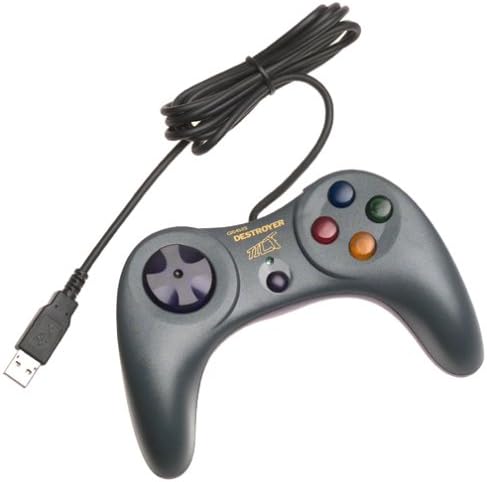
The Gravis Destroyer Tilt Game Pad is a versatile gaming controller compatible with both PC and Mac. Featuring advanced G-Force tilt motion sensing, six programmable buttons, and an 8-way D-Pad, it offers gamers a customizable and immersive experience. With a plug-and-play USB interface, it's designed for instant setup, making it the perfect choice for gamers looking to enhance their gameplay.
| ASIN | B00004YMGT |
| Additional Features | Motion Sensing |
| Brand Name | Kensington |
| Button Quantity | 6 |
| Compatible Devices | Mac, PC |
| Connectivity Technology | Interface,Play,Usb,Plug,Plug-and-play |
| Customer Reviews | 4.8 4.8 out of 5 stars (3) |
| Global Trade Identification Number | 00062770480512 |
| Hardware Platform | Desktop |
| Manufacturer | Kensington |
| Package Quantity | 1 |
| Power Source | Corded Electric |
| UPC | 062770480512 |
| Warranty Description | 3-Year Warranty |
L**N
Five Stars
works
R**E
The tilt feature is better than you think
This is a very nice little controller. Solidly contructed and comfortable to use. Totally plug'n'play, no need for a driver disk. (assuming Windows98 or better) With tilt enabled (LED on), the directional pad behaves as a "coolie hat", and tilting the controller behaves as analog X and Y axes. "Analog" meaning it's NOT just four mercury switches that are activated when you tilt them (like some older "tilt" controllers I've tried). This makes it well-suited for driving games. If you use the Y axes for gas/brakes, your arms will get tired from keeping it tilted forward most of the time, BUT... if you use *buttons* for gas/brake instead, you can keep it tilted back at a comfortable angle, and rotate the controller in midair to steer with analog precision. MUCH better than "tapping" around those long slow corners. With the tilt feature toggled off, it behaves as a traditional 8-direction digital pad with 6 buttons.
D**D
A good controller overall
This controller has a tilt feature, meaning that you can simply move the control left or right in order to control the game. If this feature gets annoying to you, you can just turn it off. I also like this controller because it's compatible with a Macintosh.
Trustpilot
1 day ago
4 days ago