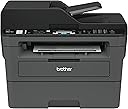
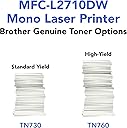
I haven't had this printer for too long, but so far, it works pretty good. I have suffered at the hands of cheap inkjet printers from HP for years and was sick and tired of paying ridiculous prices for the stupid tiny ink cartridges that were prone to dry out and quit working if you didn't use them for months. This is my first laser printer, and I am pretty happy with it. I see a lot of people complain about toner issues and connectivity problems with these printers, and after my experience with this one, I can see how a lot of people might have a problem setting this up if they are not very tech savvy. Luckily, I am a computer wiz, so I was able to overcome most of the technical roadblocks in a timely manner. Below is quick run-down for some of the issues people might have with this type of printer and how to overcome them. The first issue someone might have right off the bat is getting it to connect to their network. The DHCP needs to be enabled and have enough addresses available to accommodate another device. Most are set up this way, but not all routers people have for their home networks are created equal, and some come set up from the factory with settings that may limit the ability for peripherals, like printers, to connect to them properly. This is especially true with equipment that is purchased used. Some people, like me :), have their router locked down so tight, that nothing can connect to it unless they want it to. There is a setting in most routers with regard to either "Set AP Isolated" or "WLAN Partition" or some other jargon, but they all serve the same purpose. That is to disable network equipment connected to the router from being able to talk to each other. This is great if you want added security on your network, but If these settings are enabled on your router, then you will never be able to print to this printer from any device connected to your network unless you are connected directly by a cable from the computer to the printer. It's a give and a take. You give up added security, but hey, at least now your can print, right? The next mistake most people are going to make it to try to install the printer directly from Windows from the "Printers & Scanners" or from the device manager. Windows has default drivers that work with the printer and will find and install it, but you are shooting yourself in the foot right from the get-go when you do this. The reason being is that you will never be able to get to the settings and preferences that fully manage this printer, and you will not be able to find the setting that allows you to bypass the setting that makes the printer stop printing when the toner gets low. Many reviews on here complain about the toner-stop-printing issue, so this is how you fix it....Go to the Brother website and download the latest drivers for your printer and install all of the software on your computer. DO NOT use the CD that comes with the printer. It could have been sitting in a warehouse for 6 months or a year for all you know, and the drivers are probably not up to snuff. When the software installation reaches the point where you have to opportunity to update all of the software and firmware from the printer, do it. Do not skip that portion of the installation process. There is a sticker on the back of your printer with the "password" that it will ask for when you choose to remotely configure it, and within those settings, you have the wonderful option of setting the "Toner-Low" setting to "Continue" instead of "Stop". That way, you will never have to use those tricks or sequences to bypass when the printer stops printing when you still have oodles of toner left in the cartridge. Another issue that this solves is the fact that, without the software installed, you would never be able to scan documents from the scanner portion of your all-in-one printer and send them to your computer. You would be stuck with only basic print capability. I highly recommended that people also go through their settings for the printer directly at the printer itself and disable the "Auto Power Off" function altogether on the printer. It does not gobble up a million volts of electricity all the time when it's not being used. The reason I suggest this is because it will disconnect from the network and become "unavailable" for printing until you drag you carcass over to the printer and turn it back on. With the function disabled, it is always connected to your network 24-7 and will wake itself up from "sleep' and start printing a lot faster then if you had to go and turn it on every time when you haven't used it in awhile. I will update this review after a few months or add more info if I find any issues that I had to overcome. All-in-all, this is a nice little device that can print, fax, scan and copy for a pretty good price. So far, I am really enjoying the benefits of a laser printer over the junky inkjets that I have been using for so long. If you are like me and only print some stuff every now and then and are fed up with clunky inkjets, then you can't go wrong with a laser printer like this one.