Buy anything from 5,000+ international stores. One checkout price. No surprise fees. Join 2M+ shoppers on Desertcart.
Desertcart purchases this item on your behalf and handles shipping, customs, and support to Bolivia.
🚗 Tiny Cam, Massive Peace of Mind — Stay Ahead, Stay Protected!
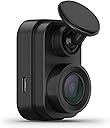
The Garmin Dash Cam Mini 2 is a compact, car key-sized dash camera that discreetly mounts behind your rearview mirror. It records crisp 1080p video with a 140-degree wide-angle lens and Garmin Clarity HDR optics for clear day and night footage. Featuring voice control in multiple languages, Wi-Fi connectivity for automatic video uploads to a secure online Vault, and remote Live View monitoring via the Garmin Drive app, it offers advanced vehicle monitoring including Parking Guard alerts. Designed for seamless, set-and-forget operation, it’s a durable, smart safety companion for modern drivers.


| ASIN | B0931YZ82P |
| Are Batteries Included | No |
| Auto Part Orientation | Front |
| Auto Part Position | Inside Center |
| Best Sellers Rank | #12,252 in Electronics ( See Top 100 in Electronics ) #195 in Car On-Dash Mounted Cameras |
| Brand | Garmin |
| Built-In Media | Garmin Dash Cam Mini 2, low-profile adhesive mount, dual USB power adapter, power cable, USB cable and documentation |
| Color | Black |
| Compatible Devices | Smartphone |
| Compatible with Vehicle Type | Car |
| Connectivity Technology | USB |
| Control Method | App |
| Customer Reviews | 4.0 out of 5 stars 4,773 Reviews |
| Field Of View | 140 Degrees |
| Flash Memory Supported Size Maximum | 512 GB |
| Flash Memory Type | microSD |
| Frame Rate | up to 30 FPS |
| Item Dimensions D x W x H | 1.23"D x 1.14"W x 2.09"H |
| Item Type Name | Dash Cam |
| Item Weight | 1 Ounces |
| Manufacturer | Garmin |
| Memory Slots Available | 1 |
| Mfr Part Number | 010-02504-00 |
| Model Name | Garmin Dash Cam Mini 2 |
| Model Number | 010-02504-00 |
| Mounting Type | Windshield Mount |
| Other Special Features of the Product | Compact Design |
| Real Angle of View | 140 Degrees |
| Screen Size | 2 |
| Special Feature | Compact Design |
| UPC | 753759269357 |
| Unit Count | 1.0 Count |
| Vehicle Service Type | Car |
| Video Capture Resolution | 1080p |
| Warranty Description | 1 year limited warranty |
J**.
inconspicuous and reliable
I wanted a dashcam which was inconspicuous. This Garmin product (mini 2) solves that issue. The camera is approximately the size is a larger key fob. I chose to place the camera in the lower center of my windshield. This placement did require a simple splice between the longer power cable (upward type c USB) and the shorter power cable (downward facing type c USB) (a 10 minute fix). I installed this camera in four vehicles. I suggest using the Garmin OBD adapter. Other than 2 inches at the camera there are no exposed wires at all. The camera turns on when the vehicle is started and turns off when your turn the vehicle off. Simply fire and forget. Nice automatic video saving in the event of an accident as well as simply audio commands, which work well. The video is 1080 not 4K, thus I gave 4 stars for picture quality. I suggest at least128MB of storage. I have owned several Garmin products over the years and find the products to be of quality with excellent customer support. I considered the larger dashcam models with additional features but found them to be too distracting for my needs.
J**D
Amazingly small, hidden, great reliable camera.
This does exactly what I was looking for - a set-and-forget personal video archive for the front view of my car, just in case I need it. I used the Garmin Constant Power Cable and the glare-reducing lens cover as well, all together it just turns on when I power on the car, and turns off 10 minutes after I power off the car. The connection to the phone app is sometimes broken by what I think was the car bluetooth trying to connect to the phone at the same time I'm connecting to the Garmin camera. If I completely turn off my entertainment system in the car and then try to download something, it works much better. It's easy to review footage with the app, although I don't personally do that very often. Alternatively, popping out the storage card and using my laptop is easy and works fine if I want to save some footage permanently in high quality. This camera is high quality from a trusted US-based company, works great, and it's out of my way. If I ever need customer service I feel Garmin will have my back more than a generic company halfway around the world.
C**N
Nice, inconspicuous dash cam, with truly inadequate instructions
This is the smallest dash cam on the market right now, so it can be mounted inconspicuously, in some cases between the rear view mirror and the windshield. That was not possible in my case, but it’s still non-obtrusive where I mounted it. (See picture) Like virtually all Garmin products, it’s relatively user friendly, with only two buttons, and it can be also operated by voice commands. I have found that although the voice commands work fine when parked, normal noise on the highway prevents them from working reliably. But the written instructions that come with it are really inadequate—and that’s also typical of Garmin products. The best source of “how to” instructions is in their website videos and in private videos on YouTube, but not with what comes in the box. On the plus side, it takes clear pictures with a wide angle lens that doesn’t distort excessively. (See picture—that’s a Wyoming ground blizzard)) It also comes with two mounts, as well as two connecting cables. I was able to put one mount in my car and the other in my Class B motorhome, and to make use of the longer cable in the car and the shorter one in the motorhome. The mounts have an incredibly sticky and strong adhesive. It’s quite easy to remove the dash cam from the mount and pop it onto the mount in the other vehicle. So far, neither mount has loosened from the windshield. One major complaint: it has two LEDs to indicate that it’s operating—and they are incredibly bright and annoying, even in bright daylight. I found it necessary to tape over most of the primary LED’s lens—still visible, but only a tiny part of it. Garmin should include some way of dimming the LEDs, but if they do, it’s not in the instructions. Perhaps it would be less annoying if it had been possible to mount the dash cam behind my mirror. But with most newer cars having electronics boxes behind their mirrors, my installation will be pretty common, I think. One last comment: it has a “ding” sound whenever it turns on or off or starts a recording. I’ve read of others who found that annoying, but compared to the other warning sounds in both of my vehicles, it’s pretty unobtrusive. The reason for my overall 4 star rating is the inadequate instructions and the excessively bright LEDs. Garmin can do better.
A**R
Save functions ruin main video record
UPDATE 4: Throughout several phones and app updates, this thing continues to have problems. Updates don't fix things, and Garmin does not seem to care if updates break stuff. My current phone is a Samsung A54, hardly an obscure thing, and it has the endless "connecting" problem when trying to see the live view or access videos. UPDATE 3: I reinstalled the app, and now it won't connect until I go to my wifi settings and "forget" the camera "DC Mini2". Problem: there is no such thing in my wifi list. So I can't remove a thing that isn't there, and the camera refuses to do anything until I do an impossible thing. This. Is. Junk. Do not buy it. UPDATE 2: I took the risk of updating the app to see if they fixed the constant logging-out problem. Now it disconnects from the wifi every 5 seconds, so I can never get any videos off of it. It loads all the thumbnails, and then connects to wifi when selecting one (because it's still too stupid to connect when you open the app), starts loading the video, and then says wifi connection lost. This thing is a useless brick now. UPDATE: In addition to everything below, the app periodically logs you out of your "session", so if you have an accident and want to manually save a clip, you might open the app and be told you need to log in again, so you have to dig around to find your password. AND you need to receive a verification text message code. Overall, it doesn't seem like a good deal for the hardware you get. I kept this camera mostly because I had to. The dash cam market is a mess. I don't want the kind where the display and camera are both hanging down in the middle of my view of the road. I don't know why the standard dash cam design isn't a separate camera you mount to the window and the wire runs to a display/setting device you can mount under the dash. I am going to use the next few paragraphs describing what I think it the worst thing if you plan to use the auto-save features. It seems like an absolute failure from a data-preservation point of view. Marking video to be saved (done by save button, voice command, or crash detection) saves a separate 30-second video file, centered on the time the save was triggered. So if you have a crash at 1:00:15pm, you get a saved clip covering from 1h:00m:00s-1:00:30. BUT!... ...there is now a period of 7 seconds missing from the main video recording, right from the point the save was triggered. If 15 seconds on either side of a point in time is not enough and you want to manually select a larger clip to save, there will be 7 seconds of reality missing from that new clip. It's like the camera can't handle copying the previous 15 seconds to the new file and also continuing to record new video to the main string of video, so it just gives up on one of its jobs for 7 seconds. There is a clock displayed on the video, and you will see the video skip ahead and the clock will jump forward. Everything is still recorded SOMEWHERE, but 7 seconds of critical time will exist ONLY in the auto-saved clip... which the manual trimming feature of the phone app can't splice in. If you try to manually cut a longer clip, in the middle of playback the video will jump ahead 7 seconds. It will not be possible to save a new continuous clip which includes more time before or after the auto saved 30s clip. Suggestion to Garmin: Why not just have the save function mark the current file as protected (along with either the previous or next file, if the current time is too close to the beginning or end)? The camera also includes a handy voice command to "take a picture". This saves one frame of the video as a separate picture, which is much easier to transfer to your phone if that's all you need. BUT!... this ALSO interrupts the recording process, though for only about half a second. While this is much less than the 7 second skip from saving a video, you now have a fraction of video fully missing which does not exist anywhere! OK, now some various comments: I like having display and controls separate from the camera. It's ridiculous how most dash cameras force you to have the camera and the controls in the same location. I don't know why there aren't loads of dash cams made which have the main good camera on the end of a wire and a display/button unit mounded on your actual dash (or under it, etc). App instructions are unclear. To connect to the camera, you need to turn on 3 things on your phone: 1. Wifi (NOT your phone's hotspot feature, wifi like you don't have Internet service, but used to transfer videos) 2. Bluetooth (uses for basic commands) 3. Location (I have no idea why, but it won't connect if you don't) The app is mysteriously slow at establishing the wifi connection to the camera, but it does not bother trying to connect when you open it. It waits until you do something which NEEDS it. Why not start working on that in the background as soon as I open it? Initial setup was confusing because by default, it was set to only use a wifi connection (not cellular data) to upload to the vault. If I am in a crash, what are the odds I happen to be connected to an existing wifi spot? I was not prompted to choose this when starting it the first time, it was just set to this absurd option in one of the menus. Video quality is medium. Not great for night, OK for day. Expected for a midrange 1080p sensor. The included USB cable is for power ONLY. Annoyingly, you can't unplug it from the power block and connect it to a laptop or USB OTG adapter to transfer stuff to your phone without wifi. To do that, you will need to disconnect the cable at the camera end and use another USB cable. When saving a video clip, it is not always clear what is happening. FYI, the export screen's status bar means loading to phone. Upload to cloud status is not shown and happens in the background. The clip-cutting setup of the app is great (as long as you haven't lost 7 seconds of time from an auto save). Videos are all grouped with a single icon per day. A day is then displayed as a single timeline, and there are sliders you can use to select start/stop points for a clip to export. Tapping and holding the sliders will zoom in on the timeline so you can be precise. Something which makes up for the terrible auto save feature (which I disabled) is that this camera supports HUGE 512GB SD cards. Buy as much memory as you don't mind paying for, and you don't have to worry about critical footage being overwritten any time soon. A 64gb card holds about a week worth of driving for me. Accessory note: Garmin sells a separate polarizing filter which reduces glare. For what Garmin wants for this camera, they should have included it for free. Cloud storage: If you upload a clip to Garmin's cloud storage, they save it for free for 24 hours. You can generate a shareable link to the file and email it to people. They have a monthly subscription option if you want to store videos on their server longer, otherwise there is no fee for any features. App warning: You need to be logged into the app to connect to the camera (yikes). Save the password somewhere on your phone. App warning 2: There is an option in the app to set the camera to delete video after only 3 minutes! Make sure this is not turned on. I have no idea what kind of wannabe secret agent is using a phone/web-connected dash cam but also thinks their driving history is so secret it must vanish after 3 minutes.
D**H
Things I wish I knew-Bright red light and iPhone & Wireless Car Play is an issue with Garmin App
The compact size is great and non-obtrusive*. I don't need a screen of my driving on or a large block in my site line. I only want a camera in case of an incident. This fit the bill. I bought 2 of these, the first was for a '20 Mustang without all the Safety sensors and nanny systems tied into the rear view mirror. I liked that it was compact and I put it on the passenger side behind the mirror. More recently, I bought a new Jeep GC 4xe with all the nanny systems. I already had an EZPass tucked on the passenger side with all the sensors spreading into the passenger side, there was no room to tuck the camera like I did on the Mustang. So, I put this latest Mini 2 on the diver's side, using a hard wired Donger USB port (highly recommend) on the driver side. Several issues I have. First is the red light* at night. There is a steady red light indicator that is too bright. I thought I did a good job putting the camera behind the mirror, but I did not account for the little red LED causes a glare, looking like a brake light in my peripheral vision. I had to move the mirror out of my comfort zone to block it. You can tell me to readjust or move the camera but it's a lot of work. Why? Because the next issue is with wireless Apple Car Play. It is not easy to set up with Apple Car Play being wireless because the Bluetooth on my iPhone 13 is a slave to the Car Play. You have to un-pair from Car Play completely to set up your Garmin view, then re-pair with the Car Play (no issue with the hard wired Car Play version in the Stang). So the issue is the Garmin app and wireless Car Play cannot co-exist; you will not get a "live view" if connected to wireless Car Play- you will need to disconnect your phone from your car to get the live view. The camera's WiFi shows up on the phone, it just doesn't give the video feed. Not sure if I will keep this one for the Jeep. So be aware of the bright little tiny light and Apple Car Play.
D**L
Nice little camera
I already have a Garmin 46 camera that I use in my jeep. I wanted this one as a rear camera. I wanted the wires hidden so I ran power to the back of the jeep and installed a two-place USB socket at the rear wheel-well. I fished the provided USB cable through the same area that is used by the wiper power and fluid hose in the back of the hard top. The camera is installed next to the cover of the wiper motor. During the past few days it has been downloading an update that was installed. I have connected to it a few times over the past few days to check that it is working properly. Since this is the mini model it does not have a screen like the 46 model does. When turned on, it beeps, shows a green LED which changes to red when it starts recording. Over the past few days there was one time when it did not seem to turn on. I reseated the USB connection and so far everything has worked well. I'm happy with it at this point.
J**J
Remote Live View feature is a scam. 24/7 Recording Doesn't work.
Update 2: This dashcam does not record 24/7 even running of a continuous power through a power bank. There is a folder called Unsaved Videos where 24/7 recording should go that isn't in the Vault. Only a handful of videos show up there but missing hours of footage. I've searched the Micro SD card and no 24/7 recording. There is an accessory that plugs into the OBDC port to supply continuous power to the dashcam but I did not want to go that route because it's more expense for another accessory, it will draw power from and drain the car battery instead of a power bank, and I am already using that power for a different purpose. An independent power bank should work for continuous power. If Garmin crippled using anything other than the OBDC port accessory then they are shooting their product in the foot because continuous power should work as long as the correct power specs are supplied. Being forced to buy a less desirable solution that can kill your car battery is not an ideal choice. And the dashcam is useless for 24/7 monitoring if nothing is being recorded regardless of whether it detects something or is triggered somehow. Update: Live view is hit or miss but not that reliable. Upgrading to 3 stars. More details after using it for awhile: There is an annoying quirk with the app. You are forced to turn on Bluetooth in order to connect to the camera regardless of distance. It would make sense to connect to it when you are a few feet away from the device but makes no sense if you want to view it remotely from a location far away. The reason they do this is to make it "easier" for users to connect and set it up when near it but there is no option to turn this off. The Bluetooth after detecting the Mini 2 then asks you to join its WiFi. A problem with this is you cannot test and use remote live view if you are a few feet away. It forces you to connect directly over Bluetooth and then over the Mini 2's WiFi. But sometimes this is not what you want to do. If you want to test remote live view, then you'll need to walk a distance outside the reach of its Bluetooth just to test it. This gets annoying when you have to constantly test or troubleshoot it because remote live view is not Live View over WiFi. Those are two different things, which can confuse some users thinking Live View is working when they meant Remote Live View a distance away. Original review: Got this during Black Friday week 2024. I did some indepth research and was led to believe that you could monitor your Mini 2 dash cam remotely using Live View. Even their manual and online support section and app has this misleading claim you can do this. I don't want to store anything in the cloud with yet another cloud subscription I don't otherwise need. The only thing I want is to view through the camera remotely and Live, not pre-recorded. That's it. The Mini 2 does not have any LTE radios so the support site is wrong about that because they are mixing product documentations. The Mini 2 can connect to WiFi hotspots but you are only limited to uploading your dashcam videos remotely with a paid subscription to their Vault. I have tried every setting I could find and dig further. The only way to have "Live View" is when you are within a few feet away with Bluetooth and Wifi on your phone enabled in order to align the camera and change settings. This does not count as remote view. But remotely, far away from the camera, you cannot do any of this even if the Mini 2 is actively connected to a hotspot. This is why it is pointless. This thing is a big disappointment. Unless you like it for its size to be less conspicuous, that is pretty much all it is. The misleading Live "feature" had me sold but it doesn't work on this model. I might keep it for the pre-recorded videos and since I got it on Black Friday it did not cost full price.
W**R
You can't go wrong
I have over time purchased every member of my family a pair of these (8 pairs total). On balance, they are hands down the best cameras on the market (yes, I am aware the camera does not excel in any one area. I traded an older Thinkware dash cam for this unit in my wife's car, despite the Thinkware costing 4x more and having 4k). Ultra low costs, simplicity, very discreet size, and several useful features make these the best to have. The individual who posted the long comment below about saving videos manually seems to be confused. You never have to "save" your videos to preserve them, even in the event of a crash. As long as your storage card is large enough, you'll have many days worth of video before the camera starts to overwrite older material. My 256gb card stores several weeks worth of day-to-day driving before the older stuff starts getting overwritten. There is really never a need to manually save anything, and I never, ever see any "gaps" in my coverage. For folks with large travel trailers, this is a Godsend. You can use 2 in your truck, and then another 2 in the front and back of your trailer (you can actually pair as many as you want in groups of two...for example if you wanted a couple inside to monitor your horses). I got my first set back in 2019. The only issues I ever run across is an occasional glitch with my wireless Android Auto interference (both use WiFi and there's a trick to get your phone to switch from wireless Android Auto to your camera if you need to view pictures). I'd also pay more to have 4k resolution (allows farther zooming for license plate reading).
D**N
Mini Dash Cam Garmin 2
Neat little dash cam but not comfortable using the app to access the data. Still, good little product. Dan
C**3
Fantastic dash cam
I purchased this dash cam in 2022 and it has worked flawlessly since then. install was simple with a nice long power cord i was able to tuck up into the headliner and trim all the way around to a power port. it comes. with a usb connection and an adapter to use it in a 12 volt port if needed. i had the dealership install a usb port (ignition power) up behind the passenger for well because i wanted the wire out of the way but that’s not needed. the phone app is good and controls the unit for playback of video, downloading video and the settings of the camera. the app linked easily and found the camera’s wifi signal which then connected to my phone and displayed the videos. i added a memory card and the camera activates with my ignition and switches off when my vehicle power turns off. once you lean how to save video and what the various settings do it’s a very slick little camera. i have it tucked up behind the rear view mirror beside the ford housing for its lane keeping system. you can set it to auto activate save the last 30 second if it senses a crash or aggressive maneuver and mine is set to medium because high was being set off by simple speed bumps. you can also manually activate the save feature by taping the button on the rear of the camera or by a voice command. the camera records in a loop so when the memory card fills up it simply records over it but by bit. love this camera!!!
E**O
Ótima imagem e fácil instalação.
Foi muito fácil o procedimento de instalação e as imagens são muito boas.
C**I
Cámara de muy buena calidad!!
Buena definición, excelente tamaño, fácil de colocar, buenos materiales.
S**Y
Work well for my rental car
Requires app to view the video or live view. Bought a mount with suction to hold it. Fix onto rental car easily. Very handy n portable
Trustpilot
2 months ago
3 weeks ago