


🚀 Ship Smarter, Not Harder — The Ultimate Label Printer for the Modern Hustler
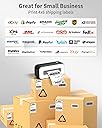
The Phomemo Thermal Shipping Label Printer is a high-speed, 203 DPI thermal printer designed for professional sellers and small businesses. Compatible with Mac, Windows, Chromebook, and major e-commerce platforms, it prints crisp 4x6 inch labels at up to 150mm/s without ink or cartridges. Its compact design and eco-friendly technology streamline your shipping process, saving time and money while boosting productivity.






| ASIN | B095HQ6WR2 |
| Additional Printer functions | Print Only |
| Best Sellers Rank | #1,160,967 in Office Products ( See Top 100 in Office Products ) #2,985 in Desktop Label Printers |
| Compatible Devices | PC |
| Control Method | App |
| Controller Type | Android |
| Customer Reviews | 4.2 4.2 out of 5 stars (328) |
| Date First Available | June 11, 2022 |
| Dual-sided printing | No |
| Duplex | Simplex |
| Hardware Interface | USB |
| Included Components | [Free 2-in-1 Label Holder, Phomemo labels (possibly, not confirmed)] |
| Ink Color | Black |
| Is Discontinued By Manufacturer | No |
| Item Weight | 3.78 pounds |
| Item model number | PM-246S label printer |
| Manufacturer | Phomemo |
| Max Copy Speed (Black & White) | 72 ppm |
| Max Input Sheet Capacity | 1 |
| Max copy resolution black-white | 203 dpi |
| Maximum Black and White Print Resolution | 203 x 203 dpi Dots Per Inch |
| Maximum Color Print Resolution | 203 x 203 dpi Dots Per Inch |
| Maximum Media Size | 4 x 6 inch |
| Model Series | PM246S |
| Print media | Labels |
| Printer resolution bw horiz max | 203 Inches |
| Printer resolution bw vert max | 203 Inches |
| Product Dimensions | 3.41"D x 1.39"W x 1.63"H |
| Sheet Size | 4 x 6 inch Inches |
| Specific Uses For Product | Home office (requires USB connection to computer side) |
| Supported Media Sizes | 4 x 6 inches |
| Total USB Ports | 1 |
| UPC | 757837704488 |
| Warranty Type | limited warranty |
A**R
It works with Chromebook if Labelife Extension downloaded
I love this label printer. It prints super fast and it's small and lightweight. You have to add the Labelife Extension and have it open when you want to print something. Also make sure you choose 4x6 paper from whatever site you sell on like eBay, Facebook, Mercari etc... or else it won't print right. Also if you change your Wifi on Chromebook it will no longer recognize your printer so you have to uninstall the Labelife Extension, restart your computer and then reinstall the Labelife Extension and it will recognize it again. I hope this helps others who may get frustrated with these same problems. :)
S**U
Great product.
This printer prints really fast and doesn’t have the pause in between each label. It’s compact and saves a lot of desk space. It was easy to install and setup. Prints clear. Printed hundreds of labels so far with one a single issue.
K**A
Works with Linux Ubuntu via CUPS
I'm running Pop!_OS 20.04 LTS (Ubuntu) and took a chance on the Phomemo because I couldn't get the Brother QL-1100 working and ended up returning it. For the Phomemo printer, running the install script did install the printer but the printer would not print anything. I did some digging and did the following: - I removed the printer using the POP OS printer app under settings. - I navigated to the CUPS web interface : http://localhost:631/ - From the main menu | Administrator | Add Printer | (login with user id and pw) - Follow the instructions, and at some point CUPS will prompt you for the .ppd file. - The ppd file is extracted gz file you downloaded from the Phomemo website. So just browse to the “labelprinter.ppd” file and it will add it. - Then try to print a test page. (Make sure to set the size to 4 x 6).
D**T
May not work
Printer test page printed once installed . When I tried printing the error message repeat my showed .
A**7
Easy to use label printer!
I finally have a label printer! I ship a lot of packages so this is a game changer for me, super easy to use! I like how it function just like a regular printer, you connect the printer directly to your laptop and power source, so I never need to charge it. You do need to download a driver to install the printer. They also provided a USB in the package with the driver file on it. The whole process from installing the driver to print out the first label took me less than 5 minutes. (And there is a step-by-step guide in the package if you need more information). Another plus is it print pretty fast and with high resolution. Make shipping multiple packages super easy!
A**E
Software is difficult
The printer works great, but the software program to make labels is difficult to use. Would not recommend based on poor compatibility with other programs
M**E
No ink..No problem
I am a reseller on Poshmark, FB, and Mercari so I need to print out shipping labels on a regular basis. I have an old-school cannon printer that literally drinks ink. I was using so much paper as well when it came to creating shipping labels on top of cutting the 8x10 image to fit the package. This takes all of that work out of it. You can set up your printer to print in the size needed at the click of a button. My only complaint is with it being a laser printer, sometimes the image comes out a little spotty. But that is just a small thing compared to the big value and time this printer as saved me.
M**L
Easy to use once
If you can get past the set-up which is extremely frustrating and difficult, we almost gave up and returned the item, it's a good little printer, easy to use.
F**A
Been using this printer for over 7 months. It’s exactly what I was looking for. Print with ease. The machine broke down recently, and the seller provided prompt help. Awesome!
B**B
For the price and print quality. I say its worth it.
K**R
The app for this has serious false advertising. Print anywhere? Only with a PC or laptop, not on an android phone. Don't even try saving it. Won't work on my chromebook, either. Can't save anything you edit so goodluck with your small business for printing anything that isn't your basic download packing label. Can't customize anything because you can't save anything you make or edit. This was a waste of money and time. AND I need to pay to send it back? Ridiculous.
I**A
I refunded…. Doesn’t have all the information ℹ️.
S**R
If you plan on connecting it to any apple products. please don't waste you time and buy it.
Trustpilot
2 weeks ago
3 weeks ago