Buy anything from 5,000+ international stores. One checkout price. No surprise fees. Join 2M+ shoppers on Desertcart.
Desertcart purchases this item on your behalf and handles shipping, customs, and support to Bolivia.
Print Smart, Connect Better! ๐
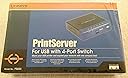
The Cisco-Linksys PSUS4 PrintServer allows you to connect your USB printer directly to your network, eliminating the need for a dedicated PC. With a built-in 4-port Ethernet switch, it expands your network capabilities while offering remote management through a web browser or utility, making it a versatile solution for modern office environments.
| ASIN | B0000DF2LT |
| Additional Printer Functions | Print Only |
| Best Sellers Rank | #130 in Computer Networking Print Servers |
| Brand | Linksys |
| Built-In Media | 4 x USB 2.0 Cables |
| Color | Blue & Grey |
| Compatible Devices | PC |
| Connectivity Technology | Ethernet |
| Control Method | Remote |
| Customer Reviews | 3.7 out of 5 stars 93 Reviews |
| Dual-sided printing | No |
| Duplex | simplex |
| Global Trade Identification Number | 00745883557790 |
| Hardware Interface | USB |
| Ink Color | Black |
| Item Weight | 200 Grams |
| Manufacturer | Linksys |
| Maximum Copy Resolution Black and White | 1200 dpi |
| Maximum Media Size | Letter/A4 |
| Maximum Print Resolution Black and White | 1200 |
| Maximum Sheet Capacity | 50 |
| Model Name | PSUS |
| Model Number | PSUS4 |
| Model Series | PSUS |
| Number of Drivers | 1 |
| Number of Ethernet Ports | 4 |
| Other Special Features of the Product | Network-Ready |
| Paper Size | Letter inches |
| Print media | Labels |
| Printer Connectivity Type | Ethernet |
| Printer Output Type | Monochrome |
| Printer Type | Laser |
| Printing Technology | Laser |
| Processor Count | 1 |
| Resolution | 1200 x 1200 |
| Special Feature | Network-Ready |
| Specific Uses For Product | personal |
| Total USB 2.0 Ports | 1 |
| Total Usb Ports | 1 |
| UPC | 745883557790 |
| Unit Count | 1.0 Count |
| Warranty Type | limited warranty |
J**W
Excellent and Easy to setup
I have completely no problem on installing and setting it up. I have a HP240 multimedia inkjet printer and 6 pcs, 5 connected to the hub and one laptop is wirelessly connected. I set up and installed this server by just following the instructions came in the box. After I installed the software driver, it immediately recognized my printer. The only thing I feel bothering is that every PC has to setup in order to recognize the printer. The setup is not difficult because once you installed the software in one PC, the print server driver is already available for every PC, all you have to do is to use the 'Add Printer' function of Windows to add the printer, using the driver that is already installed (it will show up in the drop down list). There is a trick when doing this. When you start the Add Printer function, it will keep asking you to provide a place to find the printer driver (which we need to use the driver that we have already installed, not the OEM driver), but you have no way to get that because it is not in the other PC. All you have to do is to use any dirver that Windows provides. After the printer is added, go back and modify it, locate the driver that we have already installed from the drop down list. That is it. So far I have no problem in using my printer from different PCs. Good price and good product.
M**D
Good but tricky
Like a number of the other reviews mentioned, the PSUS4 works fine as a printserver but the included setup software isn't worth even removing from the box. I am by no means a networking expert but I had the time to tinker with the device and found that you really need to be ready to configure the PSUS4 directly using your browser and then configure each computer for local printing by creating a new TCP/IP port using the IP address of the unit and configuring it for printing to "USB1". If this sounds complicated it really isn't and with a bit of searching you can find quick and easy instructions from an article on the Linksys website (note the lack of mentioning USB1 in the article). Long story short, don't buy this if you want plug and play but if you have a basic understanding of networking you will find this works fine after a bit of a painful initial setup. I found that it took much longer just to find the information I needed than actually setting up the unit.
A**R
Works fine with both Windows Vista and Ubuntu Linux
I installed the Linksys PSUS4 PrintServer yesterday for my home network consisting of Windows Vista and Ubuntu Linux boxes. The installation for Linux was actually easier than for the Vista boxes which needed the installation for an additional driver coming with the installation CD. The quick start manual is a bit confusing on how to add to printer under Windows. The last step of the installation did not work for me or I must have misread or misunderstood something. I then tried to add the printer manually through Windows Add Printer function. There I was kind of confused again. I first thought that I have to choose the "Add Network Printer" option which turned out to be the wrong choice (since this is a network printer, it seems the natural choice to me). What you need to select is the "Add Local Printer" option since the installation creates a local port to the print server. Besides that confusing part of how to connect the printer I had no problems with the installation. Printing from both Vista and Ubuntu works fine so far. I previously had problems printing from my Linux boxes while the printer was connected to a Windows box. I am very happy with the new set-up.
C**S
Does not work with Linux - IPP implementation is broken
After doing the "safe" thing and getting my printer working under Windows 98 and Windows XP, I started tackling the unix machines on my network under the theory that with IPP and LPD support, this should be easy. It's not. CUPS -> Linksys IPP will simply print your first page over and over until the printer is out of paper. This was tracked as a potential Linux/CUPS in redhat at https://bugzilla.redhat.com/bugzilla/show_bug.cgi?id=135502 which includes information on how it was determined that this server was to blame. The workaround suggested in the bug - to use LPD rather than IPP - didn't work well in my experience. basic printing functioned OK as far as printing test pages, but if I tried to bump up the resoltuon of my print job to fully use my photo printer, the server and printer would lock up. I would have to power cycle both the printer and the server to be able to print again. Linksys apparently isn't fixing this. As indicated in the RedHat bug, they have know about this for years and have not fixed it.
D**O
Easiest Install Ever!
I'm shocked that this only has an average of 2.5 stars (at the time of posting). I think if you buy a print server from the same company that made your router/switch/etc, you will be fine. I have a Linksys wireless router (don't know the model off hand) and set-up of the PSUS4 was a dream! I installed two laptops (one XP and one Vista) in about 25 minutes, and that was only because I forgot to turn off "Use Printer Offline" on the XP machine, and wasn't logged in as admin on the Vista. Once I got those bugs worked out, it printed flawlessly (and FAST!). The printer is in my closet, and by the time I get there from the kitchen or office, my printout (single pagers thus far) is ready and waiting for me. BTW, I'm printing to an HP OfficeJet 5510 all-in-one, and while I won't be able to scan or fax with this server, who really needs to? I fax from the control panel of the printer, and if I really need to scan something, I'll just connect locally (it IS a laptop, after all). PS - I'm moderately computer illiterate, so if I can do it, anyone can.
A**R
A great little device
After reading reviews about this product, I was a little skeptical about how well it would work. However, given the prospect of being able to turn a PC off, I was willing to give it a try. The setup of the device itself was easy. Since it has a built in switch, I didn't have to run more CAT-5, I just plugged what I had in and connected the provided cable between the PC and the switch. They even provide a USB cable! The device configuration is straightforward - you set DHCP on/off, set an IP address, subnet mask, etc. if appropriate. Change account/password, give device another name if desired...done. You actually don't need to use their software to do this - it can all be done from the configuration web page. I've read reviews that said the device ran very hot. Mine is running cool as a cucumber! The case is made from sturdy metal and is rather small. It is easily tucked away to the side. The difficulty came in with setting up the printers on my various PCs. This was pretty straighforward on Windows XP. I found out that you don't need the Linksys software for that either! You just need the printer driver software for your printer. Configuring the printer on Vista was challenging, but with some Googling, I was able to find a solution. The short version is on Vista, you need to configure it as a locally attached printer (this is counterintuitive) but specify an IP port. At some point you enter the IP address and in the end, you have a working printer! The only bummer is that I can't get bi-directional to work. This wasn't a surprise. I can live with this...this inconvenience is overshadowed by the fact that I was able to turn the PC my printer was originally connected to off! My printer is a Canon IP4600. All you lose with no bi-directional support are ink status messages, paper jam messages, paper out messages, etc. You'll get an error, but no indication why...but that will be made obvious once you wander over to the printer :-). I dinged a star because it was difficult to find information on using this with Windows Vista. Windows XP is really long in the tooth now, so saying it supports Windows ME, XP, etc. is pretty lame. They should update their documentation with instructions for configuring printers on Vista/Windows 7.
G**S
Wasted My Money
I might be doing something wrong but I've given up on this as a print server. I read a lot of the reviews before I bought it but I guess that I should have read closer and paid more attention to them. I consider myself reasonably tech savy but this just wasn't very easy to install. I'm running MS Vista and I did get it to work, finally. I started out pretty much following the instructions (such as they are) and everythng seemed to work okay. But when I went to print the system just acted as if the printer wasn't there. I eventually did get it to work correctly and happily printed away from a couple of different computers on my home network. Then, at the end of the day, I shut the computers and the printers off, as I do every night. I did leave the print server, the router, and the modem powered on. Got up the next morning, powered up the computers and the printer, and tried to print. The system acted again as if there was no printer attached to the print server. Reinstalled the printer and everything worked fine until the next time that I shut down the printer. Had to reinstall it again the next day. Figured if I was going to have to reinstall the printer every day it wasn't worth the hassle. Took the printer and installed it on the main computer as a shared printer and took the print server and threw it in a drawer. It'll probably go in to the recycle bin the next time I head that way. Very disappointed in this product. Expected more from Cisco/Linksys!
D**S
Great product, kinda "special"
When I bought this product, it was almost impossible to get a compatibility list from Linksys, I called them and the support technician never wanted to provide a list of supported printers, not even after speaking to his manager, I had to use forums all over the Internet. I did later find out that it worked well with my old Epson printer, but it never worked with my new lexmark printer, know I have it as just a "switch" with "special" printer server capabilities which I can't enjoy as per compatibility issues, I just hope one day linksys will be a bit more conscious and provide more support for their products.
Trustpilot
1 week ago
2 weeks ago