⚡ Elevate your Mac Mini setup with speed and style — don’t get left behind!
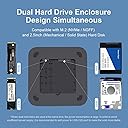
The MC25 Pro by Hagibis is a premium USB-C hub and dual hard drive enclosure tailored for Mac Mini and MacBook users. Featuring ultra-fast 10Gbps data transfer, it supports simultaneous read/write on M.2 NVMe and 2.5" SATA drives within a sleek, durable alloy chassis. With multiple ports including USB-C, USB 3.1 Gen2, USB 3.0, and SD/MicroSD slots, it offers versatile connectivity while its smart heat dissipation ensures reliable performance during intensive tasks.


| ASIN | B09C5Q9TT6 |
| Best Sellers Rank | #65,894 in Computers ( See Top 100 in Computers ) #1,310 in USB Hubs |
| Brand | Hagibis |
| Built-In Media | Blu-ray |
| Color | MC25 Pro |
| Colour | MC25 Pro |
| Compatible Devices | Mac Studio, Mac mini, MacBook Air, MacBook Pro, iMac |
| Customer Reviews | 4.1 out of 5 stars 1,291 Reviews |
| Data Transfer Rate | 10 Gigabits Per Second, 5 Gigabits Per Second |
| Enclosure Material | Metal |
| Hard Disk Form Factor | 2.5 Inches |
| Hardware Interface | USB 3.0, USB 3.1 Type C, USB Type C |
| Hardware Platform | Mackbook |
| Hardware interface | USB 3.0, USB 3.1 Type C, USB Type C |
| Hardware platform | Mackbook |
| Item Dimensions L x W x H | 19.5L x 19.5W x 1.5H centimeters |
| Item Weight | 600 Grams |
| Item height | 0.59 inches |
| Manufacturer | Shanghai Xinxie Industrial Co., Ltd |
| Material | Metal |
| Product dimensions | 19.5L x 19.5W x 1.5H centimeters |
| Supported Devices Quantity | 2 |
R**D
Super upgrade for MacMini
Everything worked great but I recommend in all cases connect one of the rear USB-C to a USB power source as indicated by the manufacturer, preferably 5A or more, I had some problems connecting an external enclosure, an OWC Envoy with a PCIex Apple 1TB from my previous MacPro 2013, at one point transferring a large file as a test (20GB) the M2 that I installed in the HUB was disconnected, and was only using one of the two slots for storage that brings the Hagibis USB-C Hub. Then I connected in the other internal slot a Crucial 1TB SSD and the USB-C to a mobile charger and everything was perfect, I have not had any more disconnected devices. The front USB slots and SD and MicroSD work great, the LED status indicators of the disks are very useful, the M2 turns off when it takes a while without being used and the SSD begins to blink slowly indicating that the disks are like at rest but only mark one in the Finder is activated in a millisecond. I still need to test with video editing and the Display Port output...let's hope everything keeps working perfectly. I think it's a perfect upgrade for Mac Mini users, mine is a M1 512GB and 16 RAM and this Hub really came to be the relief for my headaches with audio libraries and multitrack audio projects because they take up a lot of space
W**I
Overall fine
Hi Dear, My hub enclosure keep disconnecting with my mac mini m1. At starting when I purchased this, It was working fine but now it keeps disconnecting with my mac mini m1. Could you please help me to fix this issue?
K**I
disconnects the ssd and external display issue
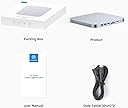
The product arrived as expected in good packaging, and the assembly tools were also included. For a Mac to attach an SSD, you need to format the SSD in a specific way, which you can figure out online. Although I followed all the steps, most of the time I get a notification that the SSD has been disconnected. If I have an app downloaded on it or running, it becomes a hassle to wait for it to reconnect. Furthermore, I also use a two-screen setup with an external screen connected to the hub. Sometimes the secondary screen connected to the hub disconnects, and it's really frustrating to deal with. I have tried connecting an additional power source to the hub, but I still have this issues. I have been using the hub since October, and I still face the same issue.
Trustpilot
4 days ago
2 weeks ago