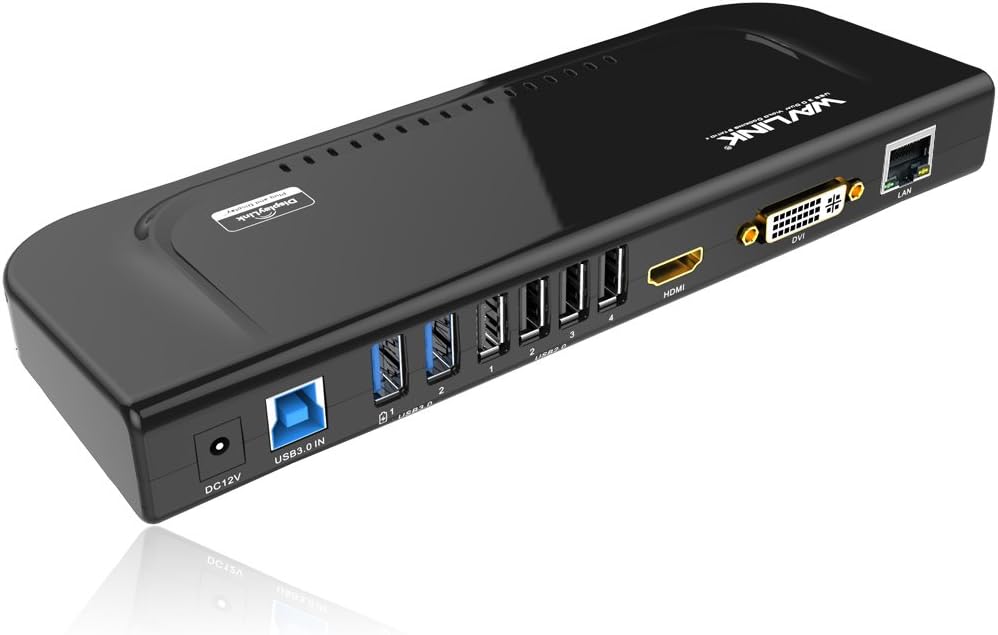
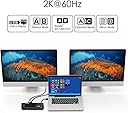

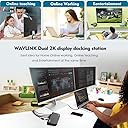


USB 3.0 and USB C Universal Docking Station Dual Video Monitor Display DVI HDMI VGA Gigabit Ethernet, Audio, 6 USB Ports for MacBook M1-M5/Neo & Windows
Product ID: 42910991
⚡5Gbps data transfer
🔌USB C & A compatibility
🖥️Dual video output
Buy anything from 5,000+ international stores. One checkout price. No surprise fees. Join 2M+ shoppers on Desertcart.
Desertcart purchases this item on your behalf and handles shipping, customs, and support to Bolivia.
🚀 Elevate Your Workspace with WAVLINK!
The WAVLINK USB 3.0 and USB C Universal Docking Station is a versatile solution for professionals seeking to enhance their productivity. With support for dual video outputs (HDMI, DVI, VGA) and multiple USB ports, it allows seamless connectivity for laptops and desktops. Designed for Windows and macOS, this compact docking station offers high-speed data transfer and a sleek design, making it an ideal addition to any home office or workspace.


| ASIN | B072B96243 |
| Best Sellers Rank | #120,698 in Electronics ( See Top 100 in Electronics ) #1,227 in Laptop Docking Stations |
| Brand | WAVLINK |
| Color | USB 3.0 Docking Station-Black |
| Compatible Devices | MacBook M1-M5/Neo and Intel Macs (with macOS 10.14 or later) /Microsoft Surface line/HP Spectre x360 series, /Dell XPS 13 & XPS 15 / Latitude, Lenovo Thinkpad T series. Latitute 7280/ Latitude 5310 2-in-1; Precision 7730/7750; Laptop 5590, HP Spectre Laptop 13-af001TU/ Spectre x360 13t/ Spectre folio/ Specter x369; Elitebook 840 G5 series/ Elitebook X2/ Elitebook x360 1030 G3/ Elitebook 745 G6/ Elitebook 830 G6/ 2018 HP Elite 800 G4; Envy Geforce mx250/ Envy x360 Laptop (15z-ds100); Z book 15u G3/ Zbook 17 G4, Lenovo Yoga 720-13IKB/ Yoga 730/ Yoga 900-13ISK/ Yoga 910/ Yoga 920/ Yoga 930/ Yoga 940-14IIL; 3rd generation Thinkpad Yoga; Yoga15 Thinkpad Ultrabook Pro; Thinkpad E590/ Thinkpad P72/ Thinkpad T470/ Thinkpad X1 Carbon; Legion Y530; Lenovo C930/ T480s/ X390/ 81N8, Microsoft Surface Book 2/ Surface Go/ Surface Laptop 3; Surface Pro 7,Huawei Macbook Mate10 or later; Google Slate (2019); Chromebook C340-15; SanDisk Cruise Glide; Razer Blade 2017 (gtx 1060); Pixel book go 2019/2020 Compatible Devices MacBook M1-M5/Neo and Intel Macs (with macOS 10.14 or later) /Microsoft Surface line/HP Spectre x360 series, /Dell XPS 13 & XPS 15 / Latitude, Lenovo Thinkpad T series. Latitute 7280/ Latitude 5310 2-in-1; Precision 7730/7750; Laptop 5590, HP Spectre Laptop 13-af001TU/ Spectre x360 13t/ Spectre folio/ Specter x369; Elitebook 840 G5 series/ Elitebook X2/ Elitebook x360 1030 G3/ Elitebook 745 G6/ Elitebook 830 G6/ 2018 HP Elite 800 G4; Envy Geforce mx250/ Envy x360 Laptop (15z-ds100); Z book 15u G3/ Zbook 17 G4, Lenovo Yoga 720-13IKB/ Yoga 730/ Yoga 900-13ISK/ Yoga 910/ Yoga 920/ Yoga 930/ Yoga 940-14IIL; 3rd generation Thinkpad Yoga; Yoga15 Thinkpad Ultrabook Pro; Thinkpad E590/ Thinkpad P72/ Thinkpad T470/ Thinkpad X1 Carbon; Legion Y530; Lenovo C930/ T480s/ X390/ 81N8, Microsoft Surface Book 2/ Surface Go/ Surface Laptop 3; Surface Pro 7,Huawei Macbook Mate10 or later; Google Slate (2019); Chromebook C340-15; SanDisk Cruise Glide; Razer Blade 2017 (gtx 1060); Pixel book go 2019/2020 See more |
| Customer Reviews | 4.3 out of 5 stars 391 Reviews |
| Hardware Interface | Ethernet, HDMI , USB, USB 1.1, USB 2.0, USB 3.0, VGA |
| Item Dimensions L x W x H | 13.58"L x 2.36"W x 5.98"H |
| Item Weight | 238 Grams |
| Manufacturer | Wavlink |
| Mfr Part Number | RC-UG39DK4-UK |
| Model Number | RC-UG39DK4-DEFBA |
| Number of Ports | 12 |
| Product Dimensions | 13.58"L x 2.36"W x 5.98"H |
| Total Number of HDMI Ports | 1 |
| Total USB Ports | 6 |
| Total Usb Ports | 6 |
| UPC | 603983495117 |
M**.
Compatible with windows and linux
I know it uses displaylink chipset, which is going to compatible with both windows and linux, and also one of the major reasons to drive me get this product. I have both windows and Linux systems, from work and home, constantly unplug and plug all the cables is really annoying, I'm glad this product works across both platforms. Now I can plug the network cable, keyboard and mouse, display, etc. everything on this dock and just need to run single and the only one usb cable back to the computer and everything is connected! Yes, one cable needs to be replug across different laptops instead of multiple cables. Very good product which brings convenience. There is one to note which is true across all usb display products... the extra display is for productivity like web design or word processing and the like, not for display or gpu intensive like gaming or constant video watching which is not the usb display products intended for. Great and recommended multi-ports full features docking including usb hub, extra display, gigabit Ethernet and audio.
P**H
Works perfectly for triple (or even 4!) monitors
My main purpose to have this is to setup 3+ monitors for a laptop, and it works. You can have multiple modes - to extend, mirror, and even mix with them (Extend to one, mirror two, etc.). When do extend mode, you have up to 3 different working areas. This is ideal for spreadsheet, coding or graphic design. If your laptop equipped with extra HDMI port like mine, I can have up to 4 standalone monitors (this is confirmed by my setup). This product does what it supposes to. Edit: To install the driver, the manual inside the box is NOT clear at all, it is hard to follow their instruction. You should search by the model # and locate the latest version of software to download. If anything missing, that would be a stand for it to do vertical mode. I saw they do have the stand in Asian version. Too bad they don't supply it in the US.
D**I
Docking station with two ports (hdmi & dvi), image and USB ports work great.
Docking station is responsive, so far the two ports (hdmi & dvi) work great. The additional USB ports are being used for keyboard and mouse and those work without flaws that I could see. Device is attached to my laptop and to two additional screens, and my windows machine did not have any compatibility issues. The only thing with it is, that it came with a hdmi to dvi adapter that does not fit in the dvi output of the device. Not sure what the purpuse of it is, but luckily I had a spare adapter around that I could use and that one fits and works great. Also why use two different styles of outputs? It’s not like I am going to have two different types of screens… If it weren’t for those couple of things, I would’ve given it 5 stars.
L**E
Works With My XP 64-bit Machine
Got the docking station 2 days early. Opened up and read the instructions: Does not work in XP-64 bit machines. I am using the docking station with my ASUS I-5 machine running XP-64. Before spilling a bunch of foul words, went to website, downloading the latest driver. 2 days in and it continues to work like a champ. Hardwired into network, 3 screens including laptop, USB 16-channel mixer.
W**.
Great docking station
Works great, was able to do extended display with two monitors off of my laptop which wasn't capable.
D**D
Works great to set up a dual monitor with my laptop!
Great picture quality, speed is good, pretty easy to set up if you have a slight clue about how to connect computers. My only criticism would be that I had to search the website a little bit to find the correct driver to download, but once I downloaded it, everything worked great. I was able to connect 2 hdmi monitors to my laptop to get a double monitor by connecting one from this docking port and the other from the laptop (there is only 1 hdmi connection from the dock, but once you connect that one and the one from the laptop, it worked just fine as a dual monitor). I have to keep the laptop open, but I can just put it to the side so it isn't distracting. My laptop didn't have a USB C port, so I needed a usb 3.0 and this works exactly how I needed it to work. Unless this breaks down on me quickly, I'm happy with it!
G**S
Does not work after a short time
I have had this docking station for a little over the 30 refund period that Amazon has. I worked fine for the first 30days, by then, shortly after the return period ended so did the docking station. The dock is not letting the computer access the moniters, or headset anymore I contacted the company. they supplied some methods. I did as they sugested, Dock still not working I contacted them again, and requested a replacement. Again they offered some suggestions. I don't have time to go through all that again. As a result I am finished with them, and are replacing the dock with another type
L**R
Works great!
Very nice laptop dock for my device! Displays are clean and clear! Running 2 Full HD monitors from this dock as well as using all 4 USB2 ports and both USB 3! Works so well, I bought a second one for work!
X**I
Good docking system but not working for mini mac wifi
I used it for my mini mac.the mini mac loses wifi when plug the docker in
Z**D
Dual monitor for Macbook Air 2020
If you are looking for a solution to connect 2 monitors to your macbook air look no further as this device works flawlessly. Download the display link driver from the website and connect the device. It will instantly work. You can extend and mirror the monitors. If you want to work with your macbook closed make one of the monitors as the main display and than close the macbook.
O**R
Works like a charm!!!
I have been looking for a docking station for my MacBook Pro M2 which works with DisplayLink. This dock worked absolutely well. It was truly a plug and play since I already had displaylink installed. I am able to connect two external monitors in extended mode on my Mac now. The box contained all the needed converters as well along with Dock. DVI to VGA, DVI to HDMI and Type c to USB.
F**H
Work’s Perfectly with macbook pro M1 13 inch
Displaylink driver automatically detects it and it works splendidly.
D**S
Dual Screen set up With MacBook Air M1
Very Good product,,, Connect two external monitor with my MacBook Air M1,,,, work well,,,
Trustpilot
4 days ago
1 month ago