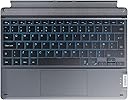
๐ป Type in Style and Comfort!
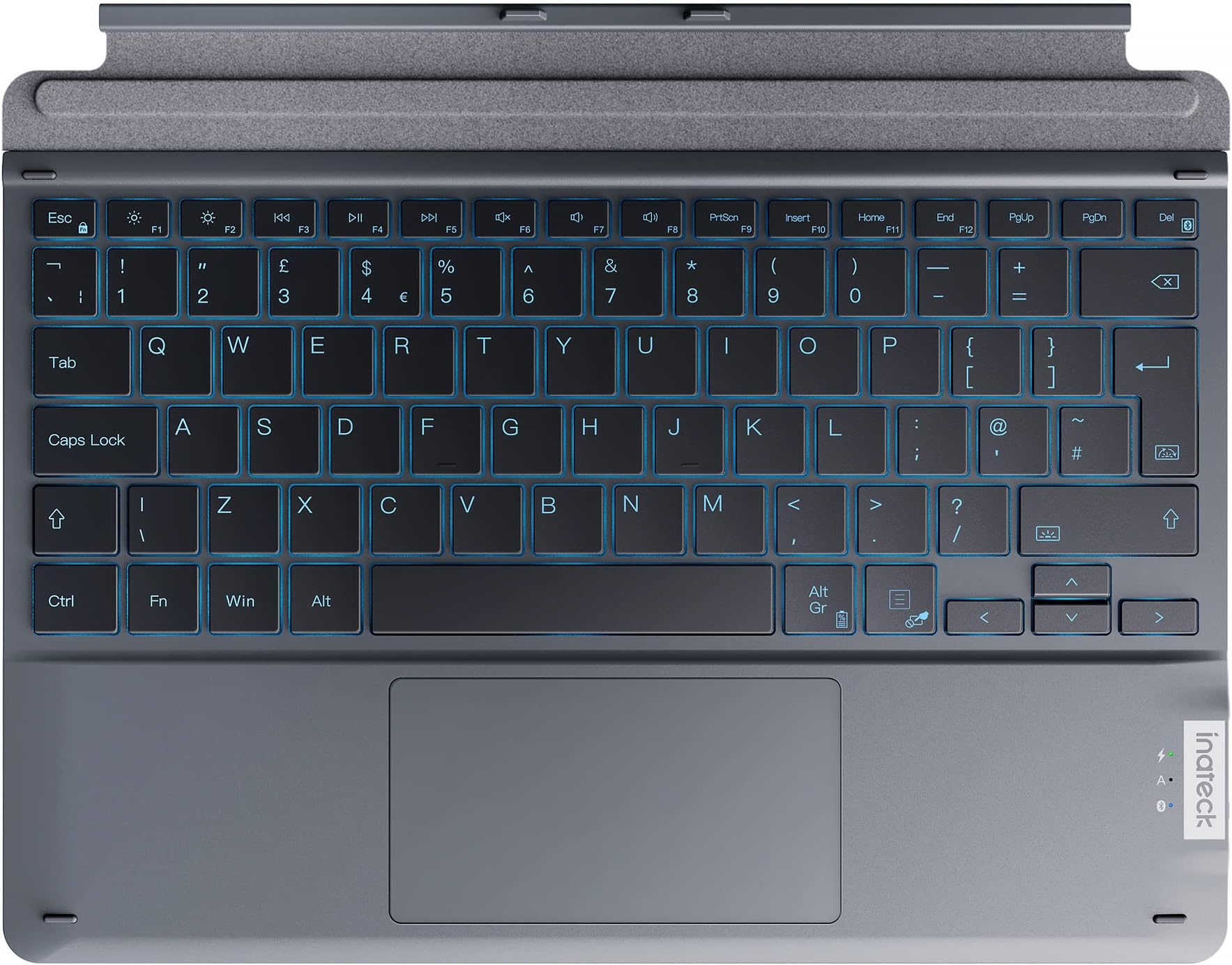
The Inateck Surface Pro 9 Keyboard is a sleek, lightweight keyboard designed specifically for Surface Pro 8, 9, and X models. It features a UK layout, a vibrant 7-color backlight with adjustable brightness, and a responsive trackpad for enhanced control. Perfect for professionals on the go, this keyboard combines functionality with style.


| ASIN | B0BR7GB6LX |
| Antenna Location | Everyday Use |
| Best Sellers Rank | 58,551 in Computers & Accessories ( See Top 100 in Computers & Accessories ) 959 in Tablet Keyboards |
| Box Contents | [1 Battery, User Manual, Warranty Card, Bluetooth Dongle] |
| Brand Name | Inateck |
| Button Quantity | 78 |
| Colour | black |
| Compatible Devices | Laptop |
| Connectivity Technology | Bluetooth |
| Customer Reviews | 3.9 3.9 out of 5 stars (78) |
| Enclosure Material | Plastic |
| Generation | 3rd Generation |
| Hand Orientation | Ambidextrous |
| Item Dimensions L x W x H | 28.8L x 22.5W x 0.8H centimetres |
| Item Weight | 363 Grams |
| Keyboard Backlighting Color Support | RGB |
| Keyboard Description | Wireless |
| Keyboard Layout | QWERTY |
| Manufacturer | inateck |
| Manufacturer Part Number | KB05111-BK-UK |
| Minimum Required Operating System Version | Windows 10 |
| Model Name | Surface Pro 9 Keyboard |
| Model Number | KB05111-BK-UK |
| Number of Batteries | 1 |
| Number of Keys | 78 |
| Power Source | Battery Powered |
| Product Features | Backlit |
| Product Warranty | 2 years |
| Style Name | without pen holder |
O**I
Ideal substitute for MS Surface/Signature keyboard
Bought this specifically for the layout - tall Enter key and flat left/right arrow keys. I'm particular with my keyboards (spend so long on them!) and those are deal breakers for me. Spent a long time looking for a good quality Surface keyboard with this particular layout. Gave this one a go and it's perfect :) Pros: + Tall Enter key. Short left/right arrow keys. The entire reason I bought it! + Bluethooth means I can use it disconnected from my Surface. e.g. if I prop the Surface up on something to elevate it or on a standing desk, it works. + Much cheaper than Surface keyboards. + USB-C charging means it can use the same charger as my phone/Surface whenever it runs low (I dumped the proprietary charger immediately and only charge my Surface via USB-C). Quick to recharge, lasts a while. + Keys feel great to type on. + Key backlighting is really handy and not obnoxiously bright. Cons - Trackpad could be better. It's just a little bit on cheap and clacky side. Not so bad that I would deduct a star, though (after all, my benchmark comparison are MacBook trackpads, which are just a completely different class). - A slot to store my Surface pen (like the Signature keyboard) would have been nice. Now my pen gets lost floating on its own around my bag, or has to hang on precariously to Surface magnetic attachments. - A bit nitpicky, but the choice of PgUp and PgDn as the independent buttons is odd. Would have preferred Home and End. As it is, those are hidden behind Fn keys so either I Fn Lock it, or use Fn key, which is annoying. I reprogrammed those keys using third party software.
M**Y
A great choice
I spilt coffee over my keyboard and it stopped working. I was concerned about buying a third party keyboard for my Surface Pro but when it arrive I was pleasantly surprised. I would even go as far as to say it is better than the original. The keys have the same touch and sound as the original, they look the same. It can be turned off which is useful when allowing your grandchildren to use your computer and I can detach it and operate it so they can view Peppa Pig without the hassle of dealing with the adverts, as I am in control. It has lit keys with various colours and brightness and feels the same as original to operate. It has to be charged but I have used it for a week now on the same charge. Definitely a great buy.
D**1
Good Keyboard mouse just not useable
Received the keyboard this week to use with new Surface pro 9. The keyboard itself is good, positive buttons and comfortable. However the track pad / mouse is not great and lets down the keyboard. Very sensitive and at times has a mind of its own. With Lightroom its not usable. Battery life is fine. Plugged in a Bluetooth mouse via the USBC socket, world of difference. If had not thrown away the box I would have sent it back.
S**X
Stopped connecting and no one responds from the company
We bought this keyboard less than 2 months ago and it has completely stopped connecting to the laptop and does not work anymore. I have contacted the company about warranty or any other help, no one responds.
C**W
Inateck Surface Pro 9 keyboard
I found this easy to set up via bluetooth on my microsoft surface pro 9. I like the backlit keyboard - particularly handy when typing in low light. The one issue I have with is that at times it puts the computer into standby, regularly shutting down the screen whilst in use. I can stop it doing so by leaving it on the charge. It doesn't only happen at low battery though , as has occurred after being fully charged. It can be a bit frustrating but i am always near a socket so when it occurs I just plug it in. It comes at a much better price point than the microsoft surface pro 9 branded keyboard, and i am happy with it for my requirements.
L**Y
Good quality and works perfectly
I bought a new Surface pro and as with every piece of electronics you cannot use previous stuff with the new device. So I had to buy a keyboard (old one had difference connectors). Anyway. It works perfectly and feels solid. Better than the original one that came with my previous Surface pro. Would buy again.
J**R
Bluetooth Keyboard so doesnโt have to be physically connected
Bought this to replace the Microsoft Surface Keyboard that only lasted just over a year. This is Bluetooth and so does not matter if you fold it behind the surface. And you can also use it away from the surface pro. Connects to Bluetooth easily and fairly easy to charge up, I use the Surface power pack with a USB to USB-C cable to do this when I am charging the Surface Pro.
V**D
Good value keyboard
Works perfectly well
Trustpilot
3 days ago
1 week ago