


Desertcart purchases this item on your behalf and handles shipping, customs, and support to Bolivia.
๐ Compact power, limitless potential โ your deskโs new MVP!
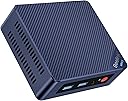
The Beelink MINI S12 Mini PC features a 12th Gen Intel Alder Lake N95 processor with 4 cores and 4 threads, delivering up to 3.4GHz speeds and 35% improved performance over predecessors. Equipped with 8GB DDR4 RAM and a 256GB M.2 SSD, it supports smooth multitasking and fast storage. Dual HDMI ports enable 4K UHD output on two displays simultaneously, ideal for professional and entertainment use. Connectivity includes WiFi 5, Bluetooth 4.2, and a 2.5Gbps Ethernet port for reliable high-speed networking. The device comes with a 3-year warranty and lifetime technical support, making it a robust choice for home office and business environments.
| ASIN | B09XQHXYR8 |
| Aspect Ratio | 16:9 |
| Available Memory Slots | 1 or 2 |
| Best Sellers Rank | 5,649 in Computers & Accessories ( See Top 100 in Computers & Accessories ) 23 in Desktop PCs |
| Box Contents | Mini PC |
| Brand | Beelink |
| Brand Name | Beelink |
| CPU Model Number | N95 |
| CPU Model Speed Maximum | 3.4 GHz |
| CPU model | Celeron N |
| CPU speed | 3.4 GHz |
| Cache Memory Installed Size | 6 MB |
| Cache size | 6 MB |
| Colour | multi |
| Compatible Devices | No Compatible Devices |
| Cooling Method | Air |
| Country of Origin | China |
| Customer Reviews | 4.4 out of 5 stars 419 Reviews |
| Display Type | LCD |
| Graphics Card Interface | Integrated |
| Graphics Card Ram | 8 GB |
| Graphics Coprocessor | Intel UHD Graphics |
| Graphics Description | Integrated |
| Graphics Ram Type | Shared |
| Graphics card description | Integrated |
| Hard Disk Description | SSD |
| Hard Disk Interface | PCIE x 2 |
| Hardware Interface | Ethernet, HDMI |
| Human Interface Types | Mouse |
| Item Dimensions | 12 x 13 x 4 centimetres |
| Keyboard Layout | QWERTY |
| Manufacturer | Beelink |
| Maximum Display Resolution | 4096x2160 |
| Memory Clock Speed | 3200 MHz |
| Memory Speed | 3200 MHz |
| Memory Storage Capacity | 16 GB |
| Model Name | MINI-S12 N95 |
| Model Number | N95 |
| Model Year | 2021 |
| Native Resolution | 3840 x 2160 |
| Network Connectivity Technology | Bluetooth, Wi-Fi |
| Operating Systems | Windows 11 Home |
| Operating system | Windows 11 Home |
| Personal Computer Design Type | Mini PC |
| Power Consumption Size | 15 Watts |
| Power Plug Type | Type C/EF - 2 pin (Europlug/FR-DE Hybrid) |
| Processor Brand | Intel |
| Processor Count | 4 |
| Processor Series | Celeron N |
| Processor Socket | N95 |
| Processor Speed | 3.4 GHz |
| Product Features | Mini pc |
| Product Warranty | 3 Year |
| RAM Memory Installed | 8 GB |
| RAM Memory Technology | DDR4 |
| RAM Type | DDR4 SDRAM |
| Resolution | 3840 x 2160 |
| Security Features | Windows Defender, Windows Hello |
| Specific Uses For Product | Business, Education |
| Specification Met | [Partial] |
| Style Name | Business |
| Total HDMI Port | 2 |
| Total USB Ports | 2 |
| Total Video Out Ports | 2 |
| Video Output | HDMI |
| Video Output Interface | HDMI |
| Video Processor | Intel |
| Wireless Compability | 802.11ac, Bluetooth |
| Wireless Network Technology | Wi-Fi |
| Wireless Technology Type | Wi-Fi |
J**W
A powerful Mini PC for home and office use.
Why a Mini PC? Advances in processor design have enabled some remarkable leaps in computing power with lower energy use. A Mini PC takes full advantage of this, putting a powerful, everyday desktop computer in an amazingly small package. A Mini PC makes a perfect home office computer as it takes up almost no space and will plug into a home TV via HDMI. The BeeLink U57 thoughtfully comes with a mounting bracket you could use to put the device behind a screen or under a desk. With a nice wireless mouse and keyboard set up, you can make the computer "disappear" at the end of the day and reclaim the desk space. (I like the Logitech input device range for the unified receiver which connects mouse and keyboard with one unified USB transceiver, e.g. https://amzn.to/3cGgQxg) With an increase in home working, a dedicated secure computing device to connect to work makes a lot of sense. The less software added to a computer, the more secure it is likely to be. The BeeLink U57 has a great spec for that home office use case. With an Intel i5 processor combined with a healthy 8GB of RAM and a 256GB solid state hard drive, performance on office tasks is perky with no discernible lag starting or using applications. The supplied operating system is Windows 10 Pro - the Pro moniker adds support for Bitlocker drive encryption - something that might be useful if you work on sensitive documents locally. This provides "encryption at rest" for your data so in the event of your device being stolen, the data on it will not be readable without a digital key. Pro also brings features like Hyper V virtualisation - something the home user may not use, but a useful application this enables is the Windows Sandbox - a safe place to open suspicious attachments you may receive. While we are talking about security, Windows 10 has Defender antivirus built in but also ransomware protection and a decent firewall. I've used this for over 10 years with no issues. The one addition I would suggest is a lightweight personal firewall like GlassWire set to "ask to connect". Often the first thing malware needs to do is to connect out to download additional code, so this will makes sure this activity is spotted and blocked. Another useful set up activity is to Google for the "Intel Driver and Support Assistant". With an integrated Intel chipset in the BeeLink U57, the support assistant will help you get the latest drivers for your hardware and make sure performance is optimal. As well as dual HDMI powered by onboard Intel Iris 6100 graphics, the device has two high speed USB 3.0 ports and two USB 2.0 ports. The ones at the front are the high speed ones, so this would be the place to plug in any back up drives, leaving the rear ports for a USB transceiver. There is built in WiFi supporting b/g/n/ac 2.4 & 5Ghz - this will ensure fast connections with all major routers. If you have an ethernet connection near by, there is also a Gigabit ethernet port. A front mounted audio connector will handle wired headphones for video conferencing, and next to this is a USB C connector which you could use for a card reader. Not mentioned on the specs on the box is Bluetooth support - useful for connecting headphones. Performance The tech specs for this Mini PC are impressive for such a tiny unit. An i5 processor running at a max 3.1Ghz, combined with 8GB RAM running at an impressive 1600Mhz mean that tasks zip along. Thanks to the solid state drive boot time for a fresh system is around 10 seconds. With the devices extremely low power use, you could also just put the computer to sleep and it would wake up instantly like a tablet. Applications launch in a similarly snappy way and web browsing is seamless. Even webGL 3D animations run smoothly - see video. What you can't expect from such a small form factor is sufficient cooling to support gaming. While the Iris graphics support Direct X 11 visual effects, frame rates won't be high enough to run modern 3D games. Video editing was smooth and quick, particularly if your gaphics editing program supports Intel hardware acceleration. I tested this using the inbuilt Windows editor and a short clip at 1080 HD resolution took about a second per second of footage to render, even with 3D effects applied. When doing intensive tasks, the internal fan will spin up but the noise is hardly noticeable. Using Intel's Extreme Tuning utility I suspect you could actually under volt / under clock the processor and achieve practically silent running. Summary This Mini PC hits a bit of a sweet spot. For a home / office PC you may use 5 days a week you need to be sure it will perform in a fast, lag free way doing your day to day tasks seamlessly. Many cheap Mini PCs are under powered and therefore slow and frustrating to use. This is not the case here. The BeeLink U57 zips along with memory and processor cycles to spare at a great price point.
D**Z
I was blown away
Wow, it actually surprised me how good this tiny PC really is. First off, it wonโt set any benchmark records for gaming, but as long as the games are light it will run them. Old DOS games no problem, even Fortnite will run. But the desktop performance shocked me, itโs snappy and fluid, making you think it has more than a 4 core intel N100 cpu. Web browsing and YouTube are smooth fast and 4K plays no problem. Office and windows in general work smoothly too. The thermals never reached above 80c and thatโs during a video encode using handbrake, even the power consumption was excellent at a lowly 25 watts, at idle it's as low as 0.3 watts! Another amazing thingโฆ it supports intel quicksync meaning H.265 and H.264 encoding is rapid and never dropped below 90FPS. Setting this up as a media server using plex or jellyfin is also a breeze and the incuded hardware encoding ensure video will be smooth and rapid during playback. Add another NVMe SSD and you can have a really amazing all round media server or desktop PC I love it, oh and I forgot, itโs tiny.
M**B
Cracking little PC for the price
This system was purchased over a year ago to use as a Emby media server for transcoding multiple 4K streams. I was a little concerned when buying the unit however I have been pleasantly surprised as it has been on 24/7 since seeing regular usage for transcoding 4K streams for our internal media setup without breaking a sweat. It is not silent and in the office where I have located it there is a noticeable fan noise when the office is quiet and it does get louder when running transcoding and processing tasks however it is not overly loud and I think if you were using it as a media PC the noise levels are more than acceptable compared to something such as a game console or even a Bluray player. The unit was easy to disassemble to get to the SSD and RAM, likewise the overall build quality of the unit is decent. As with many of these mini PCs it does have the issue of the hardware UEFI not having a unique UUID so if you are using something such as Veeam to backup your system you will need to follow the guidance to manually create a UUID in the Windows registry of Linux system to override the hardware provided UUID which is the same as almost every over N100, N300 etc unit. For the price I absolutely cannot complain with the performance or quality of the unit to the point that I have bought other units of different specs for different uses for myself and my family
S**T
Good little box
Good sturdy blue box, good specs, and tiny. However the WiFi chip doesn't appear to be very good, have updated everything possible for the pc and WiFi speed is running 0.7Mbps, even though I have Gig internet. Had to run ethernet now, and it is getting the full 1G speeds. Good amount of USB ports, and display outputs. Runs perfectly out the box and handles all day to day computing tasks for a home office. Comes with wall mounting kit. Gets a bit hot when running in an enclosed area but the fans are relatively quiet so no issues. Bang for the buck, I paid 199ยฃ for 16gb, 500gb model
W**Y
It's a great media player
Been working really. So far I have left it with Windows installed and I use it for Kodi, it's great for one single task even plays a high end file. What it doesn't do is multiple things at once, you turn it on and wait as its lots of thing booting. Very good device
T**Y
Great little Mini PC
Powerfull little unit, switched it on, installed Proxmox, and now run my Home Assistant programs on it. Runs very cool and has low power consumption. Quick delivery by Amazon.
S**.
Don't do it
Garbage!! Non existent support from Beelink, after searching online for solutions to 1: not being able to set a pin code during setup and 2: not being able to log in after setup it seems there is a known glitch, and there are many other users are experiencing it, after getting fed up of going round in circles, wrong drivers being sent from Beelink, and supposedly right ones failing to work, I have returned unit and had a refund, shocking level of support
L**W
Really impressed!
First off, this isn't a gaming PC but... I'm really impressed with the build. There is a lot of good stuff crammed into this tiny box. It has replaced the desktop tower with a tiny footprint on my desk. Important: The Win11 Pro licence that comes pre-installed on the M.2 NVMe SSD cannot be transferred to any other SSD. The licence is registered to that specific SSD. If you try to use a new SSD and "reactivate" the licence, it will not work and may disable your Microsoft account (as it did mine when I tried). To explain, I bought this with the intention of using the supplied NVMe for Linux and then using installing a SATA SSD to put the WIn11 Pro instal on because I won't be using it much. This didn't work, the licence cannot be transferred to a different drive. I eventually resorted to reading the Microsoft licence terms and no, you can't swap out the SSD at any time without buying a new Windows licence which costs more than buying a whole new machine. Unbelievable! Way-to-go Microsoft - does anyone need any more reason to get Microsoft out of their lives? If, for some reason, someone does need to reinstall Win11 to the supplied NVMe, be advised that you will need to have an offline copy of the driver pack (about 1GB downloadable direct from BeeLink). This is because the network drivers (WiFi and Ethernet) do not work from a fresh install and you will have no way of getting the updates without being able to get online. The reason is that the internals are so new that they are not featured on the pre-built Windows installs that you can get from Microsoft. Anyway, the Win11 Pro licence is still on the supplied NVMe and I can boot to Windows if I really need to exploit Windows for something but otherwise, Linux is easily installed on the built in SATA slot and is my daily driver. Performance is flawless and a great improvement on my last PC. A note on Linux. As with Windows, support is lacking for the network drivers. Ubuntu will work out-of-the-box on Ethernet but not WiFi (Aug 2023). To get WiFi working, you will need to use an initial Ethernet connection and then to download the latest Kernal. Process I used works without issue... To install the Wi-Fi driver, use a LAN connection for initial connectivity. Then use Terminal to run the following: sudo add-apt-repository ppa:cappelikan/ppa sudo apt aupdate && sudo apt full-upgrade sudo apt install mainline Then load the Mainline app from the apps list & install the latest kernal. Reboot & WiFi will be working. I have not yet been able to get Bluetooth to work but to be perfectly honest, I don't need it and so I'm not looking for a fix. A final note. Unless you want lots of USB cables plugged in the front (I don't) you'll probably want a small USB hub at the back. I have USB keyboard, printer & mouse on a hub at the back which leaves my front ports free for mobile phone and thumb drive when required.
Trustpilot
1 month ago
4 days ago