


Buy anything from 5,000+ international stores. One checkout price. No surprise fees. Join 2M+ shoppers on Desertcart.
Desertcart purchases this item on your behalf and handles shipping, customs, and support to Bolivia.
๐จ๏ธ Elevate your workspace with speed, smart tech & seamless connectivity!
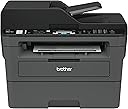
The Brother MFCL2710DW is a monochrome laser all-in-one printer designed for home offices and small businesses. It delivers fast 32 ppm printing with sharp 2400 x 600 dpi resolution, supports wireless and wired networking, and features automatic duplex printing. With smart toner replenishment via Dash Replenishment and a 4-month Refresh subscription trial, it ensures uninterrupted productivity. This compact device also includes scanning, copying, and faxing capabilities, making it a versatile and reliable choice for professional environments.


| ASIN | B0763ZCH7K |
| Additional Printer Functions | All In One |
| B&W Pages per Minute | 32 ppm |
| Best Sellers Rank | #44,772 in Office Products ( See Top 100 in Office Products ) #50 in Laser Computer Printers |
| Brand | Brother |
| Built-In Media | Brother MFC-L2710DWStarter Toner Cartridge (700 pages)DR-730 Drum (12,000 pages)Quick Setup Guide and Basic Userโs GuideInstallation CD-ROM (Mac OS available from download links)AC Power CordTelephone Line Cord |
| Color | Black/Grey |
| Color Pages per Minute | 32 ppm |
| Compatible Cartridge | TN730, TN760 |
| Compatible Devices | Laptops, PC, Smartphones |
| Connectivity Technology | Wi-Fi, wired |
| Control Method | App |
| Controller Type | iOS |
| Customer Reviews | 4.5 out of 5 stars 8,786 Reviews |
| Display Type | LCD |
| Dual-sided printing | Yes |
| Duplex | Automatic |
| Global Trade Identification Number | 00012502649694, 00012502654223, 00012502771128 |
| Hardware Interface | USB |
| Ink Color | [BLACK] |
| Item Dimensions D x W x H | 15.7"D x 16.1"W x 12.5"H |
| Item Type Name | Compact Laser All-in-One with Duplex Printing and Wireless Networking For Home or Small Office (Replacement Model for: MFCL2700DW) |
| Item Weight | 26 Pounds |
| Manufacturer | Brother Printer |
| Maximum Copies Per Run | 9999 |
| Maximum Copy Resolution Black and White | 2400 x 600 dpi |
| Maximum Copy Speed Black and White | 30 ppm |
| Maximum Media Size | 8.5 x 14 inch |
| Maximum Print Resolution Black and White | 2400 x 600 dpi |
| Maximum Sheet Capacity | 250 |
| Model Name | MFCL2710DW |
| Model Number | MFCL2710DW |
| Model Series | MFCL2700DW |
| Number of Licenses | 1 |
| Number of Trays | 1 |
| Other Special Features of the Product | Auto Document Feeder, Auto-Duplex, Display Screen, Network-Ready |
| Output sheet capacity | 250 |
| Paper Size | 8.5 x 14 |
| Power Consumption | 440 Watts |
| Print media | Card stock, Envelopes, Paper (plain) |
| Printer Connectivity Type | Wi-Fi, wired |
| Printer Output Type | Monochrome |
| Printer Type | Laser |
| Printing Technology | Laser |
| Processor Count | 1 |
| Resolution | 2400 x 600 |
| Scanner Type | Document |
| Special Feature | Auto Document Feeder , Auto-Duplex , Display Screen, Network-Ready |
| Specific Uses For Product | Gaming |
| Total Usb Ports | 1 |
| UPC | 012502638261 012502654223 012502771128 012502649694 012502674580 012502637325 012502655473 |
| Unit Count | 1.0 Count |
| Warranty Description | manufacturer |
| Warranty Type | limited warranty |
| Wattage | 440 watts |
M**9
It Works Pretty Darn Good so Far
I haven't had this printer for too long, but so far, it works pretty good. I have suffered at the hands of cheap inkjet printers from HP for years and was sick and tired of paying ridiculous prices for the stupid tiny ink cartridges that were prone to dry out and quit working if you didn't use them for months. This is my first laser printer, and I am pretty happy with it. I see a lot of people complain about toner issues and connectivity problems with these printers, and after my experience with this one, I can see how a lot of people might have a problem setting this up if they are not very tech savvy. Luckily, I am a computer wiz, so I was able to overcome most of the technical roadblocks in a timely manner. Below is quick run-down for some of the issues people might have with this type of printer and how to overcome them. The first issue someone might have right off the bat is getting it to connect to their network. The DHCP needs to be enabled and have enough addresses available to accommodate another device. Most are set up this way, but not all routers people have for their home networks are created equal, and some come set up from the factory with settings that may limit the ability for peripherals, like printers, to connect to them properly. This is especially true with equipment that is purchased used. Some people, like me :), have their router locked down so tight, that nothing can connect to it unless they want it to. There is a setting in most routers with regard to either "Set AP Isolated" or "WLAN Partition" or some other jargon, but they all serve the same purpose. That is to disable network equipment connected to the router from being able to talk to each other. This is great if you want added security on your network, but If these settings are enabled on your router, then you will never be able to print to this printer from any device connected to your network unless you are connected directly by a cable from the computer to the printer. It's a give and a take. You give up added security, but hey, at least now your can print, right? The next mistake most people are going to make it to try to install the printer directly from Windows from the "Printers & Scanners" or from the device manager. Windows has default drivers that work with the printer and will find and install it, but you are shooting yourself in the foot right from the get-go when you do this. The reason being is that you will never be able to get to the settings and preferences that fully manage this printer, and you will not be able to find the setting that allows you to bypass the setting that makes the printer stop printing when the toner gets low. Many reviews on here complain about the toner-stop-printing issue, so this is how you fix it....Go to the Brother website and download the latest drivers for your printer and install all of the software on your computer. DO NOT use the CD that comes with the printer. It could have been sitting in a warehouse for 6 months or a year for all you know, and the drivers are probably not up to snuff. When the software installation reaches the point where you have to opportunity to update all of the software and firmware from the printer, do it. Do not skip that portion of the installation process. There is a sticker on the back of your printer with the "password" that it will ask for when you choose to remotely configure it, and within those settings, you have the wonderful option of setting the "Toner-Low" setting to "Continue" instead of "Stop". That way, you will never have to use those tricks or sequences to bypass when the printer stops printing when you still have oodles of toner left in the cartridge. Another issue that this solves is the fact that, without the software installed, you would never be able to scan documents from the scanner portion of your all-in-one printer and send them to your computer. You would be stuck with only basic print capability. I highly recommended that people also go through their settings for the printer directly at the printer itself and disable the "Auto Power Off" function altogether on the printer. It does not gobble up a million volts of electricity all the time when it's not being used. The reason I suggest this is because it will disconnect from the network and become "unavailable" for printing until you drag you carcass over to the printer and turn it back on. With the function disabled, it is always connected to your network 24-7 and will wake itself up from "sleep' and start printing a lot faster then if you had to go and turn it on every time when you haven't used it in awhile. I will update this review after a few months or add more info if I find any issues that I had to overcome. All-in-all, this is a nice little device that can print, fax, scan and copy for a pretty good price. So far, I am really enjoying the benefits of a laser printer over the junky inkjets that I have been using for so long. If you are like me and only print some stuff every now and then and are fed up with clunky inkjets, then you can't go wrong with a laser printer like this one.
T**P
great product....!
GOOD PRODUCT.
K**S
Simple, reliable, budget-priced unit
I have used several โall-in-oneโ units in my small business over the years. Iโve been using this for a few months and I can say that Iโm very happy with this one. Itโs nothing special but thatโs fine cause itโs meant to be your basic, entry-level item. But donโt think that means is lacks quality. It has reliable performance and easy set up. To set this up, I put in the drum & toner, plugged in the power, typed in the WiFi password and the unit was ready to go. My iOS and Android devices found it automatically. I had to use the IP address to set it up on one of the Windows computers but the other one found it and set it up automatically. I do also use an old-fashioned phone line to fax. Thereโs a plug in on the unit for the phone line. I just plugged it in and it was able to work instantly. You can go set up your business name and header/footers, but it will send and receive faxes without it. It has very boring specifications: It does what it says it will do. Itโs a standard size multi-function unit. Itโs about as heavy as the other ones Iโve had. It holds an average amount of paper (looks like 500 sheets). The print quality is good, especially if you use the brand name Brother toner. It warms up quickly and prints pretty quietly. Much faster and less noisy than the one it replaced, but I suppose thatโs to be expected since that one was pretty old. Overall this is a solid, budget option, multi function unit. If you want a basic, black and white printer/copier/scanner (and maybe fax?) that will work reliably, this is it. Simple to set up, simple to use.
C**L
Great Budget B&W Laser Printer
I bought this printer in January 2021 and the toner just now emptied out in September 2025, so I'm compelled to sing its praises as I'm about to buy some more toner. After decades of crappy inkjet printers that would eventually malfunction, this was my first foray into laser printers. Once you get it all setup, it just works. I've never had an issue with blurry or faded printing like with inkjets--even the last document I printed before the toner emptied was crisp and bold. Zero dropped connections with the wi-fi, unlike the Canon model this replaced that always seemed to disconnect when you needed it most. The mobile app conveniently allows you to save scanned documents directly to your phone or print from it. It's not all sunshine and rainbows though; scanning has some hiccups. The document feeder can get clogged up pretty easily if you're scanning more than a handful of pages, and also tilts the pages a few degrees. Quick fixes are to remove the pages as they're scanned, or just use the flatbed, which is slower, but will give you a perfectly oriented page every time. Haven't used the fax function, so I can't speak on that. Overall, this is hands down the most reliable printer I've ever purchased. It's perfect for my use case of printing basic B&W documents and shipping labels, and occasionally scanning.
C**Y
Better than my $750 HP LaserJet
The Brother MFC-2710DW laser printer is very easy to set up (from unboxing to first print-out from my PC, it took less than 5 minutes), has all the features you need, and operates reliably. Scanning is smooth and fast, pages print quickly and look very sharp, and faxing is very easy from the 2710DW. As far as 3rd-party toners - more companies are starting to include the IC chips, so unlike what other reviewers have posted, you CAN use less expensive 3rd party toners, as long as they have the IC chip and support the 2710DW. Only downside of the fax is that 4 rings is the maximum number of rings you can configure before it picks up to receive a fax (my answering machine picks up at 4 rings as well). You can work around this by simply having it answer faxes in manual or tel/fax mode, but it's odd that 4 is the maximum number of rings. Hopefully Brother will update their software to allow for more rings before the fax answers. First and foremost, whether you're using a Mac or PC, download the software package for the printer from Brother's website. The software package will install all of the necessary drivers, utils, and apps that you need to fully utilize the scan and fax features. It's also much easier to remotely configure the printer through your web browser or using the Remote software within the Brother utils package. Secondly, register the printer for Google Cloud print - just open up Google Chrome and type "chrome://devices/" in Chrome's URL address bar. Sign into your Gmail account and register the printer. Now you can print from any location with an internet connection. The 2710DW is fully supported with Google Cloud Print, despite the model not being listed on Google's list of supported devices (the 2710DW is simply a newer/updated 2700DW). I had a $750 HP LaserJet which crapped out after just a couple of years of light usage. It was an all-in-one, multifunction printer and not NEARLY as nice as this one. For $100 the Brother is a much better value...hopefully it lasts beyond a couple of years...
E**S
Champion house/small office printer
prints like a champion. Toner last forever. Scanner works great. Black and white only, but that serves most needs. The out of ink software notifications (like all printer software) can get a little intrusive and sales pushy, but its nothing as bad as HP and others. The core print/scan software is actually a little older looking, and could use a facelift, but funtions right every time. I have had this unit for years, and just recently replaced the toner in order to finish a bach of 500 copies of a pull page bingo board game for a lare banquet event, so you are going to get significant mileage on the toner. Our grandmother wirelessly prints stuff from her phone to the printer, and I have NEVER had a paper jam.
W**Y
For the price you can't beat it - superb value
I'm impressed with this little fax/copier/scanner/printer. It has the ability to do stand-alone copying and faxing. Scanning is done to a PC with the ability to do full color RGB 24bit 1200x1200 dpi. Laser print is up to 1200x1200 dpi. Installation took me minutes (literally). Remove packing/tape etc, put toner in and plug it in to your network (I used RJ45 ethernet). I went through the setup cheat-sheet and then went into the Ethernet settings. Pretty straight forward. I then went into WLAN and setup the wireless. Again very straight forward. After that I installed the s/w on the DVD/CD rom and it's all up and running. I have quite a bit of experience with printers and copiers (heck I used to design them!!) however this little guy was incredibly easy. I'm replacing a 600dpi color laser that's just broken down and is basically dead and beyond repair and what made me decide on this was the "all-in-one"-ness of it. I realistically can't justify full color these days as most of my work is simply done on the computer. What I need for a small business/home use is quick B&W printing with the ability to do duplexing (double sided) printing. My justification is that if I need color I can go to a copy shop and pay them if needed which I see as extremely rare these days. The printer itself is really well designed and is a small footprint MFP. It takes the room of an older smaller laser but has the duplexer and multi page scan feeder built in as well as FAX should you need it (I don't have a wired phone line anymore). I've already tried all the features and it scans well, prints quickly and quietly and works well with my IPad (AirPrint). So it's a welcome upgrade too. Highly recommended.
S**A
Terrible printer - do not buiy
The worst. Good luck trying to figure out how to connect this to wifi (its is completely bananas how not intuitive it is). I can't even figure out how to get it to show me a list of wifi networks for me to choose from, all the buttons just give you a negative beep (you're pressing something wrong). The acronyms in the wifi network are completely foreign and nothing like connecting any normal device to the internet. And once you connect to wifi, it still doesnt' work. I can't get any prints to go though. I try to print something, nothing happens. I am shocked this has so many good review. There is nothing intuitive about figure out how to simply print or scan something on this godforsaken device. I passionately hate it and will never ever buy another Brothers product again. After another failed attempt to print something today I took this print straight to the dumpster where it belongs
N**R
Great printer
Love this Brother printer. Moved to this from HP as they wouldn't allow me to use generic toners and will definitely buy a Brother again. No issues at all setting up - read many reviews of people having issues - I had none at all and I'm not tech savvy - just watched the video and done. haven't worked out how to scan yet but that's next.
A**O
Multifunzione efficacie
Stampante multifunzione veramente ottima- Per uso casa lavoro va benissimo, non รจ il top per quanto riguarda la velocita di stampa ma se non si hanno troppe pretese e troppa fretta va benissimo
R**6
Best printer in a long time!
We've gone through so many ink cartridges and printers and paper printers just being completely unreliable. This printer is just the opposite - it's very reliable, it prints and scans the second we need it whether we used it yesterday or 2 months ago. The software was a breeze to setup (not like Canon or those other printers) and I can print from 90% of our devices( PCs, chromebook, android phones/tablets and iphones).
L**A
Great printer
A great printer that was easy to install and easy to use. Print quality is good and the time for first print out is decent. As a retired computer and high speed printer tech I am pleased with the printer. I did not work for Brother so the review is unbiased. I have not had a paper jam but by the looks of the openings to access any jammed paper seems fine.
C**N
stampante non funzionante
La Stampante รจ arrivata non funzionante
Trustpilot
3 weeks ago
3 days ago