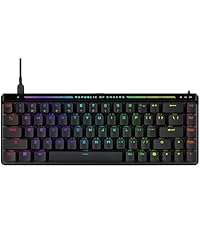
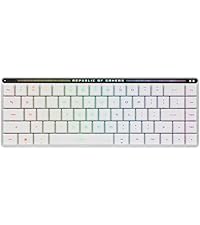
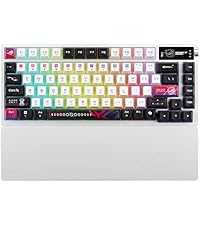
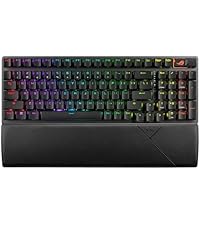
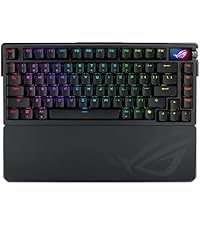
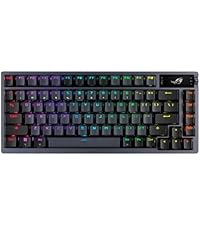
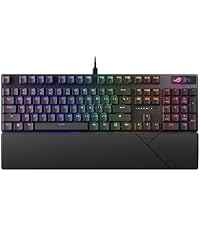
🎯 Elevate your game with the ROG Azoth — where pro-level customization meets wireless freedom.
The ROG Azoth is a compact 75% wireless mechanical keyboard designed for gamers and professionals seeking premium build quality and ultimate customization. Featuring tri-mode connectivity (Bluetooth, 2.4 GHz RF, and wired), hot-swappable pre-lubed ROG NX Snow linear switches, a gasket-mounted design for superior sound and feel, and a vibrant OLED display for real-time monitoring, it supports both PC and Mac. With over 2000 hours of battery life (RGB and OLED off) and a full DIY lubing kit included, it’s engineered for those who demand performance, style, and versatility in one sleek package.


| ASIN | B0CP6J59XB |
| Batteries | Lithium Ion batteries required. |
| Best Sellers Rank | #1,307 in Video Games ( See Top 100 in Video Games ) #130 in PC Gaming Keyboards |
| Customer Reviews | 4.4 4.4 out of 5 stars (444) |
| Date First Available | December 4, 2023 |
| Item Weight | 3.98 pounds |
| Item model number | M701 ROG AZOTH/NXSW/CA/PBT |
| Language | English |
| Manufacturer | ASUS |
| Product Dimensions | 12.83 x 5.35 x 1.57 inches; 3.99 Pounds |
| Release date | December 4, 2023 |
| Type of item | Personal Computers |
T**S
Whoa! Premium Feel, and Superb Product.
I was hesitant on spending $200 on a keyboard at first. I read reviews, watched YouTube unboxings, and did research. I ultimately came to the conclusion: I didn't need this keyboard...then I bought it on a whim anyways. I do not regret it. I am not a keyboard expert by any means, honestly most of the research I did just confused me. So I cannot attest to anything in regards to "Actuation Point" or "Switches". I don't have any knowledge to base it on. What I can say is the keyboard FEELS amazing. I purchased the variant with Brown Switches, and it truly feels great. Pressing a key is nice and punchy, and it has a nice "creamy" sound. It's very satisfying to listen to, but isn't picked up by a camera very well. The keycaps feel very strong and have a bit of a grain to them. I suppose for friction or grip? I don't know. The LED behind the keys have multiple lighting ranges for battery saving, as does the OLED screen. The connection speed using the dongle is almost instant. I barely have time to get my hand away from the slider after turning it on before it pairs to my computer. I've seen no noticeable latency, connection, or power loss issues. The first day I got it, I carried it around the house just to listen to the creamy clicks from the keys. It is addicting! This keyboard replaced my previous Razer Blackwidow v3, as I wanted a smaller keyboard. I thought the Blackwidow has a premium feel, but the Asus Azoth truly exceeded all my expectations. There is ONE downside: Armory Crate. I know I know, but I came in to it unbiased! I have never used armory crate prior and had no attachments to any of my other softwares. I saw all the reviews attacking Armory Crate, and figured I would decide for myself if the criticism was valid. I mean it's really bad. It isn't user friendly, it's filled with advertisements, and it just doesn't work half the time. I spent 2 hours setting up the app and getting all my preferences together, and then when I closed the app it just reset. So after doing it again I kept the screen up. I've come to the conclusion that if you dare to minimize the armory crate screen, it just wanders off into the void of your computer. Every time I minimize the app the RGB in the keyboard cuts out, and I have to reopen it to get it back up. I do have a software update for the keyboard I've been too lazy to do, which could fix this problem so who knows. Even without this issue just the usability and ease of access of armory crate or lack thereof, makes me hate it. I am looking into alternatives to armory crate now, hopefully there are some. The keyboards feel, battery, and connection abilities surpass my disposition for armory crate. So I still give it 5 stars. If you like armory crate? You'll love this keyboard. If you hate armory crate? You'll love this keyboard and continue to hate armory crate.
V**R
Pricey, but really solid and works well for me.
TLDR: Build quality is strong, it's also pretty heavy. Wireless connectivity has had no issues. Screen is clear, no lag or issues. Control wheel is solid. Keyboard size is good for its... size? Setting up was easy. Keys are smooth and the sound is still that of a mechanical keyboard (Snow) but not loud. I wish lighting was a bit brighter but it's decent. No issues with software. Experience: Coming from a full, low profile keyboard to a 75% took a bit getting used to. -The keys are SENSITIVE. Some claim you get double key registry, no. It's just that sensitive. -Not having a numpad was probably the most annoying thing to get used to, but now I don't even think about it. -Not having some keys was rough getting used to, but macros work well with this keyboard. -Yes, some hate Armoury Crate, but no issues with setup, keyboard or software. -It felt a bit too tall (some might need a wrist pad), but I was used to my slim keyboard (Corsair k100 AIR Wireless). Once you get used to it, it's a solid keyboard. While I do recommend it, I still think you should get it on sale. If you want to spend the full tag on it, by all means. Reason I went for a 75%? Because I kept hitting my mouse on my 100% when gaming. Annoyed me enough to pull the trigger on this lol. If you know you know.
T**U
Solid Keyboard
Just note, I'm a gamer, I don't do programming and all I do with my keyboard at home is chat with friends, play games or sometimes type up documents. I rarely use function keys like home/end/pgup/pgdn etc etc. I'm the type of guy that is ok as long as we have the F-keys and arrows keys available. I'm not a big backlit keyboard guy, nor do I really care of being fully customizable program or hardware wise. So I've been looking around keyboards, buying and returning, or keeping it and disliking it by the time the return window is closed for around a couple of years now. I've touched a few of the cheaper brands, the logitech wireless G915 low profile, Ducky Keyboards, and the Asus ROG Falchion. General review was logitech feeling sort of cheap, ducky keyboards were wired :'(( , Asus Falchion was way too compact for me (not an ASUS issue, just "it's not you it's me" issue) and the metal back plating reverbed with metallic sounds when typing. Ducky keyboards were honestly really good but they do not have any wireless options that I know of which, as a person who wants as minimal cords and wires visible on the desk, it was just a no-no. I couldn't settle myself to seeing the keyboard wire stretching all the way to the back of the desk, even with those aesthetic cords. I was hesitant on getting this Azoth keyboard as the Falchion wasn't that great of an experience. I preferred the cheap felt G915 over the Falchion, which I don't mean to disrespect either keyboards/manufacturers, but they both had their pros and cons. The G915 cons were more forgiving in comparison to the Falchion, but I just decided to give it another go for this keyboard and I definitely do not regret it the slightest. The Azoth keyboard is amazing on the physique, it feels really heavy and solid, the snow switch is quiet but has the most relaxing and satisfying tactile and audible feedback. They completely solved the issue of the backplate reverbing metallic sounds as they described and they really isolated the sound of the keys. The snow switches sound so soothing, I made my friend listen to the keyboard and she's the type to judge harshly, but even she was like, "Oh my god, that sounds so good." The keycaps feel pretty nice too, unlike the G915 I have. The G915 felt flimsy, as it was low profile, but there were reviews talking about the material and build for the keycaps. I did feel it was cheap but didn't think much about it. I used the keyboard for about 6 months and as I sweat a lot on my hands, it does give a toll on the keyboard. The w-key's black coating/paint was chipped and as much as it doesn't affect the performance of the keyboard, it was disappointing that the keycap coating chipped after not even a year. This Azoth keyboard definitely has a keycap that feels more solid and I definitely do not feel it'll be chipping anytime cause of my hands sweating so much. I'll update the review if it does go under my expectation but, I can already feel it's going to meet my expectation. The customization is really in-depth and there's a lot of lighting patterns you can customize to. The top right OLED display is pretty nice, kind of hard to see when you set your keyboard on the desk but that's whatever. You can put any picture you want on the top right display, which is pretty awesome. The control knob isn't bad, it's very easy to control but it'll probably take time for me to get used to. Yet, as earlier I explained, I haven't really checked in depth cause I don't really give a care for these but I'm pretty sure if you enjoy these details, you'll have quite a bit of fun. Battery life, I'll be honest, I fell in love with this keyboard the moment I started using it, I'm only on day 2 writing this review, so if I experience anything in the future, I'll come update but if there's no update, I'm probably still with this baby with no complaints for it being unreasonable. **update/1.5month - The battery life is long enough, I have the OLED screen on, dim backlighting on and I probably charged it maybe twice throughout this span. Definitely good battery life. They also have customizable keys, lubes and what not, so if you're interested in changing keys, lubing keys or doing customized keyboards, maybe this might be a good way to start since it lets you do some maintenance on your own? It seems to be a good introductory/starter kit for if your interested in the customizing the keyboard physically. Only a few cons I can think of right now, such as how the ArmoryCrate UI (the keyboard program on the PC) is pretty jumbled and hard to maneuver around in my opinion. The other one might be the connectivity switch being a small hassle because if you charge your keyboard while using it, the keyboard must be swapped to the wired setting from the wireless setting or it won't connect properly. Yes again, just have to get used to it and if the battery life is long, how many times will you be doing this procedure? Not much so depending the battery life, this QoL issue may be very miniscule. ***update/1.5month - It definitely is very miniscule, because of the good battery life and rather, it doesn't bother me that I have to change positions of the switch. There's three modes, wireless, wired, and bluetooth. I don't use bluetooth so I just had to remember two modes, the switch to the left is wireless, the switch centered is wired. *3months update: I found the one, is all I can say. I usually start looking around Amazon for different keyboards on the market because I feel there's something always better, but I've yet to browse the market. Which really says a lot because I feel I was always on the hunt for keyboards. It seems I found my one true keyboard before I found my one true love LOL.
U**T
It's good product, small and fit in my table as I wanted. But mechanical keyboard I haven't get used after using laptop keyboard for years. Still so ergonomic and comfortable.
A**M
Los materiales son de muy buena calidad. La parte superior es de aluminio maquinado y la parte inferior es de plástico. En el interior cuenta con varias capas de diferentes materiales que mitigan muy bien el sonido. Pedí la versión con los switches snow, los cuales son suaves y no producen mucho ruido. Las teclas tienen buen espesor y tienen una textura que en lo particular, me desagrada bastante y no dejan pasar bien la luz RGB. La batería le dura como 1 mes (siempre lo tengo encendido). La pantalla es oled y cuenta con varias animaciones y también de puede asignsr información variada del sistema usando armory crate. Otras cosas molesta que he encontrado son que al conectar el cable para recargarlo, pierde la configuración de la pantalla y lo mismo pasa al desconectarlo, además de no poder cambiar el color del RGB de forma individual en cada tecla, cosa que otros teclados gamer de gama baja traen por defecto y por último, es extremadamente caro. La verdad yo simplemente lo compré por ser comprador compulsivo, pero no creo que valga gastar tanto dinero en un producto como este. Literalmente es para fans de la marca y para ellos, está la versión extreme, que es aún más ridículamente cara.
D**R
I have been using it for a week now and I must really say the build quality exceeds my expectations. The speednova wireless works a wonder but also a pity that it does not pair with the harpe ace's dongle to have a single dongle to connect both devices. Typing sound is pleasant to my previous keyboard (ducky one 2 sf), even for a semi-enthusiast like me. However, I must say i did not expect the actuation to be so sensitive. It can sometimes hinder my gameplay, especially when i rest my fingers on the keyboard. If I could choose again, i would definitely go for the either the brown or the blue switch.
M**O
Really good keyboard and the responsive is very fast very good looking keyboard and material is good
J**I
Absolutely love this keyboard. Software and hardware are great and it works on all my systems seamlessly. I have a kvm switch that I use to plug the wireless dongle and when I switch to different computer inputs my keyboard switches perfectly. Keys are great and sounds great and I love the knob and battery life so far as well. Honestly one of my favourite things was actually the keyboard support pad. Highly recommend it
Trustpilot
1 day ago
1 week ago