Desertcart purchases this item on your behalf and handles shipping, customs, and support to Bolivia.
🚗 Elevate your drive with the CarpodGo T3 Pro — where sleek meets smart!
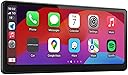
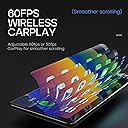
The CarpodGo T3 Pro is a portable 8.9-inch wireless CarPlay and Android Auto display featuring a high-resolution 1920x720 IPS touchscreen with 60fps smoothness. It supports display-only Bluetooth mode with steering wheel controls, quick magnetic release for easy removal, and an ultra-thin design with automatic dark mode, making it a versatile and stylish upgrade for any vehicle.


| Asin | B0CKXF3RST |
| Audio Output Mode | Stereo |
| Audio Output Type | Speakers |
| Best Sellers Rank | #13,797 in Electronics (See Top 100 in Electronics) #71 in Car Audio Receivers |
| Brand | CarpodGo |
| Built In Media | wireless CarPlay Display screen,bracket,cable |
| Color | Black |
| Compatible Devices | Smartphone |
| Connectivity Technology | Bluetooth |
| Connector Type | USB Type-C |
| Control Method | Touch |
| Controller Type | iOS |
| Customer Reviews | 4.4 4.4 out of 5 stars (640) 4.4 out of 5 stars |
| Format | WMA |
| Item Dimensions D X W X H | 0.75"D x 8.94"W x 3.98"H |
| Manufacturer | CarpodGo |
| Model Number | CarpodGo T3 Pro |
| Number Of Channels | 4 |
| Other Special Features Of The Product | Portable |
| Output Power | 50 watts |
| Output Wattage | 50 watts |
| Supported Internet Services | Maps |
| Surround Sound Channel Configuration | 4 |
| Total Number Of Hdmi Ports | 1 |
| Unit Count | 1 Count |
| Video Encoding | H.264, H.265/HEVC |
| Warranty Description | 1 Year |
| Wattage | 50 watts |
| Wireless Technology | Bluetooth |
User
Fantastic for CarPlay
Using this in a 2009 Toyota Venza. I did not want to replace the built in stereo system, but wanted CarPlay. I also own an older radio in another car that has CarPlay for comparison.The new device is awesome. When I turn my car on, it pairs with my iPhone in 12 seconds. My other system does not have wireless - it takes about 30 seconds.The screen is beautiful and crisp. Using navigation on the wide screen is very nice. Reminds me of a modern iPad in how nice it looks.Rear view camera was not too bad to install. I took my time to hide the cables. The backup camera has a large FOV and is higher resolution than the one on my other vehicle. I initially had a scrambled screen when I put the car in reverse - had to unplug, plug in the cable. Have not seen in since.It has options for bluetooth, aux, or radio tuner. Just about any car should work with it.The different mounts also seem pretty good. You get a shorter one and a telescoping one. The device uses a magnet (which is strong) to hold it in place.Had I gone the other route and bought a new receiver with CarPlay, I would have had to buy the radio, mounting panels, wiring, and maybe a few other components. I figure I would have easily spent between $600-800 if it was installed professionally. Since my 2009 is not worth a lot of money, I did not want to spend 1/5 the value of the vehicle. This device solves the problem and looks great. Would definitely recommend.Note - I do not have an Android phone so did not test out Android Auto.
User
So easy to install, and works PERFECTLY
I have a 2016 VW Passat, I had already tried to replace my head unit 3 times with an aftermarket, and couldn't get any of them to work. This was about $100 more expensive, but totally worth it. It set up so easily through my phone's and car's Bluetooth. I didn't have to use the aux cord or the radio station. It somehow connects car play wirelessly to my phone, and then through Bluetooth to my car.I was able to feed the power cord through the dash, so it's mostly inconspicuous. I didn't use the backup cam since I already have one that works with my original head unit. I retained full steering wheel functionality except for activated Google voice(Android user). I think since the wireless carplay is being sent through Bluetooth to the car, the car doesn't realize carplay is on, so my talk button activates the car talk system instead of the carplay. Minor issue. I can just say "ok Google".Music quality seemed a little different, but I tweaked the equalizer and it was fine. I was using a USB wireless carplay dongle before, so maybe it sounds fuller now because the Bluetooth signal is better, but not sure.Bummer that there isn't screen mirroring, but it's perfect besides that. Feels high quality, screen is great and responsive. Definitely recommend to anyone that wants to elevate their infotainment interface!
User
Fabulous CarPlay for my 2012 Infiniti
NOTE: I read the instructions and since lowered the monitor to rest on the dash, please ignore the incorrect installation shown in the photo.That being said, I am one of the 1% of users that needs to connect through radio. My cars blue tooth is too old to find the device, and I figured there was a high percentage of the dual Bluetooth not being compatible. But the fm responder works perfectly for my needs and I can now listen to my favorite audiobooks, podcasts and Apple Music flawlessly through my speakers.I looked into adding an aftermarket unit that would have cost $1200 for me to have replace my existing nav in my Infiniti. I share this because price wasn’t an issue for me, but the install guy refused to do the aftermarket adaptations because he knew the dash was going to inevitably break when removing the council and reordering parts was not gonna be easy given the age of my vehicle.I was so upset about not being able to modernize my car with CarPlay that I started researching other options. The majority of the CarPlay devices looked like crap. They were very bulky or just had terrible lag time on them.I rode in a car with a friend who had one and it would constantly disconnect and I just hated the idea of a third screen (after my phone and nav) that was inferior quality to both. So I continued for a couple years on my cheap cigarette lighter fm transmitter that paired with my phone so I could hear podcasts through my speakers. Cest la vie. I knew I’d have Apple CarPlay in my next vehicle, but I love my car and will run it till it dies, so that may be another 7-10 years off.On Amazon prime day I looked back at options on the market for CarPlay devices to see how they have improved. And for the most part, they hadn’t. But alas, I found this unit and ordered after prime days since I still wanted to research and compare with a few models out there. No worries, price was about the same when I ordered.What I was looking for in a review was someone who had success using the fm transmitter option for pairing. I didn’t find that review, so I felt obliged to write it.This unit gives me a classy Apple CarPlay feel without the risk of a destructive factory install. If this continues to work for the life of my car I will be ecstatic, but I am already over the moon just having everything integrated through my cars audio. I purchased a cd mount holder for my phone and it works great to keep my phone in a nearby place without overcrowding my center council area.For those of you with older cars, buy with confidence as the fm station is a reliable option for all the incredible features CarPlay has to offer, at your fingertips with a fast display change, solid connectivity and sleek quality that this device has to offer! So happy I waited to get this gem and not be turned off by other inferior quality CarPlay’s on the market.
User
Decent Carplay
The CarpodGo T3 Pro [2026 Fully Laminated Screen] has been a great addition to my car setup. The design is sleek, the size is just right, and it doesn’t obstruct my view while driving. The display quality is excellent—crystal clear, smooth 60fps performance, and no lag or audio issues. The automatic night‑time dimming works reliably, which I really appreciate on late drives.Connection stability has been generally good. I did experience intermittent dropouts in one specific area, which the company attributed to Wi‑Fi interference and currently doesn’t have a solution for. Outside of that zone, it’s been stable and fast.I haven’t tested the rear‑view camera, so I can’t comment on that feature. Given the premium price, I do wish a built‑in dash cam had been included—it feels like a missed opportunity for an otherwise well‑rounded device.Customer support has been responsive and helpful. They sent me extra mounting bases when I mentioned the adhesive wasn’t very strong. I may reinforce it with Gorilla construction glue if it loosens again, but the support experience itself was positive.Overall, despite a few minor drawbacks, I’m happy with the T3 Pro and think it delivers a strong, polished CarPlay/Android Auto experience.
User
Update: STILL the Best one in the market
2026 update: I got the T4 Plus, it's still the best one you can getBigger, Brighter screen is no brainer. The quality remain top tier, no lag, no bug, the navigation is buttery smooth, 60hz + 1000 nits screen is a huge upgrade, not to mention the 10.9 inch size.TL:DR This one comes with the best quality. (Compares to other brands)I currently have a Roadtop carplay screen, which is not bad, but can't compare with this one.At the end of the day, people want their carplay screen to have good screen quality, fast connection speed, and stability. This one has a 60hz fully laminated screen, which beats every other brand on the market. It also has a 12-second connection speed, which is much faster than other brands (Roadtop takes 17-22 seconds). In my test, I have never experienced any disconnection (Roadtop disconnects every 2-3 hours, which is dangerous when reconnecting on the highway).Other advantages include: 1. Magnetic design that allows for easy adjustment without affecting stability. 2. Brightness and day/night mode are separated and do not switch frequently during twilight (Roadtop uses brightness sensing and often switches between two modes during dawn and dusk). 3. Built-in screen-only mode that allows music to be played directly through Bluetooth connection to your car, while retaining media control on the steering wheel.If you want a good carplay screen, you can choose between Roadtop or this brand. But if you want the best one, choose CarpodGo T3 Pro.
User
Easy and inexpensive way to add wireless android auto to an older vehicle
This is an amazing product that allows you to add wireless android auto and apple carplay to vehicles without the capability at a very reasonable price. My vehicle has Bluetooth but no way to do any type of screen mirroring or wired android auto without very expensive system upgrades. The screen connected to my phone super quick, it is responsive and a good size, and the functionality just like the built in android auto functionality in my other vehicle. The only tricky thing was figuring out how to best mount the screen as it is heavy and my car has a non-flat dash and very sloping windshield, but I managed to mount it exactly where I wanted after some trial and error. I still can't believe I was so easily able to add android auto to my older vehicle at such a cheap price and with all the same functionality/features as built in android auto after looking at so many options over the years (which were much more expensive). I couldn't be happier!
User
The BEST CarPlay screen for cars with existing infotainment systems!
This is the absolute BEST way to add CarPlay to your car... period. I've tried other, less expensive systems -- the screens offered less contrast, a clunkier, challenging UI, and much poorer build quality. This one is sleek, feels extremely well built, and the screen is bright, crisp, and super responsive. Connecting it was simple, and the "screen only" mode is A GODSEND for people with cars with existing infotainment systems -- I have a 2016 Ford, and it has Sync 2 with MyFordTouch, so I have existing ability to play Bluetooth audio, and native support (and decent native support!) for a phone -- including 911 assist if I should be in an accident and the airbags deploy. I don't want to lose the functionality I already have in the car -- including my steering wheel controls, so this is the best possible option. I don't have to connect my phone to it, and then it to my car's bluetooth, and lose the decent phone functionality built into my car (including the pre-existing microphone). The screen works as an interface for CarPlay, it's front and center on my dash, and I can leave my phone charging and out of my hands while I drive. If I want to use Siri, I can -- it works just fine without routing the audio through the CarPodGo. If I want to use the (awful) voice commands of Sync 2, I can.I can't actually speak to how well it works when you route the audio from your phone through it -- if you have any type of existing Bluetooth support (and probably steering wheel controls to match), there's no point -- just bypass it and use the Dual-Bluetooth or Screen Only (it's called different things in different places in the UI) mode.The ONLY recommendation I can make is to get an add-a-fuse adaptor with a lighter socket, find the fuse that runs your car's radio (hopefully it's in the cabin and not under the hood), and literally add a circuit for this to run off that will switch off when your radio turns off -- on door open, or after five minutes, or however your car handles it. My Explorer retains power to the power ports throughout the car for 75 MINUTES after the car is turned off -- that's a long, long time for this thing to be drawing something like 30 watts at 12 volts. Sure, there's a power switch on the plug, and you can turn it off every time you get out of the car, but that's a pain the keister, and I don't want this thing to vampire my battery to death.Other than the issue with battery drain, which is entirely the fault of my car and has nothing to do with the product, this thing is 100% exactly what most folks need. It's a little more expensive that some of the other solutions, but I assure you, you get what you pay for, and this is a much, much better designed, engineered, and manufactured solution than most.
User
Great display, easy to install, lacking some features, intimately connectivity issues.
I was very excited for this Apple CarPlay solution for my Tesla Y and 3. I bought 2 as it resolves the missing apple CarPlay feature Tesla refuses to implement. The display looks nice, and does not require integration with the car or any special modifications or disassembly to install. After owning 2 for some time now, I realized I might prefer an integrated solution better, but CarPodGo is probably the best option for people who don't want to perform a complicated install. It's a lot of bang for your buck for sure!Pros:- wireless carplay- great looking high resolution display- responsive touch interface- no vehicle integration required- several mounting options included- camera included- cabling and power adaptor included- Apple CarPlay settings allow voice control, hands free control of CarPlay interface- connects audio to car via bluetooth, including transport controls (play, pause, next, etc)- removable, take it anywhere, to any car, plug and playCons:- mounts: the included mounts are suction and/or stick on. For me a more solid firm mount is preferred for bumpy rides with no wiggle. Luckily the mount attachment style is ball joint based, so very compatible with many third party mounts specific to your car.- Tesla model 3 mount: the mount they suggest for model 3 highland (not included) didn't place the screen at an optimal position relative to the steering wheel, so I bought a 3rd party mount that put the screen in a better viewing position, although the steering wheel can bump it when at the highest setting... if I set the wheel height a bit lower (for both driving and "easy entry") I can still get out of the car without bumping the display when the steering wheel retracts. A bit more difficult to get out of the car for a big guy like me, but manageable.- Tesla model Y mount: I bought theirs (not included) but couldn't figure out how to install it, they said you had to push it down hard into the vents. Ideally IMO the mount would have a locking mechanism, rather than a "tight fit" attachment style. The stand is also 3D printed plastic, which they say is heat resistant (which is good) but 3D printed plastic tends to be brittle in my experience, perhaps it will be fine. I tried several Model Y compatible mounts for this display, even ones that lock into the vents, but the angle of the display was not ideal. In the end, their Tesla Y mount was the best option.- AC: mounting the display directly behind the steering wheel does block AC from blowing directly in your face, but with the mounting option I chose for my Tesla Y, I can easy mount the display over to the left of the steering wheel so I can avoid blocking AC.- USB-C input: display's 2nd USB port does not deliver power, it only functions as a firmware updating port for thumb drives. Would be cool if could supply power for your phone, that in my case is mounted next to the screen.- Wired CarPlay is not supported: Wireless CarPlay uses your phone's wifi connection, which in turn disables your phone's hotspot feature for internet sharing (to kids devices). If you want hotspot sharing from your phone, you'll have to find a wired CarPlay option.- Camera can't be used in the front of Telsa's: as Tesla's already have a backup camera, I'd love to use the included camera in the front so I can see when pulling into parking spots (a feature coming on the new model Y). However the unit only supports the camera as a "back up" camera as you have to connect a wire to the car's 12v reverse wire... I suppose you could manually trigger the camera to show on the display if you wire up a switch to a 12v supply. Feature Request: allow the camera to be trigger via the touch screen so users can position the camera in front if they want.- Firmware Updating: firmware requires PC formatted USB stick that must be used with their USB extension cable since the USB ports are tucked in with minimal clearance. Other units have wireless updating of firmware via wifi. There's also no way of knowing when firmware updates are available, you just have to keep manually going back to the website and checking. Perhaps they can allow users to submit their email address on the firmware update page to be notified when a new version is available?- 12v power supply (included) slowly charges my iPhone 16 via MagSafe QI mount. The USB port on the adaptor doesn't seem to support PD fast charging.- settings lost after firmware update: every time I updated the displays firmware, all my CarPlay settings were lost. I suppose because the phone must re-pair with the display? Wish the settings were retained after firmware updates.- wireless connection: if your phone fails to connect to CarPlay for any reason, there is a red power button on the 12v cigarette adaptor you can press to restart the display, this has worked for me every time.- multi user support: I sometimes drive my wife's car, who also has the CarPodGo installed. When multiple phones have been connected to the display, I think it just chooses a phone to auto connect to, I can't specify which phone should be the "priority device". Then it would auto connect to my wife's phone (since it's her car) even when my phone was near. Else you can disconnect a phone via the display settings, then connect to your desired phone.In the end, I think a more integrated solution for my Tesla might be a better option for me, but even those devices have other issues where Tesla software updates can break the integrated features, which is not the case for CarPodGo... since it's a stand alone unit. CarPodGo is a great option for low tech people who want a plug and play experience! That for sure is its super power. For those with more high tech desires, perhaps keep looking, but you will PAY MORE thats for sure.---Update: after further problems connecting I decide to give-up on carpodgo. It sometimes would not reconnect to my phone and no amount of toggling wifi/bluetooth settings would reconnect it. Restarting CarPodGo or Phone didn't even work... I was tired of having to pull over to the side of the road so many time to troubleshoot it. I just gave up. I can not recommend anybody buys this product, it just isn't reliable. My wife also gave up on hers as well. If a product is going to interface with driver it MUST BE STABLE! ALWAYS!!
User
Great upgrade to car system
Installed it in a 2013 MDX. The unit feels very high quality, the screen is crisp, and very responsive. Android auto syncs and works well. The backup camera with this display was better that I thought and a huge improvement over the stock one. I do wish there was a way to adjust the lines to match my cars dimensions but that's a small issue overall. Hope its durable and stays supported.
User
منتج ممتاز
منتج ممتاز يأتي مع أغلب القطع اللازمة
User
Excelente pantalla CarPlay 👍👍👍
Excelente gran calidad de imagen es rápido no se traba y muy fácil de usar e instalar 👍👍👍👍
User
The BEST CarPlay display in the market
Ever since I tried a few slightly newer cars. I fell in love with CarPlay. It’s quite simple really but solves big problems. It’s basically a remote display for your phone so you don’t have to have it in front of you when you are driving. Which feels a bit dangerous.I personally drive a slightly older car. A basic model Volvo V40 from 2015. It has no CarPlay nor any way to retrofit it with original parts. This is why I came across this product.After watching some videos on the internet, I decided to pull the trigger and purchase it. There are a few reasons why I chose this product over the competitors.1. It has the best display I have ever seen on a CarPlay display. I am not willing to sacrifice display quality for lower price.2. I can use it together with my existing Bluetooth audio in my car. My car is old but not old enough to not have Bluetooth. With Bluetooth connectivity I can still use the buttons on the steering wheel to skip song and pick up phone call – Just like this car is designed to. This is not possible through aux and FM as far as I know.3. It has wireless CarPlay, and it can run @ 60 FPS!!!Upon arrival, this device came with all the necessary parts. Screen mount, aux to Bluetooth adapter which I did not use, a reverse camera which I didn’t use either.I chose to install the device only because I don’t like extra parts on my car. I was worried about the mounting, so I prepared a few extra mounting methods, but I didn’t use any of them. The mount that came with the display is more than enough and it hides very well behind the screen.The installation took me 10 minutes or so, mostly just trying different locations and adjusting the angle. It’s plug and play so I didn’t have to do anything. I was a little bit worried about the magnetic mounting but it’s really solid. I had to yank it off when I needed to take it off. It’s also a good feature. If I ever go to a sketchy neighborhood, I can remove it and hide it. The only setup I had to do was connect the Bluetooth and that’s about it.Overall, I would highly recommend this to some who’s looking for a high resolution, silk smooth, quality CarPlay display. The only thing I regret is I didn’t buy it earlier before my road trip lol.
User
Very good quality display and and smooth
Very good!
Trustpilot
2 months ago
1 month ago