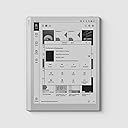
🖋️ Elevate your digital note-taking game with BOOX Go 10.3 — where clarity meets creativity!
The BOOX Tablet Go 10.3 is a sleek, lightweight ePaper tablet featuring a 10.3-inch HD Carta 1200 glass screen with 300 PPI resolution, powered by a 2.4 GHz octa-core CPU and 4GB RAM. It supports a highly responsive 4096-level pressure-sensitive stylus for natural handwriting. Running Android 12, it offers access to the Play Store for versatile app use or can be used as a focused note-taking device. With 64GB storage, Wi-Fi, Bluetooth 5.0, and cloud sync capabilities, it’s designed for professionals seeking a premium digital writing and reading experience without distractions.


| ASIN | B0D4DFT3W3 |
| Age Range Description | Adult |
| Aspect Ratio | 1:1 |
| Battery Average Life | 1 days |
| Battery Capacity | 3700 Amp Hours |
| Battery Cell Type | Lithium Polymer |
| Battery Power | 3700 Amp Hours |
| Best Sellers Rank | #103,069 in Electronics ( See Top 100 in Electronics ) #1,355 in Computer Tablets |
| Brand | BOOX |
| Built-In Media | DEVICE, STYLUS |
| Camera Description | no camera |
| Cellular Technology | wifi |
| Compatible Devices | stylus |
| Connectivity Technology | Bluetooth, Wi-Fi |
| Customer Reviews | 4.0 out of 5 stars 449 Reviews |
| Display Resolution Maximum | 2480*1860 300PPI Pixels Per Inch |
| Display Type | E INK |
| Generation | 1st Generation |
| Graphics Description | Integrated |
| Hardware Interface | USB Type C |
| Human-Interface Input | Touchscreen with Stylus Support |
| Item Dimensions L x W x Thickness | 9"L x 7"W x 0.17"Th |
| Item Weight | 365 Grams |
| Lithium-Battery Energy Content | 15.17 Watt Hours |
| Manufacturer | BOOX |
| Memory Slots Available | USB-C( Support OTG) |
| Memory Storage Capacity | 64 GB |
| Mfr Part Number | UK Go 10.3 |
| Model Name | Go 10.3 |
| Model Number | UK Go 10.3 |
| Model Year | 2024 |
| Native Resolution | B/W: 2480 x 1860 (300 ppi) |
| Operating System | Android |
| Operating System Family | Android |
| Processor Brand | MediaTek |
| Processor Description | Octa-core 2.4 GHz |
| Processor Speed | 2.4 GHz |
| RAM Memory Installed | 4 GB |
| RAM Size | 4 GB |
| Screen Size | 10.3 Inches |
| Set Name | Google Apps |
| Total Usb Ports | 1 |
| Warranty Description | 1-Year Warranty |
| Warranty Type | Limited |
| Wireless Compability | 802.11ac |
| Wireless Technology | Bluetooth, Wi-Fi |
S**T
No Regrets
I've had an iPad mini and a two-in-one laptop that came with a stylus, and neither provided a desirable handwriting experience for me, even with a "paper-like" screen protector. Then a few weeks ago, I found some videos reviewing e-ink tablets/digital notebooks and the rest is history. I did a bunch of research but after realizing that what I wanted was a simple writing experience but with some possible app availability. I originally ordered the Boox Note Air 4C but I wouldn't receive it for over a week and I wondered if I was spending too much on my first e-ink tablet. What if I hated it? What if it was as frustrating to use as my Kindle Paperwhite (reading on it is great but I hate using the clunky interface)? I ended up canceling my order and got the less expensive Go 10.3. I have zero regrets. This device is quicker and more responsive than my kindle (not to mention a superior clarity/screen resolution) and the writing experience is top-notch, it is exactly what I was looking for, in fact. There is something about pen-in-hand writing that makes me feel more connected to the words themselves, and keeps my ideas flowing. Having that in digital form is awesome. I will say that while the pen it comes with is okay, I have already bought a couple of other pens, my favorite being the Staedtler Noris Digital Jumbo, because it has an eraser on it and feels good in the hand. I haven yet utilized all of the cool features this tablet has, but I've been checking out YouTube videos on it, which I would recommend if you want to know everything this baby can do. It easily backs up to cloud storage like google drive or one drive. I do recommend getting a book light for dimmer writing situations, since there is no front light. I find this solution very doable, and keep a small booklight in my carrying case. The interface is smooth and not clunky. Writing is comfortable, with only milliseconds of latency. Don't use this for games or watching videos, it's not meant for that, and you'll find those kinds of apps are not optimised for this device. But for handwriting and note taking it's great, especially at this price point.
S**N
Great alternative to the Remarkable 2
I was looking at the Remarkable 2 but the Go 10.3 is cheaper and has a faster processor. So I got the Boox device. This is a wonderful device for note taking! I really enjoy the built-in note taking app. It has a bunch of features. It's easy to keep notes organized. And I like the writing feel. You can sync/back up the notes with Google Drive or Dropbox. You can export notes as PDFs and then manually move the files over to a computer to back up your notes as well. I really like that you can make things simple (just taking notes) or more complicated (access to the Play Store). I initially used it for taking notes, reading books with the built in reading app, NeoReader, as well as logging into the Play Store to get Libby and Pocket. After reading about some potential privacy issues (older version of Android and a Chinese company designs and makes these) I ended up removing Libby, Pocket and removing my Play Store account info. I am now treating this device like a Remarkable 2. I am just taking notes and reading epub files on NeoReader. I rarely connect the Go 10.3 to the internet and I save my notes to my MacBook using a USB cable. So you have the option to make this a "dumb"/"simple" device. Here is my short list of pros and cons: PROS: - You can keep it simple with the device and just take notes and read epub books. - This has Android 12 so you have access to the Play Store - Access to the Play Store means you can download any app (like Kindle, Pocket, Libby, etc). - This can sync up with Google Drive or Dropbox to back up notes or add epub books. - Built-in note taking and reader apps are fantastic. - The writing experience is great. CONS: - Magnet on the side of the device is not very strong. So the stylus doesn't stay on very well. I ended up getting a sleeve case so the device is really protected and I keep the stylus in the front pocket of the sleeve case. - Speaking of the stylus, it is just ok. My biggest issue is that it doesn't have an eraser function. I ended up getting the Noris Jumbo stylus. It looks like a pencil and has an eraser function on the bottom of it that works very well. - Privacy Issues: This uses Android 12, so it isn't the current version of Android. Also, Boox doesn't usually update the Android software. So it will probably always have 12 on it. And again, Boox is a Chinese company. So there can be some privacy issues when it comes to your personal information. Overall I am giving the Go 10.3 five stars because you have the option to do whatever you want with it. Whereas the Remarkable 2 is just a note taking device with no other options. And the main pro for me is that the writing experience is fantastic on this. It's been wonderful using it for work and as a journal! -
X**3
So let down by this item
Terrible product. I’m 45 and I was really looking forward to this device. I researched this for two weeks. I want a ereader and I want monochrome text. Unfortunately this device failed. Text is too small for me to read. It’s clear text, but what’s the use if I need a magnifying glass. I thought I could use this device to read and notate code from my tech books, as well as read pdf. Good news is you can. It worked with pdf files through kindle and packt publishing code books excellently. But the text was so small I couldn’t read them. The amount of glare surprised me. I thought that ereaders were meant to be read in any light with no glare. This was simply not true. I tried reading at my dining room light which has light positioned directly above the device. When laying flat on the table the glare was so poor that I could not see the text. I had to angle the tablet around to read the text. I found this annoying and the glare hurt my eyes. Half the time the text is too faded in the pdfs or books anyways. I assumed this was the device rendering lighter colored text but it actually worked against it because it faded out text that should have been clearly visible. The ghosting is always present. It’s sort of like looking through a sheet of paper that has text printed on both sides. In some case you can read text from two pages at once or still see the image from the last page. Very distracting. Overall the device was very slow to respond to user commands and interaction. This made it painful to use for reading and note taking. I actually couldn’t test note taking because I had to open up onyx accounts for that feature. I didn’t want onyx accounts. I was excited about Android/Google play but the fact is Google Play is worthless because it mostly unusable. I downloaded packt and kindle. They both worked fine, you can’t utilize google play here like on a tablet. It just doesn’t work. The product build is very cheap for a $400 tablet. The screen feels very cheap for being glass. I didn’t like the build at all. It was also too thin for holding and reading. I was surprised to find that after trying a pen on the tablet, I realized I would not like note taking on an ereader. It was too slow and clunky. I don’t see this replacing pen and paper. It’s just dumb. Typing was entirely too slow to use. Th is device would be useless for work, college, or leisure for note taking. Overall, I outright dislike this product. I don’t anything about it. It’s a complete waste of money. It fails at being an ereader or a tablet. It fails at providing a good reading experience, user experience, or note taking experience.
S**T
I adore this thing
I was worried that I would need a backlight, but honestly the removal of it is the single biggest reason to buy this thing. This thing is LIGHT. It is THIN. It is literally half as thick as my Kindle Scribe and weighs half too, with the same size of screen. The pen's responsiveness is the same. And the software is SO much more flexible and just as easy to use. You can get manga reading apps like Mihon on it, you can add KO Reader, everything just works. The display is gorgeous and wonderful to use. And battery life is great. No complaints about this thing so far. Seriously, the light weight and thinness are two of the biggest reasons to buy this. And if you think about it, you're not going to need a backlight if you're writing. You don't write on paper in the dark (at least you shouldn't), so you shouldn't need that for this. And if you do, just buy a book light. It's not worth the added bulk for something you'll use less than half the time. The advantage is that you get something that's incredibly easy to hold one-handed, something you can take EVERYWHERE with you as easily as a Kindle Paperwhite. The same is absolutely not true for the Kindle Scribe. LOVE this thing!
F**K
Nice hardware, but having software "choice" means you give up the features of the built-in notes app
This tablet has a responsive notes-taking app, with a decent number of features. You can lasso text and move it around. It recognizes your handwriting (pretty well IMO) and you can search through pages by text. If you want to add a voice annotation you can talk to it and stick a little voice widget on a page. You can export a notebook as a PDF, but you can't load a PDF back in as a notebook (which is frustrating). But if you want any features the note taking app lacks, switching to something else means you lose everything it does have. A very basic desire is just having a daily planner, where the bare minimum of features would be that you can tap on a day and go to a page of notes for that day, with the ability to tap back and get to the calendar. The device ships with something that does a basic incarnation of this ("Memo Calendar") but it's pathetic. No more lassoing text and moving it, no more handwriting recognition, no ability to export as PDF so your data is trapped in the device (or on Onyx'x "cloud", which I would not use). What seemingly everyone winds up having to do for a good calendaring "app" is to find a PDF which has been formatted how they like, which has hyperlinks in it to let you navigate from a calendar page to the day pages (look up kudrykv on GitHub for a good free one). Then you annotate that PDF in the supplied e-reader. Once again you give up handwriting recognition, etc. And as I said, you can't import the PDF to the notes taking app (the hacky ways of doing it wouldn't preserve the hyperlinks). If you're coming from paper, you might see nothing wrong with giving up the features of the notes app if you want an experience that's more like writing on a book. You might see note taking on a blank page vs. on a hyperlinked printed template to be two different things, and so you accept a feature loss. But I write software, and I think it's ridiculous to have to give up the notes app's features when I want to write on a hyperlinked document. Really I'd like to find good apps, but they're seemingly not available at any price. It's very pleasingly light, and writing shows up super crisp. Beyond that, I'd just say the rest is acceptable. I don't think writing on it is "just like paper", but I can certainly say that if it were any *less* like writing on paper I'd return it...this is the bare minimum of where I'd say I notice a difference from writing on an LCD screen. Also if it were any dimmer I'd return it, it's very gray even with the lights on, you kind of have to take it outside to say it has good brightness. While the text is good, images in the web browser all look like dark smudges; but at least it has a web browser (I wouldn't want one of these readers that didn't have one). Altogether I think it's a good device, but e-Ink is definitely still niche and so be prepared to deal with compromises.
N**K
I just love the Boox Go!
I really love the Boox Go. Writing is just a pleasure and it really does give one the sense of paper. I'm definitely more focused since I got the device and my "screen time" on my other devices has drastically dropped. I have one place for all my notes and what is great is that it syncs with my OneDrive and stores the notes in pdf there, plus it will update the pdf when I make changes to my note on my Boox Go. Unfortunately there is no sync the other way around, but I can live with that. Some cons are: - The pen tip wears out fast, especially if you're someone who presses hard with your pen on paper. I had to replace these after a few weeks. I have since learned to be more gentle on the pressure. - The battery life is not as great as I was expecting, though it does last for almost a week. I have a Samsung tablet and I get more or less the same battery life on both devices. I've also seen a few people complain about the absence of a backlight. I guess you have to weigh up the paperlike feeling you get without the light, compared to a device with a light. For me, this is really not too much of an issue. For me the pros outweigh the coins by far. I use it mostly for Bible study, drawing plans for my DIY projects (this is awesome 👌), taking general notes, and for my daily "Todos", which stays on that screen even in screen saving mode - just like having your notebook open next you! Because it's Android, I could easily download a few critical apps ( I want to keep it simple). With a few tweaks OneNote is working seamlessly now. By the way, reading on the Boox Go is like reading on a real book. And with Kindle, you can even turn it sideways (colum view) and get 2 pages displayed next to each other. I'm also using Obsidian on the Boox Go, although not with handwriting, but normal text (using the handwriting keyboard). All in all, I'm extremely satisfied and would highly recommend the Boox Go if you want a device for focus, notes and reading.
S**N
Not Worth it for Me
Was torn between this or a Kindle Scribe. Ended up going with this since it ran android and the ability to run lots of apps like newspapers, and its cloud services. The note taking and cloud connection are great. Any hand written notes I took in a PDF reflected almost immediately in the same document on my Google Drive. Lots of note taking options and ways to customize/organize your experience. Pen felt good, but not incredible. Wasn’t anything I’d call a negative though. In the end, the software is a bit too slow for me. Turning pages, maneuvering around in the menu, and overall interaction with the device is a beat too slow for me. Overall it feels a bit clumsy, or it makes me feel clumsy as the user. Lots of missed palm rejection causing pages to turn when I didn’t want it to. Gestures would stop working, and I found myself more than once unable to exit an app I was in without a hard restart. Highlighting with my thumb would work 50% of the time, other times it would detect my thumb a few lines higher than I had it, while the pen worked great. A big concern for me was privacy as well. I won’t delve into it here, but just look up Onyx’s privacy concerns with their devices. You should accept anything connected to this device could be exploited by China. In the end, I ran to Best Buy to test the response time and user interface of the scribe and it was miles faster and more user friendly. Yes, I’m not getting all the tools or options this device offers, and it does offer some really great tools, but I’d rather sacrifice those for a backlight and software that just works, along with some privacy piece of mind. Consider what you value more when you make your decision.
G**1
Specific use: migraine and eye strain
I love this thing way more than I anticipated. I was really leery of the price, and it's not like I don't already own tablets and other form of eink devices. I bought this specific device for some very specific reasons, the #1 reason being my daily migraines. I have had daily migraine for...uh, going on 5 years now. Professionally, I am a data analyst. If you’re unfamiliar with either, migraines don't tend to respond well to light, color, noise or movement. While I can often avoid the latter two, the first two are essential to my job functions - typically a minimum of 8 hours per day. And by the end of the day, even scrolling text can be too much stimulation. And my favorite pasttime is reading online. 🫠 So I have done all the things. I have adjusted lighting. I have tried different colored glasses and migraine specific glasses. I have used blue light filters and Dark mode and Sepia mode adjustments. And so on. I also now use eink as much as possible. I originally read some research and testimonials regarding the comparative benefits of eink for eye strain, vertigo, and migraines. Since I have all 3, I gave it a go. I started with a Kobo Touch Lux 5, and within a few months upgraded to the Onyx Boox Tab C series (both mini and full size). If I'm not working on a computer, I'm generally on an eink tablet. I spend easily most of my non-work hours using eink. It's been a lifesaver. I was never very interested in the note taking functions, and despite the keyboard that comes with the full size Tab C, Boox are NOT very typing friendly. At all. So why did I get the Boox Go? And why do I LOVE IT so much? Here's what I was going for: Over time, I noticed how much darker the Color eink screen is. In general, it actually causes a little extra eye strain just because the text is always so dark. So I kept turning on the front light and adjusting the color settings, but it still felt like more strain than necessary. I double checked by returning briefly to my Touch Lux 5, which is entirely black and white - the visual difference in text readability is actually astonishing. I do still use my Tab C devices when I need color or additional screens, but the Go is now my go-to. 🙃 My migraines have been steadily worsening long term. A year ago, the Boox Tab C was perfect for my needs. Now, I find I'm a little too sensitive to use it as frequently. Here is what I did not expect: One feature of the Go 10.3 is that there is no front light. This means that there is one less screen between you and the device. It's very thin, but the difference was astonishing. Notetaking abruptly changed from "ok, doable" to "this is easier than reaching for post-it notes!" The difference in writing quality cannot be understated. Honestly, my paper note taking has dropped by about 30% overall. And so has my whiteboard use. (This is a good thing.) Other general review notes: The Boox Tab stylus works on this device as well, so now I have backups! 👍 This is a fully functioning tablet with full internet and app capabilities, using Android OS. So it's almost exactly like my smartphone, with more limited communication ability. Boox customer service has kind of a bad reputation (at least in the US), which is why I made this purchase through Amazon, in case it didn't work out. The battery lasts me at minimum the full day, even if I read all day during the weekend. More battery is consumed if I play games (I do word scrambles), or if I surf the a lot. The Boox Super Refresh Rate was a key buying point. It's one of the big pluses for the Tab C series. It reduces ghosting and keeps the text crisp and easy to read. I LOVE BSR. One note: I am 3 months into using this device and I have begun to notice some issues. The problem is that I'm not sure if it's my migraines worsening again or something with the device. I have been having a little more difficulty seeing the text as clearly. I'll be doing 2 things to test it, and will update this review once they're complete: 1. It may be my eyes. I'll go do a vision test next week in case my glasses need adjusting. 2. I download a LOT of online books. It may have slowed the processor, which may have impacted the Boox Super Refresh speed. I'm going to try putting in a large microSD card and moving all my downloaded material there and off my Go. Then we can see if the screen refresh improves. If it's neither, I'll bug customer support, but I'm hoping it's the second. Will update once I confirm one way or another!
O**K
For Paper people!
If you are a paper person like me, that is what you are looking for. Color is not something is miss as well as the backlight. Everything is just same as my paper notebook but smarter. To be able to work on pdf docs without printing is a game changer.
U**N
dispositivo fantastico
Ho aspettato un po' a scrivere la recensione perché in effetti, come si legge da più parti, la curva di apprendimento di questo dispositivo è piuttosto ripida. Una volta imparate le sue funzioni però devo dire che è davvero fantastico. Scrivo qui che le informazioni che cercavo prima di acquistarlo e che si trovavano a fatica sperando siano utili a qualcuno: anzitutto supporta la lingua italiana, sia come tastiera integrata sia nel riconoscimento della scrittura. Quest'ultima funzione è davvero notevole perchè puoi scrivere quasi degli scarabocchi e lui riconosce tutte le parole! Il riconoscimento vocale appena acquistato funzionava solo con il cinese il francese e l' inglese, ma dopo l'ultimo aggiornamento ora riconosce anche l'italiano. La penna supporta i livelli di pressione, il dipositivo è compatibile anche con la stylus staedler ma la penna in dotazione non è affatto male. In ogni caso non è un dispositivo per disegnare, si possono gestire schizzi su più livelli ma ad esempio non si può gestire l'opacità dei livelli in background e anche la funzione matita è abbastanza basica. Non ha retroilluminazione e più che un difetto a me sembra un pregio perchè restituisce una realistica esperienza di lettura e scrittura su carta. La latenza durante la scrittura è inesistente, sembra davvero di scrivere su carta. La ricarica dura parecchi giorni, non ci ho lavorato a pieno regime ma dopo qualche settimana è ancora al 60%. Si possono inserire annotazioni su qualsiasi formato, perfino sui kindle anche se non direttamente come sui pdf. Ottimo acquisto se si sa a cosa serve. Consigliatissimo.
C**A
Extremely useful
I bought it instead of Remarkable bc all my internet research said it was more compatible with files and it's true. Have been promoting it among my friends. Not kidding––this little thing has changed my life. I wish I had bought it years ago. I'm sure my GPA will skyrocket now that I don't have papers flying around my room lol. Also I don't have to spend money in books no more.
L**O
Très agréable au quotidien, excellent pour lire et écrire
J’utilise la BOOX Go 10.3 pour écrire et lire. La tablette est légère, fine et très agréable à tenir en main. L’écriture est fluide, avec une faible latence, et on peut désactiver le toucher des doigts pour poser la main sur l’écran sans problème. Le logiciel est bien optimisé et l’autonomie est un vrai point fort : jusqu’à deux semaines d’utilisation en usage réel. C’est un vrai Android, les applications fonctionnent correctement, et l’écran est net et confortable pour les PDF et le texte. À noter : malgré ses 10,3 pouces, l’écran n’est pas exactement au format A5.
A**A
As advertised
I had high hopes and they were met, for the most part. Taking notes is great, and the built-in apps for reading a note taking are so good I don't feel like installing third party apps. It comes with the Play Store pre-installed so you can download anything. I tried a few drawing apps but to my surprise drawing on them is really slow. I don't know why because when you draw with the built-in note taken up, it's fast enough that the slight delay does not bother you. But it's like the company has optimized their own apps, and doesn't care about the third party apps so these don't work well... Thankfully it's not a deal breaker because, as I said, the built in ones are very good! You can even read comics (CBZ) and do OCR so you can highlight and translate words! What I didn't expect and was pleasantly surprised to find is that you can turn on a feature that makes the lock screen transparent, which means that you're going to keep seeing the thing you had open when you locked it. It's great if you're taking notes and you want them to be visible even when the display times out! What I don't like is how time consuming it is to move pages from one notebook to another... It's a software thing so they could easily fix it but I don't know if they will. Overall though I'm very happy with my purchase!
Trustpilot
1 month ago
1 month ago