Desertcart purchases this item on your behalf and handles shipping, customs, and support to Bolivia.
๐ Elevate your security game with 36 channels of crystal-clear, AI-powered surveillance!
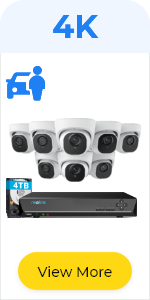
The REOLINK 36CH PoE Network Video Recorder (RLN36) is a professional-grade security hub designed for managing up to 36 Reolink IP cameras simultaneously. It supports up to 48TB of HDD storage across three bays (HDDs not included), enabling continuous 24/7 recording at 4K resolution. While it lacks built-in PoE ports, it integrates seamlessly with up to four external PoE switches for flexible system expansion. Features include two-way audio support, smart human/vehicle detection, and motion-triggered alerts, making it ideal for advanced, scalable surveillance setups.


| ASIN | B09Y5VTBQW |
| Audio Input | Microphone |
| Best Sellers Rank | #11 in Surveillance Video Recorders |
| Brand | REOLINK |
| Built-In Media | RLN36 x1, NVR Power Adapter x1, HDMI Cable x1, USB Mouse x1, 1m Network Cable x1, Quick Start Guide x1 |
| Compatible Devices | Reolink Switch |
| Connectivity Technology | Ethernet |
| Customer Reviews | 4.2 out of 5 stars 347 Reviews |
| Hard Disk Size | 16 TB |
| Hard-Drive Size | 16 TB |
| Item Dimensions L x W x H | 12.99"L x 12.2"W x 1.89"H |
| Item Highlight | 24/7 Recording, Up to 48TB Storage, No HDD Included, Integrated O/I Alarm System, No PoE Port, Requires Reolink PoE Switch |
| Item Weight | 3.24 kg |
| Manufacturer | Reolink Digital |
| Media Format Digital Video | HDD |
| Memory Storage Capacity | 48 TB |
| Mfr Part Number | RLN36 |
| Model Number | RLN36 |
| Number of Channels | 36 |
| Number of Items | 1 |
| Product Dimensions | 12.99"L x 12.2"W x 1.89"H |
| Software Update Supported to Date | unknown |
| Total Usb Ports | 3 |
| Video Input | IP Input |
| Warranty Description | 2-Year Warranty, Lifetime TechSupport |
M**O
Under rated
Reolink is underrated. I installed 2 x12 TB HDs (Seagate Skyhawk AI 12tb HDD 3.5 Inch SATA 6Gb/s 7200PRM 256MB Cache for NAS Internal Hard Drive for DVR NVR Security Camera System AI Application Optimization (Renewed) ). Setup was plug and play. Picture quality depends on the camera. I've got 3 x REOLINK Duo 3V PoE, 5 x REOLINK RLC-1240A First 12MP Vandalproof PoE Security Camera,145ยฐ Wide, 1 x REOLINK Video Doorbell PoE Camera and 1 x REOLINK Video Doorbell WIFI Camera. So the picture quality is great, with easy zooming. I used the REOLINK RLA-POECS1, Waterproof PoE Combiner & Splitters to setup 6 cameras. That means less wires around the house. They needed a POE switch so i used Reidubo 18 Ports Gigabit PoE Switch,16 Port Gigabit PoE+ Network Switch with 2 Uplink Gigabit Ports, 250W. All items purchased here on Amazon. Everything works together perfectly. and can get setup just for local viewing or directly to your phone or computer. The Doorbell camera do setup to my Alexa Echo Show. You have to scan the QR code on the back of the camera and set it up before installing. Any of the time lapse or doorbell features that activate on the echo show need to have that setup. The user interface is very user friendly. I bought everything with a dome and most are installed on the wall mounts. Everything is compatible and good heavy metal. So far durable and i waited for sales so absolutely worth every dime spent.
G**S
Very nice NVR with lots of features
Overall the features of this NVR are good for recording Reolink cameras and playing back video. You have the option to select the events you want to see, people, vehicles, animals, or all motion. The set-up is easy. The one feature that caught me by surprise was that the NVR acts as a DHCP server and reassigns the attached cameras to its own subnet. This causes issues trying to to use rtsp. The software has a defect, when the NVR is rebooted, cameras randomly do not reconnect, which are on that subnet. WiFi cameras always reconnect, just the wired cameras have the issue. I sometimes have to unplug and replug a camera several times to get it to be reconnected to the NVR. I have multiple camera models, and this issue happens with all of them. Update: March 31, 2025 - The reconnection issues have been resolved. Support had me upgrade to the most current firmware. Also, I reconfigured my LAN so that all of the PoE switches now connect directly to the back of the NVR. All of the cameras reconnect now just fine after a reboot. The latest firmware also has some nice enhancements. I am changing my rating to 5 stars.
L**B
It is a good piece of hardware, but its web UI is lacking.
Original: It is a solid NVR after you add a few good brand fans. Pay attention that this is not the model with the poe switch built in. Overall, my disappointment is with their web interface that it only displays one camera at a time and keeps displaying the error "-104 unknown". They could claim to have an app for viewing multiple cameras simultaneously, but it doesn't work for Linux users. They should invest in improving their web interface by adding grid views(that is not a 2 weeks job for a software engineer). I'll continue to update the firmware, and if they add this feature to their web UI, I'll give it five stars. Update 07/12/24: The "-104 unknown" error message appears when I open the web UI and view a camera. If I click "duplicate" to open a new tab and view a second camera, the error occurs(and keeps popping up every few seconds). However, if I open blank new tabs and log in to the NVR in each one of them, the error message does not appear. Update 07/16/24: I recently found the "Enable picture-in-picture video controls" feature in Firefox/LibreWolf. This feature lets me detach the video from the browser, adjust its size, and position it as needed, surpassing the capabilities of a grid view. The only downside is that I still need to open a new tab for each video. Additionally, I discovered the integration with Home Assistant, which includes customizable view grids. With nothing more to wish for from an NVR, I am updating my review to 5 stars.
A**R
This model is work fine
This latest 36 channel NVR from Reolink came without any case fans and the locations where the connectors for the 12V supply for the case fan connectors should be were empty and after metering the solder points I found were also dead so I couldn't install the Noctua fans I had also purchased to install in this case. I'm upgrading from an 8 channel Reolink NVR so I swapped out the internal HDD and the external eSATA HDD and installed them both internally in the new NVR and set it up. To my surprise after running 3 days the case is barley warm. Reolink has done a great job in my opinion venting this case so the CPU fan along with the case modifications make it run cooler. Another interesting note. After a couple of days I shut down the NVR and swapped out the Reolink wired mouse with a Logitech wireless mouse from one of my laptops as an experiment and it works fine.
D**N
Amazing storage capacity
While this will not work for non-Reolink cameras, for what it does it is pretty awesome. 48TB is a lot of storage. The update button does not work so you have to manually update the firmware. Also, read the text as a firmware update removes current config by default. That being said, you cannot beat the price. I had to wait for a 16 TB drive to go on sale, but it is so worth it. Max you can get in a 16 camera system is 12GB across 2 drives. This will take 3 16TB drives. That will give me 4 months of storage with my current 16 cameras. You donโt know what you will notice until you do. This kind of recall is awesome. Just wish the compatibility with 3rd party cams was there. But, the company is up front about it. This does what I needs. Worked with HD over ethernet systems so you can dump the video to any TV with the right equipment. I send the video to 5 TVโs around the house. Reolink offers the best bang for the buck in security cams second only to WYZE. No one touched them in 4K There are a few things they could do better, but for the money I can have redundant systems and all you really need is low voltage lighting to improve the cameras.
J**N
Service Please !!!!
12/29/2024: Still a malfunctioning peice of junk, customer service bot junkmailing me with a BS " we have not heard back from you" auto response. Still not working, no releife from them. WORST CUSTOMER SUPPORT I have ever encountered. Well here we are 4 months into the product being installed and the NVR looks to be failing. Cameras are dropping off. Working thru the Bot on their service link is frusterating to say the least. NVR 36 with 16 cameras installed all cameras are hard wired direct over Cat 6E Certified Network with the average legnth of cable being ~ 22 Meters Well within the 100 Meter EIA /TIA 568 B wiring standards. Cameras are all Hardwired and patched to a POE++ Powered eithernet switch. System is Air gapped and on a completly standalone LAN. Cameras have been idividually pinged and verified to be functional. Powered eithernet switch tested and verified functional. Cabling plant tested and certified using Fluke DTX 1800 Tia Cat6a PermLink (Patch panel to Jack )and Channel Link tested (End to End including Patch cords. I tell all of this painstakingly to the BOT and the response is: Someone will get bac to me! The product worked well for what it is : A residential - consumer grade product with Great images, easy to install and configure, good Gui, a anticipated useful service life of around 3-4 years and worked fine for the first 4 months. The inability to really get in to trouble shooting diagnostics is a letdown, I get the BOT Q& A is designed for a consumer level experiance, but fursterating if you have any skill level as an experianced integrator. at this point I am waiting for the BOT to tell a human to contact the consumer and solve my problem. I will keep you posted. 12/16/24 Updated firmware as directed by help desk, problem still persists 12/22/24 System held stable for a whopping 2 days then cameras began to drop out again Buy a replacement NVR for $175.00 or Abandon the whole Reolink Platform and write it off as a Loss Their Customer service BOT'S are a joke. There is no Customer service. Buyer Beware.. Too bad the concept was pretty good but in reality just more Amazon Sponsored Junk.
F**K
I'm surprisingly happy with this NVR
I already had HDDs and refuse to setup cameras that dump into a cloud or pay subscriptions. I was on the fence whether I'd like this unit as most GUIs out there are horrible. But, I've been very happy with how user friendly the app and web access is and easily downloadable video clips are. There's a learning curve but it isn't too steep. It's been running 4 months now so if it lasts at least few years running 24/7, I'll call it a win.
K**M
Upgraded existing system
For home I purchased a reolink NVR kit with 8 4k cameras (expandable to 16) in late 2021. I had 1 of the 8 cameras replaced under warranty over the 3 years. Sometimes need to reboot the NVR. (Not sure if it is caused by a glitch with our power...) The cameras are mounted under the eaves outside to protect from most of the weather. I purchased a new reolink camera that has zoom/focus. Found that the old reolink NVR supported the camera but NOT with zoom/focus. The old NVR is also 3 years old and out of warranty so probably better to purchase new.. Purchased this system to get the new Reolink zoom camera operational. I also purchased: 4G drive: https://www.amazon.com/dp/B0B1JPYH2Z?ref=ppx_yo2ov_dt_b_fed_asin_title&th=1 Reolink switch: https://www.amazon.com/dp/B0BWHKQ5N9?ref=ppx_yo2ov_dt_b_fed_asin_title Wireless mouse: https://www.amazon.com/dp/B005EJH6Z4?ref=ppx_yo2ov_dt_b_fed_asin_title&th=1 Plugged the Reolink RLC-811A camera into the switch, and the switch into the NVR. Powered everything up and it worked similar to the old NVR via the NVR HDMI interface. (Had to enter the existing password on the camera when added) Turned off power and added the disk drive to the NVR. 2 cables and 4 screws to connect the new disk drive inside the NVR. Powered on and after 10 minutes was able to see some playback data. I purchased the original NVR system in 2021 because my 1080 camera NVR died, a police suspect was loose in our area and our street was having a 50% turnover in new neighbors. Found my new neighbors do not like to follow laws: - Loose puppies/kittens (Can you believe they had GPS trackers on them and let them run loose?) - Kids racing dirt bikes/ATVs on the street (one was 9 year old on adult ATV). - Neighbor yelling threats from the road (I am going to get you when you least expect it...) - Speeding cars/trucks - Constant staring at us or our property when they walk by. (Stalker) - Mowing our front lawn without permission. - Trying to cut up a fallen tree without our permission. - Leaving a rut in our front yard from trying to get their toy hauler RV in their driveway. - Kids trespassing on our property. - Recording conversion with neighbor when they made threats. (Need to tell them this conversation/video is being recorded so you can use it with lawyers/police. Neighbors also lie about what you said in the conversation) - Neighbor taking cell phone pictures at night of our property. (Probably checking for presence/location of security cameras) We needed the camera with zoom because we had some neighbors stopping their vehicle in the street and opening their window when we were out in our screen porch. (Are they flipping us the bird or taking video of us?) Also good for: - watching wildlife(deer/squirrels/coyotes/rabbits/opossums/raccoons/hawks - confirming deliveries - scaring away solicitors (We have some suspicious ones pull up and then leave when they saw the cameras) - Peace of mind when you hear a bump in the night. - Watching bad weather from inside (thunderstorms/wind/hurricanes) - Retracing your steps if you misplaced something ;-) - Falling branches/trees The best interface is with the NVR which I have connected on an HDMI port on the TV and the wireless mouse. Also use the app on an android to monitor remotely and send recordings to my email. Love: - 24/7 recording - 4K video recording - Motion/person/vehicle detection. (Most of the time you do not have to waste time with fast forwarding. - Date/Timestamp on the videos - Separate network POE switch. I can run the camera cables in my crawlspace. Just one cable to NVR in the house. - Send snapshot video/audio to email address via cell phone app.
B**S
Wanted to love it, but sadly it sucks!
Figured this was a cheap affordable NVR that would fit the bill. The http web interface is unable to display the stream of all onvif cameras we have. We tried playing with the codecs (h264, no h265, no smart encoding..) but never worked. The NVR was able to record the streams and display them on the screen connected to the device! Can only assume this is made for Reolink products only.
F**Y
Good unit.
Works well. Firmware updates are clunky and have to be done manually.
Trustpilot
1 month ago
3 weeks ago