

Desertcart purchases this item on your behalf and handles shipping, customs, and support to Bolivia.
📠 Stay connected the classic way—fast, reliable, and ready for any call!
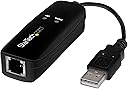
The StarTech USB 2.0 Fax Modem (56K V.92) is a compact, TAA-compliant external modem that adds dial-up data and fax functionality to your computer or laptop via USB. Featuring high-speed 56Kbps download, 33.6Kbps upload, voice and caller ID support, and broad compatibility across Windows, macOS, and Linux, it’s the perfect solution for secure faxing, rural internet access, and POS credit authorization in professional environments.


| Best Sellers Rank | #3,155 in Computers & Accessories ( See Top 100 in Computers & Accessories ) #24 in Computer Networking Modems |
| Customer Reviews | 4.1 out of 5 stars 494 Reviews |
A**E
StarTech USB 2.0 Fax Modem, 56K V.92
Perfect replacement to my quit working previously installed USB Fax Modem. Basically, a plug and play. Make checks and changes, select the new fax modem in your fax program and start sending and receiving.
S**S
Works with Windows 11
Simple 'pig tail' hardware, with 2 LED's [OH] (Off Hook) & [Data], USB 2.0 connection (uses USB 1.1 speed; (20MB's/sec. is WAY fast enough.) for 56K D/L, 33.6k U/L, & 14.4K for Faxing. Installation was interesting, I too had to switch off 'Core Isolation & Memory integrity' I guess until/if they upgrade the driver to re-instate the Core Isolation & Memory Integrity. other than that, it looked like a Windows 3.11 install until I upgraded the install, then it took off. Setting up the Fax software was already set, (just had to upgrade the HW because my other 'Fax Modem' was now 'Unsupported'. All said and done, it's nice, very nice. Has Called ID function, so when somebody calls my Land Line it displays the name/location and the number. It is quieter than my previous internal one, you don't hear the >click< and brief dial tone, dialing the number and connect sound... So I guess it would be better suited for an office environment. it works none the less, the green LED's indicating off hook and data transfer.
F**F
Not Many Like This Around
This is a hardware-based, voice compatible modem which makes things like faxing or emulating a dial-up ISP POP (for things like the SEGA DreamCast's homebrew 'DreamPi' solution) possible. Often times people recommend used but commonly available modems, however a new solution is nice to have and integral for making these dial-up adaptation solutions viable. If the voice does not work you may have an older version, contact StarTech directly for a firmware update. Typically the newer batches should just plug and play, mine did. This is also Linux compatible even though it's not stated on the box. The chipsets from 2022 to the time of writing this have not changed, so this should be a consistent solution. A great purchase.
B**H
Worked 1 time. Also, incompatible with Windows 11 if you want to enable Memory Integrity
Sent one fax. All attempts beyond that fail and says, "Fatal Error". Outdated drivers prevent enabling Memory Integrity in Windows 11, leaving vulnerabilities to malicious code. Beyond the return window, so throwing it in the trash where it belongs. Do not buy.
E**N
Install Windows 8 drivers for use with a Windows 10 computer
I purchased this device in order to be able to send FAXs securely and w/o charge or subscription. Installation was easy once I figured out which driver to install on my wife's Windows 10 computer. Select "Windows 8" from the menu offerings on the installation utility (which should auto-run from the install CD that comes with the unit). Once the drivers were installed, Windows seemed to know how to connect to the device. We had a ten page PDF document that we needed to FAX. While viewing the document inside the PDF viewer, I just selected "File," "Print" and then selected "Fax" from the available printers. A new dialog box popped up where I was able to enter the telephone number to send the fax to. I entered the number (digits only, no separating dashes) and pressed the "Send" button in the dialog box. After a few seconds a new box appeared on the screen where progress of the call and fax transmission was shown. The LEDs on the device also light up and the "Data" LED flashes to indicate when data is being transmitted. I saw it mentioned in some reviews that the sound of the handshake and/or the FAX transmission can be heard through the computer's speaker(s). This does not seem to be the case for our installation, or at least not so far. I suppose it's possible that I overlooked a setting to enable sound somewhere in the setup but, now that I know the thing works, I'm not really interested in hearing this anyway. I can't comment on the dial-up modem capability of this unit because I no longer subscribe to any dial-up provider but this is a nice compact little device that would be easy to include in most laptop or netbook carry bags and it seems to work just fine for the purpose of sending documents by way of FAX and an analog telephone line. I also can't comment (at least not so far) on this device's capability of receiving FAXs. It's doubtful we will ever need to use it for that purpose so that's not something I'm interested in exploring at this time. If I ever have occassion to use it (or attempt to us it) for that purpose, I might post an update explaining how that went. I knock off one star because the installation program didn't show a driver selection for Windows 10 and the printed instructions that came with the device didn't explain which driver to select when installing on a Windows 10 machine either. It was only after visiting the support page on the StarTech website and seeing a driver there listed as "Windows 8/10" that I realized I should try selecting the Windows 8 driver in the install program. Had I not bothered to check further, I might have concluded from the supplied documentation and installer package options, that this device would not work with Windows 10 and would have returned it. StarTech would do well to update their install program or at least the printed instructions that they are packaging with this device. I hope this review is helpful.
C**A
Could be a waste of money
It installs but depending on whether it's win10 or win11, it can cause the system to put up a BSOD, despite using the most current device software. It may be convenient for it to be a USB device for use on a mini pc but only if it works as it's supposed to. Would rather have pc card.
B**O
It works on Win 11
This works great on Windows Fax & Scan. Just make sure to launch WFS as administrator! Otherwise, you'll get errors and won't be able to send a fax.
P**R
Works with MacOS 10.8.5 (Mountain Lion)
The documentation is a bit sketchy one location says it works for 10.6 and below, other location says it works for 10.9 through 10.12. I had 10.8.5 installed on an old Mac and it just works fine. Note - it will not appear in the list of printers when you open the printer setup - click the add printer and it will show up there as "fax". I tested it with dropbox service (hellofax) and the resolution is quite high - both ways. The Mac can also receive faxes, save them, print them or email them automatically. One thing that is missing - it does not generates and official receipt as paper fax machines do (but there is a list of sent faxes if you click the fax "printer" icon (with the print queue etc.) Overall create value for Money. I can also see it appearing as /dev/ttyACM0 dialout without installing any drivers (Ububtu 22.04) but have tested it yet - would also be nice to see if it works on the Raspberry Pi Note - it will not work with IP phone - but it does work with Vonage phone to IP adapter (no sure if they still make those) as it emulates analog phone, and does not filter out too much of the signal -- speed may be affected though.
S**R
Windows 11 kompatibel
Funktioniert problemlos mit Windows 11 und Windows Fax and Scan. Einfach in die USB-Buchse einstecken; Modem wird sofort erkannt. Was fehlt, ist eine Wiedergabe der Faxtöne. Aber darauf kann man gut verzichten. Für die seltenen Anwendungsfälle, in denen man noch ein Fax braucht, leistet das Modem gute Dienste.
A**A
Un modem puro, non un soft-modem!
Collegato e subito riconosciuto. Funziona perfettamente (a me serviva per effettuare delle chiamate). Devo dire che è l'unico dei Modem provato che funziona ANCHE con gli ultimi aggiornamenti di Windows 11 (25H2). Gli altri soft-modem hanno dei driver ormai obsoleti che vengono disattivati / male gestiti da Windows. Questo, invece grazie al chipset Conexant CX93010 NON è un soft-modem (cioé NON si appoggia alla CPU del PC per funzionare) ma fa tutto da sé. Il costo è sensibilmente più alto ma è un acquisto garantito funzionate. Speriamo che duri nel tempo.
R**O
Bom modem
Compre a sua função
M**E
Instal
Driver install failure window 10 Ended up in the rubbish bin
E**H
Excelent quality and price
Came on time. Excellent bran. Worked fine and easy with Fax talk Software. It is Plug and Play. You do not need to install its driver from the CD which came with it
Trustpilot
1 month ago
2 weeks ago